
Beyond the Blink: The True Power of the Arduino Ecosystem
When beginners first search for how to code Arduino Uno, they are typically met with basic tutorials on toggling pins or reading analog sensors. However, professional engineers and advanced makers know that the real value of the Arduino platform does not lie solely in the ATmega328P microcontroller itself, but in the massive, open-source community that surrounds it. As of 2026, the Arduino ecosystem boasts over 5,000 verified libraries and millions of active forum threads, transforming the humble $27 Uno R3 (and the newer $20 Uno R4 Minima) into a powerhouse capable of driving complex IoT networks, FFT audio processing, and advanced robotics.
Relying purely on raw C++ and direct register manipulation is a recipe for slow development and memory leaks. To truly master the Uno, you must learn how to navigate, evaluate, and integrate community-driven code. This guide explores how to leverage library support and community troubleshooting to overcome the hardware constraints of the Uno platform.
The Architecture of Arduino Community Support
The Arduino community operates on a decentralized but highly structured model. Unlike proprietary ecosystems where support is gated behind corporate ticketing systems, Arduino support lives in public repositories and peer-moderated forums.
"The hardware gets you to the workbench; the community gets you to the finish line." — Common adage on the Arduino Forum.
When you install the Arduino IDE (now predominantly the Eclipse-based IDE 2.x), you gain access to the Arduino Library Manager. This tool pulls metadata from the official Arduino repository, allowing you to install, update, and manage dependencies with a single click. However, knowing which library to choose requires understanding the underlying hardware limitations.
Strategic Library Selection for the ATmega328P
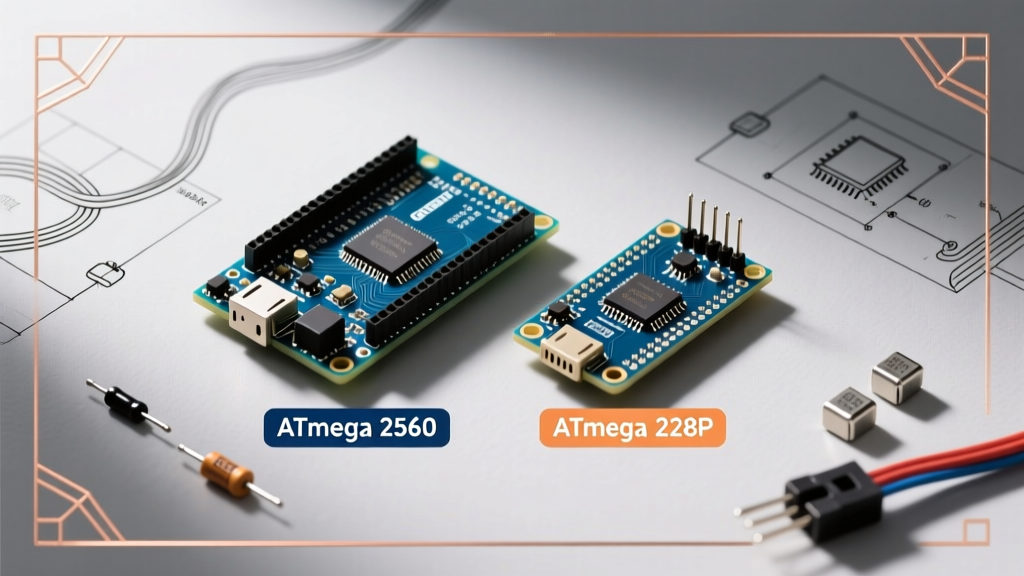
The classic Arduino Uno R3 utilizes the Microchip ATmega328P, an 8-bit AVR microcontroller with 32KB of Flash memory and a highly constrained 2KB of SRAM. When evaluating community libraries, your primary metric must be SRAM overhead. A poorly optimized library can easily consume 1.5KB of SRAM just initializing, leaving insufficient memory for the stack and heap, resulting in unpredictable reboots.
Memory Profiling: FastLED vs. Adafruit NeoPixel
Consider the common task of driving WS2812B addressable LEDs. The community offers two dominant solutions:
- Adafruit NeoPixel: Highly stable, easy to read, but requires a dedicated 3-byte SRAM buffer per LED. For a strip of 100 LEDs, this consumes 300 bytes (15% of total Uno SRAM) just for the color data.
- FastLED: Maintained by a dedicated open-source community, FastLED uses advanced template metaprogramming and inline AVR assembly to push data directly to the pins, often reducing the SRAM footprint and allowing for higher refresh rates on the 16MHz Uno.
Community Library Comparison Matrix (2026)
Below is a data-driven comparison of popular community libraries, specifically benchmarked for the Arduino Uno R3 (ATmega328P) architecture.
| Library Name | Primary Use Case | Flash Footprint | SRAM Overhead | Community Maintenance Status |
|---|---|---|---|---|
ArduinoJson (v7) |
JSON parsing for IoT | ~12KB | Dynamic (Pool-based) | Highly Active (Benoit Blanchon) |
FastLED |
Addressable LED control | ~8KB | 3 bytes/LED + vars | Active (Community Forks) |
U8g2 |
OLED/LCD Graphics | 15KB - 30KB | Page-buffer (256B) | Highly Active (olikraus) |
Wire.h (Built-in) |
I2C Communication | ~2KB | 32B RX/TX Buffers | Core Maintained |
Navigating GitHub and the Arduino Forum for Edge Cases
Even the best libraries fail when pushed to the edges of the Uno's hardware capabilities. When you encounter a compilation error or a runtime crash, the ArduinoCore-avr GitHub repository and the official Arduino Forum are your best resources. Here is how to extract actionable solutions from them.
1. Resolving the 'avr/pgmspace.h' Fatal Error
As the community migrates toward 32-bit ARM architectures (like the Uno R4 or ESP32), many older libraries hardcode AVR-specific memory management headers. If you attempt to compile a legacy library on a newer board or a non-AVR clone, you will encounter:
fatal error: avr/pgmspace.h: No such file or directory
The Community Fix: Search the library's GitHub 'Issues' tab. In 90% of cases, a community member has already submitted a Pull Request (PR) replacing #include <avr/pgmspace.h> with #include <pgmspace.h> or wrapping it in an architecture-check macro (#if defined(__AVR__)). You can manually patch your local src folder while waiting for the maintainer to merge the fix.
2. I2C Bus Lockups and the 'Wire' Library
A notorious edge case on the Uno involves the I2C bus hanging indefinitely if a slave device stops responding mid-transmission, causing the Wire.endTransmission() function to block forever. The standard Arduino Library Reference documentation rarely covers hardware-level pull-up failures.
The Forum Workaround: Veteran forum contributors recommend two steps:
- Hardware: Ensure you have 4.7kΩ pull-up resistors on both SDA and SCL lines. The Uno's internal pull-ups (approx. 20kΩ-50kΩ) are often too weak for bus capacitance over 50cm.
- Software: Implement a software I2C reset routine that manually toggles the SCL pin as a standard digital output to 'clock out' the stuck slave device before reinitializing the
Wirelibrary.
Best Practices for Integrating Third-Party Code
To maintain stability in your Uno projects, follow these community-vetted rules when importing external code:
- Use the
F()Macro: When using community libraries that output serial debug data, always wrap string literals in theF()macro (e.g.,Serial.println(F("Initializing..."));). This forces the compiler to store the string in Flash memory rather than wasting precious SRAM. - Check
library.properties: Before installing, open the library's root folder and read thelibrary.propertiesfile. Look at thedependsfield to ensure you aren't unknowingly pulling in heavy, conflicting dependencies. - Pin Conflict Audits: Community libraries often hardcode default pins (e.g., Pin 10 for SPI SS). Always cross-reference the library's header file (
.h) against your physical wiring diagram to avoid short circuits or bus collisions.
Frequently Asked Questions (FAQ)
Can I use ESP32 libraries on the Arduino Uno R3?
No. The Uno R3 is an 8-bit AVR microcontroller, while the ESP32 is a 32-bit dual-core Xtensa LX6. Libraries relying on Wi-Fi, Bluetooth, or specific ESP-IDF hardware registers will not compile on the Uno. However, generic sensor libraries (like those for BME280 or MPU6050) usually support both via conditional compilation.
How do I recover SRAM if a community library uses too much memory?
If the compiler warns that 'Global variables use X bytes (Y%) of dynamic memory', you are approaching the danger zone. Aim to keep SRAM usage below 75% (approx. 1500 bytes on the Uno R3) to leave room for the call stack. You can recover memory by reducing buffer sizes in the library's header file, removing serial debugging strings, or moving lookup tables to PROGMEM.
Where is the best place to ask for help if a library fails?
First, check the 'Issues' tab on the library's GitHub repository. If the issue is hardware-specific or involves wiring, the Arduino Forum (forum.arduino.cc) is significantly more responsive and populated by hardware engineers who can read oscilloscope traces and schematic diagrams.