
The Ecosystem Advantage: Beyond the ATmega328P Hardware
When evaluating microcontroller platforms in 2026, hardware specifications only tell half the story. The ATmega328P-PU chip at the heart of the Arduino Uno R3 kit operates at a modest 16MHz with just 32KB of Flash memory and 2KB of SRAM. By pure computational metrics, it is vastly outperformed by modern dual-core ESP32-S3 boards or the RP2040. Yet, the Arduino Uno R3 kit remains the undisputed champion for beginners and rapid prototypers. Why? The answer lies entirely in its unmatched community and library support.
Over the past decade, millions of developers, educators, and hobbyists have built a monolithic software ecosystem tailored specifically to the Uno R3's 5V logic levels, 14 digital I/O pins, and 6 analog inputs. When you purchase an Arduino Uno R3 kit today, you are not just buying a PCB and a handful of breadboard sensors; you are buying instant access to tens of thousands of pre-written, community-audited GitHub repositories, dedicated forum threads, and plug-and-play library integrations that drastically reduce development time.
Library Compatibility Matrix: Uno R3 vs. Modern Alternatives
To understand the sheer weight of community backing, we must compare the Arduino Uno R3 kit against popular modern alternatives. While newer boards offer Wi-Fi and more RAM, they often struggle with legacy sensor libraries included in standard starter kits.
| Feature / Platform | Arduino Uno R3 Kit (ATmega328P) | ESP32 DevKit V1 | Raspberry Pi Pico W (RP2040) |
|---|---|---|---|
| Native Logic Level | 5V (Directly compatible with kit sensors) | 3.3V (Requires logic shifters for 5V kits) | 3.3V (Requires logic shifters for 5V kits) |
| Legacy Sensor Library Support | 100% (Native) | ~75% (Requires pin re-mapping & voltage tweaks) | ~60% (Many older C++ libs lack RP2040 PIO support) |
| Community Forum Threads (Est.) | 3.5 Million+ | 850,000+ | 400,000+ |
| Out-of-the-Box Kit Compatibility | Flawless (No wiring changes needed) | Poor (Risk of frying 3.3V pins with 5V sensors) | Poor (Risk of frying 3.3V pins with 5V sensors) |
As the matrix illustrates, the 5V tolerance of the Uno R3 is a massive hidden advantage. Most budget-friendly Arduino Uno R3 kits include 5V sensors like the HC-SR04 ultrasonic module, DHT11 temperature sensor, and 5V relay modules. Attempting to wire these directly to an ESP32 or Pico W without a bidirectional logic level shifter often results in fried GPIO pins—a hardware failure mode that generates thousands of desperate forum posts from beginners.
Navigating the Arduino Library Manager for Uno R3 Projects
The Arduino IDE Library Manager is the central hub for community code. However, the sheer volume of libraries can be overwhelming. When working with the components typically found in an Arduino Uno R3 kit, selecting the right community-maintained library is critical for stability.
Top Community-Backed Libraries for Standard Kit Components
- Adafruit Unified Sensor & DHT Sensor Library: The gold standard for the DHT11/DHT22 sensors included in almost every kit. The community has heavily optimized the timing-critical bit-banging routines to prevent interrupt conflicts on the 16MHz ATmega328P.
- AccelStepper by Mike McCauley: If your kit includes a 28BYJ-48 stepper motor and ULN2003 driver board, this library is mandatory. It handles non-blocking acceleration and deceleration profiles, freeing up the Uno's main loop to handle other tasks.
- U8g2 (by olikraus): Many modern Uno R3 kits now include a 128x64 I2C OLED display. While the Adafruit_SSD1306 library is popular, it allocates a 1KB frame buffer—consuming a full 50% of the Uno's precious 2KB SRAM. The community-driven U8g2 library offers a 'page buffer' mode that reduces SRAM usage to under 100 bytes, preventing memory crashes.
Edge Case: Managing SRAM Bottlenecks with Community Forks
The most common point of failure for intermediate users working with an Arduino Uno R3 kit is SRAM exhaustion. With only 2048 bytes of SRAM available, dynamic memory allocation (such as using the String class) quickly leads to heap fragmentation and unpredictable reboots.
Expert Insight: Never use the capital-S
Stringobject for concatenating sensor data on the Uno R3. Instead, rely on standard C-stylechararrays andsnprintf(). Furthermore, the community developed theF()macro to store static strings in Flash memory rather than SRAM. Wrapping your serial prints likeSerial.println(F("Sensor initialized"));is a non-negotiable best practice for Uno R3 development.
For advanced multitasking, the community maintains Arduino_FreeRTOS, a port of the FreeRTOS real-time operating system. While running an RTOS on 2KB of SRAM is tight, community forks have stripped down the kernel overhead to allow for 3-4 lightweight concurrent tasks, enabling complex kit projects like simultaneous LCD updating and motor polling without using brittle delay() functions.
Troubleshooting via the Community: Real-World Failure Modes
When hardware or software fails, the Arduino Forum and StackOverflow are your best resources. Here are two highly specific failure modes associated with Arduino Uno R3 kits and their community-sourced solutions:
1. The CH340G Driver Conflict (Clone Kits)
Genuine Arduino Uno R3 boards use the ATmega16U2 USB-to-Serial chip, which is natively recognized by Windows, macOS, and Linux. However, 80% of third-party Uno R3 kits (priced between $15 and $30) use the WCH CH340G or CH340C chip to cut costs.
The Failure: On Windows 11, automatic Windows Update often installs an incompatible CH340 driver, resulting in a 'Code 10' error in Device Manager and a failure to upload sketches.
The Community Fix: You must manually uninstall the Windows-provided driver and install the legacy CH340 driver directly from the WCH manufacturer archives or trusted community GitHub repositories that host the verified 2023/2024 driver builds.
2. I2C Bus Hanging on Cheap Sensor Shields
Many Uno R3 kits include an I2C LCD backpack or an MPU6050 accelerometer breakout board.
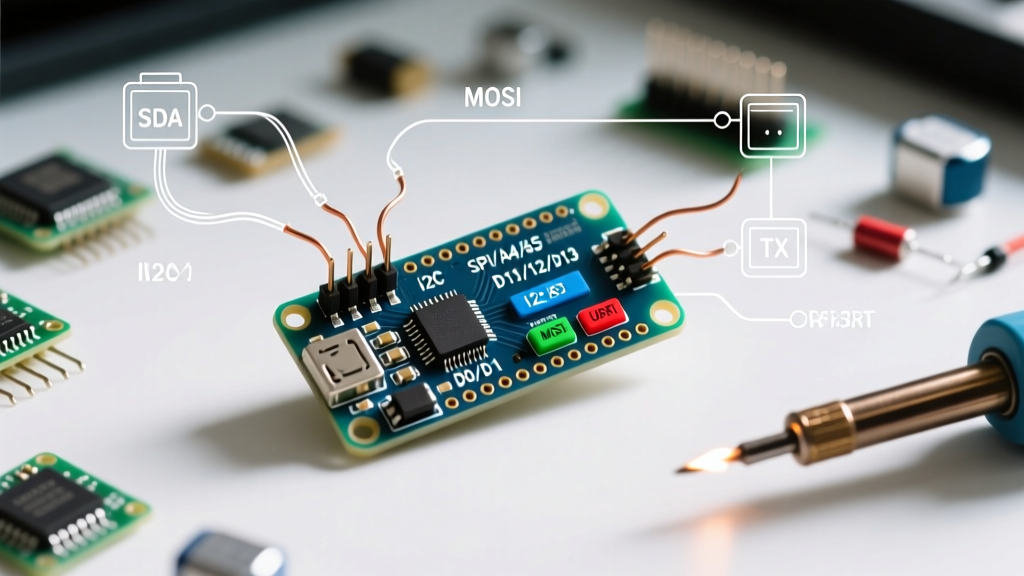
The Failure: The Uno's Wire.h library relies on external pull-up resistors (typically 4.7kΩ) on the SDA and SCL lines. Budget kit manufacturers frequently omit these resistors on the sensor PCBs to save fractions of a cent. This causes the I2C bus to float, resulting in the Uno R3 completely freezing at Wire.endTransmission().
The Community Fix: Solder two 4.7kΩ pull-up resistors between the 5V pin and the SDA/SCL lines on the breadboard, or use a software-based I2C library (like SoftwareWire) which can sometimes tolerate weaker signal margins through internal pull-up activation.
Sourcing the Right Kit for Maximum Compatibility
If you are buying an Arduino Uno R3 kit specifically to leverage this massive library ecosystem, ensure the hardware you receive matches community assumptions.
- Genuine Arduino Uno R3 Rev3: Priced around $27.60. Best for educators and professionals who need guaranteed ATmega16U2 USB stability and high-quality PCB traces.
- Elegoo Super Starter Kit: Priced around $39.99. Includes a high-quality clone Uno, a robust breadboard, and a massive array of sensors. Elegoo's GitHub repository provides direct, community-verified PDF tutorials and baseline code for every included component.
- Smraza / Rexqualis Kits: Priced between $22.00 and $28.00. Excellent budget options, but be prepared to manually source CH340 drivers and verify I2C pull-up resistors on the included sensor modules.
Frequently Asked Questions (FAQ)
Can I use ESP32 libraries on my Arduino Uno R3 kit?
No. Libraries specifically written for the ESP32's dual-core Xtensa architecture, Wi-Fi stack, or capacitive touch pins will not compile for the Uno R3's AVR architecture. However, generic sensor libraries (like those for DHT or OLED displays) usually support both platforms via the Arduino Library Manager.
Why does my Uno R3 kit's servo motor jitter when using the Servo library?
The standard Arduino Servo.h library uses hardware timers. If your project also uses IR receivers or software serial libraries that rely on the same timer interrupts, the PWM signal to the servo will degrade, causing jitter. The community solution is to use the PWMServo library or switch to a hardware PCA9685 I2C servo driver board, offloading the timing from the ATmega328P.
Is the Arduino Uno R3 kit still relevant for IoT projects in 2026?
For native Wi-Fi IoT, no—the ESP32 is the superior choice. However, the Uno R3 kit remains highly relevant for 'Edge Node' IoT projects. By wiring an ESP-01 (ESP8266) module to the Uno's digital pins and using the community-maintained WiFiEspAT library, you can use the Uno to process heavy 5V sensor data while offloading the network stack to the ESP module.
Ultimately, the Arduino Uno R3 kit's true value in 2026 is not its processing power, but the unparalleled, deeply documented, and universally supported software ecosystem that guarantees you will never be stuck without a solution.