
The Arduino Uno Driver Ecosystem: Beyond Plug and Play
When a maker or engineer searches for an "Arduino Uno driver," they have almost invariably hit a critical roadblock: the Arduino IDE cannot detect the board's COM port. In the broader microcontroller ecosystem, the term "driver" is slightly misleading. Unlike a graphics card or a printer, the Arduino Uno does not use a monolithic software package. Instead, the driver you need depends entirely on the specific USB-to-Serial bridge chip soldered onto your board's PCB. As of 2026, understanding this hardware divide is essential for troubleshooting upload failures, resolving OS-level security blocks, and transitioning to newer native-USB architectures.
ATmega16U2 vs. CH340G: The Hardware Divide
The Arduino Uno ecosystem is broadly split into two hardware categories: genuine boards (and premium licensed clones) and budget third-party clones. This split dictates your driver requirements.
1. The Genuine Uno (ATmega16U2)
Official Arduino Uno R3 boards utilize a secondary microcontroller, the ATmega16U2, programmed to act as a USB-to-Serial bridge. Because this chip presents itself as a standard USB CDC (Communication Device Class) ACM modem, modern operating systems (Windows 10/11/12, macOS, Linux) load generic, built-in drivers automatically. No manual installation is required.
2. The Clone Uno (CH340G / CH340C)
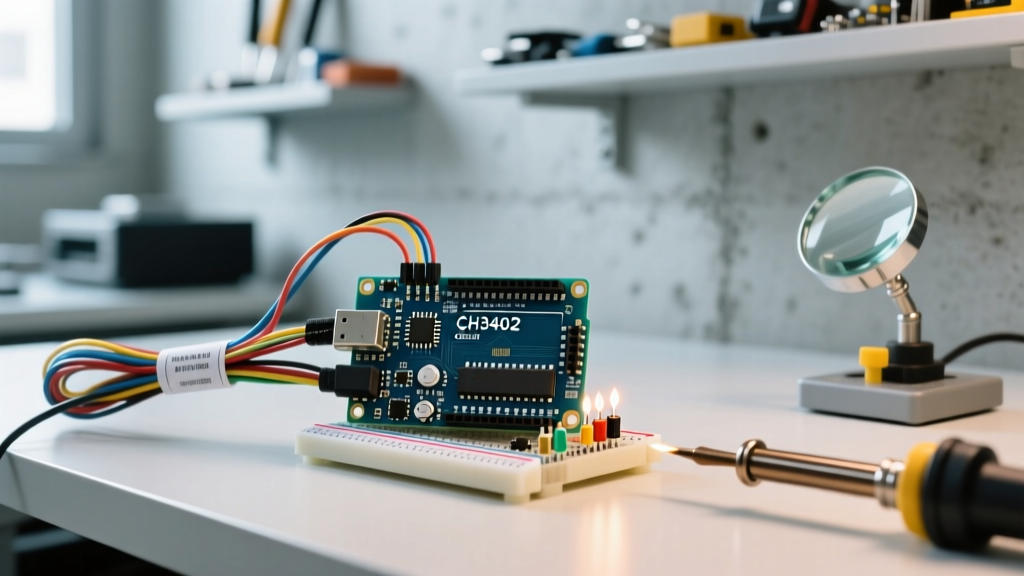
To reduce the bill of materials (BOM) from roughly $28 down to $4 to $8, overseas manufacturers replace the ATmega16U2 with the CH340G (or the surface-mount CH340C) from Nanjing Qinheng Microelectronics (WCH). This chip does not always natively map to generic CDC drivers on older systems, requiring a proprietary kernel extension or system driver.
| Feature | Genuine Uno R3 (ATmega16U2) | Budget Clone (CH340G/C) | Uno R4 Minima (Native RA4M1) |
|---|---|---|---|
| Bridge Chip | ATmega16U2 (8-bit AVR) | CH340G / CH340C | None (Native USB via Renesas RA4M1) |
| USB VID:PID | 2341:0043 | 1A86:7523 | 2341:0069 |
| Driver Requirement | Built-in OS CDC-ACM | Manual WCH Driver (often required) | Built-in OS CDC-ACM |
| Average Cost (2026) | $28.00 - $32.00 | $4.50 - $9.00 | $20.00 - $24.00 |
Identifying Your Board via VID and PID
Before downloading random executables from the internet, identify your board's USB Vendor ID (VID) and Product ID (PID). This guarantees you install the correct Arduino Uno driver.
- Windows: Open Device Manager, locate the "Unknown Device" or "USB-SERIAL" under Ports (COM & LPT), right-click Properties, and check the Hardware tab for the VID/PID string.
- macOS: Click the Apple Logo > About This Mac > More Info > System Report > USB. Look for the Vendor ID and Product ID hex codes.
- Linux: Open a terminal and type
lsusb. You will see an output likeBus 001 Device 004: ID 1a86:7523 QinHeng Electronics CH340 serial converter.
The Auto-Reset Mechanism: Why Drivers Matter for Uploading
A common misconception is that the driver only handles data transfer. In the Uno ecosystem, the driver is also responsible for triggering the bootloader. When you click "Upload" in the Arduino IDE, the driver momentarily pulses the DTR (Data Terminal Ready) control line. On the Uno PCB, this DTR line is routed through a 100nF ceramic capacitor directly to the ATmega328P's RESET pin.
Expert Insight: If you are using a clone board with a poorly implemented CH340 driver, or a third-party USB cable that lacks the DTR control wire, the 100nF capacitor never receives the pulse. The board won't reset, the bootloader won't engage, and the IDE will throw the dreaded
avrdude: stk500_recv(): programmer is not respondingerror. Always verify DTR assertion in your serial terminal settings.
OS-Specific Driver Installation & 2026 Troubleshooting
Windows 11 & 12: Core Isolation Conflicts
Historically, Windows required you to run the CH341SER.EXE installer to load the CH341SER.SYS kernel driver. However, in modern Windows 11 and the emerging Windows 12 environments, Microsoft's Core Isolation / Memory Integrity security features frequently block older, unsigned, or poorly signed versions of the WCH driver from loading.
The Fix: Do not use the driver files bundled on cheap clone manufacturer CDs or outdated blog posts. Download the latest signed driver directly from the official WCH GitHub repository. Version 3.8 and above are properly signed with modern EV certificates and will pass Windows Defender's kernel-mode code integrity checks.
macOS (Apple Silicon): DriverKit vs. KEXT
If you are using an M1, M2, M3, or M4 Mac, the old method of installing kernel extensions (KEXTs) is dead. Apple's System Integrity Protection (SIP) blocks unauthorized KEXTs. WCH has transitioned to Apple's user-space DriverKit framework for the CH340. You must download the latest macOS package (v1.8 or higher) from the WCH site, which installs a .dext (Driver Extension) rather than a .kext. After installation, you must explicitly approve the software in System Settings > Privacy & Security and reboot.
Linux: Kernel Module Verification
Linux users have the easiest path. The ch341 module has been baked into the mainline Linux kernel for years. If your Uno clone isn't showing up as /dev/ttyUSB0, verify the module is loaded by running lsmod | grep ch341. If it's missing, load it manually with sudo modprobe ch341. For permissions issues, ensure your user is added to the dialout group via sudo usermod -a -G dialout $USER.
Advanced Troubleshooting: When the Port is Grayed Out
Even with the correct Arduino Uno driver installed, the IDE's port menu may remain grayed out. Before blaming the PCB, rule out these physical and software edge cases:
- The Charge-Only Cable Trap: Over 40% of "dead" Unos are actually victims of USB cables that lack the internal D+ and D- data lines. These cables only have VCC and GND wires for charging phones. Swap to a verified data cable.
- USB Hub Power Starvation: The CH340G chip can be sensitive to voltage drops on the USB VBUS line. If connected through an unpowered USB 3.0 hub, the chip may brownout during the initial USB enumeration phase. Plug directly into the motherboard's rear I/O.
- Arduino IDE 2.x Serial Monitor Bugs: The newer IDE 2.x architecture uses a background daemon (
arduino-cli) to manage serial ports. Occasionally, this daemon hangs. Use the Task Manager (or Activity Monitor) to kill thearduino-cliprocess, then restart the IDE.
The Shift to Native USB: The Post-Driver Era
As we look at the broader ecosystem in 2026, the traditional "USB-to-Serial bridge" architecture is being phased out in premium boards. The Arduino Uno R4 Minima, for example, utilizes the Renesas RA4M1 ARM Cortex-M4 microcontroller, which features a native USB peripheral. This means the main processor handles USB communication directly, appearing as a generic CDC device without needing a secondary bridge chip or proprietary drivers. Similarly, boards like the ESP32-S3 and Raspberry Pi Pico (RP2040) rely on native USB bootloaders (like UF2) or generic CDC. Understanding the legacy Arduino Uno driver ecosystem remains vital for maintaining the millions of R3 and clone boards in circulation, but new project designs are rapidly moving toward driverless, native-USB architectures.
For a deeper dive into how serial data is packetized and transmitted across these bridges, review the SparkFun Serial Communication Tutorial, which breaks down the UART protocol that both the ATmega16U2 and CH340 rely on to talk to the main microcontroller.