
The Evolution of IoT Prototyping in 2026
The smart home landscape has fundamentally shifted over the last few years, moving away from fragmented, proprietary hubs toward a unified, IP-based standard. At the center of this transition for hardware developers and DIY engineers is the Arduino Nano Matter. Unlike traditional Wi-Fi-heavy microcontrollers that drain power and congest local networks, the Nano Matter is purpose-built for low-power, mesh-networked environments using Matter over Thread. This ecosystem overview breaks down the hardware architecture, network dependencies, development workflows, and real-world edge cases you need to know to deploy reliable Matter nodes in 2026.
Hardware Architecture: Inside the MGM240S SiP
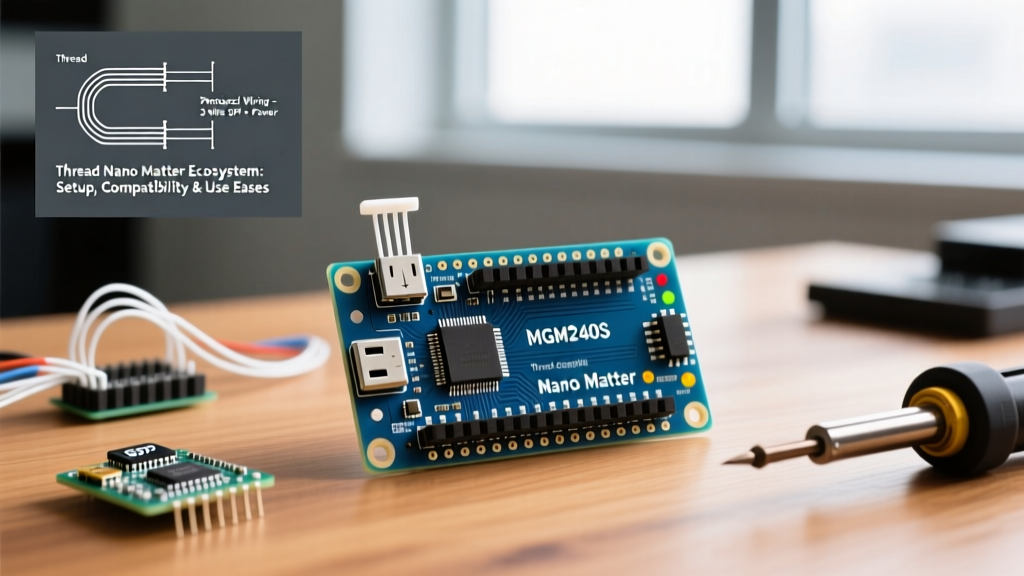
The Arduino Nano Matter is built around the Silicon Labs MGM240S System-in-Package (SiP). This module integrates the EFR32MG24 Wireless SoC, which features an Arm Cortex-M33 core running at 78 MHz. It is specifically optimized for 802.15.4 mesh protocols (Thread and Zigbee) as well as Bluetooth Low Energy (BLE) 5.3, which is critical for the initial device commissioning phase.
With 1.5 MB of Flash and 256 KB of RAM, the MGM240S provides ample headroom for the cryptographic operations required by Matter's security layer, including AES-128-CCM encryption and Certificate-Based Key Exchange (CBKE). The Nano form factor (18 x 45 mm) ensures it remains compatible with standard breadboards and custom PCB shields.
Board Comparison Matrix
| Feature | Arduino Nano Matter | Arduino Nano ESP32 | Arduino Nano 33 BLE |
|---|---|---|---|
| Core SoC | Silicon Labs MGM240S (EFR32MG24) | Espressif ESP32-S3 | Nordic nRF52840 |
| Primary Protocol | Thread (802.15.4) / Matter | Wi-Fi (802.11) / Matter | BLE 5.0 (No native Matter) |
| Flash / RAM | 1.5 MB / 256 KB | 8 MB / 512 KB | 1 MB / 256 KB |
| Active TX Power | ~20 mA (at +10 dBm) | ~180 mA (Wi-Fi TX) | ~15 mA (BLE TX) |
| Network Topology | Mesh (Self-healing) | Star (Hub-dependent) | Point-to-Point / Mesh |
The Thread Ecosystem and Border Router Dependencies
A common pitfall for engineers new to the Thread Group ecosystem is assuming that a Matter device can connect directly to a smartphone or Wi-Fi router. Thread operates on the IEEE 802.15.4 standard at 2.4 GHz, which requires a Thread Border Router (TBR) to bridge the low-power mesh network to your home's IPv6 Wi-Fi or Ethernet network.
Compatible Border Routers (2026 Landscape)
- Apple Ecosystem: Apple TV 4K (3rd Generation, Wi-Fi + Ethernet), HomePod Mini, HomePod (2nd Gen).
- Google Ecosystem: Nest Hub (2nd Gen), Nest Hub Max, Nest Wifi Pro.
- Amazon Ecosystem: eero 6+ and newer mesh routers, Echo (4th Gen).
- Open Source: Home Assistant Connect ZBT-1 paired with the OpenThread Border Router (OTBR) add-on.
If your testing environment lacks a dedicated TBR, the Arduino Nano Matter will successfully commission via BLE but will fail to achieve IP routability, resulting in a 'No Response' state in your smart home controller.
Step-by-Step Commissioning Workflow
Commissioning a Matter device involves a secure handoff from Bluetooth LE to the Thread mesh. According to the Connectivity Standards Alliance (CSA), this process enforces strict security boundaries.
- BLE Advertisement: The Nano Matter boots and broadcasts a BLE GAP advertisement containing its Vendor ID (VID), Product ID (PID), and a discriminator code.
- PASE Session: The smartphone controller (e.g., Apple Home app) connects via BLE and establishes a Passcode-Authenticated Session (PASE) using the setup code printed on the device QR label.
- Credential Injection: The controller securely pushes the Thread network credentials (Active Operational Dataset) to the Nano Matter over the encrypted BLE link.
- Thread Joining: The Nano Matter disables its BLE radio to save power, joins the 802.15.4 mesh, and requests an IPv6 address via SLAAC.
- CASE Session: The device establishes a Certificate-Authenticated Session (CASE) with the Matter Fabric, finalizing its integration into the smart home ecosystem.
Development Environment: Clusters and Endpoints
Programming the Arduino Nano Matter relies on the ArduinoMatter library, which abstracts the complex Silicon Labs Gecko SDK into digestible C++ functions. Matter organizes device capabilities into Endpoints (logical devices) and Clusters (specific functionalities).
For example, if you are building a smart environmental sensor, you will implement Endpoint 1 with the Temperature Measurement Cluster (0x0402) and the Relative Humidity Cluster (0x0405). The library handles the underlying ZCL (Zigbee Cluster Library) encoding and Matter data model serialization.
Pro-Tip for Power Optimization: When configuring the Nano Matter as a Sleepy End Device (SED) for battery-powered deployments, ensure you adjust the polling interval in the Arduino IDE via Matter.setPollingInterval(10000). Setting this to 10 seconds (10,000 ms) instead of the default 1 second can extend coin-cell battery life from a few weeks to over a year, though it increases latency for outbound commands.
Real-World Failure Modes and Edge Cases
Deploying Thread-based Matter nodes in physical environments introduces RF and networking edge cases that do not occur in Wi-Fi or simulated environments. Understanding these failure modes is critical for robust ecosystem design.
1. Mesh Partitioning and Leader Election
In a Thread network, one Full Thread Device (FTD) acts as the 'Leader', managing router upgrades and network data. If the Nano Matter is configured as an FTD and the primary Leader drops offline, a new Leader is elected. However, if your mesh has poor RF overlap, the network can 'partition' into two isolated sub-networks. Devices on the orphaned partition will lose connectivity to the Border Router. Solution: Ensure you have at least 3 to 4 always-powered FTDs (like smart plugs or the Nano Matter powered via USB) distributed evenly across the physical space to maintain mesh redundancy.
2. Multi-Fabric Commissioning Limits
A major selling point of Matter is multi-admin capabilities, allowing a single Nano Matter node to be controlled by both Apple Home and Google Home simultaneously. However, the MGM240S has limited memory allocated for Access Control Lists (ACLs). If you attempt to commission the device to more than three distinct fabrics (e.g., Apple, Google, and Home Assistant), you may encounter memory allocation errors during the CASE session establishment. Always manage fabric indices carefully and remove stale fabrics using the RemoveFabric command if a controller is decommissioned.
3. BLE Commissioning Timeouts
Because the initial handshake occurs over BLE, physical distance matters. If the smartphone is moved more than 2–3 meters away from the Nano Matter during Step 3 (Credential Injection), the BLE link can drop. Unlike Wi-Fi, Thread credentials cannot be pushed over the air without the initial secure BLE tunnel. If this times out, the board requires a physical hardware reset (double-pressing the onboard reset button) to clear the partial state and re-initiate BLE advertisements.
Cost, Procurement, and Ecosystem Viability
Retailing between $18.00 and $22.00 USD, the Arduino Nano Matter sits at a premium compared to raw ESP32-C6 modules (which often sell for under $4.00). However, the premium covers the integrated 2.4 GHz ceramic antenna, the SiP shielding, USB-C native connectivity, and most importantly, the pre-certified Silicon Labs Matter Solutions stack. For commercial prototyping, educational labs, and rapid DIY deployments where RF certification and software abstraction are paramount, the Nano Matter remains the most frictionless entry point into the Thread ecosystem in 2026.