
The Silicon Divide: ATmega2560 vs ATmega328P
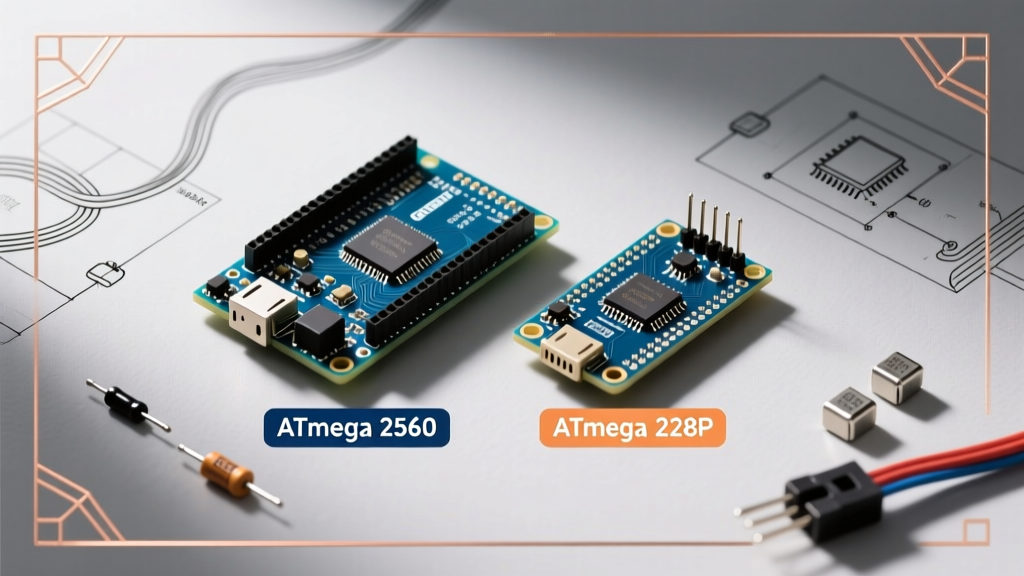
When scaling a prototype from a breadboard to a permanent installation, the most common crossroads for embedded engineers and DIYers is choosing between the standard Arduino Uno and the Arduino Mega. While both share the same 5V logic architecture and IDE ecosystem, their underlying silicon dictates vastly different project ceilings. The Uno relies on the Microchip ATmega328P (a 28-pin DIP package), whereas the Mega is built around the ATmega2560 (a 100-pin TQFP surface-mount chip). This isn't just a difference in pin count; it is a fundamental shift in memory addressing, timer multiplexing, and peripheral routing.
According to the official Microchip ATmega2560 datasheet, the Mega's architecture supports up to 15 hardware interrupts and 6 external timer/counters, compared to the Uno's 2 hardware interrupts and 3 timers. This makes the Mega a mandatory choice for real-time operating systems (RTOS) and complex interrupt-driven sensor fusion.
Hardware Specification Matrix
Below is a direct technical comparison of the genuine Arduino Mega 2560 Rev3 and the Arduino Uno Rev3 based on their 2026 hardware revisions.
| Specification | Arduino Uno (ATmega328P) | Arduino Mega (ATmega2560) | Project Impact |
|---|---|---|---|
| Flash Memory | 32 KB (0.5 KB bootloader) | 256 KB (8 KB bootloader) | Mega handles massive lookup tables and complex firmware (e.g., Marlin 3D printer OS). |
| SRAM | 2 KB | 8 KB | Mega prevents stack overflows in heavy string manipulation or local buffer arrays. |
| EEPROM | 1 KB | 4 KB | Mega allows extensive local logging of state variables without external I2C flash. |
| Digital I/O Pins | 14 (6 PWM) | 54 (15 PWM) | Mega eliminates the need for I/O expanders (like MCP23017) in wiring-heavy builds. |
| Analog Inputs | 6 (10-bit ADC) | 16 (10-bit ADC) | Mega supports multi-axis analog joysticks and multi-bank potentiometers natively. |
| Hardware UARTs | 1 (Shared with USB) | 4 (Dedicated Serial 1-3) | Mega allows simultaneous GPS, Bluetooth, and PC telemetry without SoftwareSerial. |
When the Arduino Mega is the Only Logical Choice
1. 3D Printing and CNC Routing (RAMPS Ecosystem)
The RepRap Arduino Mega Pololu Shield (RAMPS) 1.4 and 1.6 ecosystems are physically and electrically designed for the Mega's footprint. Modern 3D printer firmware, such as Marlin 2.1.x, requires a minimum of 128KB of Flash memory to enable advanced features like Linear Advance, Auto Bed Leveling (ABL) meshes, and TFT color UI support. The Uno's 32KB limit makes compiling these feature sets impossible. Furthermore, driving 5 stepper motors simultaneously requires the Mega's expanded Timer1, Timer3, Timer4, and Timer5 registers to generate precise, non-blocking step pulses.
2. Multi-Serial Telemetry and ROS Robotics
In robotics, specifically when using the Robot Operating System (ROS) via rosserial, you often need one UART for the PC bridge, one for a LiDAR module (like the RPLidar A1), and one for a GPS receiver (like the u-blox NEO-M8N). The Uno forces developers to use SoftwareSerial, which disables interrupts during byte transmission and causes massive packet loss at baud rates above 38400. The Mega's three dedicated hardware UARTs (Serial1 on pins 19/18, Serial2 on 17/16, Serial3 on 15/14) handle 115200 baud concurrently with zero CPU blocking.
Hidden Hardware Quirks and Failure Modes
Migrating from an Uno to a Mega is rarely as simple as changing the board selection in the IDE. The Mega has specific electrical quirks that cause silent failures in production environments.
Expert Warning: The I2C Capacitance Trap
On the Uno, I2C is mapped to A4 (SDA) and A5 (SCL). The Mega maps native I2C to pins 20 and 21, but duplicates them on A4/A5 for shield compatibility. However, the Mega's longer PCB traces introduce higher parasitic capacitance. If you are running I2C devices at 400kHz (Fast Mode) with standard 10kΩ pull-up resistors, the signal edges will round off, causing random NACK errors. Fix: Drop your I2C pull-up resistors to 4.7kΩ or 3.3kΩ when using the Mega's A4/A5 headers.
The Voltage Regulator Thermal Bottleneck
Both boards utilize an NCP1117 5V linear regulator. However, because Mega projects typically draw more current (due to attached shields, LCDs, and sensor arrays), users frequently encounter thermal throttling. If you power the Mega via the barrel jack with a 12V supply and draw 400mA from the 5V pin, the regulator must dissipate 2.8 Watts of heat ((12V - 5V) × 0.4A = 2.8W). The SOT-223 package on the PCB lacks a heatsink and will trigger internal thermal shutdown at around 150°C, causing the board to randomly reboot. Actionable Advice: If your 5V rail load exceeds 250mA, bypass the onboard regulator entirely and supply a regulated 5V directly to the 5V pin (with the USB disconnected), or drop your barrel jack input to 7.5V.
PWM Timer Mapping Conflicts
Legacy libraries written for the Uno often hardcode AVR timer registers. For example, pins 9 and 10 on the Uno are controlled by Timer1. On the Mega, pins 9 and 10 are controlled by Timer2 and Timer3, respectively. If you use a library that directly manipulates TCCR1A to generate custom PWM frequencies (common in audio synthesis or motor control), the exact same code will output garbage signals or fail silently on the Mega. Always verify library compatibility with the ATmega2560 architecture before porting code.
2026 Procurement: Genuine vs. Clone Economics
As of 2026, the pricing landscape for AVR development boards has stabilized, but the component variations between genuine and third-party clones require careful scrutiny.
- Genuine Arduino Mega 2560 Rev3: Retails around $48.00 - $52.00. Features the ATmega16U2 USB-to-Serial chip, which supports native HID (Human Interface Device) emulation, allowing the Mega to act as a custom keyboard or gamepad without external firmware hacks.
- Clone Mega (CH340C variant): Retails around $13.00 - $16.00. Replaces the ATmega16U2 with the WCH CH340C chip. While perfectly fine for standard serial flashing, the CH340C does not support native USB HID. Furthermore, cheap clones often omit the 0.1µF decoupling capacitors near the ATmega2560 chip, leading to ADC noise and brownout resets in electrically noisy environments (like near stepper motor drivers).
Final Decision Framework
Do not default to the Mega simply because it has more pins. The larger physical footprint (101.52 mm x 53.3 mm) makes it unsuitable for compact, wearable, or drone-based enclosures. Use the Arduino Uno (or its smaller sibling, the Nano) for single-purpose, low-latency tasks like PID temperature control, basic RFID access systems, or single-motor actuators. Reserve the Arduino Mega for hub-level architectures: multi-axis CNC machines, environmental monitoring stations requiring 10+ analog sensors, and complex robotics requiring simultaneous hardware serial telemetry.