
The "Arduino Nano Driver" Misconception
When makers and engineers search for an "Arduino Nano driver," they are usually encountering a frustrating roadblock: the IDE cannot find the COM port, or code uploads fail with a timeout error. The fundamental truth of the Arduino Nano ecosystem is that the ATmega328P microcontroller itself does not require a driver. Instead, the driver you need is entirely dictated by the USB-to-Serial bridge chip soldered onto the board.
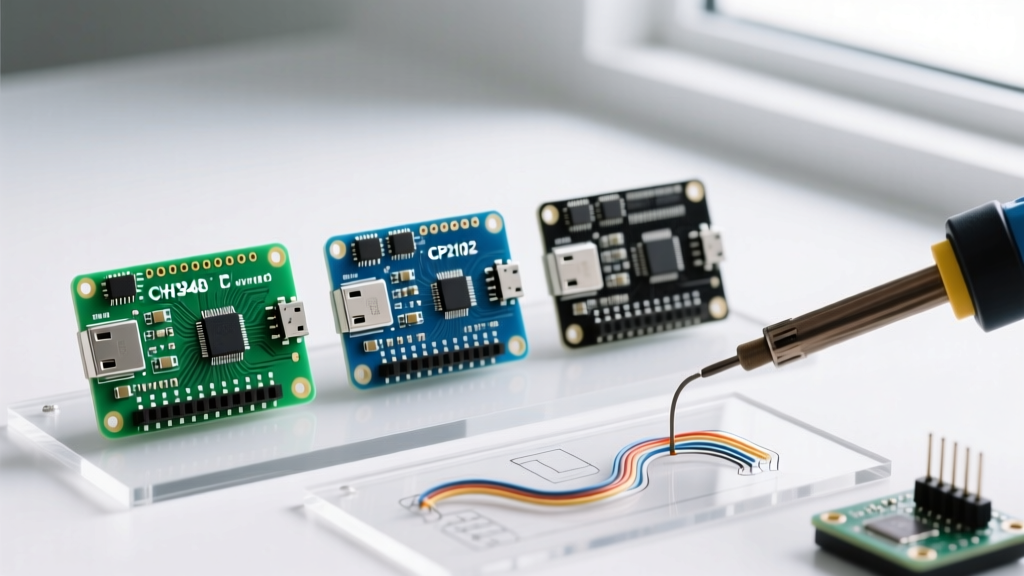
As of 2026, the market is flooded with Nano variants. While the original Italian-manufactured boards use the FTDI FT232RL chip, the vast majority of third-party clones rely on the WCH CH340 or Silicon Labs CP2102. Each chip requires a completely different Virtual COM Port (VCP) driver, exhibits unique failure modes, and interacts differently with modern operating systems like Windows 11 and macOS Sequoia.
In this comprehensive review and comparison, we dissect the three dominant USB-serial chips found on Nano boards, provide exact hardware identification metrics (VID/PID), and deliver actionable troubleshooting matrices to get your uploads working.
USB-to-Serial Chip Comparison Matrix
Before downloading random executables from the internet, identify which chip your specific Nano variant uses. You can verify this by plugging the board in and checking the Device Manager (Windows) or System Information (macOS) for the Hardware IDs.
| Bridge Chip | Typical Board Price (2026) | VID / PID | Native OS Support | Primary Failure Mode |
|---|---|---|---|---|
| FTDI FT232RL | $22.00 - $26.00 (Genuine) | 0403 / 6001 | Windows 10/11 (Native), macOS (Native) | Counterfeit chip bricking via Windows Update |
| WCH CH340G / CH340C | $3.50 - $6.00 (Clone) | 1A86 / 7523 | Requires manual install on Win/Mac | macOS System Extension blocks; missing external crystal |
| Silicon Labs CP2102 | $5.00 - $8.00 (Clone) | 10C4 / EA60 | Requires manual install on Win/Mac | Broken DTR auto-reset circuit on cheap PCBs |
WCH CH340 / CH340C: The Clone Standard
If you purchased a multi-pack of Nanos for under $20, you almost certainly have a CH340-based board. WCH's chips dominate the clone market due to their low cost. However, there is a critical hardware distinction you must be aware of between the older CH340G and the newer CH340C.
Hardware Revision Differences
- CH340G: Requires an external 12MHz crystal oscillator on the PCB. If the clone manufacturer used a cheap, out-of-spec crystal, the serial baud rate will drift, causing
avrdudesync errors at 115200 baud. - CH340C: Features an internal clock generator. It is more reliable, requires fewer PCB components, and is increasingly common on USB-C Nano variants released from 2024 onward.
Driver Installation & Edge Cases
Windows 10 and 11 generally fetch a basic CH340 driver via Windows Update, but it is often outdated. For stable operation, you should manually install the latest VCP driver. According to SparkFun's CH340 Installation Guide, using the official WCH signed installer prevents the "Code 10: Device Cannot Start" error common on USB 3.0 hubs.
macOS Sequoia Warning: Apple's strict System Extension policies mean that older CH340 kernel extensions (kexts) will cause kernel panics or simply fail to load. You must uninstall legacy VCP drivers and install the modern macOS 14+ compatible system extension directly from WCH, then explicitly allow the extension in System Settings > Privacy & Security.
FTDI FT232RL: The Original (and Counterfeit) Standard
The genuine Arduino Nano, as detailed in the official Arduino Nano documentation, utilizes the FTDI FT232RL. This chip is a powerhouse, supporting advanced baud rate generation and native driver support on almost all modern operating systems without manual installation.
The Counterfeit Epidemic
If you buy a "genuine" Nano from an unauthorized third-party marketplace vendor for $12, it likely contains a counterfeit FT232RL chip. In 2014, FTDI released a Windows driver update that intentionally bricked counterfeit chips by setting their PID to 0000. While modern Windows updates no longer actively brick these chips, they will fail to bind to the official FTDI driver, showing up as an "FTDI Bus Device" with a yellow warning triangle in Device Manager.
The Fix: If you suspect a counterfeit FTDI chip, you must use a third-party tool like Zadig to force-bind the device to the generic WinUSB driver, or use a Linux environment where the open-source ftdi_sio kernel module is more forgiving of cloned silicon.
Silicon Labs CP2102: The Alternative Clone
Less common than the CH340 but more stable, the CP2102 is a highly capable USB-to-UART bridge. The official drivers from the Silicon Labs CP210x VCP Driver page are robust, digitally signed, and rarely cause OS-level conflicts.
However, the CP2102 Nano clones suffer from a notorious hardware design flaw rather than a software driver issue: the Auto-Reset circuit.
The DTR Auto-Reset Failure
To upload code without manually pressing the reset button, the Arduino IDE relies on the serial chip's DTR (Data Terminal Ready) pin. On a genuine Nano, the DTR pin is routed through a 0.1µF capacitor to the ATmega328P's reset pin, pulling it low momentarily to trigger the bootloader. Many cheap CP2102 clone manufacturers omit this capacitor or route the pin incorrectly to save fractions of a cent. The driver installs perfectly, the COM port appears, but uploads fail with:
avrdude: stk500_recv(): programmer is not responding
avrdude: stk500_getsync() attempt 1 of 10: not in sync: resp=0x00
Step-by-Step Troubleshooting Matrix
Use this diagnostic matrix to resolve the most common Arduino Nano driver and upload failures.
Symptom 1: The COM Port is Grayed Out in the IDE
- Check Physical Layer: Ensure you are using a data-sync USB cable, not a charge-only cable. Over 40% of "dead Nano" RMA claims are traced back to charge-only micro-USB cables.
- Verify VID/PID: Open Device Manager > View > Devices by Container. Look for the USB Serial Device properties to identify if the OS is failing to bind the CH340 or CP2102 driver.
- USB Hub Power Limits: Unpowered USB 2.0 hubs often fail to provide the 500mA inrush current required when the Nano's voltage regulator initializes. Plug directly into the motherboard's rear I/O.
Symptom 2: "Programmer is Not Responding" (Port is Visible)
If the driver is working and the port is selectable, the issue is either the bootloader version or the auto-reset circuit.
- Bootloader Mismatch: Older Nano clones ship with the "ATmega328P (Old Bootloader)" which expects a 57600 baud upload rate. Newer clones and genuine boards use the Optiboot bootloader at 115200 baud. Toggle this setting in the IDE's Tools > Processor menu.
- The Manual Reset Hack: If your board lacks the 0.1µF DTR capacitor, compile your code. Watch the console. The exact millisecond the text turns from black to orange and reads "Done Compiling" (or "Uploading..."), press and release the physical reset button on the Nano. This manually triggers the bootloader window just in time for the PC to push the hex file.
Expert Verdict: Which Nano Variant Should You Buy?
The "best" Arduino Nano driver experience is one where you never have to think about the driver at all.
If you are deploying a commercial prototype or teaching a classroom where time is money, buy the genuine Arduino Nano (FTDI) or the newer Arduino Nano Every. The native OS support and flawless DTR auto-reset circuit eliminate the $30/hour troubleshooting tax.
For hobbyists, bulk IoT node deployments, and permanent installations where the board will be flashed once and sealed in an enclosure, CH340C-based clones offer unbeatable value. Just ensure you buy boards explicitly listing the CH340C (not CH340G) to avoid external crystal drift issues, and take the five minutes to properly install the signed WCH driver on your development machine before the project begins.