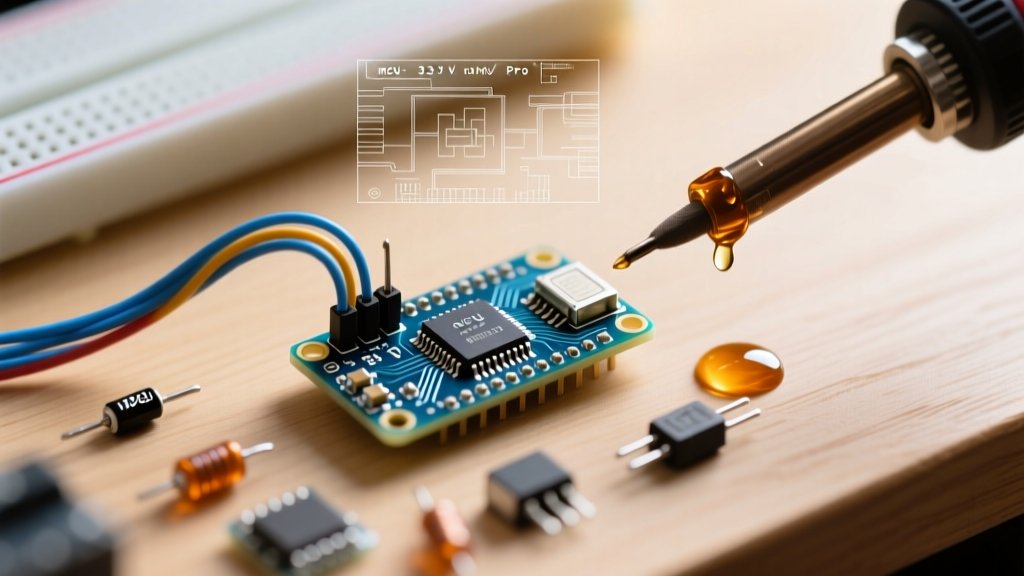

The 3.3 V Arduino Pro Mini in 2026: A Community-Driven Ecosystem
The 3.3 V Arduino Pro Mini, clocked at 8MHz and built around the ATmega328P-AU microcontroller, remains a cornerstone for ultra-low-power DIY electronics and remote IoT sensor nodes in 2026. Priced between $3.50 and $6.00 for high-quality clone variants, it is the undisputed go-to board for battery-operated environmental monitors. However, transitioning from the standard 5V/16MHz Arduino Uno paradigm to this 3.3V/8MHz variant introduces significant library compatibility hurdles. Because the official Arduino ecosystem heavily favors 16MHz operations, the 3.3 V Arduino Pro Mini relies heavily on community-developed cores, specialized library forks, and hardware workarounds to function reliably.
This guide dives deep into the community support landscape, exploring board manager configurations, baud rate mathematics, I2C logic level fixes, and the specific libraries required to unlock the true potential of the 3.3 V Arduino Pro Mini.
The Core Challenge: 8MHz Clock Speed and Baud Rate Mathematics
The most frequent point of failure reported in community forums for the 3.3 V Arduino Pro Mini is serial communication corruption. This is not a hardware defect, but a mathematical limitation of the ATmega328P UART baud rate generator when operating at 8MHz.
When configuring standard serial communication at 115200 baud on a 16MHz Uno, the UBRR (USART Baud Rate Register) value is 8, yielding an acceptable -3.5% error rate. However, at 8MHz, the UBRR drops to 3, pushing the error rate to +7.8%. Most RF modules (like the nRF24L01+ or LoRa SX1278) and serial Wi-Fi bridges will experience severe packet loss at error rates exceeding 2%.
Community Consensus Fix: Never use 115200 baud on the 3.3 V Arduino Pro Mini for inter-chip communication. The community standard is to cap hardware serial debug and sensor UART streams at57600or38400baud, which yields a 0.0% and 0.8% error rate respectively at 8MHz.
Furthermore, poorly optimized third-party libraries often hardcode delay() functions or assume F_CPU is 16000000L. If a library relies on software-timed bit-banging (like older DHT11 sensor libraries), it will fail silently on the 8MHz Pro Mini unless the library explicitly reads the F_CPU macro. Modern community forks of the DHT sensor library by Adafruit have largely resolved this, but legacy code remains a trap for beginners.
Board Manager Setup: Official Core vs. Community Cores
Out of the box, the Arduino IDE 2.x includes the official 'Arduino AVR Boards' core. While functional, it lacks the granular control required for advanced low-power 3.3V deployments. The community has overwhelmingly adopted MCUdude's MiniCore as the gold standard for ATmega328P development.
Comparison: Official AVR Core vs. MiniCore
| Feature | Official Arduino Core | MiniCore (Community) |
|---|---|---|
| Clock Speed Options | 8MHz Internal/External | 1MHz to 20MHz, Internal/External |
| Brown-Out Detection (BOD) | Fixed at 2.7V (often 4.3V on clones) | Selectable: 1.8V, 2.7V, 4.3V, Disabled |
| Bootloader Size | 512 bytes (Optiboot) | 384 bytes (Urboot) or No Bootloader |
| EEPROM Retain on Upload | No | Yes (Configurable) |
Setting the BOD to 1.8V via MiniCore is a critical step for 2026 low-power designs. If you are powering your 3.3 V Arduino Pro Mini from a single LiFePO4 battery (which drains down to 2.8V) or two AA alkaline cells, a factory-set 2.7V BOD will cause the chip to reset unpredictably as the battery sags under load. MiniCore allows you to flash the BOD fuse directly to 1.8V, ensuring stable operation deep into the battery discharge curve.
Library Compatibility Matrix for 3.3V / 8MHz Operations
Not all libraries respect the 3.3V logic threshold or the 8MHz clock. Below is a community-maintained compatibility matrix for the most popular sensor and communication libraries used with the 3.3 V Arduino Pro Mini.
| Library | Compatibility Status | Required 3.3V/8MHz Modifications |
|---|---|---|
| RadioHead (RF22/RF69) | Excellent | None. Automatically scales SPI timing to 8MHz. |
| Adafruit_BME280 | Excellent | Ensure I2C pull-ups are tied to 3.3V, not 5V. |
| SoftwareSerial | Moderate | Max reliable baud is 38400 at 8MHz. See Arduino SoftwareSerial Docs. |
| u8g2 (OLED) | Excellent | Use HW I2C. SW I2C at 8MHz causes screen tearing. |
| OneWire (DS18B20) | Moderate | Requires parasitic power mode tweaks or external 3.3V VCC. |
Troubleshooting I2C Hanging and Logic Level Failures
A pervasive issue documented in the SparkFun Pro Mini Hookup Guide and subsequent community forums is I2C bus locking. The ATmega328P's internal Wire.h library enables internal pull-up resistors by default on some older core versions. On a 3.3V system, these internal pull-ups (roughly 20kΩ to 50kΩ) are often too weak to overcome the capacitance of long sensor wires, leading to SDA/SCL lines floating in the undefined zone between 0.8V and 2.0V.
The Hardware Fix: BSS138 Level Shifters
If your 3.3 V Arduino Pro Mini must interface with a 5V sensor module (like a generic 5V relay board with I2C ADC or certain 5V OLED displays), you cannot rely on simple resistor voltage dividers for I2C. I2C is a bidirectional open-drain bus. The community standard solution is the BSS138 N-Channel MOSFET logic level converter.
- Cost: ~$1.50 for pre-built bi-directional modules.
- Wiring: Connect 3.3V to the LV side, 5V to the HV side. The MOSFET gates handle the bidirectional pull-up translation without frying the Pro Mini's ATmega328P GPIO pins.
- Alternative: If using strictly 3.3V sensors (like the BME280 or MPU6050), disable internal pull-ups in code via
Wire.begin(); digitalWrite(SDA, 0); digitalWrite(SCL, 0);and install physical 4.7kΩ resistors pulling SDA and SCL directly to the 3.3V VCC rail.
Mastering Low-Power Sleep Libraries
The primary reason engineers select the 3.3 V Arduino Pro Mini over an ESP32 is deep sleep current consumption. While an ESP32 draws roughly 10µA to 150µA in deep sleep (depending on the RTC memory configuration), a properly configured ATmega328P can achieve 6.5µA.
To achieve this, the community relies on the Rocket Scream LowPower library (or its actively maintained 2026 forks like Low-Power by rockscream). The standard delay() function keeps the CPU active, drawing ~4mA. Instead, you must utilize the Watchdog Timer (WDT) to put the core into POWER_DOWN mode.
Optimal Sleep Code Implementation:
#include 'LowPower.h'

void setup() {
  // Disable ADC to save ~200µA
  ADCSRA = 0;
}

void loop() {
  // Read sensors here

  // Enter deep sleep for 8 seconds (WDT max interval)
  // ADC_OFF and BOD_OFF are critical for 3.3V battery life
  LowPower.powerDown(SLEEP_8S, ADC_OFF, BOD_OFF);

  // Repeat loop
}
Edge Case Warning: If you are using a clone 3.3 V Arduino Pro Mini with a green power LED and a 3.3V linear voltage regulator (like the MIC5205), the regulator and LED will draw an additional 2mA to 5mA of quiescent current, completely negating your sleep optimizations. The community workaround is to physically desolder the LED resistor and the voltage regulator using a hot air rework station, powering the 'VCC' pin directly from a regulated 3.3V source (like a LiPo battery with a TPS63020 buck-boost converter).
Summary
The 3.3 V Arduino Pro Mini demands a higher level of technical literacy than modern plug-and-play microcontrollers. By leveraging community cores like MiniCore, adhering to strict 8MHz baud rate mathematics, and implementing proper I2C pull-up architectures, developers can build sensor nodes that run for years on a single coin cell or LiPo battery. The library ecosystem in 2026 is robust, provided you respect the voltage and clock boundaries of the hardware.