
The Hidden Bottlenecks in Pi-Based NVR Systems
Building a raspberry pi surveillance camera network is a rite of passage for smart home enthusiasts. However, transitioning from a simple MotionEye snapshot setup to a continuous, AI-driven Network Video Recorder (NVR) using software like Frigate or Shinobi exposes severe hardware limitations. The Raspberry Pi 4 and 5 are formidable single-board computers, but they are not native x86 servers. When tasked with decoding multiple 4K H.265 streams, running YOLO-based object detection, and writing terabytes of cache data, the SoC quickly hits thermal, I/O, and memory bottlenecks.
Performance tuning is not optional; it is the difference between a reliable 24/7 security appliance and a frustrating toy that drops frames and corrupts storage. In this guide, we bypass basic tutorials and dive deep into the kernel-level, hardware, and software optimizations required to stabilize a Pi-based surveillance node.
Offloading Video Decoding with Hardware Acceleration
The most common reason a Raspberry Pi surveillance camera setup fails under load is CPU exhaustion from software video decoding. By default, many NVR applications attempt to decode incoming RTSP streams using the CPU. On a Pi 4, decoding just two 1080p H.264 streams via software will pin all four cores to 100%, causing massive latency and thermal throttling.
To resolve this, you must force the NVR software to utilize the Pi's dedicated Broadcom video codec hardware. If you are using Frigate, the industry standard for open-source Pi NVRs, you need to configure the ffmpeg hardware acceleration arguments specifically for the ARM64 architecture.
ffmpeg:
  hwaccel_args: preset-raspberry-pi-64-h264
  input_args: preset-rtsp-generic
This configuration leverages the Video4Linux2 (V4L2) stateful decoder, dropping CPU utilization for stream decoding to near zero. For H.265 (HEVC) streams on the Raspberry Pi 5, ensure you are using the updated preset-raspberry-pi-64-h265 argument, as the Pi 5 features a dedicated HEVC hardware decoder capable of handling 4K60 streams natively. You can verify hardware acceleration is active by monitoring htop while checking vcgencmd codec_enabled H264 in the terminal.
Eliminating SD Card I/O Failure Modes
A standard microSD card will die within months when subjected to the constant write cycles of a surveillance cache. NVR software constantly buffers video segments to disk before analyzing them or saving clips. Standard flash memory lacks the wear-leveling controllers required for this abuse.
Storage Medium Endurance & IOPS for 24/7 Recording
| Storage Medium | Sustained Write | Random 4K IOPS | Est. Lifespan (24/7 NVR) |
|---|---|---|---|
| Class 10 microSD | 20-40 MB/s | ~500 | 2-4 Months |
| SanDisk High Endurance SD | 60 MB/s | ~1,200 | 12-18 Months |
| USB 3.0 SATA SSD | 350 MB/s | ~45,000 | 3-5 Years |
| USB 3.0 NVMe (RTL9210B) | 400+ MB/s | ~85,000 | 5+ Years |
For a production-grade raspberry pi surveillance camera, abandon microSD cards entirely. Booting from a USB 3.0 NVMe enclosure utilizing the Realtek RTL9210B chipset provides native UASP support, TRIM capabilities, and massive IOPS improvements. This eliminates the I/O wait times that cause video buffer overruns and dropped frames during high-motion events.
Implementing tmpfs for Ephemeral Cache
Even with an NVMe drive, you should offload ephemeral cache writes to the Pi's RAM. By mounting a tmpfs partition, you direct Frigate's temporary clip cache to volatile memory, completely bypassing disk I/O for transient data. Add the following to your /etc/fstab:
tmpfs /tmp/frigate_cache tmpfs defaults,size=1G 0 0
This ensures that the constant creation and deletion of 10-second cache segments never touches your physical storage medium.
Thermal Throttling and Power Delivery Realities
The Raspberry Pi 4 begins to throttle its CPU frequency at 80°C, and the Pi 5 at 85°C. When a Pi throttles during a critical surveillance event, the hardware decoder can stall, resulting in corrupted MP4 files or missed detections. A passive heatsink is insufficient for a 24/7 NVR workload.
You must implement active cooling. If you are deploying the camera in an outdoor enclosure, the official Raspberry Pi PoE+ HAT is highly recommended. It includes a temperature-controlled PWM fan and delivers clean 802.3at power, eliminating the need for a separate 5V USB-C power supply which often suffers from voltage drop over long cable runs.
Diagnostic Tip: Monitor your power delivery and thermal state continuously. Run
vcgencmd get_throttled. If the output is anything other thanthrottled=0x0, your Pi has experienced under-voltage or thermal throttling since boot. A value of0x50000specifically indicates current under-voltage, meaning your power supply or PoE injector is inadequate.
AI Object Detection: CPU vs. Coral TPU Performance
Modern surveillance relies on machine learning to differentiate between a swaying tree branch and a human intruder. Running a YOLOv7 or MobileNet model on the Pi's CPU yields a dismal 2 to 4 frames per second (FPS) inference rate, which is useless for real-time alerting.
Integrating a Google Coral Edge TPU is mandatory for AI tuning. The Coral USB Accelerator offloads tensor operations, pushing inference speeds to 100+ FPS while consuming less than 2W of power. However, the USB Coral is notorious for thermal throttling in poorly ventilated enclosures. For permanent NVR deployments, consider the Coral M.2 B+M key module paired with a compatible PCIe-to-USB adapter or a dedicated Pi 5 M.2 HAT, which allows for better thermal dissipation and sustained peak performance.
Network Stack Optimization for High-Bitrate Streams
A multi-camera setup can easily saturate a 100Mbps Ethernet link or cause massive jitter on a 2.4GHz Wi-Fi connection. Always hardwire your raspberry pi surveillance camera NVR node. But physical connectivity is only half the battle; the Linux kernel's default TCP congestion control is optimized for low-bandwidth, high-latency networks, not local gigabit LANs streaming heavy UDP/TCP video packets.
Switch your kernel's congestion control algorithm to BBR (Bottleneck Bandwidth and Round-trip propagation time). BBR drastically improves throughput and reduces bufferbloat on local networks. Enable it by appending the following to your /etc/sysctl.conf:
net.core.default_qdisc=fq
net.ipv4.tcp_congestion_control=bbr
After applying with sysctl -p, you will notice a significant reduction in stream latency and a drop in RTSP timeout errors within your NVR dashboard.
Finalizing the Surveillance Architecture
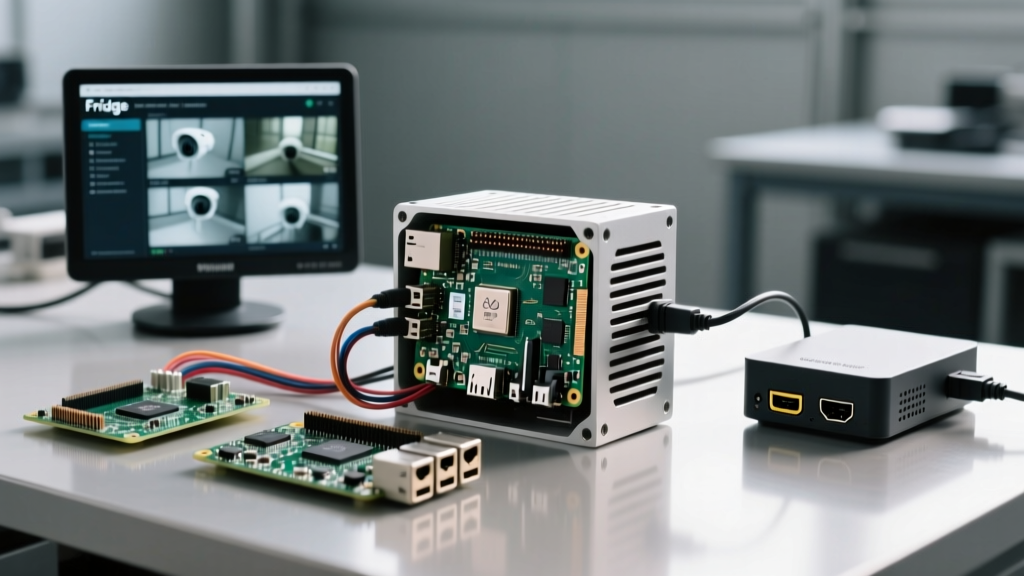
Tuning a Raspberry Pi for continuous surveillance requires a holistic approach. By leveraging hardware-accelerated decoding via Frigate's V4L2 presets, migrating your OS and cache to an RTL9210B NVMe enclosure, enforcing active thermal management, and offloading AI to an Edge TPU, you transform the Pi from a hobbyist board into an enterprise-grade NVR. For further architectural guidelines on SBC deployments, always refer to the Raspberry Pi Official Documentation to ensure your firmware and kernel modules are aligned with the latest hardware revisions.