
Decoding the Lenovo IdeaPad 3 15ALC6 Hardware Maintenance Manual
In the modern electronics repair industry, the transition from socketed components to surface-mount architectures has fundamentally shifted the skill set required for board-level refurbishment. For repair shops and advanced DIY technicians, consulting the official hardware maintenance manual (HMM) is the critical first step before applying heat to any logic board. When investigating the Lenovo IdeaPad 3 15ALC6 hardware maintenance manual RAM soldered configurations, technicians are often looking to determine whether a memory upgrade is a simple Customer Replaceable Unit (CRU) swap or a complex Field Replaceable Unit (FRU) BGA rework procedure.
The IdeaPad 3 15ALC6, powered by AMD’s Ryzen 5000 U-series mobile processors, represents a transitional chassis design in the ultrabook market. Unlike premium thin-and-light models that utilize fully soldered LPDDR4x memory, the 15ALC6 typically employs standard DDR4-3200 architecture. However, to maintain a slim profile and reduce manufacturing costs, Lenovo utilizes a hybrid memory topology. Understanding this topology is essential for accurate diagnostics, board-level soldering, and quoting repair jobs in a professional service environment.
Memory Topology: Soldered vs. Socketed Configurations
According to the Lenovo PSREF (Product Specifications Reference), the 15ALC6 motherboard is designed with a specific memory layout that dictates how repair technicians must approach hardware faults. The system supports up to 12GB or 16GB of DDR4-3200 memory, but the physical implementation is split.
| Configuration | Soldered RAM (BGA) | SO-DIMM Slot | Total Capacity | Upgrade Path |
|---|---|---|---|---|
| Base Model | 4GB DDR4-3200 | Empty | 4GB | Add 4GB/8GB SO-DIMM |
| Mid-Tier | 4GB DDR4-3200 | 4GB DDR4-3200 | 8GB | Swap SO-DIMM to 8GB/16GB |
| High-Tier | 8GB DDR4-3200 | 8GB DDR4-3200 | 16GB | Swap SO-DIMM to 16GB (Max 24GB) |
As the table illustrates, a portion of the RAM is indeed permanently soldered to the motherboard using Fine-pitch Ball Grid Array (FBGA) packaging. If the soldered 4GB or 8GB module fails, the Lenovo HMM officially dictates replacing the entire motherboard. However, in the independent repair industry, board-level micro-soldering allows technicians to desolder the faulty BGA chip and replace it, saving the client hundreds of dollars compared to an official depot repair.
Industry Application: BGA Rework on Soldered DDR4 Modules
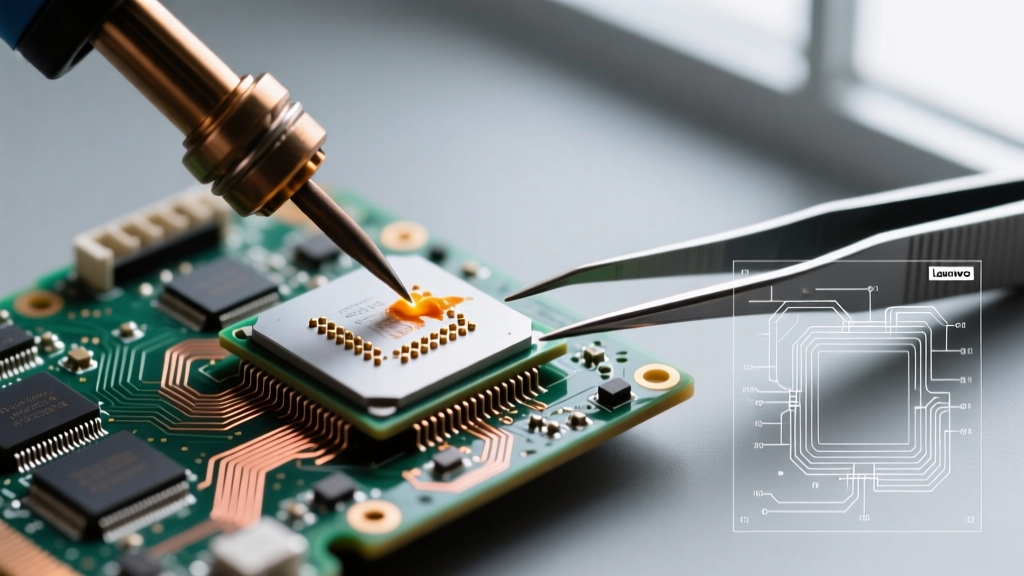
Replacing a soldered DDR4 chip on the 15ALC6 logic board is an advanced micro-soldering procedure that requires strict adherence to thermal profiles and IPC standards. The soldered chips are typically Samsung or SK Hynix 8Gb (1GB) or 16Gb (2GB) DDR4 FBGA ICs. Because the laptop uses lead-free SAC305 (Sn96.5/Ag3.0/Cu0.5) solder from the factory, the melting point is approximately 217°C, requiring a peak reflow temperature of around 245°C.
Phase 1: Teardown and Motherboard Extraction
Before any soldering can occur, the motherboard must be completely isolated. The Lenovo Official Support & Manuals Portal provides the HMM, which outlines the safe removal of the base cover (secured by 10 M2x3mm captive screws). Critical Safety Step: The internal lithium-ion battery connector and the CMOS coin-cell battery must be disconnected immediately to prevent short circuits and clear the NVRAM, which is vital when altering hardware memory configurations.
Phase 2: Thermal Profiling and Desoldering
The 15ALC6 motherboard features heavy copper ground planes that act as massive heat sinks. Applying localized heat without a pre-heater will result in the "popcorn effect," where moisture inside the BGA chip expands and cracks the silicon die, or worse, delaminates the motherboard's PCB layers.
- Pre-Heating: Use an IR or hot-plate pre-heater (e.g., JBC PHBE) to bring the entire motherboard to a baseline of 120°C to 130°C. This reduces the thermal shock and minimizes the time the top-side hot air station needs to operate.
- Flux Application: Inject a high-tack, no-clean tacky flux (such as Amtech NC-559-V2-TF or ChipQuik SMD291AX) under the BGA chip. This promotes even heat transfer and prevents oxidation during the reflow process.
- Hot Air Rework: Using a station like the Quick 861DW with a custom nozzle matching the DDR4 chip dimensions, apply airflow at 40-50 L/min. Ramp the temperature to 245°C. Once the solder liquefies, use vacuum tweezers to lift the IC straight up to avoid tearing the microscopic PCB pads.
Phase 3: Pad Preparation and Reballing
Once the faulty RAM is removed, the motherboard pads must be cleaned. Technicians use high-purity 99% isopropyl alcohol and a high-quality desoldering wick (like Solder Wick 2.0mm) to flatten the residual solder. The replacement DDR4 FBGA chip must be reballed using a direct-heat reballing stencil and SAC305 solder spheres (typically 0.45mm or 0.5mm diameter, depending on the specific IC datasheet).
"Proper rework of BGA components requires strict adherence to thermal profiles to prevent pad cratering and internal PCB delamination. Technicians must follow IPC-7711/7721 Rework, Modification and Repair of Electronic Assemblies guidelines to ensure long-term reliability of the solder joints."
Soldering Equipment Required for Laptop RAM Rework
For repair shops considering adding BGA memory rework to their service menu in 2026, the capital expenditure for reliable equipment is significant but yields high profit margins on logic board repairs. Below is the essential toolkit for tackling the 15ALC6 soldered RAM:
- BGA Rework Station: JBC JTSE or Quick 861DW (Approx. $1,500 - $3,800). Precise airflow and temperature control are non-negotiable.
- PCB Pre-Heater: JBC PHBE or Hakko FR-830 (Approx. $800 - $1,200). Essential for multilayer laptop motherboards.
- Microscope: AmScope or Olympus trinocular stereo microscope with a ring light for pad inspection and stencil alignment.
- Consumables: Direct-heat stencils, SAC305 solder spheres, Amtech flux, Kapton tape for thermal masking, and fiberglass scratch pens for pad cleaning.
Why Repair Shops Weigh the Economics of BGA RAM Replacement
While the Lenovo IdeaPad 3 15ALC6 hardware maintenance manual treats the soldered RAM as a non-serviceable FRU, the secondary repair market operates on different economics. A replacement motherboard from Lenovo can cost between $250 and $400, depending on the CPU tier. In contrast, a single replacement DDR4 BGA chip costs less than $5 on the wholesale component market.
However, the labor time for a flawless BGA rework—including teardown, baking, desoldering, pad prep, reballing, reflow, and reassembly—typically takes a skilled technician 90 to 120 minutes. Repair shops must charge a flat board-level repair fee (usually $150 to $250) to make the procedure profitable. Furthermore, if the motherboard has suffered prior heat damage from an inexperienced technician attempting a "hot air only" repair without a pre-heater, the PCB pads may be lifted, rendering the board entirely unrepairable.
Frequently Asked Questions (FAQ)
Can I upgrade the soldered RAM on the IdeaPad 3 15ALC6?
Practically, no. While it is physically possible to desolder a 4GB chip and replace it with an 8GB chip of the exact same FBGA footprint and timing specifications, the BIOS SPD tables and AMD memory controller training routines may reject the modified hardware configuration. Upgrades should be strictly limited to the available SO-DIMM slot.
What happens if I don't disconnect the battery before soldering?
Applying 245°C heat to a live motherboard can cause catastrophic short circuits. Flux is mildly conductive when liquid, and molten solder can bridge power rails to data lines, instantly destroying the AMD Ryzen CPU, which is also soldered to the board and shares power delivery networks with the RAM.
Is the CMOS battery required to be disconnected for RAM repairs?
Yes. When replacing or altering RAM configurations on AMD-based Lenovo boards, disconnecting the main battery and the CMOS coin-cell for 5 minutes clears the Extended System Configuration Data (ESCD). This forces the BIOS to retrain the memory controller upon the next boot, preventing POST failures related to mismatched memory timing profiles.