
The Foundation: ESD Grounding for Ersa i-CON Systems
When investing in premium German-engineered equipment like the Ersa i-CON VARIO 4 (retailing around $1,850 in 2026), safety extends far beyond preventing physical burns. Electrostatic Discharge (ESD) safety is paramount, both for protecting sensitive microcontrollers and ensuring operator safety from fault currents. While Ersa workstations are inherently ESD-safe by design, the peripheral environment must meet strict ANSI/ESD S20.20 compliance standards.
Verifying Your Grounding Path
An Ersa i-CON station relies on a continuous path to earth ground. To verify your setup:
- Mat Resistance: Your ESD workbench mat must measure between 1.0 x 10^6 and 1.0 x 10^9 ohms to ground. Anything lower risks a shock hazard; anything higher fails to dissipate static charges effectively.
- Wrist Strap Testing: Operators must use a wrist strap with an integrated 1-megohm resistor. Test the strap daily using a calibrated ESD tester; acceptable resistance ranges from 750 kΩ to 35 MΩ.
- Station Grounding: Ensure the i-CON VARIO's ground banana jack is connected to the common point ground using a dedicated grounding cord, never daisy-chained through other equipment.
Respiratory Protection: Fume Extraction and X-tool Integration
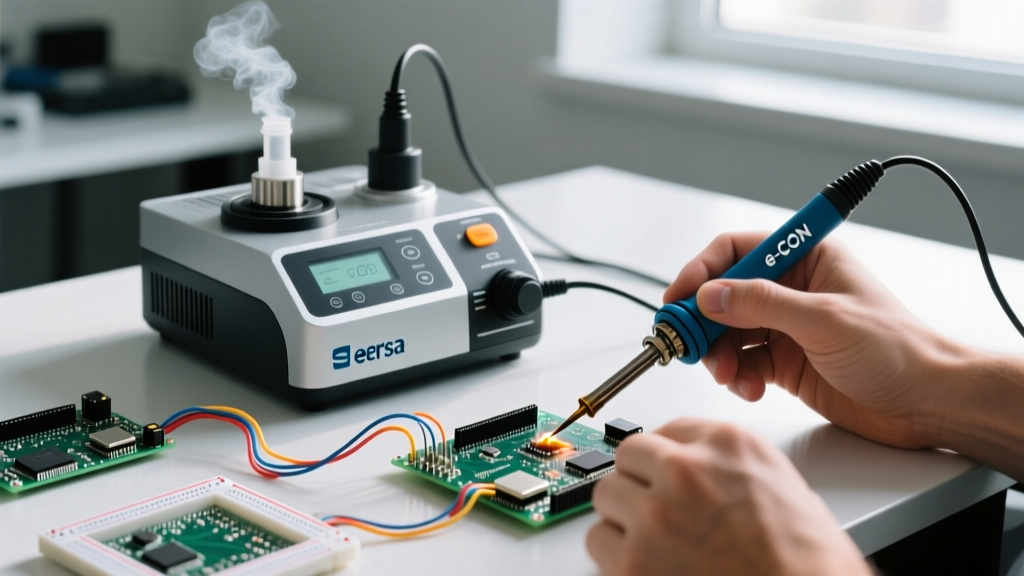
Soldering fumes contain vaporized flux, primarily colophony (rosin), which is a known respiratory sensitizer linked to occupational asthma. Relying on ambient room ventilation is a critical safety failure. For Ersa setups, integrating a dedicated extraction unit like the Ersa X-tool S1 (approx. $1,250) or the benchtop X-tool 250 is mandatory for professional environments.
Optimizing Capture Velocity
The effectiveness of your fume extractor drops exponentially as the distance from the solder joint increases. The X-tool S1 extraction arm must be positioned precisely to achieve the required capture velocity of at least 0.5 m/s at the source.
| Nozzle Type | Max Distance from Tip | Capture Efficiency | Best Use Case |
|---|---|---|---|
| Standard Round (45mm) | 150 mm (6 inches) | ~85% - 90% | Standard THT and general SMD |
| Slotted Nozzle | 100 mm (4 inches) | ~95% | Wide PCBs, drag soldering |
| Flexible Micro-Nozzle | 50 mm (2 inches) | 99%+ | Micro-BGA, 0201 components |
Note: The H13 HEPA and activated carbon combination filter (Ersa Part #0987023, approx. $185) must be replaced every 6 to 12 months depending on daily throughput. A clogged filter not only reduces capture velocity but forces the extraction motor to overheat, creating a secondary fire hazard.
Thermal Hazard Mitigation and i-OP Sleep Configurations
Modern Ersa irons, particularly those utilizing ZERO3 tip technology, feature massive thermal mass and rapid heat recovery. While excellent for soldering large ground planes, a ZERO3 tip can reach 450°C (842°F) in seconds, posing a severe laceration and third-degree burn risk if left unattended.
Configuring the i-OP (Operating Panel) for Auto-Sleep
Never rely on manual power-downs. You must configure the i-OP interface to enforce automatic thermal throttling when the iron is placed in the Ersa dry-stand. Follow these exact configuration steps on the i-CON interface:
- Press and hold the Menu button for 3 seconds to access the settings matrix.
- Navigate to Channel Settings and select Standby/Sleep.
- Set the Standby Temperature to 150°C (302°F). This is hot enough to prevent tip oxidation but cool enough to prevent immediate severe burns upon accidental contact.
- Set the Standby Time to 9 minutes.
- Enable Auto-Off and set the timer to 30 minutes. If the iron remains in the stand for 30 minutes, the station will cut power to the heating element entirely.
Expert Insight: Avoid using the 'Boost' function (which typically adds 50°C for 40 seconds) as a crutch for undersized tips. If you constantly need Boost to melt solder on a ground plane, you are using the wrong tip geometry. Switch to an Ersa chisel or bevel tip with a larger thermal mass rather than overriding the safety thermal limits of your profile.
Chemical Handling: Flux, Solvents, and IPC-J-STD-004
Safety also encompasses the chemical agents used alongside your Ersa station. When working with Ersa 36220 SAC305 solder paste or liquid fluxes, operators must adhere to OSHA Hazard Communication Standards and IPC-J-STD-004 classifications.
The Hidden Dangers of Isopropyl Alcohol (IPA)
Many technicians use 99% Isopropyl Alcohol to clean flux residues off PCBs after soldering. However, IPA has a flashpoint of just 11.7°C (53°F). Using IPA near an active Ersa i-CON iron, or even a recently powered-down ZERO3 tip, creates a highly volatile vapor cloud.
- Best Practice: Always allow the PCB and the immediate workbench area to cool below 40°C before applying IPA.
- Alternative: For live-board cleaning or immediate post-solder cleanup, use a dedicated, higher-flashpoint flux remover like Ersa Flux-Off Plus (flashpoint > 21°C) or specialized aqueous cleaners designed for RO1 (Rosin, Mildly Activated) fluxes.
- Storage: Solder pastes like Ersa 36220 must be stored in a dedicated refrigeration unit between 0°C and 10°C. Never store volatile solvents in the same refrigerator as food or beverage, and ensure the fridge is spark-proof (laboratory grade) to prevent ignition of off-gassed vapors.
Preventative Maintenance as a Safety Protocol
A poorly maintained soldering station is an unsafe soldering station. Oxidized tips require operators to apply excessive physical pressure to achieve thermal transfer, leading to repetitive strain injuries (RSI) and slipped irons that burn workbenches or skin.
Daily and Weekly Maintenance Checklist
- Daily Tip Tinning: Always apply a thick layer of fresh SAC305 or Sn63Pb37 solder to the ZERO3 tip before placing it in the stand. This sacrificial layer oxidizes instead of the iron plating.
- Avoid Abrasive Cleaners: Never use sandpaper, files, or aggressive steel wool on Ersa tips. This destroys the microscopic iron plating, leading to copper core dissolution and catastrophic tip failure.
- Brass Wool vs. Cellulose Sponge: Use a dry brass wool sponge (like the Ersa 0A62) for cleaning. Wet cellulose sponges cause rapid thermal shock, micro-cracking the tip's iron layer and drastically shortening its lifespan.
- Sensor Calibration: Every 6 months, use an Ersa Solder Sensor (Part #0IC1300A) to verify the digital readout on the i-OP matches the actual tip temperature. A discrepancy of more than ±5°C indicates a failing heating element or a degraded thermocouple inside the handpiece.
By treating your Ersa workstation not just as a tool, but as a integrated system of thermal, chemical, and electrical variables, you ensure a safer environment, prolong the life of your premium equipment, and produce IPC-compliant solder joints consistently.