
Redefining the Question: Beyond Hobbyist Projects
When beginners ask, 'what are arduinos used for,' the typical answers involve blinking LEDs, line-following robots, or simple weather stations. However, when hardware engineers, QA technicians, and professional makers ask this question, the answer shifts dramatically toward workflow optimization and infrastructure automation. In 2026, the Arduino ecosystem is a foundational pillar for rapid tooling, hardware-in-the-loop (HIL) testing, and edge-computing pipelines.
Rather than viewing these microcontrollers merely as end-product prototypes, engineering teams leverage them to build the very tools that accelerate their development cycles. This guide explores the high-ROI applications of Arduino boards in professional workflows, detailing specific hardware configurations, costs, and integration strategies.
1. Automated PCBA Test Jigs and QA Fixtures
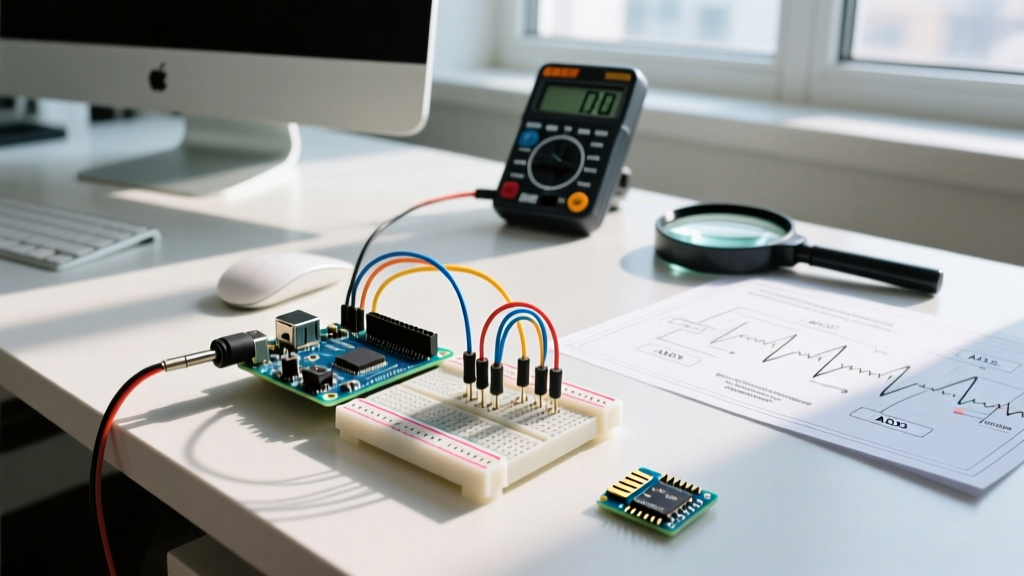
One of the most costly bottlenecks in small-to-medium hardware manufacturing is printed circuit board assembly (PCBA) quality assurance. Manual multimeter probing is slow and prone to human error. By integrating an Arduino into a custom 3D-printed test jig, teams can reduce QA time from five minutes per board to under ten seconds.
The Hardware Stack
- Microcontroller: Arduino Nano Every (Approx. $11.50). Chosen for its 5V logic, which interfaces directly with standard TTL test points without level shifters.
- Interconnects: P50-E2 pogo pins (spring-loaded probes) mounted in a 3D-printed PETG or ABS housing to ensure durability over thousands of compression cycles.
- Isolation: PC817 optocouplers to protect the Arduino from accidental high-voltage shorts on the Device Under Test (DUT).
Workflow Integration
The Arduino Nano Every is programmed to sequence power-up, read analog voltages at critical test nodes (using its 10-bit ADC), and verify digital GPIO states. It then outputs a structured JSON payload via UART to a host PC running a Python pyserial script. This script logs the results to a centralized SQL database and triggers a physical pass/fail indicator (a stack light). This transforms a manual, undocumented process into an automated, auditable data pipeline.
2. Custom HID Controllers for EDA and CAD Pipelines
Software and hardware designers spend hundreds of hours navigating complex menus in tools like KiCad, Altium Designer, or Fusion 360. A highly effective workflow optimization is building a custom Human Interface Device (HID) macro pad tailored to specific EDA (Electronic Design Automation) shortcuts.
Because the ATmega32U4 microcontroller (found on the Arduino Pro Micro and Leonardo) features native USB support, it can emulate a keyboard and mouse simultaneously. By flashing open-source firmware like QMK, engineers can create highly complex, layer-based input devices.
Pro-Tip for EDA Macro Pads: Incorporate EC11 rotary encoders mapped to mouse-wheel emulation. In PCB layout software, assigning one encoder to 'Zoom' and another to 'Grid Snap Size' drastically reduces mouse travel and accelerates trace routing workflows.
Bill of Materials (BOM) for a Pro Macro Pad
- Arduino Pro Micro (ATmega32U4) - $6.00 (third-party) or $20.00 (official).
- 6x Cherry MX compatible mechanical switches - $4.00.
- 2x EC11 Rotary Encoders with pushbuttons - $3.50.
- Custom 3D-printed enclosure and hot-swap sockets - $5.00.
Total cost is under $40, but the time saved over a year of daily PCB routing easily yields a 100x return on investment.
3. Hardware-in-the-Loop (HIL) Testing for CI/CD
As IoT devices become more complex, firmware teams adopt Continuous Integration/Continuous Deployment (CI/CD) pipelines. However, testing firmware that interacts with physical peripherals (like I2C sensors or SPI displays) requires actual hardware. This is where Arduinos serve as HIL nodes.
An Arduino Mega 2560 or Portenta H7 can be racked in a server closet, wired to the DUT. When a developer pushes code to GitHub, GitHub Actions triggers a local server that commands the Arduino to simulate real-world conditions. The Arduino can inject specific I2C sensor faults, simulate brownout conditions via digital potentiometers, or physically press tactile buttons using micro-servos. This ensures that hardware edge-cases are tested automatically before firmware is merged into the main branch.
4. Edge AI and Predictive Maintenance (TinyML)
When evaluating what Arduinos are used for in modern industrial settings, Edge AI is the fastest-growing sector. Instead of streaming raw sensor data to the cloud (which incurs high bandwidth and latency costs), engineers use TinyML to run machine learning models directly on the microcontroller.
The Arduino Nano 33 BLE Sense Rev2 (Approx. $38.00) is a powerhouse for this workflow. It features an nRF52840 processor and an onboard LSM9DS1 9-axis IMU. By integrating with platforms like Edge Impulse, engineers can train anomaly detection models on acoustic or vibrational data to predict motor failures on factory floors.
The TinyML Workflow
- Data Collection: Use the Arduino to log 3-axis vibration data from a healthy CNC spindle.
- Training: Upload the dataset to Edge Impulse to train a lightweight neural network.
- Deployment: Export the model as an Arduino C++ library and flash it back to the board.
- Inference: The Arduino now monitors the spindle in real-time, drawing less than 5mA, and sends an MQTT alert only when it detects the specific vibrational signature of a failing bearing.
Board Selection Matrix for Workflow Optimization
Choosing the right board is critical for maintaining an efficient workflow. Below is a comparison matrix tailored for professional tooling and automation tasks in 2026.
| Board Model | Best Workflow Application | Approx. Cost | Key Microcontroller / Feature |
|---|---|---|---|
| Arduino Nano Every | PCBA Test Jigs & QA Fixtures | $11.50 | ATmega4809 (5V Logic, High I/O) |
| Arduino Pro Micro | Custom HID Macro Pads | $20.00 | ATmega32U4 (Native USB HID) |
| Nano 33 BLE Sense Rev2 | Edge AI & Predictive Maintenance | $38.00 | nRF52840 (Cortex-M4F, Onboard IMU) |
| Arduino Portenta H7 | High-Speed HIL & Machine Vision | $115.00 | STM32H747 (Dual Core, High-Speed USB) |
| Arduino MKR WAN 1310 | Remote Environmental Compliance Logging | $45.00 | SAMD21 + LoRa (Low Power, Long Range) |
Conclusion: Shifting from Prototyping to Infrastructure
Ultimately, understanding what Arduinos are used for in a professional context requires a paradigm shift. While they are excellent for prototyping end-user products, their true ROI is unlocked when they are deployed as internal infrastructure. Whether you are building a $15 pogo-pin test jig to eliminate manual QA, flashing QMK onto a Pro Micro to speed up PCB layout, or deploying TinyML for predictive maintenance, Arduinos provide an accessible, highly customizable layer of automation that optimizes the entire engineering workflow.