
When makers and engineers search for "downloading Arduino," they are usually confronting one of three distinct bottlenecks: downloading the Arduino IDE installation files, downloading third-party board manager packages (like ESP32 or STM32 cores), or "downloading" (uploading) compiled sketches to the microcontroller. In 2026, the transition to Arduino IDE 2.3.x and the proliferation of complex System-on-Chip (SoC) architectures like the ESP32-C6 and RP2350 have introduced new network and driver-level edge cases that can stall your workflow.
This comprehensive troubleshooting guide addresses the exact failure modes, file paths, and network configurations required to bypass these download hurdles. Whether you are working on a restricted university network or dealing with corrupted local caches, these actionable fixes will get your development environment back online.
Phase 1: Fixing Arduino IDE Installation Blocks
The Arduino IDE 2.x is built on the Eclipse Theia framework and packaged via Electron. Because it is not distributed through the Microsoft Store or Apple App Store, aggressive OS-level security heuristics frequently flag the installer or the application bundle as suspicious, halting the download or execution process.
Windows Defender SmartScreen Bypass
If your browser abruptly cancels the .exe download with a "network error," or Windows SmartScreen blocks execution with a "Windows protected your PC" warning, the issue is almost always an overzealous heuristic scan of the bundled GCC ARM toolchains. To bypass this safely:
- Right-click the downloaded
arduino-ide_2.x.x_Windows_64bit.exefile. - Select Properties and check the Unblock box at the bottom of the General tab.
- If the download itself is failing in Chrome/Edge, open your browser's download manager (Ctrl+J), click the three dots next to the blocked file, and select Keep dangerous file.
macOS Gatekeeper Quarantine Fix
On macOS Sequoia and newer, Apple's Gatekeeper applies a quarantine extended attribute to downloaded .dmg files. If the IDE crashes immediately upon opening or refuses to verify board packages, you must manually strip the quarantine flag. Open the Terminal and execute:
xattr -cr /Applications/Arduino.app
This recursive command clears the com.apple.quarantine metadata, allowing the IDE's internal background processes to access the network without sandbox restrictions. For deeper insights into IDE architecture, refer to the Arduino IDE v2 Documentation.
Phase 2: Board Manager Download Timeouts & Cache Corruption
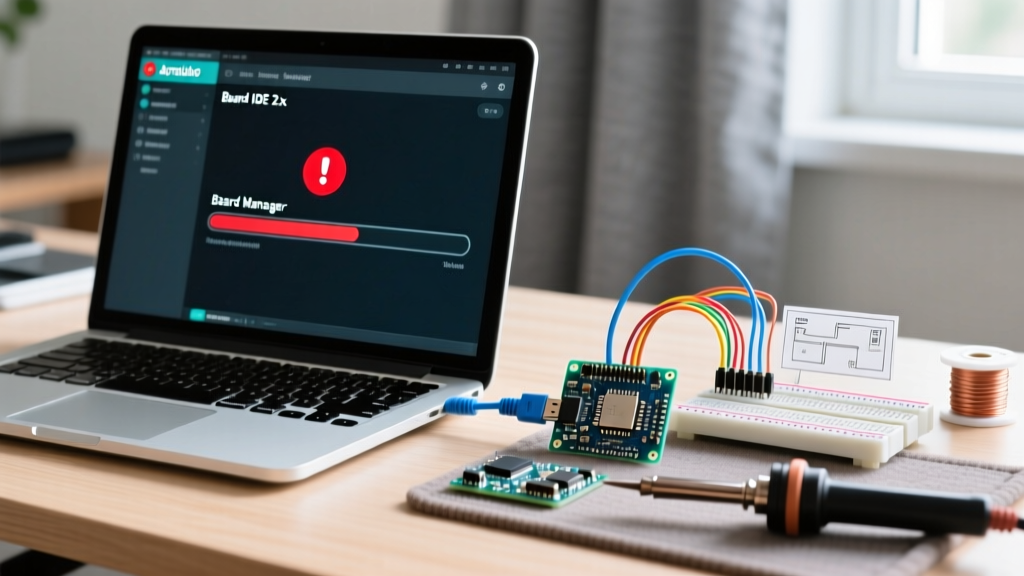
The most common "downloading Arduino" issue occurs in the Boards Manager. You click "Install" on the ESP32 or Arduino SAMD core, the progress bar reaches 99%, and then the IDE throws a java.lang.NullPointerException or a generic timeout error. This happens because the IDE downloads large toolchain archives (often exceeding 300MB) from GitHub Releases, which are subject to aggressive rate-limiting and transient CDN timeouts.
Common Board Cores & Download Failure Modes
| Board Core | Common Download Error | Root Cause | Expert Fix |
|---|---|---|---|
| ESP32 (Espressif) | Stuck at 99% / Checksum mismatch | GitHub asset timeout or corrupted partial ZIP | Manual ZIP install via Sketch > Include Library |
| Arduino SAMD (Cortex-M0+) | JSON Parse Error / 404 Not Found | Corrupted local index cache | Delete local package_index.json cache file |
| STM32 (STMicroelectronics) | Connection Reset by Peer | ST server rate limiting or IPv6 routing failure | Force IPv4 via OS network stack or use CLI |
The Nuclear Option: Purging the Arduino15 Cache
When the Boards Manager UI becomes unresponsive or repeatedly fails to parse the JSON index files, you must manually purge the hidden configuration directory. The IDE stores downloaded archives and extracted toolchains here, and partial downloads will permanently lock the installer.
- Windows: Navigate to
C:\Users\. Delete the\AppData\Local\Arduino15 packagesfolder and thepackage_index.jsonfile. - macOS: Navigate to
~/.arduino15(use Cmd+Shift+. in Finder to reveal hidden files). Delete thepackagesdirectory. - Linux: Navigate to
~/.arduino15and runrm -rf packages/ package_index.json.
After purging, restart the IDE. It will fetch a fresh, uncorrupted copy of the master index file from the Arduino servers. For ESP32-specific edge cases, the Espressif ESP32 Arduino Core Repository maintains a troubleshooting wiki detailing manual toolchain extraction for offline environments.
Phase 3: "Downloading" Sketches to the Microcontroller (Upload Hangs)
Beginners frequently use the term "downloading" to describe the process of flashing compiled C++ code to the microcontroller. In the Arduino ecosystem, this is technically an Upload. If your sketch compilation succeeds but the transfer to the board hangs indefinitely, the issue lies in the USB-to-UART bridge driver or the bootloader handshake.
Native USB vs. UART Bridge Timing
Microcontrollers handle USB communication in two fundamentally different ways, and troubleshooting requires knowing which architecture you are using:
- Native USB (e.g., ATmega32U4 on Leonardo/Micro, RP2040, ESP32-S2/S3): The MCU handles USB directly. If your sketch crashes the USB stack (e.g., an infinite loop without
delay()or a memory overflow), the board will disappear from the OS port list. The Fix: Perform the "Double-Tap Reset." Quickly press the physical RESET button on the board twice. This forces the MCU into bootloader mode, exposing a temporary COM port. Immediately trigger the Upload in the IDE when the new port appears. - UART Bridge (e.g., CH340, CP2102, FT232RL on Nano/Uno): A secondary chip handles USB conversion. If the upload hangs at "Uploading...", the bridge chip is failing to trigger the MCU's auto-reset circuit via the DTR (Data Terminal Ready) line. The Fix: In Windows Device Manager, locate your COM port under "Ports (COM & LPT)", right-click > Properties > Advanced, and reduce the Latency Timer from 16ms to 1ms. This forces the CH340 driver to flush its buffer faster, allowing the auto-reset capacitor to discharge in time.
Network Proxy & Firewall Configurations for Corporate Labs
If you are downloading Arduino libraries or board packages in a university lab or corporate environment, transparent proxies and SSL-inspection firewalls will break the IDE's download manager. The Arduino IDE 2.x does not automatically inherit Windows proxy settings; it relies on environment variables or CLI configurations.
Expert Callout: For headless environments or heavily restricted networks, abandon the GUI Boards Manager entirely. Use the Arduino CLI Official Documentation to configure your proxy explicitly via the command line: arduino-cli config set network.proxy http://user:pass@proxy.corp.local:8080. This bypasses the Electron GUI's networking stack and routes toolchain downloads directly through your corporate gateway.
Frequently Asked Questions
Why does my ESP32 board manager URL keep failing to download?
The standard Espressif JSON URL is massive (over 5MB) and contains hundreds of historical toolchain versions. If your network drops the connection, the IDE fails silently. Instead of using the master index, use the community-maintained "minimal" ESP32 index URL, which only lists the latest stable releases, reducing the download size by 90% and eliminating timeout errors.
Can I download Arduino libraries manually without the Library Manager?
Yes. If the IDE's Library Manager hangs, navigate to the library's GitHub repository, click Code > Download ZIP. In the Arduino IDE, go to Sketch > Include Library > Add .ZIP Library and select your file. The IDE will automatically extract it into your Documents/Arduino/libraries directory and parse the library.properties metadata.
What causes the "avrdude: stk500_recv(): programmer is not responding" error during upload?
This specific error means the IDE is attempting to "download" the sketch via the AVRDUDE uploader, but the ATmega328P bootloader is not responding to the STK500v1 protocol handshake. This is almost always caused by selecting the wrong board variant (e.g., selecting "Arduino Uno" when you are actually using a board with an older Duemilanove bootloader) or a missing 100nF capacitor on the DTR reset line of a clone board. Verify your exact bootloader version in the board's schematic and select the corresponding "Old Bootloader" option in the Tools menu if applicable.