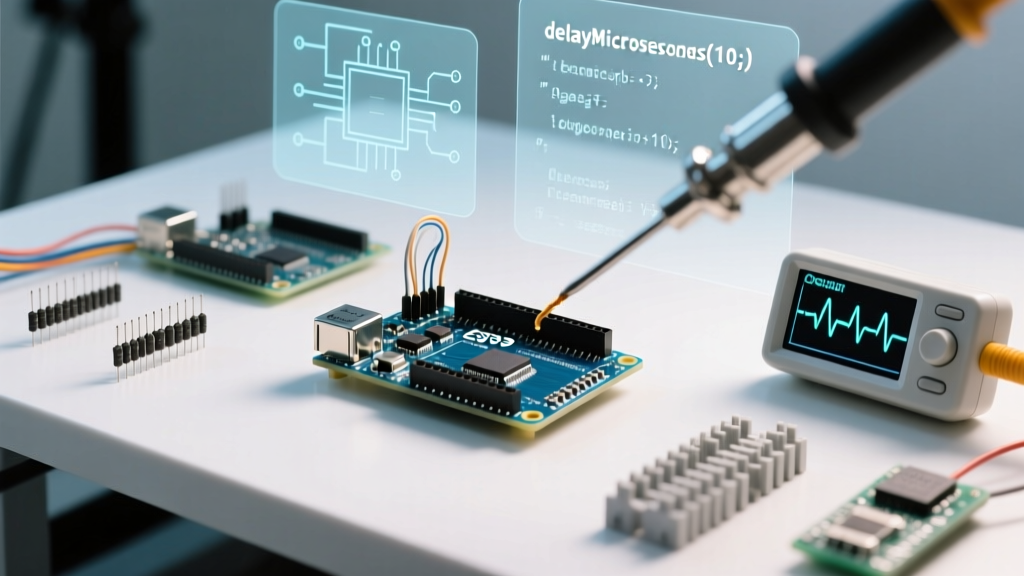

The Hard Ceiling: Why delayMicroseconds() Fails at Scale
When you first start programming microcontrollers, the delayMicroseconds() function seems like a magic bullet for precise timing. Whether you are bit-banging a custom protocol, driving WS2812B addressable LEDs, or generating high-frequency PWM signals, pausing execution for a few microseconds is often necessary. However, as your project scales in complexity, this blocking function quickly becomes the bottleneck of your entire firmware architecture.
In this community resource roundup, we are diving deep into the technical limitations of delayMicroseconds() across popular architectures like the ATmega328P, ESP32-S3, and Renesas RA4M1. We have curated the most effective, battle-tested workarounds from the open-source embedded community to help you eliminate timing jitter, bypass the 16-bit ceiling, and build robust, non-blocking state machines in 2026.
delay() or hardware timers.
Anatomy of the Delay: Clock Cycles and Assembly Loops
To understand why delayMicroseconds() causes issues, you have to look at what the compiler is actually doing under the hood. On a classic 16 MHz Arduino Uno R3 (ATmega328P, typically retailing around $29.00), one clock cycle takes exactly 62.5 nanoseconds. A single microsecond requires 16 clock cycles.
The Arduino core implements this delay using a tightly wound assembly loop that burns CPU cycles. Because it is a blocking function, the microcontroller cannot execute any other logic, read sensors, or update displays while the loop runs. Furthermore, the function accepts an unsigned int parameter. On 8-bit AVR architectures, this imposes a hard mathematical ceiling of 65,535 µs (roughly 65.5 milliseconds). If you pass 70000 into the function, the integer overflows, wrapping around to a drastically shorter delay and causing silent, catastrophic timing failures in your communication protocols.
Architectural Timing Comparison Matrix
Different silicon handles microsecond delays differently. Here is how the community maps out the behavior across modern development boards:
| Microcontroller | Board Example (2026 Pricing) | Max Safe Limit | Underlying Mechanism | Watchdog / RTOS Yield |
|---|---|---|---|---|
| ATmega328P (8-bit AVR) | Arduino Uno R3 ($29.00) | 16,383 µs (Optimal) | Assembly NOP loops | No WDT reset, pure blocking |
| Renesas RA4M1 (Cortex-M4) | Arduino Uno R4 Minima ($27.50) | 65,535 µs | Hardware cycle counter | May trigger WDT if interrupts disabled |
| Xtensa LX7 (Dual-Core) | ESP32-S3 DevKit ($8.50 module) | ~1000 µs (Safe) | ets_delay_us() mapping |
Triggers Task WDT panic if > 1000 µs |
| Raspberry Pi RP2040 | Raspberry Pi Pico 2 ($5.00) | 65,535 µs | ARM SysTick / busy-wait | Safe, but starves core 1 if locked |
The Silent Killer: Interrupt Jitter and Edge Cases
One of the most common complaints on the Arduino forums is "inconsistent pulse widths" when using delayMicroseconds() for software-based PWM or servo control. The culprit is almost always Interrupt Service Routines (ISRs).
When an interrupt fires (for example, a rotary encoder pin change or a Timer0 overflow for millis()), the CPU pauses the delayMicroseconds() assembly loop, jumps to the ISR, executes the handler, and then resumes the loop. If your ISR takes 15 microseconds to execute, your requested 50-microsecond delay just became a 65-microsecond delay. In high-speed protocols like NeoPixel (WS2812B) data lines, where a '0' bit is defined by a 0.4µs high pulse and a 0.85µs low pulse, this jitter will corrupt the entire LED strip data stream.
Pro-Tip from the Embedded Community: If you absolutely must use blocking microsecond delays for bit-banging on an AVR, temporarily disable interrupts usingnoInterrupts()before the delay, and restore them withinterrupts()immediately after. Be warned: this will causemillis()to lose time and can drop incoming UART serial bytes.
Community Workaround 1: The Non-Blocking micros() State Machine
The most universally recommended alternative to blocking delays is utilizing the micros() function within a cooperative multitasking state machine. Unlike delayMicroseconds(), micros() simply reads the current hardware timer overflow count and returns immediately, freeing the CPU to handle other tasks.
Step-by-Step Implementation Guide
- Declare Timestamp Variables: Use
unsigned longto store the previous execution time. This prevents overflow errors that occur with standard integers. - Calculate the Delta: Subtract the previous timestamp from the current
micros()reading. Becauseunsigned longmath naturally handles the 32-bit rollover (which happens every ~71.5 minutes), you do not need complex overflow checks. - Execute and Reset: If the delta exceeds your target interval, trigger your payload and update the previous timestamp variable.
Code Concept:
unsigned long previousMicros = 0;
const long interval = 500; // 500 microseconds
void loop() {
unsigned long currentMicros = micros();
if (currentMicros - previousMicros >= interval) {
previousMicros = currentMicros;
// Execute high-speed non-blocking payload here
}
}
Community Workaround 2: Hardware Timers for True Precision
When software loops and micros() polling are not precise enough—such as when generating a 100 kHz carrier frequency for an ultrasonic transducer—the community turns to dedicated hardware timers. Hardware timers operate entirely independently of the main CPU core, guaranteeing zero jitter regardless of what the rest of your code is doing.
AVR Architecture: The TimerOne Library
For classic 8-bit boards, Paul Stoffregen's TimerOne Library remains the gold standard. By configuring the 16-bit Timer1 on the ATmega328P, you can attach an interrupt callback that fires with exact microsecond precision. You can initialize it via Timer1.initialize(500) to trigger an ISR every 500 microseconds. This is heavily utilized in community-built CNC shields and stepper motor acceleration planners where timing drift results in missed steps and stalled motors.
ESP32 Architecture: The GPTimer API
The ESP32 ecosystem has evolved significantly. The older timerAttachInterrupt() methods are being phased out in favor of the highly robust General Purpose Timer (GPTimer) API in ESP-IDF v5.x and modern Arduino-ESP32 cores. The GPTimer allows you to allocate dedicated timer groups with hardware-level alarm thresholds.
According to the Espressif GPTimer API documentation, you can configure the timer source clock (e.g., APB_CLK at 80 MHz) and set a resolution of 1 MHz, yielding exactly 1 microsecond per tick. When the alarm value is reached, the hardware triggers an ISR managed by the ESP32's interrupt matrix, completely bypassing the FreeRTOS scheduler overhead and eliminating the Task Watchdog panics associated with long delayMicroseconds() calls.
Summary: Choosing the Right Timing Tool
The delayMicroseconds() function is not inherently "bad," but it is a highly specialized tool meant exclusively for brief, blocking hardware synchronization tasks (like triggering an HC-SR04 ultrasonic sensor ping). For everything else, the embedded community strongly advocates moving away from blocking delays. By leveraging micros() state machines for general high-speed polling, and hardware timer APIs for mission-critical signal generation, you ensure your firmware remains responsive, scalable, and immune to the dreaded timing jitter.
Quick Decision Framework
- Use
delayMicroseconds(): Only for delays under 1000 µs where CPU blocking is acceptable and interrupts can be safely paused (e.g., DHT22 sensor handshakes). - Use
micros()Polling: For cooperative multitasking, software serial implementations, and non-blocking LED multiplexing. - Use Hardware Timers: For generating precise PWM, reading high-speed quadrature encoders, and driving DACs where a single microsecond of jitter ruins the analog waveform.