
The Ultimate Real Time Clock Module Arduino Quick Reference
When building dataloggers, automated greenhouse controllers, or smart home timers, relying on the microcontroller's internal millis() function is a recipe for disaster. Power cycles reset the timer, and crystal oscillator drift accumulates over time. Integrating a dedicated real time clock module Arduino makers trust is the definitive solution. This comprehensive FAQ and quick-reference guide cuts through the noise, providing exact wiring diagrams, library configurations, and hardware-level troubleshooting for the most popular RTC ICs on the market in 2026.
Module Comparison: DS1307 vs DS3231 vs PCF8523
Before soldering headers, you must select the right silicon. While the DS1307 was the hobbyist standard a decade ago, modern project requirements usually demand better precision.
| RTC IC Model | Accuracy / Drift | Temp. Compensation | Avg. Price (2026) |
|---|---|---|---|
| DS1307 | ±20ppm (approx. 5 min/month) | No | $1.00 - $2.00 |
| DS3231 | ±2ppm (approx. 1 min/year) | Yes (Internal TCXO) | $2.50 - $4.50 |
| PCF8523 | ±10ppm | No | $2.00 - $3.50 |
Expert Verdict: Always default to the DS3231 for environmental monitoring or outdoor deployments. According to the Analog Devices DS3231 Datasheet, its integrated temperature-compensated crystal oscillator (TCXO) actively adjusts the timekeeping base to negate thermal drift, a feature entirely absent in the DS1307.
Hardware & Wiring FAQs
Q: How do I wire the I2C pins across different microcontrollers?
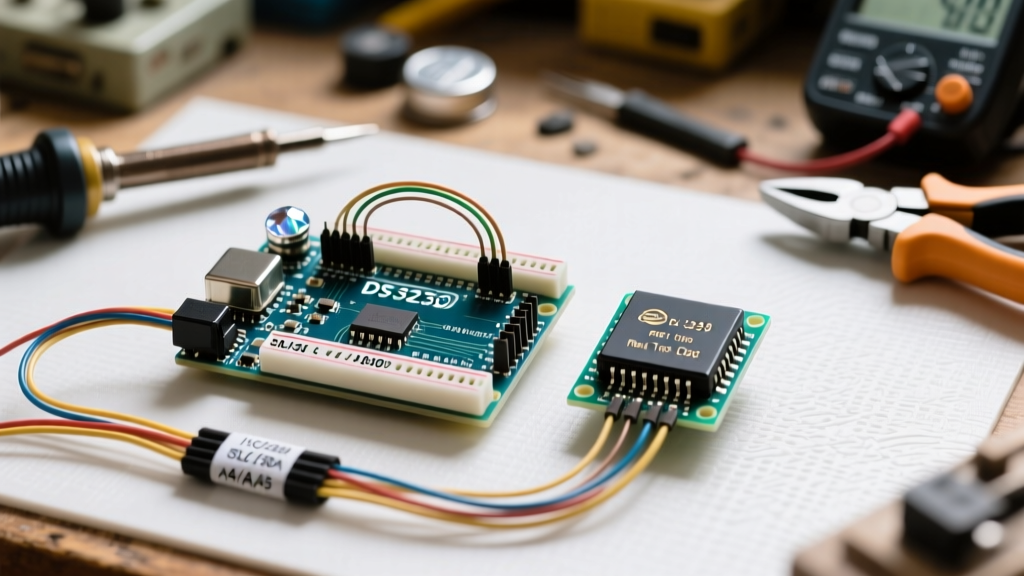
Both the DS1307 and DS3231 communicate via the I2C bus (address 0x68). However, the physical pin locations change depending on your development board. Use this quick-reference matrix for 2026's most popular maker boards:
| Board | SDA Pin | SCL Pin | Logic Level |
|---|---|---|---|
| Arduino Uno R3 / R4 | A4 | A5 | 5V |
| Arduino Mega 2560 | 20 | 21 | 5V |
| ESP32 (Standard) | GPIO 21 | GPIO 22 | 3.3V |
| Raspberry Pi Pico (RP2040) | GP4 (I2C0) | GP5 (I2C0) | 3.3V |
Q: Do I need external I2C pull-up resistors?
Yes, in most cases. Cheap, bare-bones RTC breakout boards often omit the required 4.7kΩ pull-up resistors on the SDA and SCL lines. While the Arduino Uno's internal pull-ups might barely suffice for short wire runs, 3.3V microcontrollers like the ESP32 and RP2040 will experience I2C bus hanging or corrupted data at 400kHz without external 4.7kΩ resistors tied to VCC. High-quality modules from brands like Adafruit or SparkFun include these onboard.
The Infamous ZS-040 Battery Drain Issue
⚠️ Critical Hardware Warning: The CR2032 Charging Flaw
The ubiquitous blue "ZS-040" DS3231 module found on Amazon and AliExpress is designed with a charging circuit intended for LIR2032 (rechargeable) coin cells. If you insert a standard, non-rechargeable CR2032 battery, the module will attempt to charge it. This causes the battery to drain in a matter of weeks, leak, or potentially swell and rupture.
Q: How do I fix the ZS-040 module to safely use a CR2032?
You must physically disable the charging circuit. Flip the module over and locate the surface-mount diode (often labeled D1) or the small SMD resistor located just below the battery holder on the left side. Using a soldering iron set to 350°C, carefully desolder and remove this component. Alternatively, you can cut the trace leading from the VCC pin to the battery positive terminal with an X-Acto knife. Once disabled, a standard CR2032 will safely provide backup power for 3 to 5 years without memory loss.
Software & RTClib FAQs
Q: What is the best library for managing the RTC?
The industry standard is the Adafruit RTClib. It supports the DS1307, DS3231, and PCF8523 seamlessly, handling leap years and Unix timestamp conversions automatically. You can install it directly via the Arduino IDE Library Manager. For comprehensive setup instructions, refer to the Adafruit DS3231 Wiring and Test Guide.
Q: Why does my RTC reset to the compilation time every time I restart?
This is the most common beginner mistake. In your setup() function, you likely have the following line uncommented:
rtc.adjust(DateTime(F(__DATE__), F(__TIME__)));This macro grabs the exact time from your PC when the sketch compiles and forces it onto the RTC. If left uncommented, every time the Arduino loses power and reboots, it will overwrite the actual time with the old compilation timestamp. The Fix: Upload the sketch once with this line active to set the clock. Immediately comment it out (// rtc.adjust...) and re-upload. The RTC will now keep time continuously via the battery backup.
Troubleshooting Edge Cases
Q: My Serial Monitor outputs "165/165/2165 165:165:165". What does this mean?
This specific string of numbers is the RTClib's way of telling you that I2C communication has completely failed. The microcontroller is reading 0xFF (all high) from the I2C bus because the RTC is not responding.
- Step 1: Run an I2C Scanner sketch to verify if address
0x68is visible. If not, check your wiring. - Step 2: Verify that the VCC pin is receiving adequate voltage (5V for Uno, 3.3V for ESP32).
- Step 3: Ensure your SDA and SCL lines are not swapped.
Q: Can I use the SQW pin for interrupts instead of polling?
Yes, and you should. Polling the RTC via I2C every second wastes CPU cycles and blocks the microcontroller from entering deep sleep. The DS3231 features an SQW/INT pin that can be configured to output a precise 1Hz square wave or trigger an alarm interrupt. By connecting the SQW pin to a hardware interrupt pin on your Arduino (e.g., Pin 2 or 3 on the Uno), you can wake the MCU from low-power sleep modes exactly when a logging event is required, drastically reducing battery consumption in off-grid deployments.