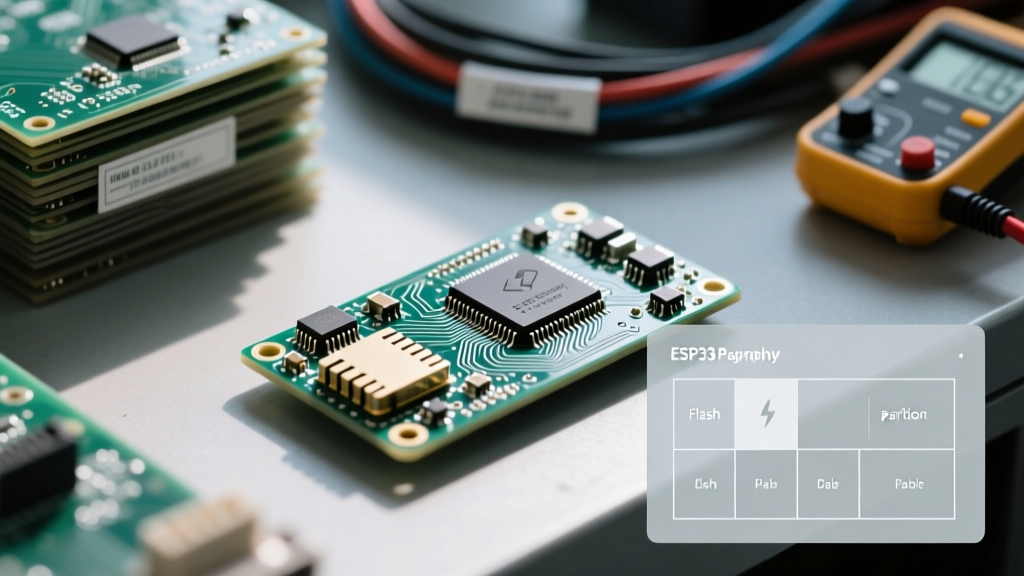

The Anatomy of ESP32 Flash Memory
The ESP32 microcontroller series relies on an external SPI flash chip—typically a Winbond W25Q32 or GigaDevice GD25Q series—ranging from 4MB to 16MB in capacity. While the Arduino framework often abstracts this hardware behind filesystems like LittleFS or SPIFFS, advanced firmware engineering requires direct, low-level access. Whether you are retrieving factory calibration blobs, secure cryptographic keys, or custom OTA metadata, understanding how to read from ESP32 flash partition in C is a critical skill for embedded systems developers.
Unlike standard microcontrollers where flash is directly mapped to the instruction bus, the ESP32 utilizes a Harvard architecture. The external SPI flash is not inherently part of the CPU's direct memory address space. Instead, it is accessed via the SPI peripheral or mapped into the data address space through the Memory Management Unit (MMU). This configuration guide will walk you through defining custom partitions, locating them via the ESP-IDF API, and executing high-speed reads using C.
Configuring the Partition Table (CSV)
Before writing any C code, you must configure the flash layout. The ESP32 uses a CSV-based partition table that the bootloader parses to understand where different data segments reside. By default, Espressif provides default.csv and partitions.csv, but custom applications demand a tailored layout.
To create a custom read-only partition for raw C access, you must define a custom subtype. Espressif reserves subtypes 0x00 through 0x3F for standard definitions (like nvs, phy, or spiffs). For custom data, you should use a value between 0x40 and 0x7F.
Example Custom partitions.csv
# Name,       Type, SubType, Offset,   Size,     Flags
nvs,          data, nvs,     0x9000,   0x6000,
factory,      app,  factory, 0x10000,  0x140000,
custom_ro,    data, 0x40,    0x150000, 0x10000,
ota_0,        app,  ota_0,   0x160000, 0x140000,
ota_1,        app,  ota_1,   0x2A0000, 0x140000,
In this configuration, custom_ro is a 64KB data partition located at offset 0x150000. The Flags column is left blank, but you could append readonly if you want the ESP-IDF partition API to block write operations at the software level.
Step-by-Step: Locating the Partition in C
When engineers need to bypass filesystem overhead and figure out how to read from ESP32 flash partition in C, they must interact directly with the esp_partition API. Hardcoding memory offsets (like 0x150000) into your C code is a dangerous practice; if the partition table changes, your code will read garbage data or trigger a fatal exception.
Instead, use the esp_partition_find_first() function. This function queries the partition table loaded into RAM by the bootloader and returns a pointer to an esp_partition_t struct.
#include "esp_partition.h"
#include "esp_log.h"

static const char *TAG = "FLASH_READ";

const esp_partition_t* get_custom_partition() {
    // ESP_PARTITION_TYPE_DATA is 0x01, 0x40 is our custom subtype
    const esp_partition_t* part = esp_partition_find_first(
        ESP_PARTITION_TYPE_DATA,
        0x40,
        "custom_ro"
    );

    if (part == NULL) {
        ESP_LOGE(TAG, "Custom partition not found!");
        return NULL;
    }

    ESP_LOGI(TAG, "Found partition at 0x%08lX, size: %lu bytes",
             part->address, part->size);
    return part;
}
Executing the Read Operation
Once you have the esp_partition_t pointer, you can extract data. The API handles the underlying SPI transactions, cache coherency, and MMU mapping automatically. It is important to note that the ESP32 SPI flash controller operates optimally with 4-byte aligned addresses and sizes, though the esp_partition_read wrapper handles unaligned requests by utilizing internal RAM buffers at a slight performance cost.
Standard API Read Implementation
esp_err_t read_calibration_data(const esp_partition_t* part, uint8_t* dest_buffer, size_t len) {
    if (part == NULL || dest_buffer == NULL) {
        return ESP_ERR_INVALID_ARG;
    }

    // Ensure we do not read past the partition boundary
    if (len > part->size) {
        ESP_LOGE(TAG, "Requested read exceeds partition size");
        return ESP_ERR_INVALID_SIZE;
    }

    // Offset 0 means the start of the partition, NOT the start of the flash chip
    esp_err_t err = esp_partition_read(part, 0, dest_buffer, len);

    if (err != ESP_OK) {
        ESP_LOGE(TAG, "Partition read failed: %s", esp_err_to_name(err));
    }
    return err;
}
Expert Note on Uninitialized Flash: If you read from a partition that has been erased but never written to, the SPI flash will return 0xFF for every byte. This is the physical default state of NOR flash cells. Always implement a magic number or CRC32 check at the beginning of your partition data to verify that valid payload data actually exists before processing it.
High-Performance Access: Memory Mapping (MMU)
For applications requiring zero-copy access—such as executing audio samples, parsing large binary trees, or feeding neural network weights to an ESP32-S3 AI accelerator—the standard SPI read API introduces unacceptable latency. The ESP32 MMU allows you to map chunks of SPI flash directly into the CPU's data address space.
According to the Espressif SPI Flash API documentation, memory mapping requires adherence to strict hardware alignment rules. On the original ESP32, MMU pages are 64KB. On newer variants like the ESP32-S3 or ESP32-C3, the MMU page size is typically 32KB or 64KB depending on the specific cache configuration.
#include "spi_flash_mmap.h"

const void* mapped_ptr = NULL;
spi_flash_mmap_handle_t handle;

esp_err_t map_partition_to_ram(const esp_partition_t* part) {
    // Map the entire partition as read-only data
    esp_err_t err = spi_flash_mmap(
        part->address,
        part->size,
        SPI_FLASH_MMAP_DATA,
        &mapped_ptr,
        &handle
    );

    if (err == ESP_OK) {
        // You can now cast mapped_ptr and read it like standard RAM
        const uint8_t* data = (const uint8_t*)mapped_ptr;
        ESP_LOGI(TAG, "First byte: 0x%02X", data[0]);
    }
    return err;
}
Remember that mapped memory is subject to cache misses. If your access pattern is highly random, the SPI bus speed (often capped at 80MHz) will become a bottleneck, and you may experience cache thrashing.
Comparison: Access Methods for Flash Partitions
Choosing the right method to read from the ESP32 flash depends on your memory constraints, performance requirements, and data alignment. Below is a technical comparison of the three primary approaches available in the ESP-IDF ecosystem.
| Method | API Function | Performance | RAM Overhead | Best Use Case |
|---|---|---|---|---|
| Partition API | esp_partition_read() |
Moderate (SPI transaction) | Low (Requires dest buffer) | Configuration blobs, JSON parsing, standard data retrieval. |
| Raw SPI Flash | spi_flash_read() |
Moderate (Bypasses partition logic) | Low (Requires dest buffer) | Custom bootloaders, direct chip-level forensics. |
| Memory Mapping | spi_flash_mmap() |
High (Zero-copy, cache dependent) | High (Consumes MMU pages/IRAM/DRAM) | Audio buffers, AI weights, read-only lookup tables. |
Troubleshooting Common Partition Read Failures
When configuring raw flash access, developers frequently encounter hardware and software exceptions. Referencing the ESP-IDF Partition API documentation, here are the most common failure modes and their solutions.
1. ESP_ERR_NOT_FOUND
This error occurs when esp_partition_find_first() returns NULL. Solution: Verify that your partitions.csv file is actually being compiled into the binary. In CMake, ensure PARTITION_TABLE_CUSTOM is enabled in menuconfig and that the custom CSV path is correctly specified. A common mistake is leaving the subtype as a string (e.g., "custom") instead of the required hex value (e.g., 0x40) in the CSV.
2. Cache Alignment Exceptions (Guru Meditation Error)
If you attempt to use spi_flash_mmap() and then pass the resulting pointer to a peripheral that requires DMA (like the I2S audio driver or SPI LCD controller), the system will crash. The ESP32 MMU maps flash into cached address spaces, but DMA controllers require uncached, physically contiguous RAM. Solution: Never pass memory-mapped flash pointers directly to DMA peripherals. You must use esp_partition_read() to copy the data into a DMA-capable heap buffer (allocated via heap_caps_malloc(size, MALLOC_CAP_DMA)) before initiating the transfer.
3. Reading 0xFF Repeatedly
As mentioned earlier, NOR flash defaults to 0xFF when erased. If your C code expects a specific header and fails, your partition might be completely empty. This often happens during development when you flash the firmware via idf.py flash but forget to flash the custom binary blob to the specific partition offset using esptool.py. Always verify your flash contents using esptool.py read_flash to confirm the data physically resides on the chip.
Summary
Mastering how to read from ESP32 flash partition in C requires a solid grasp of the CSV partition table, the esp_partition API, and the underlying MMU hardware constraints. By avoiding hardcoded offsets, respecting cache alignment rules, and choosing the correct read strategy for your specific payload, you can build robust, high-performance firmware that fully leverages the ESP32's external storage capabilities. For further details on non-volatile storage alternatives, consult the Espressif NVS Flash API guide.