
The End of the Line for Legacy BLE Nano Boards
For years, the RedBearLab BLE Nano (based on the Nordic nRF51822) was the gold standard for ultra-compact, coin-cell-powered Bluetooth Low Energy projects. Measuring just 22mm x 18mm, it fit seamlessly into wearable and IoT sensor nodes. However, as of 2026, the nRF51 series has reached End-of-Life (EOL) status at Nordic Semiconductor. More critically for makers, the legacy Sandeep Mistry nRF5 Arduino core is no longer maintained, and Arduino IDE 2.x struggles with deprecated mbed-based nRF51 toolchains.
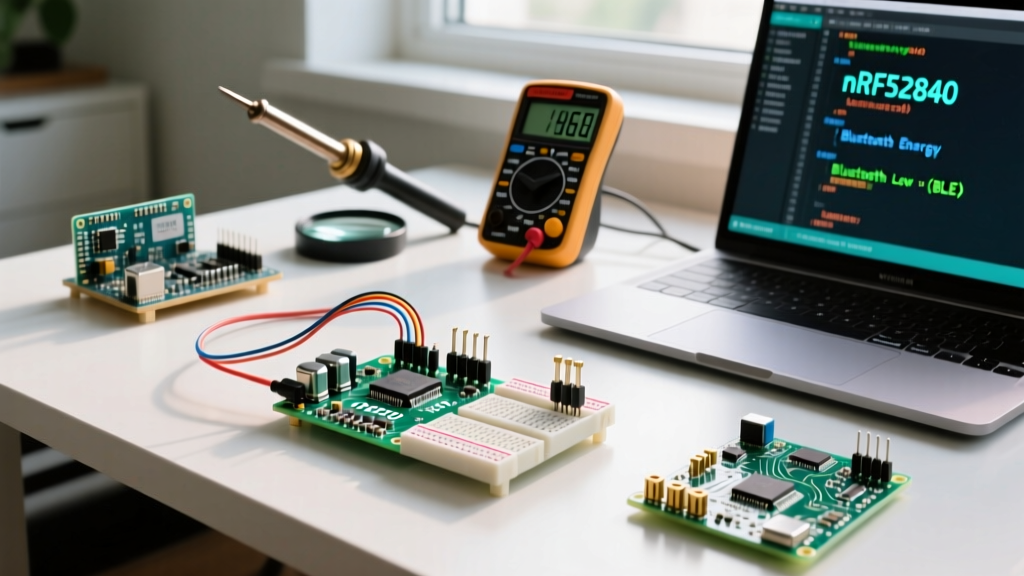
If you are maintaining an existing fleet of BLE Nano Arduino devices or planning a new production run, migrating to a modern nRF52840-based board is no longer optional—it is mandatory. This guide provides a comprehensive technical roadmap for migrating your hardware, pinouts, and codebase to modern nRF52840 alternatives without losing the low-power advantages of your original design.
Hardware Matrix: Legacy vs. Modern nRF52840 Alternatives
When replacing the BLE Nano, footprint and power consumption are usually the primary constraints. Below is a direct comparison of the legacy board against the two most capable modern drop-in replacements.
| Feature | RedBearLab BLE Nano v1.5 (Legacy) | Seeed Studio XIAO nRF52840 | Adafruit QT Py nRF52840 |
|---|---|---|---|
| MCU Core | nRF51822 (Cortex-M0) | nRF52840 (Cortex-M4F) | nRF52840 (Cortex-M4F) |
| Clock Speed | 16 MHz | 64 MHz | 64 MHz |
| Flash / RAM | 256 KB / 16 KB | 1 MB / 256 KB | 1 MB / 256 KB |
| BLE Version | 4.2 | 5.0 | 5.0 |
| Form Factor | 22 x 18 mm (Castellated) | 21 x 17.5 mm (Edge Pads) | 22 x 18 mm (STEMMA QT) |
| Estimated Price (2026) | N/A (Discontinued) | ~$11.99 | ~$14.95 |
For direct PCB footprint migration, the Seeed Studio XIAO nRF52840 is the closest physical match to the original BLE Nano, while offering a massive 4x increase in RAM and an integrated DC/DC converter for superior power efficiency.
Step 1: Physical Migration and Pinout Remapping
The most immediate hurdle in any BLE Nano Arduino migration is the pinout shift. The nRF51822 utilized a simple P0.xx GPIO mapping, whereas the nRF52840 introduces dual-port GPIO (P0 and P1) and dedicated peripheral routing.
Critical Pin Reassignments
- I2C / TWI: On the legacy BLE Nano, SDA/SCL were typically fixed to P0.00 and P0.01. On the XIAO nRF52840, the default Wire bus maps to P0.16 (SDA) and P0.17 (SCL). If your custom PCB hardwired the legacy pins, you must initialize the Wire library manually:
Wire.setPins(P0_00, P0_01); - UART: Hardware UART TX/RX pins have shifted. Ensure your external serial adapters are moved to the nRF52840's designated UART pins (typically P1.11 and P1.10 on the XIAO) or utilize the SoftwareSerial fallback if constrained by legacy PCB traces.
- Analog Inputs: The nRF52840 ADC is vastly superior (12-bit vs 10-bit). However, analog reference voltages default to 0.6V internal on the nRF52 series. You must explicitly set
analogReference(AR_VDD4)to match the 3.3V VDD logic of your legacy sensors.
Step 2: Arduino IDE 2.x Environment Setup
Do not attempt to use the legacy Sandeep Mistry nRF5 core in Arduino IDE 2.x. It will result in compilation failures regarding missing CMSIS headers.
- Open Arduino IDE and navigate to File > Preferences.
- In the Additional Boards Manager URLs, add the Adafruit nRF52 package URL:
https://adafruit.github.io/arduino-board-index/package_adafruit_index.json - Open the Boards Manager and install Adafruit nRF52 by Adafruit (version 1.3.0 or newer).
- Select Adafruit Feather nRF52840 Express (or the specific XIAO core if using the Seeed board index) as your target. The Adafruit core provides the most robust SoftDevice S140v7 integration for BLE 5.0.
Step 3: Refactoring BLE Code (nRF51 to nRF52)
The legacy BLE Nano relied heavily on the BLEPeripheral library. This library is fundamentally incompatible with the nRF52 SoftDevice architecture. You must refactor your code to use either the official ArduinoBLE library or the Adafruit Bluefruit library. Below is a translation matrix for common BLE operations.
Expert Note: The nRF52 SoftDevice reserves the first 150KB of flash and specific RAM regions. If your legacy code used absolute memory pointers or custom bootloaders, they will overwrite the SoftDevice and brick the board. Always use the standardized Arduino BLE APIs.
Code Translation: Service & Characteristic Setup
Legacy nRF51 (BLEPeripheral):
BLEPeripheral blePeripheral;
BLEService uartService = BLEService("6E400001-B5A3-F393-E0A9-E50E24DCCA9E");
BLECharacteristic txChar = BLECharacteristic("6E400003-B5A3-F393-E0A9-E50E24DCCA9E", BLENotify, 20);
blePeripheral.setLocalName("NanoSensor");
blePeripheral.setAdvertisedServiceUuid(uartService.uuid());
blePeripheral.addAttribute(uartService);
blePeripheral.addAttribute(txChar);
blePeripheral.begin();
Modern nRF52840 (ArduinoBLE):
#include <ArduinoBLE.h>
BLEService uartService("6E400001-B5A3-F393-E0A9-E50E24DCCA9E");
BLECharacteristic txChar("6E400003-B5A3-F393-E0A9-E50E24DCCA9E", BLERead | BLENotify, 20);
BLE.setLocalName("NanoSensor");
BLE.setAdvertisedService(uartService);
uartService.addCharacteristic(txChar);
BLE.addService(uartService);
BLE.begin();
Notice the shift from addAttribute() to an object-oriented hierarchy where characteristics are added directly to services before the service is added to the BLE stack.
Power Consumption & Battery Life Optimization
The primary reason engineers chose the BLE Nano was its ability to run for months on a CR2032 coin cell. The nRF52840 is inherently more powerful and can draw more current if left unoptimized. To match or beat legacy nRF51 sleep currents (typically ~2.5 µA), you must enable the onboard DC/DC converter.
According to the Adafruit nRF52840 Learning Guide, the DC/DC mode reduces active radio current by up to 40%. In your setup() function, ensure the SoftDevice is configured for DC/DC mode:
// Enable DC/DC converter for optimal coin-cell performance
sd_power_dcdc_mode_set(NRF_POWER_DCDC_ENABLE);
Additionally, ensure all unused GPIO pins are configured as outputs and driven LOW, or set to input with pull-downs. Floating pins on the nRF52840 will cause leakage currents exceeding 50 µA, destroying your battery life calculations.
Common Migration Failure Modes and Fixes
1. The SoftDevice Brick
Symptom: The board no longer shows up as a USB serial device, and the bootloader fails to mount as a flash drive.
Cause: Uploading a sketch that exceeds the allocated application space or manually flashing a raw hex file via SWD without respecting the SoftDevice offset (0x26000).
Fix: Perform a double-tap reset to force the board into UF2 bootloader mode. If unresponsive, you must use a Segger J-Link EDU to perform a mass erase via nrfjprog --eraseall and re-flash the Adafruit bootloader.
2. BLE Connection Intervals Dropping
Symptom: Data throughput is significantly lower than on the nRF51.
Cause: The nRF52 SoftDevice defaults to conservative connection intervals to maintain compatibility with older smartphones.
Fix: Explicitly request a faster connection interval in your central device code, or adjust the peripheral preferred connection parameters using BLE.setConnectionInterval(min_ms, max_ms).
Conclusion
Migrating a legacy BLE Nano Arduino project to an nRF52840 platform requires deliberate attention to pin multiplexing, memory architecture, and BLE stack APIs. While the initial refactoring effort is non-trivial, the transition unlocks BLE 5.0 Long Range capabilities, a 16x increase in RAM, and a vastly more secure hardware cryptography engine. By leveraging the Seeed XIAO or Adafruit QT Py ecosystems, you future-proof your embedded designs for the next decade of IoT development.