
The State of Arduino IDEs in 2026
The landscape of IDE software for Arduino development has evolved dramatically. Gone are the days when the legacy Java-based 1.8.x editor was the only viable option for makers and engineers. In 2026, the community is split between the modernized, Eclipse Theia-based official Arduino IDE 2.x, the heavy-duty PlatformIO ecosystem within VS Code, and cloud-native simulation tools. Choosing the right environment is no longer just about syntax highlighting; it is about integrated debugging, CI/CD pipelines, library dependency management, and hardware-in-the-loop testing.
In this community resource roundup, we analyze the top IDE software for Arduino workflows, breaking down exact feature sets, pricing models, and real-world edge cases that affect your compilation and upload success rates.
Community Top Picks: IDE Software for Arduino Compared
Before diving into the technical deep dives, here is a high-level comparison matrix based on community feedback, compilation speed, and enterprise viability.
| IDE / Environment | Best Use Case | Autocomplete (IntelliSense) | Hardware Debugging | Cost (2026) |
|---|---|---|---|---|
| Arduino IDE 2.3.x | Education, Rapid Prototyping | Native (Clangd-based) | Native (CMSIS-DAP / SWD) | Free (Cloud tiers vary) |
| PlatformIO + VS Code | Production, ESP32/STM32, CI/CD | Advanced (C/C++ Extension) | Advanced (J-Link, OpenOCD) | Free (Open Source Core) |
| Wokwi (VS Code Ext.) | Hardware-less Testing, IoT Sims | Inherited from Host IDE | Simulated GDB | Free / $15/mo Pro |
| Arduino Web Editor | Chromebooks, Classrooms | Basic | None (Serial only) | Free (Cloud tied) |
Deep Dive: Arduino IDE 2.x (The Official Standard)
The official Arduino IDE 2.x has finally shed its reputation as a "beginner-only" toy. Built on the Eclipse Theia framework, it introduces features that professional embedded engineers expect, while maintaining the simple "Select Board and Port" UX.
Key Upgrades and Real-World Performance
- True Autocomplete & Syntax Checking: Powered by a Language Server Protocol (LSP) backend, the IDE now catches missing semicolons and undeclared variables before you hit compile, saving massive amounts of time on large sketches.
- Integrated Serial Plotter: The 2026 iteration of the plotter handles high-frequency data streams (up to 2Mbps via native USB on the Nano ESP32) without the UI stuttering that plagued older versions.
- Live Debugging: By pairing the IDE with a $12 Raspberry Pi Debug Probe or an Atmel-ICE, you can set breakpoints, inspect registers, and step through C++ code on supported ARM Cortex-M boards (like the Portenta H7 or Nano 33 BLE).
Community Edge Case Warning: Windows 11 users frequently encounter CDC driver conflicts when uploading to ESP32-S3 boards via native USB-OTG in IDE 2.x. If your board connects but fails to enter download mode, manually install the latest Zadig WinUSB driver for the "USB JTAG/serial debug unit" interface before attempting an upload.
The Power User's Choice: PlatformIO + VS Code
When a project scales beyond a single .ino file, the community overwhelmingly migrates to PlatformIO. Operating as an extension inside Visual Studio Code, PlatformIO completely bypasses the Arduino IDE's global library folder mess, replacing it with strict, project-level dependency management.
Mastering the platformio.ini File
The core of PlatformIO is the platformio.ini configuration file. Here is an optimized configuration for an ESP32-S3 project requiring PSRAM and aggressive debugging:
[env:esp32s3]
platform = espressif32@6.5.0
board = esp32-s3-devkitc-1
framework = arduino
build_flags =
    -DBOARD_HAS_PSRAM
    -DCORE_DEBUG_LEVEL=4
    -DARDUINO_USB_MODE=1
    -DARDUINO_USB_CDC_ON_BOOT=1
lib_deps =
    bblanchon/ArduinoJson@^7.0.0
    knolleary/PubSubClient@^2.8.0
Why Professionals Prefer PlatformIO
- Library Isolation: Libraries are downloaded per-project. You never have to worry about updating a library for a new project and accidentally breaking a legacy project.
- Unit Testing: PlatformIO includes a native unit testing framework that allows you to mock hardware registers and test logic on your host PC before flashing.
- Git Integration: Because all dependencies are declared in the INI file, you can safely add the
.pioandlibfolders to your.gitignore, keeping your repository lightweight and reproducible.
For comprehensive environment setup, the official PlatformIO documentation remains the gold standard reference for custom build flags and board definitions.
Simulation & Cloud: Wokwi and Arduino Cloud
Hardware isn't always available, and burning out a $40 sensor due to a wiring error in your code is a painful rite of passage. This is where simulation IDEs step in.
Wokwi: The Community Darling
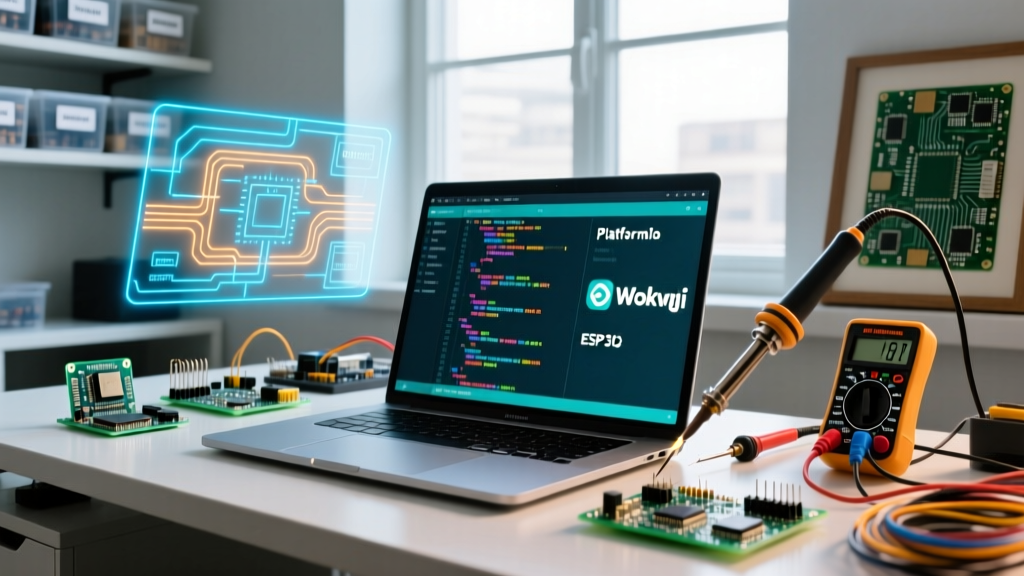
Wokwi has revolutionized how the community tests IoT and display code. Available as a browser-based IDE and a VS Code extension, Wokwi simulates the exact timing and I2C/SPI bus behavior of microcontrollers.
- Supported Hardware: ESP32 (including C3, S2, S3), Raspberry Pi Pico (RP2040), and ATmega328P.
- Peripheral Simulation: Accurately simulates SSD1306 OLEDs, WS2812B NeoPixels, rotary encoders, and even LoRaWAN gateways.
- WiFi Simulation: Wokwi provides a virtual WiFi access point, allowing you to test MQTT connections and HTTP GET requests without needing physical RF hardware.
Arduino Cloud (Web Editor)
For educators using Chromebooks or makers who want to sync sketches across multiple workstations, the Arduino Web Editor is invaluable. While it lacks the deep debugging of VS Code, its seamless integration with the Arduino IoT Cloud dashboard allows you to generate boilerplate code for OTA (Over-The-Air) updates and cloud variable syncing in seconds.
Troubleshooting Common IDE Upload Failures
No matter which IDE software for Arduino you choose, the underlying toolchains (avrdude, esptool, bossac) share common failure modes. Here is how the community resolves the most persistent errors.
1. avrdude: stk500_recv(): programmer is not responding
Environment: Arduino IDE / PlatformIO (AVR Boards like Uno/Nano)
- Cause: The IDE is attempting to communicate via the bootloader, but the auto-reset circuit isn't triggering, or the wrong COM port is selected.
- Fix: Verify you aren't selecting a "ghost" COM port left over from a disconnected device. If using a clone Nano with a CH340G chip, ensure the CH340 driver is explicitly installed. As a last resort, press and release the physical RESET button on the board exactly when the IDE console outputs "Uploading...".
2. esptool.py: Failed to connect to ESP32: No serial data received
Environment: ESP32 Family (All IDEs)
- Cause: The ESP32 is executing code that utilizes the USB-CDC pins or has crashed in a bootloop, preventing the ROM bootloader from taking over.
- Fix: Implement the manual BOOT mode sequence. Hold the BOOT button -> Press and release RESET -> Release BOOT. Initiate the upload immediately after.
3. "Sketch too big" / IRAM Overflow on ESP8266/ESP32
Cause: You have exceeded the Instruction RAM (IRAM) limit, usually by including heavy libraries like Adafruit_NeoPixel or large SSL certificates.
Fix (PlatformIO): Add build_flags = -DVTABLES_IN_FLASH to your INI file to force vtables into standard flash memory, freeing up critical IRAM space.
Final Verdict: Which IDE Should You Choose?
The "best" IDE software for Arduino depends entirely on your project lifecycle stage:
- Choose Arduino IDE 2.x if you are teaching a class, doing quick weekend hardware hacks, or relying heavily on official Arduino hardware with integrated SWD debugging.
- Choose PlatformIO + VS Code if you are building commercial IoT products, managing complex ESP32 firmware with multiple third-party libraries, or integrating your build process into GitHub Actions.
- Choose Wokwi if you are developing display drivers or IoT logic and want to iterate rapidly without waiting for physical hardware to compile and flash.
By leveraging the right toolchain, you eliminate environment friction and spend more time engineering robust embedded solutions.