
Why Your Arduino If Else Logic is Failing
In embedded systems programming, the if...else control structure is the backbone of decision-making. However, when an Arduino if else statement appears to be "not working"—triggering randomly, ignoring valid conditions, or causing the microcontroller to lock up—the root cause is rarely a flaw in the C++ compiler. Instead, it is almost always a subtle interaction between software logic, data type limitations, and hardware electrical noise.
Whether you are programming an 8-bit ATmega328P (Uno/Nano) or a 32-bit ESP32-S3, debugging conditional logic requires looking beyond the syntax. This guide dissects the five most common reasons your conditional statements fail in the Arduino IDE 2.x environment and provides exact, actionable fixes to restore reliable operation.
1. The Assignment vs. Comparison Trap
The most frequent culprit for an if statement always evaluating to true is the accidental use of the assignment operator (=) instead of the equality operator (==).
// BUG: This assigns HIGH to pinState, then evaluates the assigned value.
if (pinState = HIGH) {
  digitalWrite(LED_BUILTIN, HIGH);
}
Because HIGH is defined as 1 (which evaluates to true in C++), the code block will execute every single time, completely ignoring the actual state of the pin. Furthermore, this overwrites your variable, destroying the previous state data.
The Fix: Enable Compiler Warnings
Modern versions of the Arduino IDE (2.2 and newer, standard in 2026) use GCC/Clang backends that can catch this. Navigate to File > Preferences and set Compiler warnings to "All". The compiler will throw a -Wparentheses warning: "suggest parentheses around assignment used as truth value". Always treat warnings as errors in embedded logic.
2. Floating-Point Equality Failures (The Silent Killer)
Comparing floating-point numbers using == or != is a notorious source of logic failure. According to the Arduino float data type documentation, 8-bit AVR boards use 32-bit IEEE 754 precision (about 6-7 decimal digits). Due to binary fraction representation, a calculated value like 25.0 might actually be stored in memory as 25.000001 or 24.999998.
// BUG: This will almost never trigger due to precision loss
if (temperatureSensor == 25.0) {
  triggerAlarm();
}
The Fix: Use an Epsilon Threshold
Never use strict equality for floats. Instead, check if the absolute difference between the two values is smaller than an acceptable tolerance (epsilon).
float epsilon = 0.01;
if (abs(temperatureSensor - 25.0) < epsilon) {
  triggerAlarm(); // Executes reliably
}
Note: On 32-bit ARM boards like the ESP32 or Raspberry Pi Pico, the double data type offers 64-bit precision, but the epsilon method remains the industry standard for robust sensor threshold logic.
3. The Unsigned Long Millis() Rollover Bug
When using if statements to handle non-blocking timing via millis(), a poorly constructed condition will cause your sketch to freeze or behave erratically after exactly 49.7 days of continuous uptime.
// BUG: Fails when currentMillis overflows back to 0
if (currentMillis >= previousMillis + interval) {
  previousMillis = currentMillis;
}
When currentMillis approaches the maximum value of an unsigned long (4,294,967,295), adding the interval causes an integer overflow, wrapping the right side of the equation back to a small number. The if condition instantly evaluates to true, rapid-firing your logic.
The Fix: Subtraction-Based Evaluation
Rearrange the math to rely on unsigned integer underflow mechanics, which gracefully handle the rollover:
// CORRECT: Handles the 49.7-day rollover seamlessly
if (currentMillis - previousMillis >= interval) {
  previousMillis = currentMillis;
}
4. Hardware-Level False Triggers (Floating Pins)
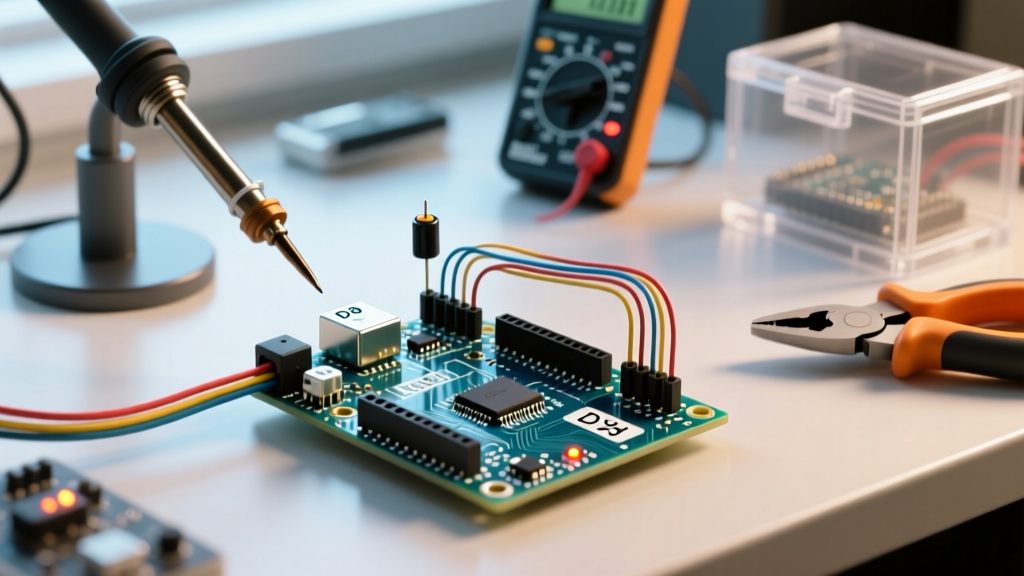
Sometimes your if (digitalRead(buttonPin) == HIGH) code is perfectly written, but the block triggers randomly when no button is pressed. This is not a software bug; it is an electrical one. An unconnected microcontroller pin acts as an antenna, picking up electromagnetic interference (EMI) from nearby AC wiring, stepper motors, or switching power supplies.
As detailed in SparkFun's guide on pull-up resistors, a floating pin will rapidly oscillate between HIGH and LOW, causing your if statement to execute hundreds of times per second.
The Fix: Define Pin Modes and Use Pull-ups
Ensure you are utilizing the internal pull-up resistors or adding external ones. The ATmega328P internal pull-ups are roughly 20kΩ to 50kΩ. In high-EMI environments (like near relay modules), this is too weak. Use an external 4.7kΩ or 10kΩ resistor tied to VCC or GND.
void setup() {
  // Enables internal ~20k pull-up resistor
  pinMode(buttonPin, INPUT_PULLUP);
}
Troubleshooting Matrix: Symptom vs. Root Cause
Use this diagnostic matrix to quickly isolate why your conditional logic is misbehaving based on the physical symptoms of your hardware.
| Observed Symptom | Probable Root Cause | Immediate Fix |
|---|---|---|
if block always executes, regardless of sensor input. |
Used = instead of ==, or pin is physically shorted to VCC. |
Check syntax; measure pin voltage with a multimeter. |
if block never executes, even when serial monitor shows matching values. |
Floating-point precision mismatch or comparing String objects incorrectly. | Implement epsilon threshold or use strcmp() / .equals(). |
| Logic works for 49 days, then system crashes or rapid-fires. | millis() addition overflow inside the if condition. |
Change to subtraction: current - previous >= interval. |
| Random, intermittent triggering without physical input. | Floating GPIO pin picking up EMI noise. | Enable INPUT_PULLUP or add external 10kΩ resistor. |
System freezes or misses sensor reads after if triggers. |
Blocking code (like delay()) placed inside the if block. |
Refactor using a state machine and millis() timing. |
5. The Blocking Code Trap Inside Conditional Blocks
A common architectural mistake is placing blocking functions like delay() or synchronous I2C reads inside an if statement that guards a rare event. While this doesn't break the if statement itself, it breaks the loop() execution, causing the microcontroller to miss subsequent sensor readings or serial commands.
Expert Rule of Thumb: An
ifstatement should only change state variables or trigger non-blocking flags. It should never halt the CPU.
Instead of turning on a motor and calling delay(5000) inside the if, set a boolean flag (motorRunning = true) and record the millis() timestamp. Let the main loop handle the timeout via a secondary if check.
Advanced Debugging: Beyond the Serial Monitor
When troubleshooting complex if...else if...else chains involving multiple analog sensors, printing to the Serial Monitor at 9600 baud is often too slow and obscures timing issues.
- Use the Serial Plotter: Set your baud rate to
115200and output both the raw sensor value and the boolean result of yourifcondition (e.g.,Serial.print(sensorVal); Serial.print(","); Serial.println(conditionMet);). This visually maps exactly when the threshold is crossed. - Logic Analyzer: If your
ifstatement toggles a GPIO pin, connect a $15 USB logic analyzer (like the Saleae Logic clone) to the pin. Software like PulseView will reveal if theifblock is micro-stuttering due to switch bounce, which occurs in the 5ms to 50ms window after a mechanical contact closes. - State Change Detection: Often, you only want the
ifblock to run once when a condition becomes true, not continuously while it remains true. Study the Arduino State Change Detection example to implement edge-triggered logic rather than level-triggered logic.
Summary
Troubleshooting an Arduino if else statement requires a holistic view of the system. By eliminating assignment typos, respecting IEEE 754 floating-point limits, handling unsigned long math correctly, and stabilizing your hardware inputs with proper pull-up resistors, you can transform erratic conditional logic into bulletproof embedded code. Always compile with maximum warnings enabled, and rely on edge-detection state machines to keep your loop() running in real-time.