
The State of Simulator Arduino Environments in 2026
Virtual prototyping has become an indispensable part of the embedded systems workflow. Whether you are testing a complex IoT mesh network or debugging a simple LED matrix, a simulator Arduino environment allows you to validate logic without risking physical hardware. However, virtual environments introduce their own unique class of bugs. Simulators rely on SPICE engines, browser-based JavaScript execution, and abstracted hardware models that do not always perfectly mirror the physical silicon.
As of 2026, platforms like Wokwi, Autodesk Tinkercad, and Labcenter Proteus dominate the market. Yet, makers frequently encounter execution crashes, I2C bus lockups, and timing drifts that simply do not occur on a physical breadboard. This comprehensive troubleshooting guide dives deep into the architecture of these simulators, providing actionable fixes for the most common virtual prototyping failures.
Platform Comparison: Wokwi vs. Tinkercad vs. Proteus
Understanding the underlying engine of your simulator is the first step in troubleshooting. Each platform handles hardware abstraction differently, leading to distinct failure modes.
| Platform | Primary Architecture | 2026 Pricing | Best Use Case | Most Common Failure Mode |
|---|---|---|---|---|
| Wokwi | ESP32 (Xtensa/RISC-V), AVR | Free / $9/mo Club | Wi-Fi/BLE IoT, RTOS | Task Watchdog Timer (TWDT) panics |
| Tinkercad Circuits | AVR (ATmega328P) | Free | Beginner logic, basic sensors | Serial monitor freezing, I2C strictness |
| Proteus VSM | ARM, AVR, PIC | ~$235 (Standard) | Professional PCB, mixed-signal | High-frequency PWM SPICE convergence errors |
Execution Crashes: Watchdog Timers and Infinite Loops
One of the most frequent issues when migrating code from a physical Arduino Uno to a cloud-based simulator is unexpected execution halts. This is particularly prevalent in ESP32 simulations on Wokwi.
The Wokwi ESP32 TWDT Panic
In physical hardware, the Arduino core for ESP32 automatically feeds the Task Watchdog Timer (TWDT) during certain background operations. However, if your sketch contains a tight while(1) or for(;;) loop without yielding to the FreeRTOS idle task, the Wokwi simulator will accurately emulate the silicon-level watchdog reset, resulting in a 'Task Watchdog got triggered' panic in the serial console.
The Fix: Never use blocking infinite loops without yielding. Insert yield(); or vTaskDelay(1); inside your main execution loop to allow the simulator's RTOS scheduler to process background Wi-Fi and Bluetooth stacks.
// Incorrect: Causes TWDT panic in Wokwi
while(1) {
  readSensorData();
  updateDisplay();
}

// Correct: Yields to FreeRTOS idle task
while(1) {
  readSensorData();
  updateDisplay();
  vTaskDelay(pdMS_TO_TICKS(10));
}
Component-Level Bugs: I2C Lockups and Floating Pins
Simulators enforce electrical rules far more strictly than physical hardware, which often relies on parasitic capacitance and internal weak pull-up resistors to mask wiring errors.
Strict I2C Pull-Up Enforcement
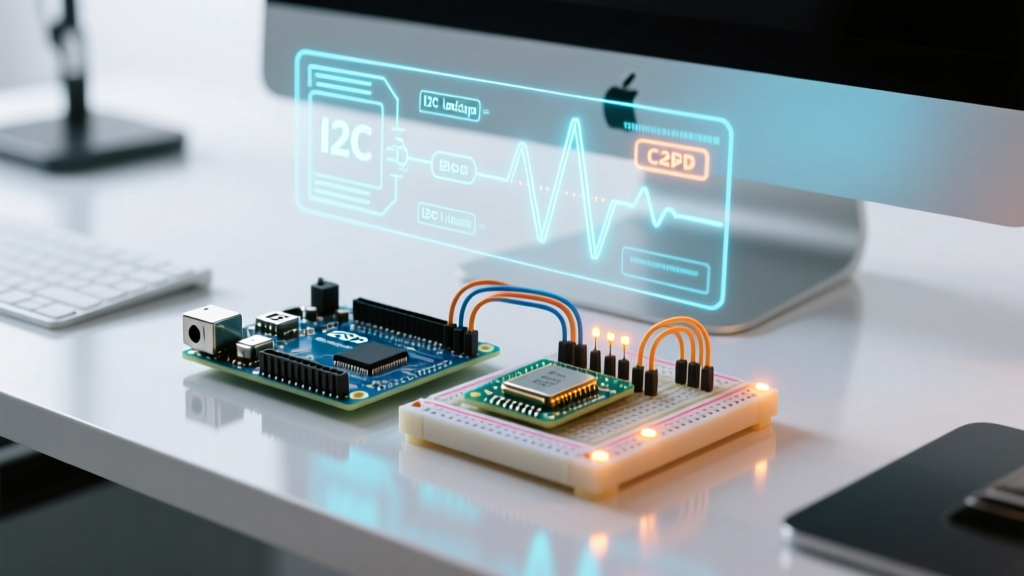
On a physical breadboard, you might get away with omitting the 4.7kΩ pull-up resistors on the SDA and SCL lines of an I2C sensor like the BME280. The ATmega328P's internal weak pull-ups (approx. 20kΩ to 50kΩ) combined with slow bus speeds can sometimes force the bus into a working state. Simulator Arduino environments do not allow this shortcut. Tinkercad and Wokwi model the I2C bus as strict open-drain logic. Without explicit virtual pull-up resistors connected to VCC, the bus lines will float, resulting in Wire.endTransmission() returning error code 2 (address NACK) or completely freezing the virtual I2C state machine.
The Fix: Always place two 4.7kΩ resistors between the SDA/SCL lines and the 3.3V/5V rail in your schematic, even if your physical prototype worked without them. According to the Arduino Official Troubleshooting Guide, proper bus termination is critical for reliable communication, a rule that simulators enforce ruthlessly.
Floating Pins and Uninitialized States
If you leave a digital input pin unconnected in Tinkercad, the simulator will rapidly toggle between HIGH and LOW states due to simulated thermal noise, causing massive serial buffer overflows if you are printing the pin state. Physical hardware might settle into a static state due to environmental grounding. Always use INPUT_PULLUP in your pinMode() declaration or add a physical 10kΩ pulldown resistor in the simulation schematic.
Timing Inaccuracies and Browser Tab Throttling
Browser-based simulators like Wokwi and Tinkercad are subject to the host browser's resource management algorithms. As of 2026, modern Chromium-based browsers aggressively throttle background tabs to preserve battery life and CPU resources.
Expert Insight: If your simulator Arduino sketch relies on precise
millis()ormicros()timing for PID control loops or software-based PWM, switching to another browser tab will cause the virtual MCU clock to drift or stall entirely. Chrome limits background timers to fire a maximum of once per second.
The Fix: If you must run a long-duration simulation in the background, use a dedicated browser profile with background throttling disabled via chrome://flags/#intensive-wake-up-throttling, or utilize the Wokwi CLI / VS Code extension which runs the simulation locally on your host machine's native thread, bypassing browser limitations entirely. For deeper insights into browser-based execution limits, refer to the Wokwi Official Documentation.
Serial Monitor Buffer Overflows
When debugging, makers often flood the serial monitor with high-speed data. In a physical setup, the USB-to-UART bridge (like the ATmega16U2) handles hardware buffering. In Tinkercad Circuits, the virtual serial buffer is limited. Pushing data at 115200 baud inside a fast loop without delays will crash the browser's JavaScript rendering engine, causing the serial monitor to freeze and the simulation to become unresponsive.
The Fix: Throttle your serial output. Implement a non-blocking timer to print debug data no more than 10 to 20 times per second.
unsigned long lastPrint = 0;
void loop() {
  // Fast sensor polling
  int val = analogRead(A0);

  // Throttled serial output to prevent virtual buffer overflow
  if (millis() - lastPrint > 100) {
    Serial.println(val);
    lastPrint = millis();
  }
}
Step-by-Step Virtual Debugging Workflow
When your simulator Arduino project fails to behave as expected, follow this structured diagnostic workflow to isolate the variable:
- Isolate the Peripheral: Disconnect all virtual sensors and actuators. Run a bare-bones blink sketch. If this fails, the issue is a corrupted browser cache or a platform-wide outage (check the Tinkercad Learning Hub or status pages).
- Verify Pin Mapping Definitions: Simulators often use custom board definitions. For example, Wokwi's ESP32-S3 dev board maps the onboard LED to GPIO 48, whereas Tinkercad's generic ESP32 might map it differently. Check the simulator's specific
pins_arduino.hequivalent. - Check Power Rails: Ensure your virtual breadboard power rails are continuous. In Tinkercad, the red and blue lines on the breadboard have a physical break in the middle by default. Many makers forget to bridge this gap with a virtual jumper wire, resulting in unpowered op-amps and sensors.
- Inject Virtual Logic Analyzers: Both Wokwi and Proteus allow you to attach a virtual logic analyzer to SPI/I2C lines. Use this to verify if the MCU is actually generating clock pulses, or if the code is hanging before the
Wire.beginTransmission()call.
Frequently Asked Questions
Why does my analogRead() always return 1023 in the simulator?
This occurs when the virtual AREF (Analog Reference) pin is floating or the simulated sensor is wired to a voltage higher than the MCU's logic level. Ensure your virtual potentiometer or sensor is referenced to the same ground as the Arduino, and that the VCC does not exceed 5V for an ATmega328P simulation.
Can I simulate Wi-Fi connectivity in Tinkercad?
No. Tinkercad Circuits is strictly limited to the ATmega328P (Arduino Uno) and ATtiny architectures, which lack native Wi-Fi silicon. For ESP8266 or ESP32 Wi-Fi simulation, including virtual MQTT broker connections and HTTP requests, you must migrate your project to Wokwi.
Why do my virtual servos jitter in Proteus VSM?
Proteus uses a SPICE-based analog simulation engine. High-frequency PWM signals (like the 50Hz pulse train required for servos, which relies on precise 1ms-2ms microsecond timing) can cause SPICE convergence issues if the simulation time-step is too large. Go to your simulation settings and reduce the 'Max Timestep' to 10us or lower to ensure smooth virtual servo operation.