
The Anatomy of the Library Manager Freeze
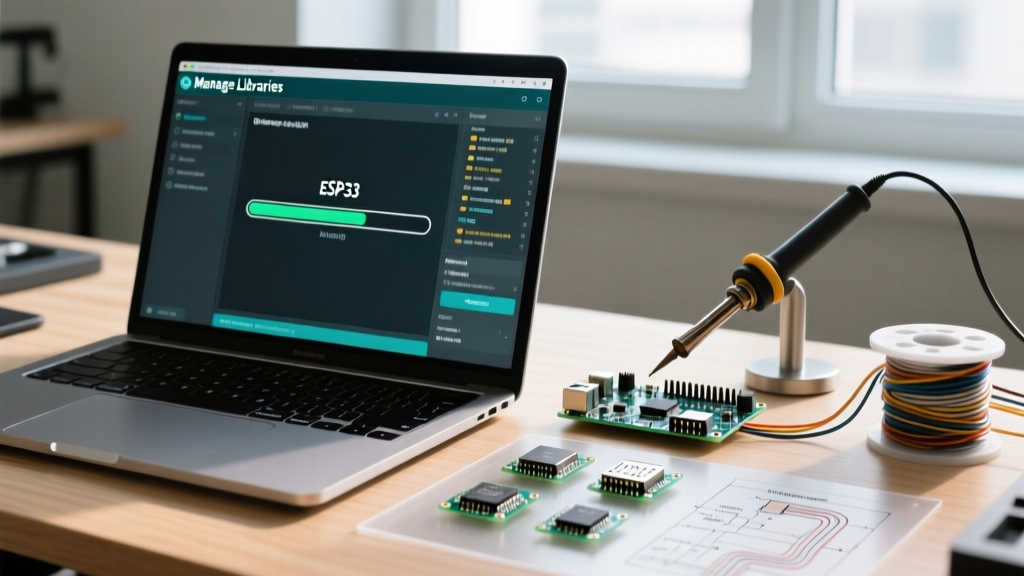
When you navigate to Sketch > Include Library > Manage Libraries and the interface locks up, you are experiencing a main-thread blocking event. Many makers search for solutions to "arduino freezes when i open manage libraries" because the UI simply stops responding, the loading bar stalls at 0%, or the application crashes entirely. As of Arduino IDE 2.3.4 in 2026, the interface is built on Electron, while the underlying package management is handled by a Go-based arduino-cli backend. If this backend hangs waiting for a network socket, or if it chokes parsing a malformed JSON index, the GUI freezes indefinitely.
Diagnosing this requires understanding which architecture you are running. The failure modes differ significantly between the legacy Java-based IDE and the modern Electron-based IDE.
| Architecture Feature | Arduino IDE 1.8.x (Legacy Java) | Arduino IDE 2.3.x+ (Modern Electron) |
|---|---|---|
| Backend Engine | Native Java HTTP Client | Go-based arduino-cli daemon |
| Index Storage | library_index.json |
library_index.json.gz (compressed) |
| Common Freeze Cause | Java Heap Space Exhaustion | Daemon Socket Timeout / Goroutine Deadlock |
| Network Handling | System Proxy Settings | Custom CLI Proxy Flags |
Root Cause 1: Corrupted Index Cache (The 90% Fix)
The most frequent culprit behind a frozen Library Manager is a corrupted or partially downloaded library index file. When the IDE starts, it attempts to parse this file to populate the search UI. If the file is truncated (often due to a dropped Wi-Fi connection during a previous update), the parser enters an infinite loop or throws an unhandled exception that locks the UI thread.
How to Nuke the Cache Safely
You must delete the local index files so the IDE is forced to fetch a fresh copy from the Arduino servers. Close the IDE completely before proceeding.
- Windows: Navigate to
C:\Users\[YourUsername]\AppData\Local\Arduino15 - macOS: Navigate to
~/Library/Arduino15(Use Finder > Go > Go to Folder) - Linux: Navigate to
~/.arduino15
Locate and delete the following files if they exist:
library_index.jsonlibrary_index.json.gzlibrary_index.json.sigpackage_index.json(Optional: deletes board manager cache too)
Expert Tip: Do not delete the entire
Arduino15folder unless you want to lose all your installed third-party board definitions (like ESP32 or STM32 cores). Only target the index files.
Root Cause 2: The Arduino-CLI Backend Timeout (IDE 2.x)
In modern versions of the IDE, the GUI communicates with the arduino-cli daemon via local gRPC or standard I/O. If your network environment silently drops packets to the Arduino CDN (downloads.arduino.cc), the CLI backend will wait for a TCP timeout, which can take up to 120 seconds. During this window, the Electron frontend shows a frozen loading spinner.
Bypassing the GUI for Terminal Diagnostics
To see exactly where the hang is occurring, bypass the IDE and run the CLI directly. The arduino-cli executable is bundled inside the IDE's installation directory.
Open your system terminal and run the verbose update command:
arduino-cli lib update-index -vWatch the terminal output. If it hangs on a specific URL or throws a TLS handshake timeout error, you have definitively identified a network or firewall issue rather than a software bug. For more advanced daemon management, refer to the Arduino CLI Official Documentation.
Root Cause 3: The Recursive Symlink Trap in Local Libraries
Before the Library Manager even queries the internet, it scans your local Documents/Arduino/libraries folder to index your manually installed libraries. If you have ever created a symbolic link (symlink) or junction point inside this directory that accidentally points to a parent directory (e.g., linking libraries/my_lib back to Documents/Arduino), the scanner will enter an infinite recursive loop.
This causes the indexer to scan millions of files, rapidly consuming RAM and freezing the application. To diagnose this:
- Temporarily rename your
librariesfolder tolibraries_backup. - Restart the IDE and open the Manage Libraries window.
- If it opens instantly, your local library folder contains a recursive loop or a massively bloated directory (like an accidentally unzipped OS backup).
- Restore the folder and use a tool like WizTree (Windows) or ncdu (Linux/Mac) to scan for abnormal file counts or circular symlinks.
Root Cause 4: Network Interception and API Limits
Corporate networks, university Wi-Fi, and aggressive antivirus software often perform SSL/TLS interception. They strip the original certificate and replace it with a local one. The Go-based networking stack in arduino-cli is notoriously strict about certificate pinning and root stores. If it detects a man-in-the-middle proxy, it may silently drop the connection rather than throwing a visible error, resulting in a freeze.
Additionally, the IDE occasionally queries GitHub repositories for library metadata. Unauthenticated requests to the GitHub API are strictly capped. According to the GitHub REST API Rate Limits, unauthenticated IP addresses are limited to 60 requests per hour. If you share a NAT gateway at a university or makerspace, your IP may be rate-limited, causing the IDE to hang while waiting for an HTTP 403 response to time out.
Configuring a Custom Proxy
If you are behind a corporate proxy, you must pass the proxy credentials directly to the CLI backend. Create an arduino-cli.yaml file in your Arduino15 directory and add:
network:
  proxy: http://your.proxy.server:8080
Advanced Diagnostics: Checking the IDE Logs
If you have cleared the cache, verified your local libraries, and confirmed your network is clean, you must inspect the IDE logs. The development team tracks persistent UI deadlocks on the Arduino IDE GitHub Issues tracker, and providing logs is mandatory for a fix.
To enable debug logging in Arduino IDE 2.x:
- Open the IDE.
- Go to File > Advanced > Set Log Level and select Debug.
- Open the Developer Tools via Help > Toggle Developer Tools.
- Navigate to the Console tab and attempt to open the Library Manager.
- Look for red
gRPCerrors orUnhandled Promise Rejectionwarnings. These will pinpoint the exact module failing to initialize.
Summary Checklist for a Frozen Library Manager
- Step 1: Delete
library_index.json*from theArduino15hidden directory. - Step 2: Scan
Documents/Arduino/librariesfor recursive symlinks. - Step 3: Run
arduino-cli lib update-index -vin the terminal to check for silent TLS/Network timeouts. - Step 4: Disable aggressive Antivirus HTTPS scanning temporarily.
- Step 5: Check the Electron Developer Console for gRPC daemon crashes.
By systematically isolating the cache, the local file system, and the network stack, you can resolve the freeze and return to compiling your sketches without UI interruptions.