
The Ultimate React Native Arduino Quick Reference
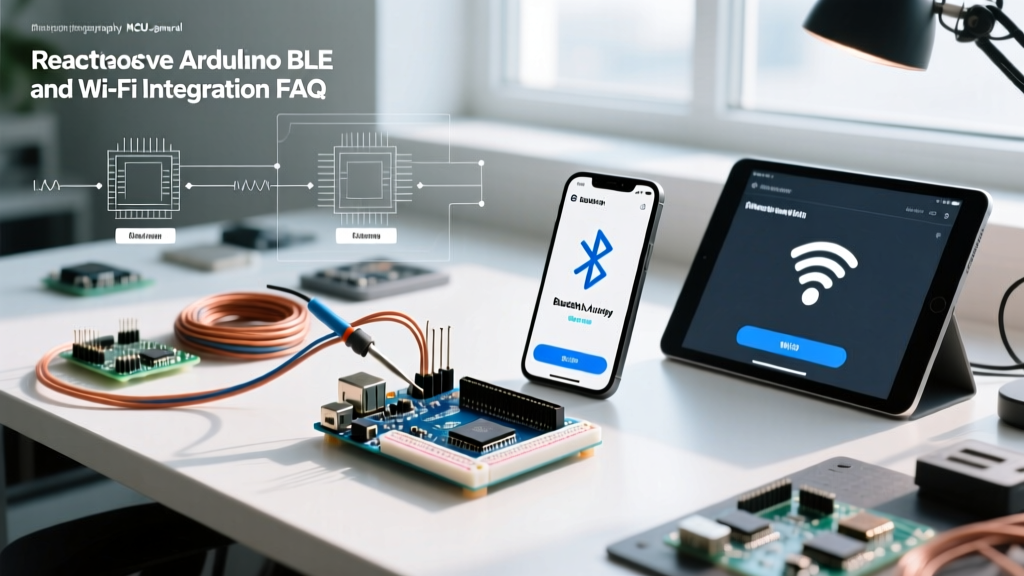
Bridging the gap between mobile UI development and physical computing is a highly sought-after skill in the IoT space. When developers search for react native arduino integration, they quickly realize that classic AVR-based boards (like the Uno R3) lack native wireless capabilities. To build robust mobile-to-microcontroller applications in 2026, you must leverage Bluetooth Low Energy (BLE) via boards like the Arduino Nano 33 BLE, or Wi-Fi via the ESP32 ecosystem.
This FAQ and quick reference guide cuts through the fluff, providing exact library recommendations, hardware BOMs, GATT architecture patterns, and troubleshooting steps for connection drops.
Quick Reference Matrix: BLE vs. Wi-Fi for React Native
| Feature | BLE (Arduino Nano 33 / ESP32) | Wi-Fi (ESP32 / Arduino Portenta) |
|---|---|---|
| Primary Protocol | GATT (Generic Attribute Profile) | TCP/UDP Sockets or HTTP/REST |
| Range | 10 - 50 meters (indoors) | 30 - 100 meters (depends on router) |
| Power Consumption | Ultra-low (microamps in sleep) | High (milliamps to amps during TX) |
| React Native Library | react-native-ble-plx |
react-native-tcp-socket or fetch |
| Best Use Case | Battery-powered sensors, wearables, proximity | High-bandwidth data, OTA updates, local web servers |
Frequently Asked Questions (FAQ)
1. Can React Native communicate directly with an Arduino Uno via USB OTG?
Yes, but it is highly discouraged for production apps. You can use the react-native-usb-serialport library to send serial commands over a USB OTG cable to an Arduino Uno's CH340 or ATmega16U2 serial interface. However, Android 14+ and iOS 17+ impose strict background execution limits on USB accessories. If the phone screen turns off, the OS will likely sever the USB host connection to save battery. For reliable, persistent telemetry, you must use wireless protocols (BLE or Wi-Fi).
2. What are the best React Native libraries for Arduino BLE communication?
The ecosystem has consolidated around two major players for BLE:
- react-native-ble-plx: Currently the industry standard. Maintained by Dotintent, it supports both iOS (CoreBluetooth) and Android. It handles the complex queueing of BLE operations and provides robust TypeScript definitions. It is free and open-source (MIT License).
- react-native-ble-manager: An older, community-driven alternative. While it still works for basic read/write operations, it lacks the modern Promise-based architecture and background scanning reliability of
ble-plx.
Expert Recommendation: Always use react-native-ble-plx for new projects. It handles MTU (Maximum Transmission Unit) negotiation much more gracefully on fragmented Android devices.
3. How do I handle ESP32 Wi-Fi TCP/UDP sockets in React Native?
If your project requires high-speed data streaming (e.g., raw accelerometer data at 500Hz), BLE bandwidth (typically 1-3 Mbps real-world throughput) might bottleneck your app. Instead, configure your ESP32 as a Wi-Fi Access Point (AP) or connect it to the local LAN. On the React Native side, use react-native-tcp-socket to open a raw TCP socket to the ESP32's local IP address (e.g., 192.168.4.1 on port 8080). This bypasses the overhead of HTTP REST APIs and allows continuous, bi-directional byte streaming.
4. Why is my React Native app dropping BLE connections to the Arduino?
Dropped connections are the number one pain point in react native arduino BLE projects. This usually stems from three specific edge cases:
- Connection Interval Mismatch: The Arduino BLE library defaults to a connection interval of 20ms. If the React Native app attempts to write to a characteristic faster than this interval, the internal buffers overflow, and the central (phone) forcefully disconnects. Fix: Implement a write-queue in your React Native state manager (like Zustand or Redux) to throttle writes to 50ms intervals.
- Android Background Restrictions: Android aggressively kills background BLE scans. You must request the
ACCESS_BACKGROUND_LOCATIONpermission and use a foreground service if scanning while the app is minimized. - MTU Size Limits: By default, BLE payloads are limited to 20 bytes (23-byte MTU minus 3 bytes overhead). If you send a 50-byte JSON string without negotiating a larger MTU, the packet drops. Use
device.requestMTU(512)inble-plximmediately after connection.
Designing the GATT Profile for Arduino
To communicate via BLE, your Arduino sketch must define a GATT (Generic Attribute Profile) server. Do not use generic UUIDs, as they may conflict with standard Bluetooth SIG profiles. Generate a custom 128-bit UUID for your project.
Pro-Tip: Use a base UUID like
19B10000-E8F2-537E-4F6C-D104768A1214and increment the first byte for different characteristics (e.g.,19B10001...for TX,19B10002...for RX).
Below is the standard mapping for a bi-directional serial-over-BLE bridge:
- Service UUID:
19B10000-E8F2-537E-4F6C-D104768A1214 - TX Characteristic (Arduino to Phone):
19B10001-E8F2-537E-4F6C-D104768A1214(Properties: Read, Notify) - RX Characteristic (Phone to Arduino):
19B10002-E8F2-537E-4F6C-D104768A1214(Properties: Write Without Response)
For deeper understanding of how the Arduino Nano 33 BLE handles these profiles, refer to the official Arduino BLE Communication Documentation.
Hardware Bill of Materials (BOM) for 2026
Selecting the right microcontroller dictates your React Native architecture. Here are the most reliable boards for mobile integration:
| Board Model | Wireless Chipset | Approx. Price (USD) | Best For |
|---|---|---|---|
| Arduino Nano 33 BLE Sense Rev2 | nRF52840 | $38.00 - $42.00 | Native Arduino IDE support, onboard IMU/Mic, ultra-low power BLE. |
| ESP32-DevKitC V4 (WROOM-32E) | ESP32 Dual-Core | $6.00 - $9.00 | High-throughput Wi-Fi, dual-mode BLE, massive community support. |
| Arduino Portenta H7 + Vision Shield | Murata 1DX (Wi-Fi/BLE) | $115.00 - $130.00 | Edge AI, computer vision, industrial IoT gateways. |
| Seeed Studio XIAO ESP32C3 | ESP32-C3 (RISC-V) | $5.00 - $7.00 | Wearables, space-constrained BLE beacons. |
Critical Mobile OS Permissions (Android & iOS)
Failing to declare the correct permissions is the most common reason a React Native BLE app fails to scan for Arduino devices. As of Android 12 (API 31) and later, Bluetooth permissions were decoupled from Location.
Android Manifest Requirements
Add these exact lines to your android/app/src/main/AndroidManifest.xml:
<uses-permission android:name="android.permission.BLUETOOTH_SCAN" />
<uses-permission android:name="android.permission.BLUETOOTH_CONNECT" />
<uses-permission android:name="android.permission.ACCESS_FINE_LOCATION" />
For a comprehensive breakdown of how Android handles these runtime permissions, review the Android Bluetooth Permissions Guide.
iOS Info.plist Requirements
Apple requires explicit user consent strings. Add this to your ios/YourApp/Info.plist:
<key>NSBluetoothAlwaysUsageDescription</key>
<string>This app uses Bluetooth to connect to your Arduino sensor hub.</string>
Summary Checklist for Deployment
- [ ] Verify MTU negotiation is requested immediately post-connection.
- [ ] Ensure write operations are queued and throttled to prevent buffer overflows.
- [ ] Test Android background scanning with a foreground service.
- [ ] Use 128-bit custom UUIDs for GATT services to avoid SIG conflicts.
- [ ] Implement a graceful reconnection loop in React Native using exponential backoff (e.g., 1s, 2s, 4s, 8s) when the Arduino resets or loses power.
By treating the react native arduino pipeline as a distributed system rather than a simple serial cable, you will eliminate 90% of the latency and disconnection issues that plague amateur IoT applications.