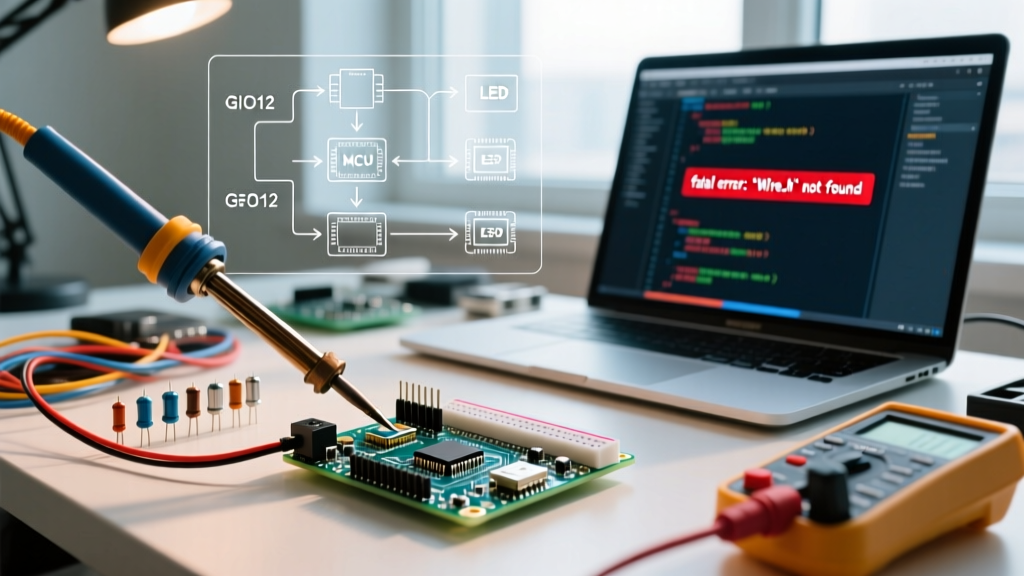

The Anatomy of a Missing Header Error
There are few things more frustrating for a maker than wiring up a new sensor, writing a flawless sketch, and hitting compile only to be greeted by a wall of red text. The most common culprit in the Arduino ecosystem is the dreaded fatal error: [library].h: No such file or directory. Whether you are using the classic Arduino IDE 1.8.19 or the modern Arduino IDE 2.3.x powered by the arduino-cli backend, this error halts your workflow instantly.
At its core, this is not an Arduino-specific bug; it is a C/C++ preprocessor failure. When the compiler (such as avr-g++ for AVR boards or arm-none-eabi-g++ for ARM Cortex boards) encounters an #include directive, it searches a predefined list of directories for that specific header (.h) file. If the file is missing, misnamed, or hidden behind a permissions wall, the compilation aborts before the actual code translation even begins.
In this comprehensive diagnostic guide, we will break down the exact failure modes of missing h file Arduino errors and provide actionable, step-by-step resolutions to get your sketch compiling cleanly.
The Preprocessor: Angle Brackets vs. Double Quotes
Before diving into file paths, you must understand how the GCC preprocessor handles includes. According to the official GCC preprocessor documentation, the syntax you use dictates the search behavior:
#include <filename.h>: The preprocessor searches only the standard system directories and the directories specified by the-Icompiler flag (which the Arduino IDE automatically populates with your installed libraries).#include "filename.h": The preprocessor first searches the directory of the current sketch file, and only falls back to the system/library directories if it fails to find a local match.
Expert Tip: If you are writing a custom library and including your own local headers, always use double quotes ("myHelper.h"). If you are calling an installed library like Wire or SPI, always use angle brackets (<Wire.h>). Mixing these up is a primary cause of phantom missing file errors.
Diagnostic Matrix: Identifying Your Specific Error
Not all missing header errors are created equal. Use this matrix to pinpoint your exact failure mode based on the console output.
| Console Error Signature | Root Cause | Immediate Action Required |
|---|---|---|
fatal error: Wire.h: No such file |
Core library missing or board package corrupted. | Reinstall board package via Boards Manager. |
fatal error: Adafruit_Sensor.h: No such file |
Third-party library not installed or nested poorly. | Install via Library Manager; check for sub-folders. |
fatal error: my_custom.h: No such file |
Local file missing from sketch directory or typo. | Verify file exists in the same folder as the .ino file. |
fatal error: src/internal.h: No such file |
Incorrect relative pathing in custom library structure. | Fix library.properties and folder architecture. |
Step-by-Step Diagnosis and Resolution
1. Verify the Sketchbook Library Path
The most frequent cause of a missing third-party h file Arduino error is installing the library in the wrong directory. The Arduino IDE does not scan your entire hard drive; it strictly looks in the designated sketchbook libraries folder. As detailed in the Arduino IDE installation documentation, your paths must exactly match these defaults:
- Windows:
C:\Users\<YourUsername>\Documents\Arduino\libraries - macOS:
/Users/<YourUsername>/Documents/Arduino/libraries - Linux:
/home/<YourUsername>/Arduino/libraries
The Fix: Open your IDE, go to File > Preferences, and check the 'Sketchbook location' path. Navigate to that exact folder in your OS file explorer. If your downloaded library ZIP was extracted with an extra nested folder (e.g., libraries/Adafruit_BME280-master/Adafruit_BME280-master/), the compiler will fail to find the .h file. Flatten the directory so the .h file and library.properties sit at the root of the library folder.
2. The Case-Sensitivity Trap
If your code compiles perfectly on a Windows machine but throws a missing .h file error when you move the exact same sketch to a macOS or Linux machine, you have fallen victim to file system case sensitivity.
Windows uses NTFS, which is case-insensitive by default. #include <wire.h> will successfully find Wire.h. However, macOS (APFS) and Linux (ext4) are strictly case-sensitive. If the actual file on disk is named Wire.h and your sketch requests wire.h, the preprocessor will abort.
The Fix: Always match the exact capitalization of the header file as it appears in the library's source code. Open the library folder, check the exact spelling of the .h file, and update your #include statement to match perfectly.
3. Clearing the Arduino-CLI Build Cache (IDE 2.x)
Arduino IDE 2.x relies on arduino-cli under the hood, which aggressively caches compilation artifacts to speed up subsequent builds. Occasionally, this cache becomes corrupted, or it holds onto a stale memory of a library structure that you have since modified or deleted. The compiler looks in the temporary build folder, fails to find the .h file, and throws an error even though the library is correctly installed.
The Fix: You must purge the temporary build sketches folder.
- Close the Arduino IDE completely.
- Navigate to the temporary cache directory:
- Windows:
%LOCALAPPDATA%\Temp\arduino\sketches\ - macOS:
/var/folders/*/*/T/arduino/sketches/(or search/tmp/arduino) - Linux:
/tmp/arduino/sketches/
- Windows:
- Delete the entire
sketchesfolder. - Restart the IDE and recompile. The CLI will be forced to rebuild the include paths from scratch.
4. Fixing Ghost Dependencies and library.properties
Modern Arduino libraries often rely on other libraries. According to the official Arduino Library Specification, library authors should declare these dependencies in the library.properties file using the depends= field. However, many older or poorly maintained libraries omit this.
If you install 'Library A' which internally calls #include <LibraryB.h>, but Library B is not installed, the compiler will throw a missing .h file error pointing to Library B, even though you only explicitly included Library A in your sketch.
The Fix: Read the red error text carefully. Identify the exact name of the missing .h file. Go to the Library Manager, search for the library that provides that specific header, and install it manually. For example, if you install the Adafruit SSD1306 library, you must also manually install the Adafruit GFX library, as the former depends on the latter's Adafruit_GFX.h file.
Advanced Edge Cases: Custom Libraries and the src Folder
If you are developing your own custom library and encountering missing header errors, the issue likely lies in your folder architecture. The Arduino builder automatically adds the root folder and the src folder to the compiler's -I (include) search path. It also recursively scans the src folder for .cpp files.
However, if you place a header file inside a subfolder like src/utility/ and try to include it in your sketch using #include <utility/myHelper.h>, it may fail depending on the IDE version and board core. The safest practice for custom library architecture is to keep all public-facing .h files in the root directory of the library, and use the src directory strictly for internal .cpp implementation files and private headers that are only called internally via relative paths (e.g., #include "../src/internal.h").
Summary Checklist for Quick Recovery
When faced with a missing h file Arduino error, run through this mental checklist before rewriting code:
- Did I use the correct brackets (
< >vs" ")? - Is the capitalization of the
#includestatement an exact match for the file on disk? - Is the library installed in the correct OS-specific sketchbook
librariesfolder? - Are there accidental nested folders from a ZIP extraction?
- Did I clear the
arduino-clitemp cache to force a rebuild? - Am I missing a secondary dependency library that the primary library relies on?
By understanding how the C/C++ preprocessor resolves file paths and how the Arduino IDE manages its build environment, you can transform these cryptic compilation errors from project-stopping roadblocks into minor, easily solvable configuration hiccups.