
The "Arduino.h: No such file or directory" Error Explained
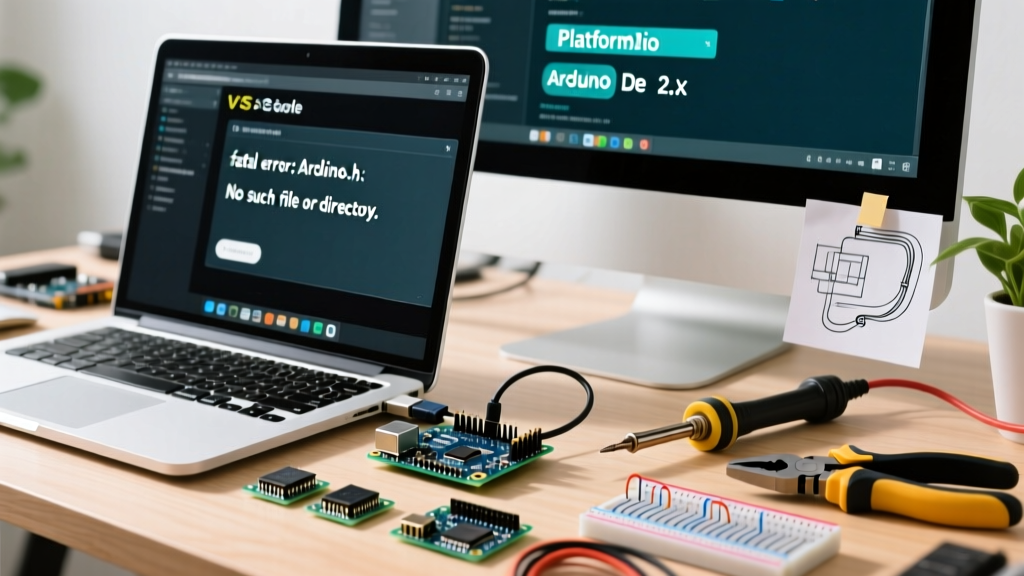
When transitioning from the beginner-friendly Arduino IDE to advanced development environments like Visual Studio Code (VS Code) with PlatformIO, or when setting up custom GCC toolchains, makers frequently encounter a fatal compilation error: fatal error: Arduino.h: No such file or directory. This specific arduino arduino.h missing file error is the single most common roadblock in professional microcontroller development.
The Arduino.h file is the master umbrella header for the Arduino Core API. It does not contain the actual implementation of functions like digitalWrite() or analogRead(); rather, it includes the necessary architecture-specific headers, standard C/C++ libraries, and pin-mapping definitions required to translate your sketch into machine code. When your compiler or IntelliSense engine cannot locate this file, the build process halts immediately.
This troubleshooting guide provides exact, actionable solutions for resolving missing Arduino.h errors across PlatformIO, Arduino IDE 2.x, and bare-metal Makefile environments in 2026.
Scenario 1: Resolving Missing Headers in PlatformIO (VS Code)
PlatformIO is the industry standard for professional embedded development. However, its strict environment isolation means it will not automatically guess where your Arduino core files are located unless explicitly instructed.
Step 1: Verify the Framework Declaration
The most frequent cause of this error in PlatformIO is omitting the framework directive in your platformio.ini file. Without it, PlatformIO defaults to a bare-metal GCC build and ignores the Arduino core packages.
[env:uno]
platform = atmelavr
board = uno
framework = arduino
If framework = arduino is missing, the build system will never download or link the framework-arduino-avr package, resulting in the missing header error. Always verify this line matches your target ecosystem (e.g., arduino for AVR/ESP32, or arduino paired with specific STM32 cores).
Step 2: Force Include Paths via build_flags
If your framework is declared but you are building a custom library or a multi-environment workspace where the compiler loses the include path, you must manually inject the core directory using build_flags. According to the official PlatformIO build flags documentation, you can force the compiler to look in the core directory:
build_flags =
    -I${platformio.packages_dir}/framework-arduino-avr/cores/arduino
    -I${platformio.packages_dir}/framework-arduino-avr/variants/standard
Note: Adjust the path suffix (avr, esp32, stm32) based on your specific microcontroller platform.
IntelliSense vs. Compilation: The Red Squiggle Problem
A unique quirk of VS Code is that your code might compile perfectly via the PlatformIO terminal, yet the editor displays red squiggles under #include <Arduino.h>. This is an IntelliSense failure, not a compiler failure. The Microsoft C/C++ extension does not automatically parse PlatformIO's dynamic build environments.
The Fix: Generate a custom c_cpp_properties.json file. Open the VS Code command palette (Ctrl+Shift+P), type C/C++: Edit Configurations (JSON), and manually add the framework path to the includePath array. For deeper integration, refer to the VS Code C/C++ properties schema reference to map the exact compilerPath to PlatformIO's downloaded toolchain (e.g., ~/.platformio/packages/toolchain-atmelavr/bin/avr-gcc).
Scenario 2: Fixing Core Corruption in Arduino IDE 2.x
If you are using the modern Arduino IDE 2.3.x and encounter the Arduino.h missing error, the issue is almost always a corrupted Board Manager core download or a permissions failure in the hidden cache directory.
Clearing the Arduino15 Cache
The Arduino IDE 2.x stores downloaded cores in a hidden directory named .arduino15 (or Arduino15 on macOS). If a network interruption occurs during a board package update, the cores/arduino folder may be left empty or incomplete.
- Close the Arduino IDE completely.
- Navigate to the cache directory:
- Windows:
C:\Users\[YourUser]\AppData\Local\Arduino15\packages\ - macOS:
~/Library/Arduino15/packages/ - Linux:
~/.arduino15/packages/
- Windows:
- Delete the specific hardware folder causing the issue (e.g.,
arduino/hardware/avr/oresp32/hardware/esp32/). - Reopen the IDE, open the Boards Manager, and reinstall the core package.
Scenario 3: Bare-Metal GCC and Custom Makefiles
For developers writing custom Makefiles or using CMake for AVR/ARM compilation, the compiler has zero awareness of the Arduino ecosystem. You must explicitly pass the -I (include) flag pointing to the exact directory containing Arduino.h.
CXXFLAGS += -I/path/to/arduino/core/cores/arduino
CXXFLAGS += -I/path/to/arduino/core/variants/standard
Furthermore, you must define the F_CPU macro and the target microcontroller flag (e.g., -DF_CPU=16000000UL -mmcu=atmega328p), as Arduino.h relies on these macros to configure hardware timers and delay functions correctly. Without F_CPU, Arduino.h will throw secondary compilation errors regarding undefined clock speeds.
Comparison Matrix: Include Resolution Methods
| Environment | Resolution Mechanism | Common Failure Point | Fix Strategy |
|---|---|---|---|
| PlatformIO | platformio.ini framework directive |
Missing framework = arduino |
Add framework & rebuild |
| VS Code IntelliSense | c_cpp_properties.json |
Extension ignores build env | Manually add includePath |
| Arduino IDE 2.x | Internal Board Manager Cache | Corrupted .arduino15 download |
Delete cache & reinstall core |
| Custom Makefile | GCC -I compiler flags |
Omitted core/variant paths | Inject absolute -I paths |
Edge Case: Case-Sensitivity on Linux and macOS
A highly specific edge case that traps developers moving from Windows to Linux or macOS is file system case sensitivity. The Windows NTFS file system is case-insensitive. Therefore, writing #include <arduino.h> (all lowercase) will compile perfectly on a Windows machine.
However, Linux (ext4) and macOS (APFS, configured as case-sensitive) strictly enforce casing. The actual file in the Arduino core is named Arduino.h (capital 'A'). If you use lowercase on a Unix-based system, the compiler will throw the No such file or directory error. Always use the exact casing: #include <Arduino.h>.
Inside the Core: What Arduino.h Actually Does
To troubleshoot effectively, it helps to understand what happens when the compiler processes this header. According to the official ArduinoCore-API repository, modern Arduino cores have abstracted the hardware layer. When you include Arduino.h, it triggers a cascade of inclusions:
- Standard Libraries: Pulls in
stdlib.h,string.h,math.h, andstdint.hto provide standard C data types and math functions. - Binary Constants: Defines the macros
HIGH,LOW,INPUT,OUTPUT, andINPUT_PULLUP. - Hardware Abstraction: Includes
api/Common.handapi/HardwareSerial.h, bridging your sketch to the underlying C++ HAL (Hardware Abstraction Layer). - Pin Mapping: Includes
pins_arduino.h, which maps logical pin numbers (e.g., Pin 13) to physical microcontroller ports (e.g., PORTB5 on the ATmega328P).
Pro Tip: If you are writing a pure C file (
.c) instead of a C++ file (.cpp), you must wrap the include in anextern "C"block, or the C++ name mangling inArduino.hwill cause massive linker errors during the final build stage.
Summary Checklist for Fast Resolution
Before tearing down your entire development environment, run through this 4-point checklist:
- Is
#include <Arduino.h>capitalized correctly? - Does your
platformio.inicontainframework = arduino? - Are you looking at a real compiler error, or just a VS Code IntelliSense red squiggle?
- Has your Arduino IDE Board Manager successfully downloaded the core for your specific microcontroller?
By understanding how build systems resolve include paths and maintaining strict case sensitivity, you can permanently eliminate arduino arduino.h missing header errors from your embedded development workflow.