
The Evolution of Arduino Programming Environments
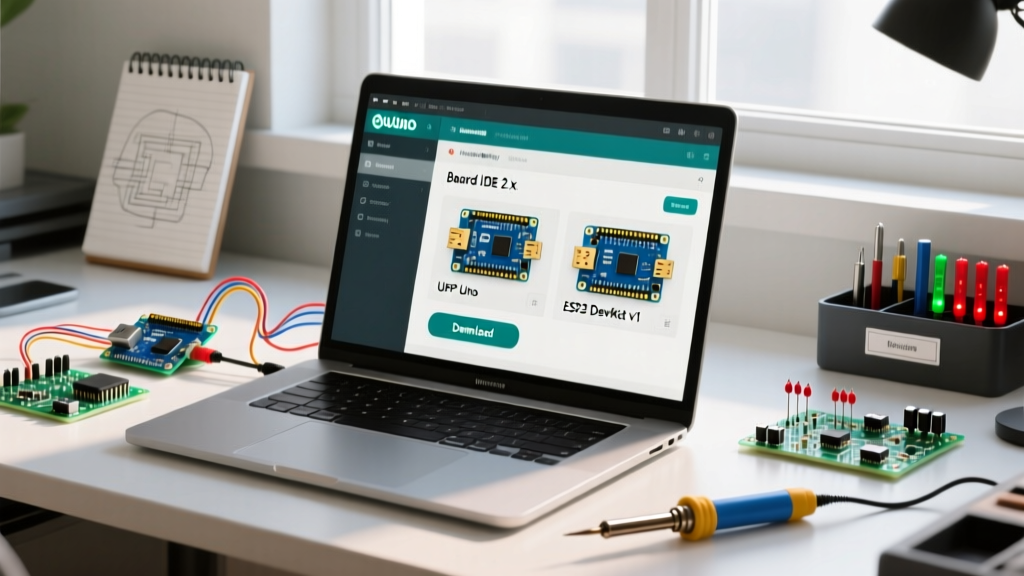
Choosing the right software to program Arduino boards is only half the battle; maintaining a stable toolchain is where most makers and embedded engineers spend their time. As of 2026, the ecosystem has largely migrated away from the legacy Java-based IDE to the Eclipse Theia-based Arduino IDE 2.x, alongside robust alternatives like PlatformIO (via VS Code) and the headless Arduino CLI. While these modern environments offer superior code completion, Language Server Protocol (LSP) integration, and faster compilation, they introduce complex dependency chains that frequently result in cryptic error signatures.
This guide bypasses basic 'check your USB cable' advice and dives deep into the structural failure modes of modern Arduino programming software, providing exact file paths, toolchain overrides, and hardware-level diagnostics for compilation and upload errors.
Arduino IDE 2.x: Diagnosing Compilation & Upload Failures
Arduino IDE 2.x operates as a graphical frontend wrapping the arduino-cli binary. When the GUI throws an error, the root cause usually lies in the hidden backend configuration or corrupted board manager indices.
The 'Board at [port] is not available' Ghosting Error
This error frequently occurs on Windows 11 and Linux systems when the OS enumerates the USB-to-Serial chip, but the IDE's serial monitor holds a lock on the COM port, or the driver crashes silently.
- CH340/CH341 Clones: If you are using cheap Nano clones with the CH340 chip, Windows 11 will often auto-install a generic driver that causes intermittent drops during the
avrdudeupload handshake. You must manually install the official WCH driver (v3.8 or newer) to stabilize the DTR (Data Terminal Ready) pulse required to trigger the bootloader reset. - CP2102/CP2104 Nodes: For ESP32 or high-end Arduino clones using Silicon Labs chips, ensure you are using the CP210x Universal Windows Driver v11.3.0+. Older versions fail to release the port if the IDE crashes mid-upload.
- Linux udev Rules: On Ubuntu/Debian, the IDE cannot access
/dev/ttyUSB0without proper permissions. Add your user to the dialout group viasudo usermod -a -G dialout $USER, then reboot. Do not rely onchmod 777, as it resets on unplug.
Board Manager JSON Corruption (SyntaxError: Unexpected end of JSON)
If the IDE fails to open the Boards Manager or throws a JSON parse error during startup, the local package index is corrupted. This happens when a network timeout interrupts the download of the multi-megabyte index file.
Fix: Navigate to your hidden Arduino15 directory. On Windows, this is
C:\Users\[Username]\AppData\Local\Arduino15\. On macOS, it is~/.arduino15/. Deletepackage_index.jsonandpackage_index.json.sig. Restart the IDE to force a clean fetch from downloads.arduino.cc.
PlatformIO (VS Code): Resolving Toolchain & Environment Errors
PlatformIO is the preferred software to program Arduino for production-grade firmware, utilizing isolated Python virtual environments and specific GCC toolchains. However, environment drift causes unique errors.
Missing Toolchain and 'ImportError' Failures
When running pio run, you might encounter ImportError: No module named 'intelhex' or missing avr-gcc binaries. This indicates that PlatformIO's global Python virtual environment (~/.platformio/penv) has become corrupted, usually due to an interrupted OS update or a conflicting system-wide Python installation.
- Delete the
~/.platformio/penvdirectory entirely. - Run
pio upgradein your terminal. PlatformIO will automatically rebuild the virtual environment and fetch the correct Python dependencies for your current OS architecture.
Upload Protocol Conflicts (avrdude vs. serial)
PlatformIO relies on the platformio.ini manifest. A common error when programming an ATmega2560 (Arduino Mega) is the avrdude: stk500v2_ReceiveMessage(): timeout error. This occurs when PlatformIO defaults to the stk500v2 protocol instead of the wiring protocol required for the Mega's bootloader.
Override the default behavior by explicitly defining the protocol in your INI file:
[env:megaatmega2560]
platform = atmelavr
board = megaatmega2560
framework = arduino
upload_protocol = wiring
upload_speed = 115200
Arduino CLI: Headless Environment Diagnostics
For automated CI/CD pipelines or headless Raspberry Pi kiosks, the Arduino CLI is the standard software to program Arduino hardware. Errors here are strictly terminal-based and often relate to core dependency resolution.
Core Installation & Dependency Hell
Running arduino-cli core install arduino:samd might fail with Error downloading index signature. This is rarely a server issue; it is almost always a local GPG keyring mismatch or a corporate proxy stripping the HTTPS headers required for signature verification.
- Bypass Proxy Stripping: If behind a strict firewall, use the
--config-fileflag to point to a custom YAML configuration that explicitly defines your proxy settings and disables strict SSL verification for the package index. - Orphaned Cores: If a core installation is interrupted, the CLI will refuse to retry, citing that the directory exists. You must manually purge the
~/.arduino15/packages/[vendor]/hardware/[arch]/folder and runarduino-cli core update-indexbefore retrying.
Comparative Error Matrix: IDE vs. PlatformIO vs. CLI
Different software environments mask the underlying avrdude or gcc errors differently. Use this matrix to translate GUI errors into actionable terminal fixes.
| Error Signature | Arduino IDE 2.x Behavior | PlatformIO Behavior | Root Cause & Fix |
|---|---|---|---|
stk500_recv(): programmer is not responding |
Shows 'Upload error' in red console; port grays out. | Fails task upload; suggests checking upload_port. |
Bootloader is missing/corrupted, or auto-reset DTR capacitor (100nF) is faulty. Requires ISP programmer to reburn bootloader. |
fatal error: avr/pgmspace.h: No such file |
Compilation halts; suggests wrong board selected. | Throws Compiling .pio/build/... error. |
Code uses legacy AVR macros on an ARM (SAMD/STM32) board. Wrap macros in #if defined(__AVR__) conditionals. |
Text section exceeds available space |
Progress bar hits 100%+ and turns red. | Shows exact byte overflow in terminal output. | Flash memory full. Enable Link Time Optimization (LTO) in IDE or add build_flags = -flto in PlatformIO. |
Advanced Edge Cases: Baud Rate & Bootloader Mismatches
When using third-party bootloaders like Optiboot, the software to program Arduino must match the exact baud rate hardcoded into the bootloader's assembly. Standard Arduinos use 115200 baud. However, many custom ATmega328P boards designed for 8MHz internal oscillators use a modified Optiboot that defaults to 57600 baud to prevent UART framing errors.
If your upload fails instantly with a sync error, and you are certain the COM port is correct, edit the boards.txt file located in your hardware package directory. Locate your specific board variant and change the .upload.speed parameter to match the bootloader's compiled baud rate. This level of granular diagnosis separates amateur troubleshooting from professional embedded systems engineering.