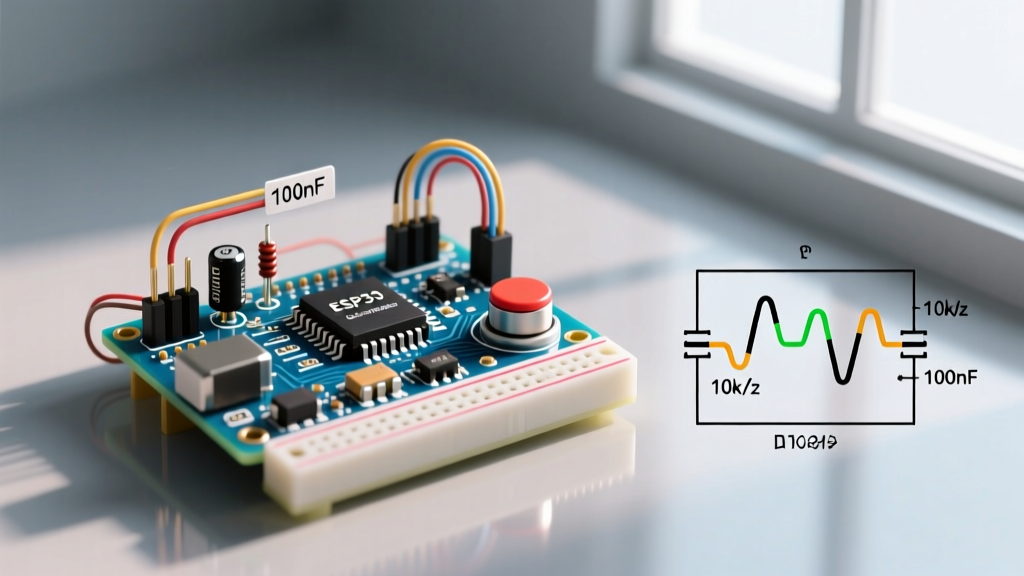

The Anatomy of an Arduino API Failure
When makers and engineers refer to an Arduino API integration, they are typically navigating one of two distinct ecosystems: the proprietary Arduino Cloud IoT API (which relies on MQTT and REST endpoints for device provisioning and telemetry) or custom third-party REST APIs consumed via HTTP clients on Wi-Fi-enabled boards. In 2026, as edge computing pushes microcontrollers to handle increasingly complex JSON payloads and secure TLS 1.3 handshakes, API failures have evolved. They are no longer just simple syntax mistakes; they are complex memory leaks, heap fragmentation faults, and silent certificate expirations.
This troubleshooting guide bypasses basic "check your Wi-Fi password" advice. We will dissect the actual failure modes of Arduino API connections on modern hardware like the ESP32-S3 and the Arduino Uno R4 WiFi ($27.50), providing exact architectural fixes for cloud dropouts and JSON deserialization crashes.
Core Arduino Cloud API Connection Dropouts
The Arduino Cloud API operates primarily over MQTT for real-time telemetry, wrapped in a secure TLS tunnel. A common failure mode is the MQTT connection failed, state -2 error, or the device entering a perpetual reboot loop when attempting to sync with the thingProperties.h configuration.
Diagnostic Insight: Error State -2 usually indicates a network-level TCP connection failure before the MQTT handshake even begins. State -4 typically points to an MQTT keep-alive timeout caused by a blocking function in your main loop() preventing the background API task from pinging the broker.
Fixing the NTP Sync Blockade
The ArduinoIoTCloud library requires a valid Network Time Protocol (NTP) timestamp to validate the SSL certificate of the Arduino Cloud broker. If your router blocks standard NTP ports (UDP 123) or your ISP's DNS is slow, the API connection will time out.
- Inject a Fallback NTP Server: Before calling
ArduinoCloud.begin(), manually configure the ESP32's time structure usingconfigTime(0, 0, "pool.ntp.org", "time.nist.gov"). - Implement a Non-Blocking Timeout: Do not use
while(!time(nullptr)). Instead, use a millis()-based timer to abort the NTP wait after 10,000ms and trigger a soft reset viaESP.restart(). - Yield to the RTOS: If you are running heavy local computations, insert
yield()ordelay(1)to allow the FreeRTOS background tasks to maintain the MQTT keep-alive packets (default interval is 30 seconds).
REST API & JSON Parsing Crashes on ESP32 and Uno R4
Consuming external REST APIs (like OpenWeatherMap, Home Assistant, or custom Node-RED endpoints) requires parsing JSON. The industry standard is the ArduinoJson library. With the release of ArduinoJson v7, memory management shifted from static pre-allocation to dynamic allocation, which introduced new edge-case crashes on memory-constrained boards.
The Heap Fragmentation Fault
On the Arduino Uno R4 WiFi, the Renesas RA4M1 microcontroller has 32KB of SRAM. However, the ESP32-S3 Wi-Fi coprocessor handles the network stack. When the main MCU dynamically allocates and frees memory for large JSON strings (e.g., a 4KB weather API response), the heap becomes fragmented. Subsequent API calls will trigger a DeserializationError::NoMemory even if the total free RAM appears sufficient.
| Microcontroller | Total SRAM | Max Safe JSON Payload | RAM Overhead (v7 Dynamic) | Failure Mode |
|---|---|---|---|---|
| Arduino Uno R4 WiFi | 32 KB | ~3.5 KB | ~15% of payload size | Heap fragmentation / Watchdog reset |
| ESP32-S3 DevKitC-1 | 512 KB (+PSRAM) | ~64 KB (without PSRAM) | Minimal (allocates in blocks) | Stack overflow if nested >8 levels |
| Arduino Nano ESP32 | 512 KB | ~64 KB | Minimal | I2C bus lockup if API call blocks |
Actionable Fix: Stream Parsing over HTTP
Never load the entire API response into a String variable before parsing. Use the HttpClient stream directly into the JsonDocument.
JsonDocument doc;
DeserializationError error = deserializeJson(doc, http.getStream());
This streams the bytes directly from the Wi-Fi buffer into the JSON parser, reducing peak RAM usage by up to 60% and eliminating the primary cause of NoMemory errors on the Uno R4.
SSL/TLS Certificate Expiration: The Silent API Killer
If your Arduino sketch successfully connected to a REST API for 13 months and suddenly stopped working without any code changes, you have encountered a Root CA certificate expiration. Microcontrollers do not have an OS-level certificate store that updates automatically.
Updating the Fingerprint vs. Root CA
Many legacy tutorials advise hardcoding the SHA-1 fingerprint of the API server's certificate. Do not do this in 2026. Server certificates rotate every 90 days via Let's Encrypt. Hardcoding a fingerprint guarantees your device will brick itself in three months.
- The Wrong Way: Using
client.setFingerprint("A1:B2:C3..."). - The Right Way: Embed the Root CA certificate (e.g., ISRG Root X1) in PROGMEM. The Root CA is valid for 20+ years. Use the
WiFiClientSecurelibrary and pass the certificate viaclient.setCACert(root_ca).
For the Arduino Uno R4 WiFi, the TLS handshake is offloaded to the ESP32-S3 coprocessor via the WiFiS3 library. Ensure your Wi-Fi firmware is updated to at least version 0.4.2 via the Arduino Firmware Updater tool, as older firmware versions lack support for modern elliptic curve cryptography (ECC) certificates used by major API providers like AWS and Cloudflare.
Hardware-Specific API Bottlenecks: Comparison Matrix
Choosing the right board for high-frequency API polling is critical. Polling a REST API every 5 seconds requires rapid TCP teardown and setup, which taxes the MCU's cryptographic accelerator.
| Board Model | Avg TLS Handshake Time | Max Concurrent API Connections | Power Draw (Active TX) | Best Use Case |
|---|---|---|---|---|
| Arduino Uno R4 WiFi | ~1,200 ms | 1 (Coprocessor limit) | ~110 mA | Low-frequency telemetry (1+ min intervals) |
| ESP32-S3 (Dual Core) | ~350 ms | 4-6 (RAM dependent) | ~240 mA | High-frequency REST polling & WebSockets |
| Arduino Nano RP2040 Connect | ~1,800 ms | 1 (NINA-W102 limit) | ~130 mA | Legacy Cloud integrations |
Frequently Asked Questions (FAQ)
Why does my Arduino API call return HTTP 429?
HTTP 429 means "Too Many Requests." Free-tier APIs (like Open-Meteo or basic Home Assistant tokens) enforce strict rate limits. If your ESP32 reboots rapidly due to a bug, it may fire 50 API requests in a minute, triggering an IP-based ban. Always implement an exponential backoff algorithm: if the API returns 429, double the delay before the next request (e.g., 2s, 4s, 8s, up to 5 minutes).
How do I handle API timeouts without freezing the main loop?
Never use the default http.GET() without setting a timeout. Add http.setConnectTimeout(5000) and http.setTimeout(5000) (values in milliseconds). This ensures that if the remote API server drops the packet, your microcontroller will abort the connection after 5 seconds rather than hanging indefinitely and triggering the hardware watchdog timer.
Can I use the Arduino Cloud API to trigger a local relay?
Yes, but do not rely solely on the Cloud API for mission-critical hardware. The Arduino Cloud API uses MQTT, which is subject to internet latency and broker downtime. For a local relay, use the Cloud API to update a shadow variable, but write a local fallback logic block that defaults the relay to a "safe" state if ArduinoCloud.connected() returns false for more than 300 seconds.