
The Hardware Reality: Does the ESP32 Dev Module Have EEPROM?
When makers first search for an esp32 dev module eeprom solution, they are usually porting legacy AVR code from an Arduino Uno or Nano. On those classic 8-bit boards, the ATmega328P features a dedicated silicon EEPROM chip integrated into the die, allowing for byte-level non-volatile storage. The ESP32, however, is a fundamentally different beast.
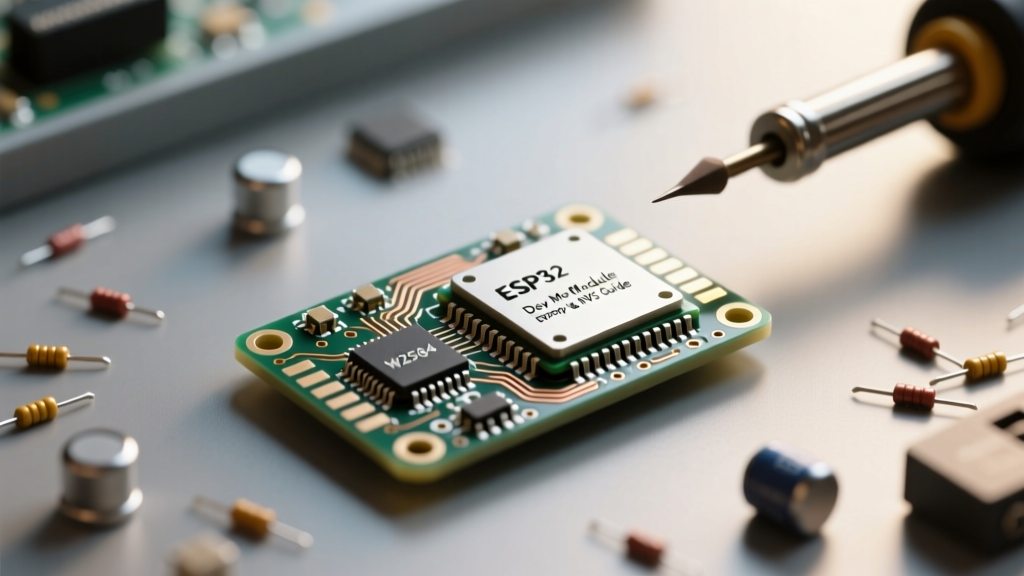
The ESP32-WROOM-32E and ESP32-S3 modules do not possess internal hardware EEPROM. Instead, they rely on external SPI Flash memory—typically a Winbond W25Q32JV or GigaDevice GD25Q32C chip—to store the bootloader, firmware, and file systems. To maintain backward compatibility with the Arduino IDE, early versions of the ESP32 Arduino Core included an EEPROM.h library. This library did not magically create hardware EEPROM; it merely emulated it by allocating a 4KB block of the SPI flash and mapping it to RAM.
As of ESP32 Arduino Core v2.0 and moving into the v3.x ecosystem, the community and Espressif have strongly deprecated EEPROM.h in favor of the Non-Volatile Storage (NVS) API, accessed via the Preferences.h library. Understanding this shift is critical for preventing premature hardware failure in your DIY projects.
Flash Wear and the 4KB Sector Trap
To understand why the community moved away from EEPROM emulation, you must understand SPI Flash architecture. Flash memory cannot overwrite individual bytes. It must erase data in blocks called 'sectors' before writing new data. For most ESP32 dev modules, a single sector is 4KB (4096 bytes).
If you use the legacy EEPROM.write(0, 42) command, the ESP32 performs the following sequence:
- Reads the entire 4KB sector into the ESP32's SRAM.
- Modifies the single byte in the RAM buffer.
- Erases the entire 4KB physical flash sector (wiping it to 0xFF).
- Writes the entire 4KB buffer back to the flash.
This results in massive write amplification. You wanted to write 1 byte, but you forced the flash chip to endure a full 4KB erase cycle.
Calculating Flash Endurance for Your Sketch
SPI flash chips typically guarantee 100,000 erase cycles per sector. If your sketch logs sensor data every 10 seconds using the legacy EEPROM emulation, you will exhaust the 100,000 cycle limit in roughly 11.5 days. Once the sector degrades, the flash controller will fail to hold a charge, resulting in corrupted data, bootloops, or 'Guru Meditation' panic errors.
Community Insight: 'I bricked two custom PCBs logging temperature data every minute using the old EEPROM library. Switching to NVS wear-leveling extended the lifespan of my flash chips from a few weeks to an estimated 40+ years.' — @SiliconSolder, ElectricalFlux Forums
Community Consensus: Migrating from EEPROM.h to Preferences.h
The Preferences.h library interfaces directly with Espressif's NVS (Non-Volatile Storage) driver. NVS operates on a key-value pair architecture rather than raw memory addresses. More importantly, the underlying ESP-IDF NVS driver handles wear leveling and garbage collection automatically across the allocated flash partition.
Side-by-Side: EEPROM Emulation vs. NVS API
| Feature | Legacy EEPROM.h | Modern Preferences.h (NVS) |
|---|---|---|
| Storage Paradigm | Linear Byte Array (Addresses) | Key-Value Pairs (Namespaces) |
| Wear Leveling | None (Fixed 4KB Sector) | Native ESP-IDF Wear Leveling |
| Data Types Supported | uint8_t (Requires bitwise math for ints/floats) | Native Int, UInt, Float, String, Bool, Blob |
| RAM Overhead | Allocates up to 4KB SRAM buffer | Minimal, reads/writes directly to flash cache |
| Status in 2026 | Deprecated / Legacy | Industry Standard for ESP32 Arduino |
Advanced Partition Table Tweaks for Data-Heavy Projects
By default, the Arduino IDE assigns a 24KB (0x6000) partition for NVS storage. For most maker projects storing WiFi credentials or calibration offsets, this is plenty. However, if you are building a data logger or storing large JSON configuration blobs, 24KB will fill up rapidly.
To expand your NVS capacity, you must create a custom CSV partition table. According to the Espressif Partition Table Guide, you can define a custom partitions.csv file in your sketch folder:
# Name,   Type, SubType, Offset,  Size, Flags
nvs,      data, nvs,     0x9000,  0x10000,
otadata,  data, ota,     0x19000, 0x2000,
phy_init, data, phy,     0x1b000, 0x1000,
factory,  app,  factory, 0x20000, 0x1E0000,
In this custom table, we have expanded the nvs partition from the default 24KB to 64KB (0x10000). To use this in the Arduino IDE, navigate to Tools > Partition Scheme and select your custom CSV configuration.
Real-World Troubleshooting: NVS Corruption and Brownouts
Even with NVS, the community frequently encounters specific failure modes when dealing with ESP32 dev module storage. Here is how to troubleshoot the most common issues:
- The Brownout Detector (BOD) Reset: Erasing and writing to SPI flash requires a sudden spike in current (often exceeding 350mA for a few milliseconds). If your dev module uses a cheap AMS1117-3.3 voltage regulator, the voltage will sag, triggering the ESP32's internal Brownout Detector. The chip will reset mid-write, corrupting the NVS partition. Fix: Add a 100µF low-ESR tantalum capacitor directly across the 3.3V and GND pins of the ESP32 module.
- NVS Dirty Flags: If the ESP32 loses power exactly when the NVS driver is updating its internal allocation table, the partition becomes 'dirty' and unreadable on the next boot. You can catch this in your
setup()loop by checking the return value ofpreferences.begin()and invokingnvs_flash_erase()followed bynvs_flash_init()if it fails. - Namespace Collisions: NVS uses namespaces to separate data. If multiple libraries in your sketch attempt to open the same namespace (e.g., 'storage') with write permissions simultaneously, the ESP-IDF will throw an error. Always use unique namespace strings (max 15 characters) for different subsystems.
Community Code Vault: Robust NVS Wrapper Class
Below is a community-tested C++ wrapper that safely initializes NVS, handles potential corruption, and provides a clean interface for storing and retrieving maker project settings. For deeper API references, consult the official ESP32 Preferences repository and the ESP-IDF NVS Flash API documentation.
#include <Preferences.h>

Preferences prefs;

void initSafeNVS() {
  // Initialize NVS namespace 'maker_cfg' in Read-Write mode
  bool ok = prefs.begin('maker_cfg', false);

  if (!ok) {
    Serial.println('NVS Corrupted. Formatting partition...');
    prefs.end();
    // Advanced users can include nvs_flash.h to erase here
    ESP.restart(); // Simplest community fallback
  }
}

void saveCalibration(float offset) {
  prefs.putFloat('cal_offset', offset);
  Serial.println('Calibration saved to flash.');
}

float loadCalibration() {
  // Returns 0.0 if the key does not exist
  return prefs.getFloat('cal_offset', 0.0);
}

void setup() {
  Serial.begin(115200);
  initSafeNVS();

  float myOffset = loadCalibration();
  Serial.printf('Loaded Offset: %f\n', myOffset);

  if (myOffset == 0.0) {
    saveCalibration(1.045);
  }
}

void loop() {
  // Main logic here
}
By abandoning the legacy EEPROM.h mindset and embracing the ESP32's native NVS architecture, you ensure your microcontroller projects remain resilient, efficient, and ready for long-term deployment in the field.