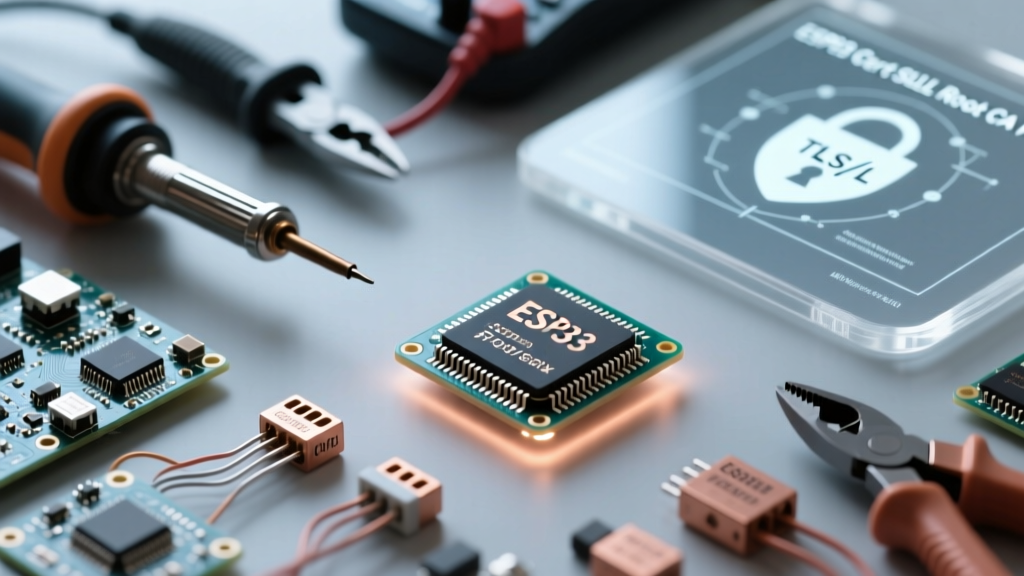

Connecting an ESP32 to secure cloud endpoints, MQTT brokers, or HTTPS REST APIs is a fundamental requirement for modern IoT deployments. However, navigating the complexities of TLS/SSL handshakes on a constrained microcontroller often leads to frustrating roadblocks. If you have ever stared at the serial monitor watching mbedtls_ssl_handshake returned -9984, you are not alone. This community resource guide breaks down the exact mechanics of ESP32 cert management, providing actionable solutions to bypass, embed, or bundle Root Certificate Authorities (CAs) for production-grade security.
The Anatomy of an ESP32 SSL Handshake Failure
Under the hood, the Arduino ESP32 core relies on mbedTLS to handle cryptographic operations. When your ESP32 initiates a secure connection via WiFiClientSecure, the server presents its SSL certificate. To trust this certificate, the ESP32 must verify it against a known Root CA stored in its local memory. If the ESP32 does not possess the correct Root CA, or if the certificate chain is broken, mbedTLS aborts the connection and throws the dreaded MBEDTLS_ERR_X509_CERT_VERIFY_FAILED (Error -9984). For a deeper dive into the underlying cryptographic library, refer to the MbedTLS Error Codes Documentation.
The NTP Time Sync Gotcha: A Crucial First Step
Before troubleshooting the certificate payload itself, you must address the most common community oversight: Time Synchronization. SSL certificates contain strict Not Before and Not After timestamps. When an ESP32 boots up, its internal Real-Time Clock (RTC) defaults to January 1, 1970. If you attempt an SSL handshake before synchronizing with an NTP server, the ESP32 will evaluate the server's valid certificate as 'not yet valid' and reject it.
Always implement NTP synchronization before initializing your secure client:
#include <time.h>

void syncTime() {
  configTime(0, 0, 'pool.ntp.org', 'time.nist.gov');
  Serial.print('Waiting for NTP time sync...');
  time_t now = time(nullptr);
  while (now < 8 * 3600 * 2) {
    delay(500);
    Serial.print('.');
    now = time(nullptr);
  }
  Serial.println(' Synced!');
}
Method 1: The setInsecure() Trap (And When to Use It)
In early ESP32 Arduino tutorials, you will frequently encounter the client.setInsecure() method. This function completely disables certificate validation, allowing the ESP32 to connect to any HTTPS server regardless of its Root CA.
Community Consensus: Never use setInsecure() in production firmware. It leaves your device vulnerable to Man-In-The-Middle (MITM) attacks, allowing malicious actors on the local network to intercept API keys, MQTT credentials, and OTA update payloads.
Use setInsecure() strictly for rapid local prototyping or when communicating with legacy, self-signed local LAN servers where deploying a private CA is unfeasible.
Method 2: Extracting and Embedding a Single Root CA
For targeted connections (e.g., exclusively connecting to AWS IoT or a specific GitHub API endpoint), embedding a single Root CA in PEM format is highly memory-efficient. A standard PEM certificate requires roughly 1.5 KB to 2 KB of flash memory.
Step 1: Extract the Root CA via OpenSSL
Do not download certificates from third-party websites. Extract the live certificate chain directly from your target server using OpenSSL in your terminal:
openssl s_client -showcerts -connect api.github.com:443 </dev/null 2>/dev/null | openssl x509 -outform PEMCopy the output, starting from -----BEGIN CERTIFICATE----- to -----END CERTIFICATE-----.
Step 2: Format for C++ and Flash Storage
To prevent the certificate string from consuming precious SRAM, store it in flash memory using the const char* and PROGMEM (or standard const in ESP32, which defaults to flash mapping via XIP).
const char* ROOT_CA =
  '-----BEGIN CERTIFICATE-----\n'
  'MIIDdzCCAl+gAwIBAgIEAgAAuTANBgkqhkiG9w0BAQsFADBaMQswCQYDVQQGEwJJ\n'
  '... (truncated for brevity) ...\n'
  '-----END CERTIFICATE-----\n';

WiFiClientSecure client;
client.setCACert(ROOT_CA);
Method 3: The ESP32 TLS Certificate Bundle (Production Standard)
Hardcoding a single Root CA creates a maintenance nightmare. If the CA rotates its keys or your target endpoint changes its certificate provider, your deployed fleet of ESP32 devices will instantly brick, requiring an OTA update to fix. The community standard for production firmware is the ESP32 Root Certificate Bundle.
Introduced in ESP32 Arduino Core v2.x, the bundle includes the Mozilla root certificate store (over 130 trusted CAs). Instead of loading all certificates into RAM, the ESP32 uses a compressed lookup table stored in a dedicated flash partition, dynamically loading only the required CA during the handshake.
#include <WiFiClientSecure.h>
#include <esp_crt_bundle.h>

WiFiClientSecure client;
client.setCrtBundleAttach(esp_crt_bundle_attach);
This single line of code secures your device against virtually any valid public HTTPS endpoint without manual PEM management. For official implementation details, review the Espressif WiFiClientSecure Repository.
Comparison: ESP32 Cert Management Strategies
| Strategy | Flash/RAM Impact | Security Level | Maintenance Overhead | Best Use Case |
|---|---|---|---|---|
setInsecure() |
Minimal (0 KB) | Critical Risk (MITM) | None | Local LAN testing only |
| Single PEM Embedding | Low (~2 KB Flash) | High | High (Requires OTA on CA expiry) | Static endpoints (e.g., specific MQTT broker) |
| Certificate Bundle | Medium (~60 KB Flash Partition) | Maximum | Low (Auto-updates with Core) | Dynamic APIs, AWS IoT, Production Fleets |
Real-World Failure Modes & Troubleshooting
The Let's Encrypt DST Root CA X3 Expiration Hangover
In late 2021, Let's Encrypt retired its DST Root CA X3. Many legacy IoT devices failed to connect because their hardcoded trust stores still relied on the expired cross-signed chain. If you are maintaining older ESP32 firmware, ensure your Arduino Core is updated to at least v2.0.5, which patched the default bundle to prioritize the modern ISRG Root X1. For a comprehensive timeline of these shifts, consult the Let's Encrypt Certificate Compatibility guide.
Heap Fragmentation and Guru Meditation Errors
When dynamically fetching certificates or allocating large PEM strings on the heap using String objects, you risk severe heap fragmentation. This frequently results in a Guru Meditation Error: Core 1 panic'ed (LoadProhibited) during the TLS handshake. Always use statically allocated const char arrays for certificates to ensure they are mapped directly to flash memory via the MMU, bypassing the volatile heap entirely.
Memory Allocation Failures in mbedTLS
TLS handshakes require significant contiguous RAM (often 10KB to 15KB for the handshake buffer). If your sketch heavily utilizes the PSRAM or has fragmented the internal SRAM with large JSON parsing libraries (like ArduinoJson), the handshake will fail with an MBEDTLS_ERR_SSL_ALLOC_FAILED error. Monitor your free heap using ESP.getFreeHeap() and ESP.getMinFreeHeap() before initiating secure connections.
Community Best Practices Summary
- Always sync NTP first: An unsynced RTC guarantees certificate validation failure.
- Use the Bundle for HTTP APIs: If your ESP32 talks to varied web servers,
esp_crt_bundle_attachis mandatory. - Use Single PEM for Private MQTT: If you control the broker, embed your specific private CA to save flash space and reduce handshake latency.
- Monitor the Heap: TLS is memory-hungry. Keep your heap clean to prevent mbedTLS allocation panics.