
The Anatomy of Arduino Enumeration Failures
When you connect a microcontroller board to your PC, a complex digital handshake called USB enumeration occurs. The host operating system queries the device for its Vendor ID (VID), Product ID (PID), and device descriptor to load the correct drivers and assign a COM port. When this process breaks down, you are greeted with the dreaded "Arduino enumeration failed" error, often manifesting in Windows as "Unknown USB Device (Device Descriptor Request Failed)" (Error Code 43) or in Linux as a device descriptor read/64, error -110 timeout.
Diagnosing Arduino enumeration errors requires a systematic approach, isolating the fault across three distinct layers: the physical connection, the USB-to-Serial bridge chip, and the native USB bootloader. As of 2026, the proliferation of newer clone chips like the CH340C and CH340N, combined with stricter Windows 11 driver signature enforcement, has introduced new edge cases to this classic problem. Below is an expert-level diagnostic framework to get your board recognized and uploading sketches again.
USB Bridge Chips vs. Native USB: Know Your Hardware
Before troubleshooting, you must identify your board's USB architecture. The enumeration path differs wildly depending on whether your board uses a dedicated USB-to-Serial bridge or a native USB-capable microcontroller.
| Architecture | Common Chips / MCUs | Typical VID / PID | Common Enumeration Failure Mode |
|---|---|---|---|
| USB-to-Serial Bridge | CH340G, CH340C, CP2102N, ATmega16U2 | 1A86:7523 (WCH), 10C4:EA60 (Silicon Labs) | Driver conflicts, counterfeit chip rejection, physical bridge damage. |
| Native USB MCU | ATmega32U4 (Leonardo/Micro), SAMD21G18 (Zero/M0), RP2040 | 2341:8036 (Arduino LLC), 2E8A:000A (Raspberry Pi) | Corrupted bootloader, missing 120-ohm pull-up resistor, user sketch disabling USB. |
Phase 1: Physical Layer Diagnostics
Over 40% of all Arduino enumeration failures are rooted in the physical layer. USB 2.0 Full-Speed (12 Mbps) requires strict impedance matching and voltage tolerances.
1. The "Charge-Only" Cable Trap
Micro-USB and USB-C cables lacking the D+ and D- data lines will provide 5V power but physically cannot enumerate. Action: Test your cable with a known-good smartphone or a USB multimeter tester. If the tester shows only VBUS and GND pins active, discard the cable.
2. Voltage Drop and VBUS Starvation
USB enumeration requires a stable 5V supply (±5%, meaning 4.75V to 5.25V). If your PC's USB port is heavily loaded, or if you are using a low-quality 3-meter extension cable, the voltage at the Arduino's VBUS pin may drop below 4.4V. The onboard 5V-to-3.3V LDO will brown out, causing the USB bridge chip to reset mid-handshake.
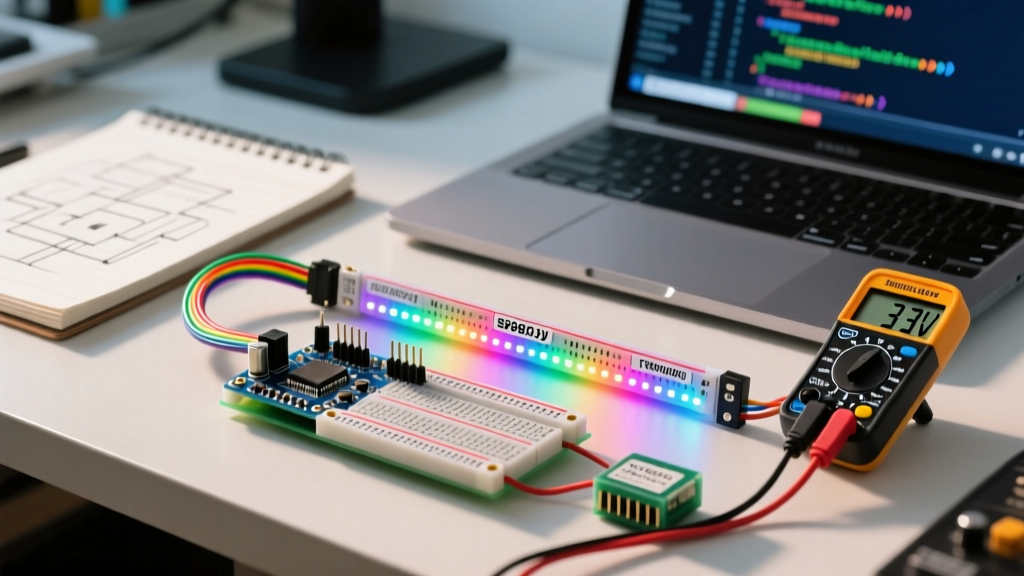
- Multimeter Test: Probe the VBUS (Pin 1) and GND (Pin 4) on the cable's USB-A connector while plugged into the PC. If it reads below 4.75V, switch to a powered USB 3.0 hub.
- Capacitor Check: On clone boards, the 10µF decoupling capacitor near the USB port is sometimes omitted to save $0.02. This causes voltage ripple that crashes the CH340 chip during the high-current enumeration burst.
Phase 2: Bridge Chip and Driver Conflicts
If the physical layer is sound, the issue lies in the USB-to-Serial bridge chip and how the host OS interprets it.
The CH340 / CH341 Counterfeit and Driver Issue
The WCH CH340 series is the undisputed king of budget Arduino clones. However, the market is flooded with unauthorized remakes and older CH340G chips that fail modern OS verification. Furthermore, a silent Windows Update in recent years deployed a driver that intentionally blocks older, non-compliant CH340 silicon, resulting in an immediate Code 43 enumeration failure.
- Open Device Manager and locate the "Unknown USB Device" under Universal Serial Bus controllers.
- Right-click, select Properties, and check the Error Code. Code 43 usually indicates a driver/OS rejection.
- The Fix: Uninstall the device and check "Attempt to remove the driver for this device." Then, manually download the latest official WCH drivers from the official WCH CH341SER GitHub repository. Do not rely on Windows automatic driver fetching.
CP210x and FT232R Descriptors
Boards using Silicon Labs CP2102N or FTDI FT232R chips rarely suffer from OS-level blocking, but they can suffer from EEPROM corruption. If the PID/VID EEPROM gets wiped (common when using incorrect flashing tools), the chip enumerates with a generic, unrecognized PID. Reflashing the EEPROM using the manufacturer's X-Loader or CP210x Customization Utility is required.
Phase 3: Native USB MCU Failures (Bootloader & Firmware)
Boards like the Arduino Leonardo (ATmega32U4), Arduino Zero (SAMD21), and Raspberry Pi Pico (RP2040) handle USB directly inside the main microcontroller. This introduces a unique failure mode: user code can break enumeration.
Expert Diagnostic Tip: If your native USB Arduino enumerates perfectly when you press the hardware RESET button, but disappears the moment you release it, your uploaded sketch is crashing the MCU or disabling the USB peripheral before the bootloader can hand over control.
The 1200 BPS Touch Trick
Native USB boards do not have a dedicated DTR line to trigger a reset for uploading. Instead, the Arduino IDE opens the COM port at exactly 1200 baud and immediately closes it. This specific baud rate is hardcoded into the bootloader as the signal to halt the user sketch, reset the MCU, and enter the bootloader (which enumerates as a different COM port with a different PID).
If your board is bricked and will not enumerate at all, the bootloader may be corrupted. For ATmega32U4 boards, you can revive it using an external ISP programmer (like a USBasp) and the Arduino IDE's "Burn Bootloader" function. For SAMD21 boards, you may need an Atmel-ICE or J-Link to flash the bootloader via SWD.
Phase 4: Advanced OS-Level Diagnostics
When the GUI fails, drop down to the kernel level to read the exact point of enumeration failure. This is crucial for distinguishing between a dead chip and a protocol error.
Linux: Reading the dmesg Output
Open your terminal and run sudo dmesg -w before plugging in the Arduino. According to the Linux Kernel USB documentation, the error codes tell a specific story:
error -110(ETIMEDOUT): The host sent the descriptor request, but the device never replied. This is almost always a physical issue (bad cable, missing pull-up resistor, or dead crystal oscillator on the bridge chip).error -71(EPROTO): A protocol error occurred. The device replied, but the signal integrity was so poor the host's USB controller rejected the packet. Check for EMI interference or damaged D+/D- traces on the PCB.error -32(EPIPE): The endpoint is stalled. The device is alive but its firmware has frozen.
Windows: USBPcap and Wireshark
For deep Windows diagnostics, install USBPcap alongside Wireshark. By capturing the USB bus traffic, you can view the exact hex payload of the GET_DESCRIPTOR request. If the Arduino replies with a zero-length packet or malformed hex data, the USB bridge chip's internal firmware is corrupted or the chip is physically failing.
Summary Checklist for Enumeration Recovery
- Swap the Cable: Verify D+/D- continuity and ensure VBUS is >4.75V.
- Inspect the Hardware: Look for cold solder joints on the USB port shield (grounding is required for EMI shielding) and verify the 16MHz crystal oscillator on the bridge chip is intact.
- Purge and Reinstall Drivers: Manually install official WCH or Silicon Labs drivers, bypassing Windows Update.
- Force Bootloader Mode: Double-tap the RESET button on native USB boards to force the bootloader to enumerate independently of the user sketch.
By methodically isolating the physical, bridge, and firmware layers, you can resolve virtually any Arduino enumeration failure without resorting to replacing the board. For more general hardware communication protocols, reviewing the fundamentals of serial communication standards can provide deeper insight into how your MCU talks to the outside world once the USB handshake is complete.