
The State of Arduino Zigbee Integration in 2026
While Matter over Thread has dominated consumer smart home headlines recently, Zigbee 3.0 remains the undisputed champion for DIY makers building low-power, mesh-reliable sensor networks. According to the CSA Connectivity Standards Alliance, Zigbee's mature mesh routing, low overhead, and sub-second latency make it ideal for agricultural, industrial, and off-grid Arduino deployments where Wi-Fi's power draw is prohibitive. However, integrating a classic AVR Arduino with a Zigbee network is rarely plug-and-play. It requires navigating UART bottlenecks, RF coexistence issues, and firmware flashing hurdles.
In this 2026 community resource roundup, we dissect the most reliable hardware modules, native silicon alternatives, and open-source libraries to get your Arduino Zigbee nodes talking seamlessly to coordinators like Zigbee2MQTT, Home Assistant, or custom enterprise gateways.
Hardware Roundup: Best Zigbee Modules for Arduino
Choosing the right radio frontend dictates your entire firmware architecture. Below are the three dominant hardware paths the maker community relies on today.
1. Digi XBee3 Zigbee 3.0 (The Premium Standard)
The Digi XBee3 series remains the gold standard for commercial and high-reliability DIY prototyping. Priced between $45 and $60, these modules utilize the Silicon Labs EFR32MG13 SoC. The XBee3 handles the entire Zigbee 3.0 stack internally, communicating with your Arduino via UART using either Transparent Mode or API Mode.
E-E-A-T Insight: Never use Transparent Mode for sensor networks. It lacks delivery acknowledgments and node identification frames. Always configure the XBee3 to API Mode 2 (escaped characters) and use Digi's framing protocol to guarantee payload delivery. Furthermore, the XBee3 operates at 3.3V logic. If you are using a 5V Arduino Mega or Uno, you must use a bi-directional logic level shifter (like the BSS138 or TXS0108E) on the DIN/DOUT lines to prevent frying the XBee's UART pins.
2. EBYTE E18-MS1PA2-CC2530 (The Budget Hacker's Choice)
Retailing for just $12 to $18 on AliExpress and Amazon, the EBYTE CC2530 module with an external SMA antenna connector is the community favorite for ultra-cheap sensor nodes. However, it comes with a massive caveat: the CC2530 ships blank or with outdated TI demo firmware.
To use this module as a Zigbee Network Processor (ZNP) that an Arduino can control via UART, you must flash the CC2530ZNP-Pro-Secure_Standard.hex firmware. This requires a Texas Instruments CC-Debugger (approx. $15-$20) and the TI SmartRF Flash Programmer. Once flashed, the Arduino sends ZNP serial commands to the CC2530, effectively offloading the RF stack. It is a steep learning curve, but the cost-per-node is unbeatable for large-scale deployments.
3. ESP32-C6 Native Zigbee (The 2026 Game Changer)
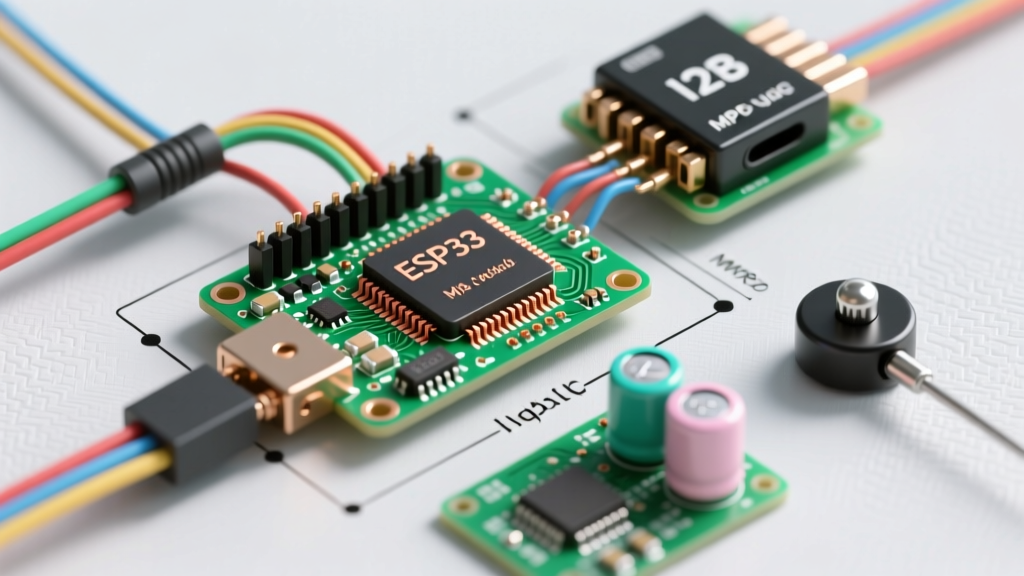
In a massive shift for the ecosystem, Espressif's ESP32-C6 (featuring a RISC-V core) includes a native 802.15.4 MAC radio, meaning it can run Zigbee natively without an external shield. As detailed in the official Espressif Zigbee SDK documentation, the Arduino-ESP32 core v3.x now wraps this functionality, allowing developers to program Zigbee End Devices directly using familiar Arduino IDE syntax.
While technically an ESP32 ecosystem play rather than a classic AVR Arduino shield, the ESP32-C6 DevKitC-1 ($5 to $8) has entirely replaced the need for external Zigbee shields in new 2026 projects. It supports native coexistence, allowing the chip to maintain a Wi-Fi connection for OTA updates while simultaneously routing Zigbee sensor data.
Module Comparison Matrix
| Module / SoC | Silicon Core | Price Range | Arduino Interface | Best Use Case |
|---|---|---|---|---|
| Digi XBee3 | EFR32MG13 | $45 - $60 | UART (API Mode) | Reliable commercial prototyping, mesh routing |
| EBYTE E18-MS1PA2 | TI CC2530 | $12 - $18 | UART (ZNP Serial) | High-volume, low-budget sensor nodes |
| ESP32-C6 DevKit | ESP32-C6 (RISC-V) | $5 - $8 | Native (Arduino Core) | New designs, Wi-Fi/Zigbee coexistence |
| Seeed Wio-E5 | STM32WLE5JC | $14 - $20 | UART (AT Commands) | LoRaWAN/Zigbee dual-radio gateways |
Top Community Libraries & Firmware Bridges
Hardware is only half the battle. The software stack determines whether your node joins the mesh in three seconds or three hours.
- XBee-Arduino Library (Andrew Rapp / Digi Forks): The definitive library for parsing XBee API frames. The community-maintained forks on GitHub have updated the buffer handling to prevent memory leaks on AVR boards with limited SRAM (like the ATmega328P). It natively supports parsing Frame Type 0x90 (RX Indicator) and 0x8B (ZDO Bind Responses).
- esp-zigbee-sdk (Espressif): For ESP32-C6 users, this C-based SDK is wrapped by the Arduino-ESP32 core. It provides macros like
ZIGBEE_MODE_ED(End Device) and handles the complex 802.15.4 PAN ID scanning automatically. - Zigbee2MQTT (Z2M): While not an Arduino library, Z2M is the mandatory backend coordinator for 90% of DIY Arduino Zigbee projects. When building custom CC2530 or XBee3 nodes, you must configure your Arduino payloads to match the Z2M
fromZigbeeandtoZigbeeconverters, or write custom JavaScript converters in the Z2M external converters directory to parse your Arduino's custom byte arrays.
Critical Failure Modes & RF Troubleshooting
The community forums are littered with abandoned projects due to two highly specific, easily avoidable failure modes.
1. The 3.3V LDO Brownout Trap
Expert Warning: Never power a CC2530 or XBee3 module directly from the 3.3V pin on an Arduino Nano or Uno.
The 3.3V pin on a classic Arduino Nano is tied to the internal regulator of the FT232RL USB-to-Serial chip, which has a maximum current output of roughly 50mA. When a Zigbee module transmits an RF burst, it draws a transient peak of 120mA to 150mA. This massive current spike causes the Arduino's 3.3V rail to brownout, resetting both the radio module and the Arduino. The Fix: Always use a dedicated external AMS1117-3.3 buck converter module or a dedicated 3.3V power rail capable of supplying at least 300mA to the radio frontend.
2. 2.4GHz Wi-Fi and Zigbee Coexistence
Zigbee operates in the 2.4GHz ISM band, sharing spectrum with Wi-Fi, Bluetooth, and microwave ovens. Zigbee channels 11 through 26 are 2MHz wide and spaced 5MHz apart. Wi-Fi channels 1, 6, and 11 are 22MHz wide and will obliterate overlapping Zigbee channels, causing massive packet loss and mesh routing failures.
The Fix: Implement strict RF channel planning. Set your local Wi-Fi router exclusively to Channel 1 (2.412 GHz center). Then, configure your Zigbee coordinator (and your Arduino node firmware) to operate on Zigbee Channel 25 (2.475 GHz). This guarantees a 13MHz spectral guard band, virtually eliminating Wi-Fi-induced packet drops.
Expert Verdict: Which Stack Should You Build?
If you are maintaining legacy AVR hardware (Arduino Mega/Uno) and need guaranteed delivery for industrial telemetry, bite the bullet and purchase the Digi XBee3. The API framing and hardware reliability justify the $50 price tag.
However, if you are starting a new smart home or agricultural sensor network in 2026, abandon the external shield paradigm entirely. Adopt the ESP32-C6. The native 802.15.4 support, combined with the Arduino IDE's updated ESP32 core, eliminates UART wiring, logic level shifters, and external firmware flashing tools, offering a vastly superior developer experience for modern Arduino Zigbee integration.