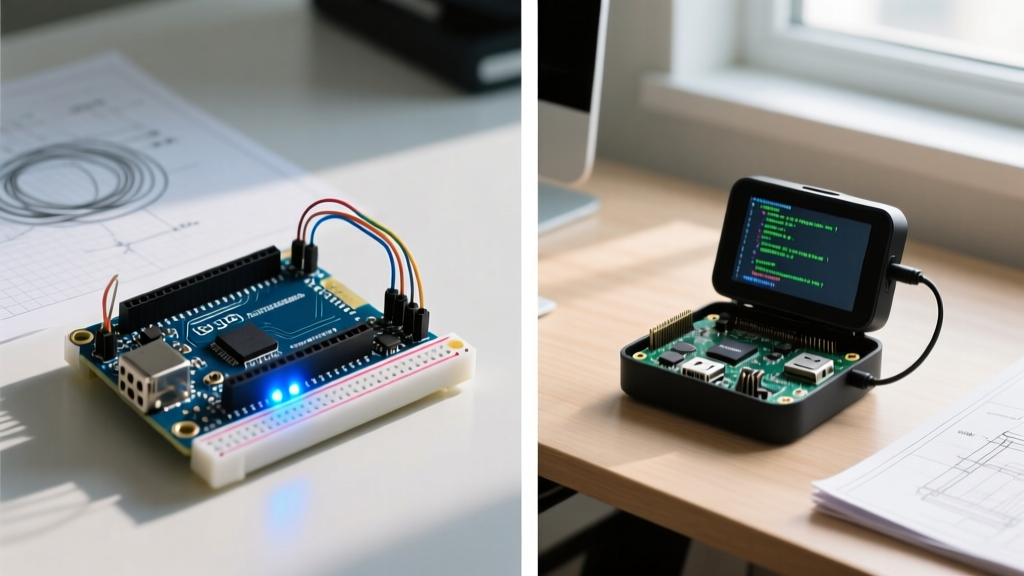

When makers and engineers begin their embedded systems journey, one of the most common points of confusion is the difference between Arduino and Raspberry Pi. While both are credited with democratizing hardware development, they are fundamentally different tools designed for entirely different layers of the computing stack. Conflating the two often leads to over-engineered solutions, missed real-time deadlines, or unnecessary power consumption.
At the most basic level, Arduino is a microcontroller (MCU) platform, while the Raspberry Pi is a single-board computer (SBC) built around a microprocessor (MPU). Understanding this architectural divide is critical for selecting the right brain for your next robotics, IoT, or data-logging project.
The Architectural Divide: MCU vs. SBC
A microcontroller, like the Renesas RA4M1 found on the Arduino Uno R4 Minima, is a self-contained system on a single chip. It includes the CPU, RAM, and Flash memory all integrated into one package. It is designed to execute a single program repeatedly, interacting directly with hardware pins without an intermediary operating system.
Conversely, a single-board computer like the Raspberry Pi 5 uses a microprocessor (the Broadcom BCM2712). The CPU is separate from the RAM and storage (MicroSD or NVMe). It requires a complex operating system—typically a Linux distribution like Raspberry Pi OS—to manage memory, handle file systems, and schedule multiple concurrent processes, from network stacks to graphical user interfaces.
Head-to-Hardware: Arduino Uno R4 vs. Raspberry Pi 5
To illustrate the practical difference between Arduino and Raspberry Pi, let us compare the current-generation flagship boards for both ecosystems as of 2026. Note that pricing reflects base MSRP before shipping or regional taxes.
| Feature | Arduino Uno R4 Minima | Raspberry Pi 5 (4GB) |
|---|---|---|
| Core Type | Microcontroller (MCU) | Single-Board Computer (SBC) |
| Processor | Renesas RA4M1 (ARM Cortex-M4) | Broadcom BCM2712 (ARM Cortex-A76) |
| Clock Speed | 48 MHz | 2.4 GHz |
| RAM | 32 KB SRAM | 4 GB LPDDR4X |
| Storage | 256 KB Internal Flash | MicroSD / NVMe (via PCIe HAT) |
| Operating System | None (Bare Metal) / RTOS | Raspberry Pi OS (Debian Linux) |
| Boot Time | < 5 milliseconds | 15 - 30 seconds |
| Typical Idle Power | ~20 mA at 5V (0.1W) | ~600 mA at 5V (3.0W) |
| Base Price | $27.50 | $60.00 |
The "Real-Time" Reality Check
The most critical operational difference between Arduino and Raspberry Pi lies in real-time performance. In embedded engineering, "real-time" does not mean "fast"; it means "deterministic." A hard real-time system guarantees that an interrupt will be serviced within a strict, predictable microsecond window.
Because the Arduino runs bare-metal code (or a lightweight Real-Time Operating System like FreeRTOS), hardware interrupts are handled almost instantly. If you are reading a 50kHz quadrature encoder from a BLDC motor, the Arduino's interrupt service routine (ISR) will catch every single pulse.
The Raspberry Pi, running a general-purpose Linux kernel, is fundamentally non-deterministic. The OS constantly pauses user-space applications to handle background tasks: garbage collection, network packet routing, or SD card I/O. If you attempt to bit-bang a high-speed protocol or read a fast encoder directly via Pi GPIO pins using Python, the kernel will inevitably introduce jitter, causing you to drop steps or corrupt data. For high-speed hardware interfacing, the Pi requires dedicated offload chips or SPI/I2C peripherals, whereas the Arduino handles it natively in silicon.
Analog I/O and Peripheral Quirks
Beginners often assume that because the Raspberry Pi is more powerful, it has superior hardware I/O. In reality, the Pi lacks basic analog capabilities out of the box.
- Analog-to-Digital Conversion (ADC): The Arduino Uno R4 features a native 14-bit ADC, allowing you to read analog sensors (like potentiometers or thermistors) directly. The Raspberry Pi has zero built-in ADCs. You must add an external chip like the MCP3008 via SPI to read analog voltages.
- Digital-to-Analog Conversion (DAC): The Uno R4 includes a native 12-bit DAC for generating analog waveforms or audio. The Pi requires an external I2S audio HAT or SPI DAC.
- Connectivity: While the Pi 5 boasts Gigabit Ethernet and USB 3.0, it notably lacks onboard Wi-Fi/Bluetooth on the base PCB, requiring an M.2 HAT+ or USB dongle. Conversely, the Arduino Uno R4 WiFi ($33.00) integrates an ESP32-S3 coprocessor directly on the board for native 2.4GHz Wi-Fi and BLE.
Power States and Battery Deployment
If your project is tethered to a wall outlet, power consumption is an afterthought. For remote, battery-powered, or solar deployments, the difference between Arduino and Raspberry Pi becomes a dealbreaker.
A Raspberry Pi requires a proper software shutdown sequence (`sudo poweroff`) to unmount the file system and prevent MicroSD card corruption. It cannot simply be hard-switched off without risking data loss, and it draws upwards of 3 watts at idle. A Pi running on a standard 10,000mAh power bank will die in less than 24 hours.
Microcontrollers, however, feature deep sleep modes. An Arduino can be put into a hardware sleep state where it draws mere microamps (µA), waking up only when triggered by an external hardware interrupt (like a PIR motion sensor or an RTC alarm). Deploying an Arduino on a coin cell or small LiPo battery can yield months or even years of operational life.
The Golden Rule of Embedded Selection: Use a Raspberry Pi when your project requires heavy data processing, computer vision, complex networking, or a graphical display. Use an Arduino when your project requires hard real-time motor control, ultra-low power consumption, or direct analog sensor interfacing.
The Hybrid Solution: Best of Both Worlds
Advanced makers and industrial engineers rarely view this as a binary choice. In complex systems like autonomous rovers or automated greenhouse controllers, the two platforms are frequently used together. A common architecture involves the Raspberry Pi acting as the "Master" node—handling the web server, database logging, and machine learning inference—while communicating via I2C, UART, or CAN bus to an Arduino "Slave" node that handles the messy, real-time hardware tasks like PID motor control and sensor polling.
Quick Decision Framework
- Do you need to run a web browser, database, or AI model? Choose Raspberry Pi.
- Do you need to read analog voltages without extra chips? Choose Arduino.
- Will the device run on a battery for months? Choose Arduino.
- Do you need to control stepper motors with microsecond precision? Choose Arduino.
- Do you need to process live video feeds from a camera? Choose Raspberry Pi.
Ultimately, understanding the difference between Arduino and Raspberry Pi empowers you to stop fighting the hardware. By matching the silicon architecture to your software requirements, you ensure robust, efficient, and professional-grade electronic designs. For a broader look at how these platforms compare in educational settings, SparkFun's comprehensive comparison guide remains an excellent supplementary resource for beginners mapping out their first embedded curriculum.