
Understanding the 'Variable or Field Declared Void' Error
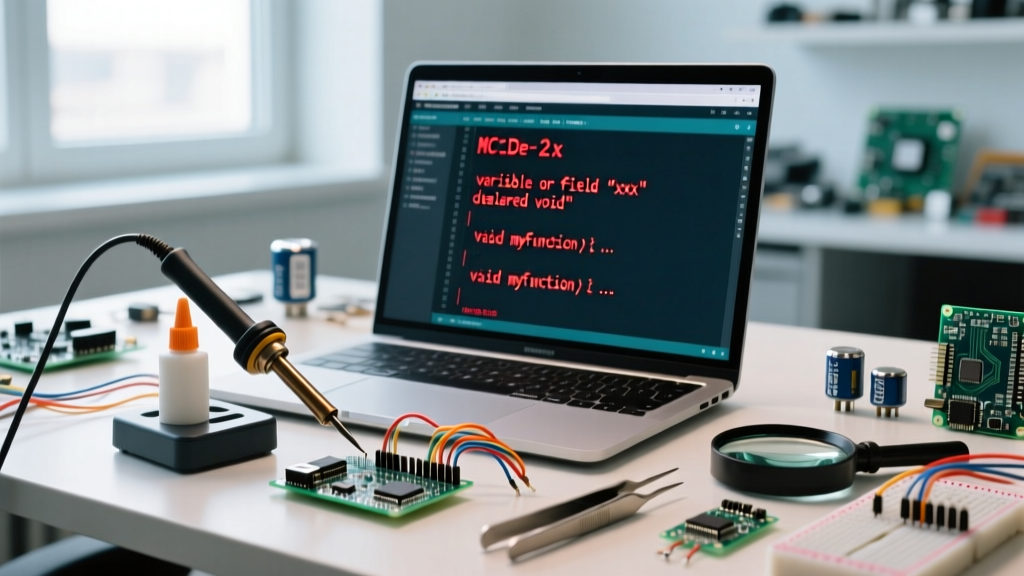
Encountering the Arduino compilation error: variable or field declared void is a rite of passage for embedded developers transitioning from loosely typed languages to strict C++. In the C++ standard, void is not a data type; it is a keyword that explicitly signifies the absence of a type. When the GCC compiler underpinning the Arduino toolchain attempts to allocate memory for a variable or field assigned the void type, it cannot determine the byte size required. Consequently, the compilation halts immediately.
As of 2026, the maker ecosystem has largely migrated to Arduino IDE 2.3.x, which enforces stricter C++17 parsing rules compared to the legacy 1.8.x branch. Sketches and custom libraries that previously compiled with mere warnings in older environments are now triggering hard fatal errors. This compatibility guide breaks down exactly why this error occurs across different microcontroller cores (AVR, SAMD, ESP32) and provides actionable, line-by-line solutions to resolve it.
Compiler Output Example:
sketch.ino:14:6: error: variable or field 'myCallback' declared void
sketch.ino:14:6: error: 'myCallback' was not declared in this scope
The Toolchain Shift: Why Legacy Code Fails in 2026
To troubleshoot effectively, you must understand the compiler environment. The Arduino IDE 2 Documentation outlines the shift to modernized toolchains. Older IDE versions utilized avr-gcc 7.3.0, which was somewhat forgiving with implicit typing and macro expansions. Modern IDE releases utilize avr-gcc 11.2+ and arm-none-eabi-gcc 12.x, enforcing strict C++17 standards.
Core Compatibility Matrix
| Microcontroller Core | Typical GCC Version (2026) | C++ Standard Enforced | Error Strictness |
|---|---|---|---|
| AVR (Uno R3, Nano, Mega) | avr-gcc 11.2.0+ | gnu++17 | High (Fails on implicit voids) |
| SAMD (Nano 33 IoT, Zero) | arm-none-eabi 12.2 | gnu++17 | Very High (Strict typing) |
| ESP32 (S3, C3, C6) | Xtensa GCC 12.2+ | gnu++2a (C++20) | Extreme (Fails on callback mismatches) |
Top 3 Triggers and Exact Code Fixes
The error rarely occurs because a developer intentionally types void myVar = 10;. It is almost always the result of macro collisions, function pointer mismatches, or missing forward declarations. Below are the three most common scenarios and their precise fixes.
Trigger 1: Accidental Variable Typo or Macro Collision
Beginners migrating from Python or JavaScript sometimes confuse void with var or let. However, in complex projects, this usually stems from a macro collision. If a library defines #define VOID void for cross-platform compatibility, and you accidentally use VOID instead of int or uint8_t, the preprocessor expands it to void before the compiler sees it.
The Fix: Audit your variable declarations. Ensure no custom macros are overriding standard types.
// BROKEN: Macro collision or typo
VOID sensorPin = A0;

// FIXED: Use explicit, sized integer types
uint8_t sensorPin = A0;
int16_t sensorValue = 0;
Trigger 2: Function Pointer and Callback Signature Mismatches
This is the most frequent cause for intermediate developers working with interrupt service routines (ISRs) or asynchronous libraries like ESPAsyncWebServer. If a library expects a callback function that returns an integer (e.g., int (*callback)()), but you pass a function declared as void myCallback(), the compiler throws the 'variable or field declared void' error because it attempts to map the void return type to a field expecting a value.
The Fix: Align the return types. Consult the Arduino Language Reference to verify the exact signature required by functions like attachInterrupt() or timer alarms.
// BROKEN: Library expects a boolean return for state validation
void checkLimitSwitch() {
  if (digitalRead(2) == LOW) { stopMotor(); }
}
myTimer.attach(1000, checkLimitSwitch); // Throws error if attach expects bool

// FIXED: Match the expected signature
bool checkLimitSwitch() {
  if (digitalRead(2) == LOW) { stopMotor(); return false; }
  return true;
}
Trigger 3: Missing Forward Declarations in Multi-File Sketches
When you split your Arduino sketch into multiple .cpp and .h tabs, the IDE's automatic prototype generator sometimes fails. If you declare a custom class or struct in a separate tab, and attempt to pass it to a function before the compiler has parsed the header, the compiler defaults to an int assumption. If the actual definition later resolves to a void pointer or a void-returning method, the type mismatch triggers the error.
The Fix: Always use explicit header files (.h) with proper include guards for custom classes, and include them at the very top of your .ino file.
Advanced Troubleshooting: Using Verbose Compilation
When the error message points to a line of code that looks perfectly valid (e.g., a standard library call), the issue is hidden in the preprocessor output. To expose it, enable Verbose Output in the Arduino IDE.
- Navigate to File > Preferences.
- Check the box for Show verbose output during: compilation.
- Compile the sketch and copy the raw GCC command from the black console window.
- Look for the
-Eflag or add it manually to the terminal command to output the preprocessor results.
This will generate a .i file showing exactly how the compiler views your code after all #include and #define directives are expanded. According to the GCC Compiler Documentation, analyzing the preprocessor output is the definitive way to track down macro-induced type corruption. You will often find that a third-party library has redefined a common word like state or value to void in an edge-case hardware definition block.
Board-Specific Quirks: ESP32 vs. AVR
The manifestation of this error varies slightly depending on your target silicon. On AVR boards (ATmega328P), memory constraints mean the compiler aggressively optimizes and will throw this error immediately upon encountering a void-typed variable to prevent stack corruption. On ESP32-S3 or C6 chips, the Xtensa GCC compiler is compiling for a 32-bit architecture with an RTOS (FreeRTOS) underneath. Here, the error frequently appears when misconfiguring FreeRTOS task handles. For instance, declaring void xTaskHandle; instead of TaskHandle_t xTaskHandle; will instantly trigger the void declaration error because TaskHandle_t is a pointer to a struct, whereas void cannot be instantiated.
Quick Diagnostic Checklist
- Check Line Numbers: The IDE often reports the error 1-2 lines after the actual typo due to how the C++ parser buffers tokens.
- Review Third-Party Libraries: Update all libraries via the Library Manager. Many popular libraries released patches in late 2025 to fix C++17 void-pointer strictness issues.
- Inspect
typedefStatements: Ensure you haven't accidentally aliased a custom type tovoidin your header files. - Verify
returnStatements: Ensure a function declared asvoiddoes not contain areturn someValue;statement, which can confuse the parser in complex template metaprogramming scenarios.
Conclusion
The 'variable or field declared void' error is the compiler's strict enforcement of C++ memory safety. By understanding the shift toward C++17 and C++20 standards in modern Arduino toolchains, developers can write more robust, forward-compatible firmware. Always favor explicitly sized integer types (uint8_t, int32_t) over generic types, rigorously manage your header files, and leverage verbose compilation to unmask hidden macro collisions. Mastering these toolchain nuances is what separates a hobbyist from an embedded systems professional.