
The Shift to Advanced HMIs: 2026 Arduino Touch Panel Landscape
The era of clunky, single-color resistive overlays and lagging serial screens is effectively over for serious makers. As of 2026, the Arduino touch panel ecosystem has matured into a robust landscape of capacitive multi-touch displays, hardware-accelerated rendering, and sophisticated open-source GUI builders. Whether you are building a custom smart home thermostat, an industrial datalogger, or a portable oscilloscope, the community has converged on specific hardware and software stacks that deliver commercial-grade results on a maker budget.
This community resource roundup synthesizes the most reliable hardware choices, the dominant open-source graphics libraries, and the hard-won troubleshooting insights shared across the Arduino Displays Forum and GitHub repositories. We bypass the marketing fluff to focus on exact model numbers, real-world pricing, and specific failure modes.
Hardware Roundup: Community-Approved Touch Screens
When selecting an Arduino touch panel, the community generally divides options into two categories: Intelligent HMIs (which have their own onboard MCU to handle rendering) and Dumb TFTs (which rely entirely on your Arduino/ESP32 for pixel pushing). Below is a comparison of the most highly recommended boards currently dominating maker workbenches.
| Display Model / Type | Specs & Controller | Interface | Avg. Price (2026) | Best Use Case |
|---|---|---|---|---|
| Nextion NX3224T024 (Intelligent HMI) | 2.4" 320x240, Resistive, Onboard ARM | UART (Serial) | $35 - $40 | Simple menus, low-pin-count MCUs (Uno/Nano) |
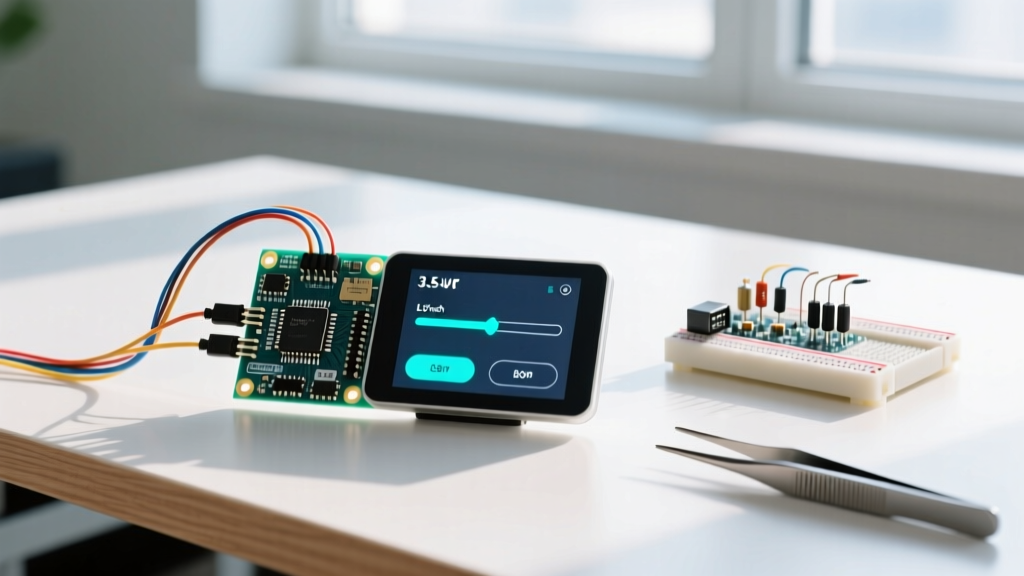
| MakerHawk 3.5" ILI9488 (Capacitive TFT) | 3.5" 480x320, Capacitive (FT6236), ILI9488 | SPI (Display) + I2C (Touch) | $16 - $20 | ESP32 projects, LVGL dashboards, fluid UI |
| BuyDisplay ER-TFTM043 (RGB Parallel) | 4.3" 480x272, Capacitive, RGB666 | 16-bit Parallel / RGB | $45 - $55 | Teensy 4.1 / ESP32-S3, high-framerate video |
Community Warning: Avoid unbranded, ultra-cheap 2.4" TFT shields marketed for the Arduino Uno that claim to use the ILI9341 driver but actually use undocumented clone chips (like the SPFD5408). They require heavily modified, outdated libraries and lack capacitive touch, resulting in a frustrating development experience.
The Software Stack: Open-Source Libraries Powering Modern GUIs
Hardware is only half the battle. Rendering a responsive UI requires optimized code. The community has largely standardized around three primary software ecosystems for Arduino touch panel development.
1. LVGL (Light and Versatile Graphics Library)
LVGL has become the undisputed king of open-source embedded GUIs. With the release of LVGL v9, the framework now supports hardware-agnostic draw buffers and advanced multi-threading on dual-core ESP32-S3 chips. The community heavily utilizes SquareLine Studio, a drag-and-drop UI builder that exports clean C/C++ code compatible with the Arduino IDE.
Requirement: LVGL requires significant RAM. While it can run on an ATmega2560 with severe limitations, the community standard is to use an ESP32-S3 with 8MB PSRAM or a Teensy 4.1 to handle full-screen draw buffers and anti-aliased fonts.
2. TFT_eSPI by Bodmer
For raw pixel pushing without the overhead of a full widget framework, the TFT_eSPI GitHub repository remains the gold standard. Bodmer’s library is famous for its aggressive optimization, utilizing ESP32 DMA (Direct Memory Access) to push pixels over SPI in the background, freeing the main CPU to handle touch polling and sensor readings simultaneously. It supports almost every common driver IC (ILI9341, ST7789, GC9A01) via a single User_Setup.h configuration file.
3. Nextion Editor & EasyNextionLibrary
If you are using a Nextion HMI, you offload the GUI rendering to the screen itself. The community-favorite EasyNextionLibrary by Seithan simplifies the UART communication, replacing complex hex-string parsing with simple trigger functions. This allows an Arduino Nano to control a complex multi-page interface using only two digital pins (TX/RX) and a few bytes of RAM.
Deep-Dive Troubleshooting: Solving Common Touch Panel Failures
Browsing through maker forums reveals that 90% of Arduino touch panel issues stem from three specific hardware integration traps. Here is how the community solves them.
The SPI Bus Contention (Ghost Touches & SD Card Failures)
The Problem: You wire an ILI9341 TFT with an XPT2046 resistive touch controller and a MicroSD card slot to the same SPI bus. The display works, but the touch controller returns random "ghost" coordinates, or the SD card fails to initialize.
The Root Cause: SPI relies on a shared MISO (Master In Slave Out) line. When the SD card is inactive, its internal controller sometimes fails to release the MISO line into a high-impedance (tri-state) mode, effectively jamming the data line for the XPT2046 touch controller.
The Community Fix:
1. Software: Ensure you are explicitly driving the SD Card CS pin HIGH when not in use.
2. Hardware: If the SD module lacks a proper tri-state buffer, solder a 10kΩ pull-up resistor between the Touch CS pin and 3.3V, or route the touch controller to a separate software-defined SPI bus using pins like GPIO 23 (MOSI), 19 (MISO), and 18 (SCK) on an ESP32.
The ESP32 GPIO 12 Strapping Pin Bootloop
The Problem: Your ESP32 DevKit V1 bootloops or refuses to flash code when your SPI touch panel is connected.
The Root Cause: On the original ESP32, GPIO 12 is a strapping pin used to select the flash voltage (3.3V vs 1.8V). If the touch panel's MISO line or CS pin pulls GPIO 12 high during boot, the ESP32 misconfigures its internal voltage regulator and crashes.
The Community Fix: Never use GPIO 12 for SPI MISO or Touch CS on a standard ESP32. Reassign MISO to GPIO 19 or GPIO 39. If your PCB is already manufactured with GPIO 12 hardcoded, you can use the espefuse.py tool to permanently burn the XPD_SDIO_TIEH fuse, forcing the regulator to 3.3V regardless of the pin state.
Capacitive Touch I2C Address Conflicts
Many 3.5" and 4.3" capacitive panels use the FT6236 or FT5x06 touch IC, which communicates over I2C. The default address is usually 0x38. If you are also using a BME280 sensor or an OLED display that shares this address, the touch panel will fail to initialize. Unlike some sensors, the FT6236 does not have an easy hardware jumper to change its I2C address. The workaround is to use an I2C Multiplexer (like the TCA9548A) to isolate the touch controller on its own dedicated bus channel.
Essential Community Resources and Repositories
To stay updated on the latest driver patches and GUI design patterns, bookmark these community hubs:
- LVGL Forum & Docs: The official LVGL documentation and their active Discord server are mandatory for anyone building complex, animated widget interfaces.
- Arduino Displays Forum: The Displays Category remains the best place to find obscure datasheet translations and driver initialization sequences for no-name TFTs.
- Bodmer’s TFT_eSPI Wiki: The GitHub wiki contains critical ESP32 DMA setup guides and ESP8266 pin-mapping tables that prevent hardware damage.
By selecting the right hardware architecture and leveraging these battle-tested community libraries, you can elevate your next Arduino touch panel project from a clunky prototype to a polished, responsive consumer-grade device.