
The Hidden Cost of Bit-Banging: Why Arduino Soft Serial Fails
When you run out of hardware UART pins on an ATmega328P-based board like the Arduino Uno or Nano, the SoftwareSerial library seems like the perfect lifeline. However, as maker projects grow in complexity, relying on Arduino Soft Serial often leads to corrupted data, missed bytes, and erratic peripheral behavior. In 2026, with high-speed sensors and dense IoT protocols becoming standard, understanding the architectural limits of software-based UART is critical for reliable embedded design.
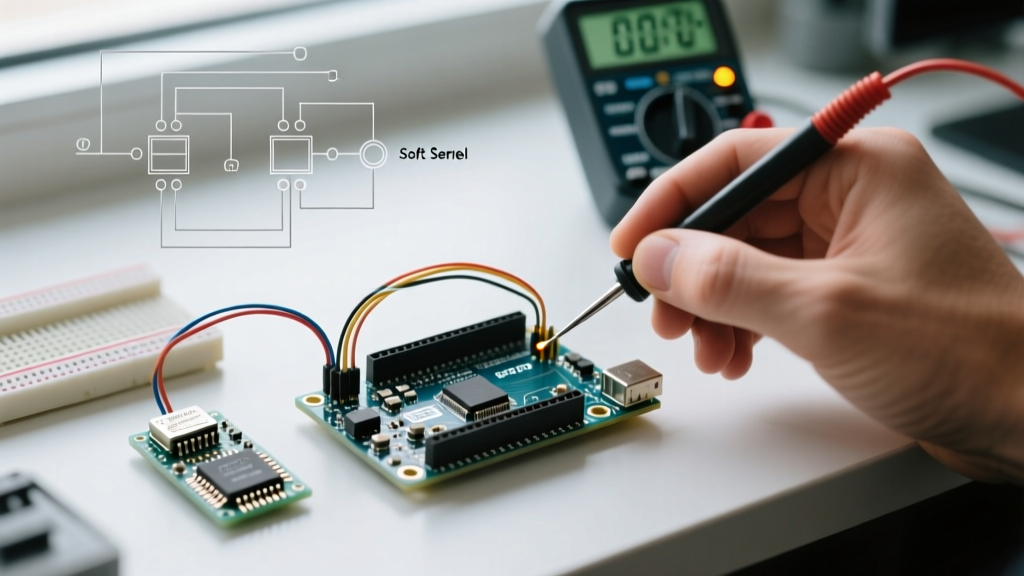
Unlike hardware UART, which uses dedicated silicon shift registers and ring buffers, SoftwareSerial relies on "bit-banging." The microcontroller's CPU must manually toggle pins and sample voltages in real-time. This brute-force approach introduces severe side effects that manifest as data loss or system-wide timing glitches. This guide dissects the exact failure modes of software serial communication and provides actionable, code-level fixes.
Failure Mode 1: The Interrupt Tax and System Paralysis
The most common symptom of Arduino Soft Serial failure isn't just bad data—it's the freezing of other time-sensitive components like servos, PWM dimming, or rotary encoders.
When the SoftwareSerial library detects a start bit on the RX pin, it triggers a Pin Change Interrupt (PCINT). To ensure precise timing for sampling the subsequent 8 data bits and stop bit, the library disables all global interrupts (cli()) for the entire duration of the byte reception. It does the same during transmission.
Calculating the Interrupt Blocking Time
The time your Arduino spends "deaf" to other interrupts depends entirely on your baud rate. A standard serial frame consists of 10 bits (1 start, 8 data, 1 stop). Here is the exact CPU lockout time per byte:
| Baud Rate | Time Per Bit | Lockout Per Byte (10 bits) | Lockout for 10-Byte Packet | System Impact |
|---|---|---|---|---|
| 9600 | 104.1 µs | 1.04 ms | 10.4 ms | Noticeable servo jitter; PWM flickering |
| 19200 | 52.0 µs | 0.52 ms | 5.2 ms | Missed encoder ticks; minor timing drift |
| 38400 | 26.0 µs | 0.26 ms | 2.6 ms | Acceptable for most non-critical tasks |
| 57600 | 17.3 µs | 0.17 ms | 1.7 ms | High risk of bit-slip on 8-bit AVRs |
| 115200 | 8.6 µs | 0.086 ms | 0.86 ms | Severe data corruption; CPU cannot keep up |
The Fix: Never use SoftwareSerial above 38400 baud on a 16MHz ATmega328P. If you must use 9600 baud, keep your data packets under 5 bytes to prevent starving the Arduino's internal millis() timer, which relies on Timer0 interrupts to increment.
Failure Mode 2: The Pin Change Interrupt (PCINT) Trap
A frequent troubleshooting scenario involves wiring the RX line to an arbitrary digital pin, only to find that the Arduino receives absolute silence. This is not a wiring fault; it is a silicon limitation.
The SoftwareSerial library requires the RX pin to support Pin Change Interrupts. On the ATmega328P (Uno/Nano), the pin mapping is strictly divided into three PCINT ports:
- PCINT0 (Pins 8-13): Port B. Fully supported for RX.
- PCINT1 (Pins A0-A5): Port C. Fully supported for RX.
- PCINT2 (Pins 0-7): Port D. Partially supported. Pins 0 and 1 are hardware UART. Pins 2 and 3 use dedicated INT0/INT1. Pins 4-7 support PCINT, but the library's internal routing often conflicts with standard Arduino core functions on these pins.
Expert Diagnostic Tip: If you assign SoftwareSerial mySerial(4, 5); on an Uno, pin 4 (RX) may fail to trigger reliably because Port D PCINT vectors are shared and easily masked by other libraries. Always default to pins 8 through 12 for software RX on 8-bit AVRs.
Failure Mode 3: The "Listen()" Bottleneck
Many makers attempt to connect multiple serial devices (e.g., a GPS module on pins 8/9 and a cellular modem on pins 10/11) by instantiating multiple SoftwareSerial objects. The code compiles perfectly, but data arrives corrupted or interleaved.
According to the official Arduino SoftwareSerial reference, only one software serial port can actively "listen" at any given millisecond. If you do not explicitly call mySerial2.listen() before reading, the library ignores incoming bits on the second port. Worse, if a byte arrives on Port A while Port B is set to listen, the interrupt fires, but the library discards the byte, often leaving the shift register in a desynchronized state for subsequent bytes.
Architectural Workaround: Time-Division Multiplexing
If you are locked into using multiple software serial ports on a single Uno, you must implement a strict polling state machine. Do not rely on available() across multiple instances simultaneously. Instead, allocate dedicated time windows:
gpsSerial.listen();
delay(100); // Wait for GPS NMEA sentence burst
while (gpsSerial.available()) { parseGPS(); }

lteSerial.listen();
delay(50);
lteSerial.print("AT+CSQ\r\n"); // Poll modem
Note: This approach guarantees you will miss asynchronous data arriving outside your polling window.
Superior Alternatives to Standard Soft Serial
When troubleshooting reveals that standard SoftwareSerial cannot meet your project's reliability requirements, it is time to pivot to optimized libraries or upgrade your silicon.
1. AltSoftSerial and NeoSWSerial
Developed by embedded experts like Paul Stoffregen (creator of the Teensy), AltSoftSerial uses hardware timer input capture and output compare modules instead of brute-force delay loops. This drastically reduces CPU overhead and allows simultaneous reception and transmission without blocking interrupts. The tradeoff is strict pin requirements: on the Uno, it must use Pin 8 (RX) and Pin 9 (TX).
For scenarios where AltSoftSerial's pin constraints are too rigid, NeoSWSerial offers a middle ground, supporting any pin while maintaining better interrupt behavior than the default library, specifically optimized for 9600, 19200, and 38400 baud rates.
2. The 2026 Hardware Upgrade Path: ESP32-S3 and Teensy
In modern electronics design, spending hours debugging software UART on a $15 ATmega328P clone is rarely the best use of engineering time. Upgrading to a 32-bit microcontroller with multiple hardware UART peripherals is now highly cost-effective.
- ESP32-S3 ($5 - $8): Features two dedicated UART controllers. While UART0 is tied to the USB-JTAG interface, UART1 can be mapped to almost any GPIO pin via the flexible GPIO matrix. Furthermore, the ESP32-S3 supports native USB-CDC, allowing you to use the hardware UARTs entirely for external sensors while debugging over USB.
- Teensy 4.1 ($32.95): Offers an astonishing 8 hardware UART ports, completely eliminating the need for software bit-banging, alongside a 600MHz ARM Cortex-M7 processor that handles high-speed DMA buffering.
Real-World Diagnostic Routine
If you suspect data corruption, inject this diagnostic loop into your sketch to measure the exact byte-drop rate. This requires a secondary hardware serial port (or an FTDI USB-to-Serial adapter) to act as the baseline truth.
#include <SoftwareSerial.h>
SoftwareSerial debugSerial(10, 11); // RX, TX

unsigned long expectedBytes = 0;
unsigned long receivedBytes = 0;

void setup() {
  Serial.begin(115200); // Hardware UART (Baseline)
  debugSerial.begin(9600); // Software UART (Test Subject)
}

void loop() {
  if (Serial.available()) {
    byte incoming = Serial.read();
    expectedBytes++;
    debugSerial.write(incoming); // Echo to soft serial
  }

  if (debugSerial.available()) {
    byte softIncoming = debugSerial.read();
    receivedBytes++;
  }

  // Print stats every 2 seconds
  static unsigned long lastCheck = 0;
  if (millis() - lastCheck > 2000) {
    lastCheck = millis();
    float dropRate = 100.0 - ((float)receivedBytes / expectedBytes * 100.0);
    Serial.print("Drop Rate: "); Serial.print(dropRate); Serial.println("%");
  }
}
For deep dives into how AVR interrupts interact with serial timing, Nick Gammon's comprehensive guide on interrupts remains an essential reference for understanding the underlying Timer and PCINT registers that dictate these behaviors.
Summary Checklist for Soft Serial Stability
- Cap Baud Rates: Limit
SoftwareSerialto 38400 baud maximum on 16MHz 8-bit AVRs. - Verify RX Pins: Ensure your RX pin is on Port B (Pins 8-13) or Port C (A0-A5).
- Manage Listeners: Explicitly call
.listen()and understand that asynchronous multi-port reception is impossible. - Protect Timers: Avoid using
SoftwareSerialin projects requiring high-precision PWM or microsecond-levelmicros()tracking. - Upgrade Silicon: If your BOM allows, migrate to ESP32 or SAMD21 architectures to leverage native hardware UART matrices.