
The Hidden Bottleneck: Why Arduino Stock Management Matters
For makerspaces, small-batch manufacturers, and advanced DIYers, physical inventory management is often the silent killer of project momentum. Transitioning from a hobbyist who buys components ad-hoc to a production-oriented workflow requires treating your Arduino stock not as a random collection of boards, but as a tightly controlled supply chain. In 2026, with the proliferation of the Arduino R4 series and specialized edge-computing boards like the Portenta, relying on the 'shoebox method' leads to duplicated purchases, dead stock, and catastrophic project delays.
Optimizing your Arduino stock workflow means aligning your physical bins with a digital Bill of Materials (BOM), automating replenishment triggers, and standardizing SKU mapping. This guide details the exact systems, software, and hardware required to build a resilient maker inventory that scales with your production demands.
Phase 1: SKU Standardization and the 2026 Pricing Matrix
The first failure mode in maker inventory is ambiguous naming. An internal part named 'Arduino Nano' is useless when you have three variants in stock: the classic ATmega328, the Nano 33 IoT, and the Nano ESP32. You must map your internal part numbers (IPNs) to official manufacturer SKUs. This ensures that when your inventory management system triggers a low-stock alert, your purchasing agent orders the exact microcontroller required for the BOM without guessing.
Below is a reference matrix for core 2026 Arduino stock, mapping official SKUs to current MSRP and primary use cases. Data is sourced directly from the Arduino Official Store.
| Board Model | Official SKU | 2026 MSRP (USD) | Primary Workflow Application |
|---|---|---|---|
| Uno R4 Minima | ABX00080 | $19.50 | High-volume basic sensor nodes |
| Uno R4 WiFi | ABX00087 | $27.50 | IoT prototyping with LED matrix |
| Nano ESP32 | ABX00092 | $21.00 | Compact wireless wearables |
| Portenta H7 | ABX00042 | $103.00 | Industrial edge AI & machine vision |
| Nicla Sense ME | ABX00051 | $115.00 | Ultra-low power environmental sensing |
Phase 2: Digitizing the Bins with InvenTree
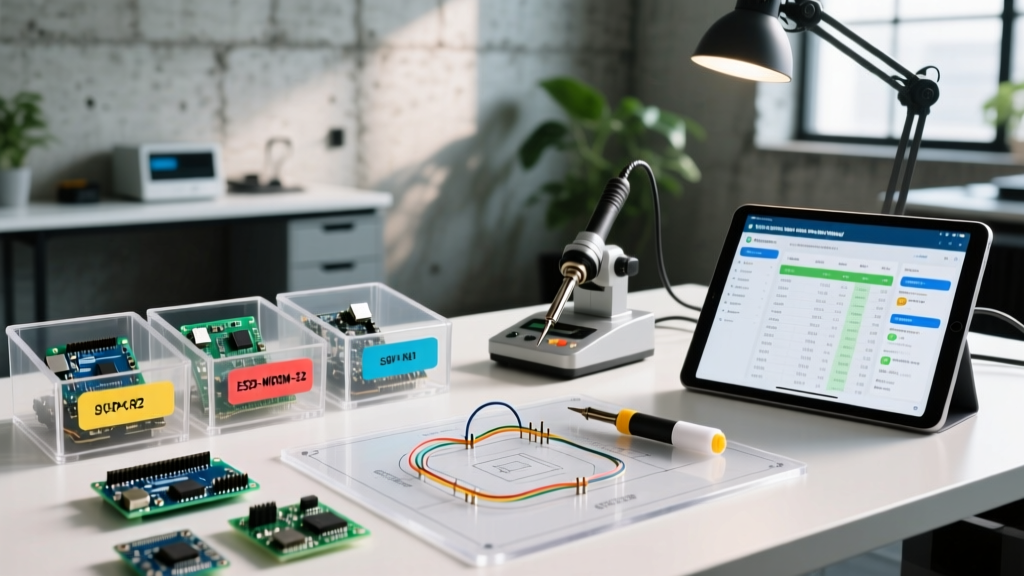
To manage Arduino stock effectively, you need an open-source, self-hosted inventory management system. While enterprise ERPs are overkill, InvenTree provides the exact feature set required for electronics manufacturing: hierarchical location tracking, BOM integration, and QR code generation.
Step-by-Step InvenTree Setup for Microcontrollers
- Define Hierarchical Locations: Structure your physical space logically. Example:
Room 1 / Rack A / Drawer 3 / Bin 12. Never use flat lists, as they become unsearchable past 50 items. - Create Category Trees: Separate 'Microcontrollers' from 'Passive Components' and 'Electromechanical'. Under Microcontrollers, create subcategories for 'AVR', 'ARM Cortex', and 'Espressif'.
- Generate and Print QR Labels: Use a networked label printer like the Brother PT-P710BT. Print 12mm x 50mm labels containing the InvenTree QR code, IPN, and human-readable SKU. Labeling 100 bins takes roughly 2 hours but saves dozens of hours annually in search time.
- Set Minimum Stock Levels (Reorder Points): For high-velocity boards like the Uno R4 Minima, set a minimum stock level of 15 units with a reorder quantity of 50. This accounts for the typical 2-week lead time from authorized distributors.
Workflow Pro-Tip: Implement a 'Quarantine' location in InvenTree. When new Arduino stock arrives, it goes to Quarantine first. It is only moved to 'Active Stock' after a 5-minute bench test verifying the bootloader and USB-to-Serial bridge functionality. This prevents dead-on-arrival (DOA) boards from stalling the assembly line.
Phase 3: API-Driven Replenishment and Clone Mitigation
Managing official Arduino stock is only half the battle; supporting components (shields, sensors, headers) make up the bulk of your inventory. Integrating the Octopart API with your inventory system allows you to monitor real-time stock levels across Digi-Key, Mouser, and Farnell, automatically generating purchase orders when your local BOM requirements exceed available distributor stock.
For instance, if your BOM requires the Bosch BME280 environmental sensor (Digi-Key PN: 828-1063-1-ND), the API monitors global silo levels. If Digi-Key drops below 500 units globally, InvenTree can automatically flag your local stock for conservation, prompting a design review to substitute the footprint-compatible Sensirion SHT40 before a stockout halts production.
The Clone vs. Official Stock Dilemma
A critical edge case in Arduino stock management is the infiltration of clone boards. While a $4 clone Nano from a bulk marketplace might seem like a cost-saving measure, it introduces severe workflow friction:
- Driver Conflicts: Clone boards frequently use counterfeit CH340 USB-to-Serial chips. On Windows 11 environments, automated driver updates often break CH340 drivers, requiring manual rollback and wasting 15-20 minutes per deployment.
- Bootloader Mismatches: Clones often ship with older Optiboot bootloaders or incorrect fuse settings, causing upload timeouts in automated CI/CD testing rigs.
- Dimensional Tolerances: Clone PCBs frequently exhibit a 0.5mm to 1.0mm variance in header spacing, causing them to bind or fail to seat properly in custom 3D-printed enclosures designed for official CAD dimensions.
The Optimization Rule: For R&D and personal projects, clone stock is acceptable if tracked under a separate 'Non-Critical' IPN. For any client-facing deliverable, batch production, or educational deployment, restrict your active stock exclusively to official SKUs to maintain a predictable, frictionless workflow.
Weekly Audit and Maintenance Routine
An inventory system is only as accurate as its last audit. Implement a strict 45-minute Sunday evening audit routine to maintain data integrity:
- Cycle Counting: Randomly select 10 bins of high-value Arduino stock (e.g., Portenta H7) and verify physical counts against InvenTree records.
- Dead Stock Review: Identify boards that haven't moved in 180 days. Liquidate them on secondary markets or repurpose them for destructive testing workshops to free up capital and physical space.
- Reorder Trigger Check: Review automated purchase orders generated by the Octopart API integration to ensure no false positives were triggered by temporary distributor API glitches.
- FIFO Verification: Verify the First-In, First-Out rotation for components with shelf-life constraints, such as electrolytic capacitors or lithium-polymer batteries often paired with Arduino IoT deployments.
Summary: The Optimized Maker Supply Chain
Optimizing your Arduino stock is not merely about organizing a workbench; it is about engineering a reliable supply chain that scales with your ambitions. By standardizing SKUs, deploying InvenTree for hierarchical bin tracking, leveraging API-driven replenishment, and strictly segregating clone components, you eliminate the friction that stalls projects. Treat your inventory with the same rigor you apply to your code, and your hardware workflows will execute flawlessly every time.