
The Evolution from Hobbyist to Industrial Grade
When most makers hear the word Arduino, they immediately picture the classic blue PCB of the Uno or the compact Nano. These boards, built around the 8-bit ATmega328P microcontroller, revolutionized embedded systems education. However, as projects graduate from workbench prototypes to commercial products and factory floors, the hardware requirements shift dramatically. Enter the Arduino Pro ecosystem. Designed specifically for industrial IoT (IIoT), edge computing, and commercial deployment, the modern Arduino Pro line abandons the 8-bit AVR architecture in favor of high-performance 32-bit ARM Cortex-M microcontrollers, robust security features, and enterprise-grade connectivity.
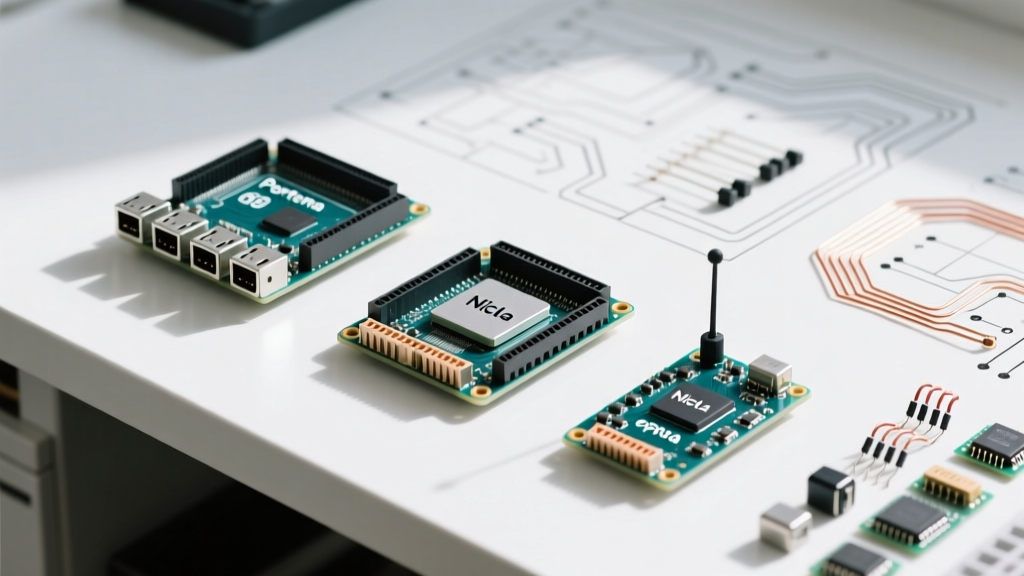
In this comprehensive guide, we break down the modern Arduino Pro family—specifically the Portenta, Opta, and Nicla series—explaining their architectural differences, real-world use cases, and the specific edge cases you must manage when deploying them in production environments.
The Core Philosophy of the Arduino Pro Line
The transition from the classic Arduino lineup to the Pro series represents a fundamental shift in design philosophy. While classic boards prioritize ease of use, breadboard compatibility, and 5V logic, the Pro ecosystem prioritizes compute density, security, and industrial interoperability.
- High-Density Compute: Utilizing dual-core ARM Cortex-M7 and M4 architectures capable of running real-time operating systems (RTOS) like Mbed OS and Zephyr.
- Industrial Form Factors: Moving away from 0.1-inch header pins toward high-density board-to-board connectors, DIN-rail mounts, and tamper-resistant enclosures.
- Security First: Integrating secure elements (like the ATECC608 or STSafe-A110) for hardware-based cryptographic key storage, secure boot, and TLS offloading.
Expert Insight: The Arduino Pro ecosystem is not just about faster chips; it is about bridging the gap between IT (Information Technology) and OT (Operational Technology). By supporting standard industrial protocols like OPC-UA and MQTT natively, these boards allow factory-floor sensors to communicate directly with cloud dashboards without requiring intermediary gateway hardware.
Deconstructing the Modern Arduino Pro Family
The current Pro lineup is segmented into three distinct families, each engineered for a specific tier of commercial application. According to the official Arduino Pro portal, these boards are designed to scale from low-power edge sensing to heavy industrial control.
1. Arduino Portenta H7: The Compute Powerhouse
The Portenta H7 is the flagship of the Pro line. It features an STM32H747XI dual-core processor (a 480 MHz Cortex-M7 and a 240 MHz Cortex-M4). This asymmetric multiprocessing (AMP) architecture allows developers to run high-level tasks (like machine learning inference or network stack management) on the M7 core, while dedicating the M4 core to strict real-time motor control or sensor polling.
Key Specifications & Pricing:
- Memory: 2MB Flash, 1MB RAM (plus 8MB external SDRAM and 16MB QSPI Flash on the Vision Shield).
- Connectivity: Gigabit Ethernet, Wi-Fi/BLE via Murata 1DX module, and USB-C OTG.
- Price Point: Approximately $115 USD for the base board (2026 market pricing).
The Portenta uses dual 80-pin high-density connectors, allowing it to interface with custom carrier boards or Arduino's official Vision and Connectivity shields. For detailed pinouts and memory maps, refer to the Arduino Portenta H7 documentation.
2. Arduino Opta: The Micro PLC
While the Portenta is a general-purpose compute module, the Opta is a dedicated Micro Programmable Logic Controller (PLC). Co-developed with Finder, the Opta is designed to sit directly inside an industrial control panel on a standard 35mm DIN rail. It bridges the gap between traditional ladder-logic PLCs and modern IoT edge devices.
Hardware & I/O Configuration:
- Inputs: 8 analog/digital inputs (0-10V / 4-20mA support).
- Outputs: 4 electromechanical relays (SPDT, rated for 250V AC / 24V DC).
- Processor: STM32H747XI (Same dual-core architecture as the Portenta).
- Price Point: Roughly $160 USD for the Wi-Fi/Bluetooth variant.
The Opta supports IEC 61131-3 programming languages (Ladder Diagram, Function Block Diagram) via Arduino Cloud, making it accessible to traditional electrical engineers who may not know C++.
3. Arduino Nicla Vision: Ultra-Compact Edge AI
When physical space and power consumption are the primary constraints, the Nicla Vision takes over. Measuring just 22.86 x 22.86 mm, it is one of the smallest commercial off-the-shelf vision modules available. It pairs an STM32H743 processor with a 2-megapixel color sensor, a Time-of-Flight (ToF) distance sensor, and a smart 6-axis IMU.
It is heavily utilized in predictive maintenance (analyzing vibration signatures) and automated optical inspection (AOI) on fast-moving conveyor belts. The board operates efficiently on under 500mW during active inference, making it viable for battery-powered edge nodes.
Legacy Context: The Arduino Pro Mini
It is crucial to address the legacy Arduino Pro Mini. Released in the early 2010s, the Pro Mini was essentially an Arduino Nano without the onboard USB-to-Serial converter and voltage regulator, designed to be embedded permanently into low-power projects. It ran on the same 8-bit ATmega328P (available in 3.3V/8MHz or 5V/16MHz variants).
Arduino officially retired the Pro Mini due to its outdated architecture and lack of modern security features. While you can still find millions of clone boards on the market for under $3 USD, they are strictly for hobbyist or legacy replacement use. They do not belong in modern commercial IIoT architectures.
Hardware Comparison Matrix
| Feature | Portenta H7 | Opta (Wi-Fi) | Nicla Vision |
|---|---|---|---|
| Primary Use Case | High-end Edge Compute / Robotics | Industrial Control / PLC Replacement | TinyML / Vision / Space-Constrained |
| MCU Core | Dual Cortex-M7/M4 | Dual Cortex-M7/M4 | Cortex-M7 (Single Core) |
| Operating Voltage | 3.3V (USB-C / Vin 5-21V) | 12V / 24V DC (Industrial) | 3.3V (USB-C / Battery) |
| Form Factor | Standard Arduino Shield / B2B | DIN-Rail Mount Enclosure | 22.86mm x 22.86mm Stamp |
| Approx. Cost (2026) | $115 USD | $160 USD | $110 USD |
Real-World Failure Modes & Edge Cases
Deploying microcontrollers in industrial environments introduces failure modes that rarely appear on a hobbyist's desk. Understanding these edge cases is critical for E-E-A-T (Experience, Expertise, Authoritativeness, and Trustworthiness) in hardware engineering.
1. Thermal Throttling on the Portenta H7
The STM32H747XI is a power-hungry silicon die. When running both the M7 and M4 cores at 100% utilization (e.g., running a TensorFlow Lite model on the M7 while sampling high-frequency ADC data on the M4), the Portenta H7 can easily exceed 70°C. Without active cooling or a custom carrier board with extensive copper pours acting as a heatsink, the board will experience thermal drift, leading to inaccurate onboard temperature readings and potential brownouts if powered via marginal USB-C cables. Solution: Always use the Portenta Breakout Board or design a custom PCB with thermal vias directly under the B2B connectors.
2. Relay Contact Welding on the Opta
The Opta features 4 electromechanical relays. A common field failure occurs when engineers use these relays to switch highly inductive loads (like large solenoids or un-snubbed AC motors) without external flyback diodes or RC snubber circuits. The inductive kickback causes arcing across the relay contacts, eventually welding them shut in the 'ON' position. Solution: Use solid-state relays (SSRs) as an intermediary stage for inductive loads, or strictly adhere to the Opta's resistive load ratings outlined in the datasheet.
3. Memory Fragmentation in RTOS Environments
When developing for the Pro line using Mbed OS or transitioning to Zephyr RTOS, dynamic memory allocation (`malloc`/`free` or `new`/`delete`) inside high-frequency ISR (Interrupt Service Routines) or sensor polling loops will inevitably lead to heap fragmentation. Over a 30-day continuous deployment, this causes hard faults. Solution: Implement static memory allocation and utilize RTOS message queues or memory pools for inter-thread communication.
Software Ecosystem: Arduino Cloud vs. Edge Deployment
The hardware is only half the equation. The Arduino Pro ecosystem relies heavily on the Arduino Cloud for Business. Unlike the classic Arduino IoT Cloud, the Pro tier supports fleet management, OTA (Over-The-Air) updates via secure cellular/Wi-Fi gateways, and integration with third-party dashboards like Grafana via MQTT webhooks.
However, for ultra-low latency applications (sub-millisecond control loops), cloud reliance is a liability. In these cases, developers utilize the Portenta's ability to run Docker containers (via the Portenta X8 carrier board) or deploy localized OPC-UA servers directly on the MCU, keeping the control loop entirely on the edge while only sending telemetry summaries to the cloud.
Summary: Choosing the Right Pro Board
The Arduino Pro ecosystem represents a mature, highly capable suite of tools for professional engineers. If you need raw compute power and custom carrier board integration, the Portenta H7 is unmatched. If you are retrofitting a legacy factory floor and need DIN-rail reliability with ladder-logic support, the Opta is the definitive choice. For embedding vision and TinyML into tight mechanical assemblies, the Nicla Vision provides the necessary footprint. By understanding the specific electrical and thermal edge cases of these boards, you can ensure your commercial deployments remain stable, secure, and scalable.