
The Heterogeneous Computing Paradigm
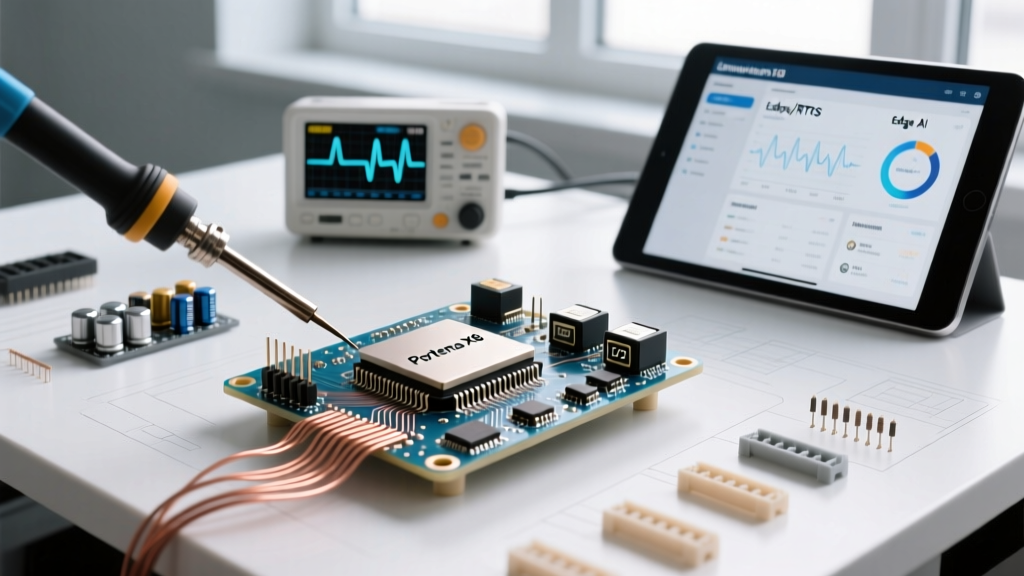
The Arduino Portenta X8 represents a massive leap from traditional 8-bit and 32-bit microcontrollers into the realm of industrial-grade, heterogeneous System-on-Modules (SOMs). Powered by the NXP i.MX 8M Plus processor, the X8 combines a quad-core Arm Cortex-A53 running at 1.8GHz, a real-time Cortex-M7 at 800MHz, and a dedicated Neural Processing Unit (NPU) capable of 2.3 TOPS. As of 2026, this board has become the darling of the edge AI and industrial IoT (IIoT) communities. However, bridging the gap between Arduino's simplified IDE and enterprise-grade Yocto Linux requires a steep learning curve. This community resource roundup curates the most valuable tools, hardware matrices, and troubleshooting frameworks developed by the maker and engineering communities to help you master the Portenta X8.
Carrier Board Ecosystem Matrix
The Portenta X8 module itself is just the brain; it requires a carrier board to expose its high-density 80-pin connectors to usable interfaces. Below is a community-verified comparison of the primary carrier options available in 2026, including approximate pricing and optimal use cases.
| Carrier Board | Approx. Price (2026) | Key Interfaces | Optimal Use Case | Community Rating |
|---|---|---|---|---|
| Portenta Max Carrier | $115 - $130 | RS485, CAN, Ethernet, PCIe M.2 | Industrial automation, fleet telematics, and rugged IIoT gateways. | 4.8/5 |
| Portenta Breakout | $75 - $85 | GPIO, SPI, I2C, UART, SDIO | Rapid prototyping, sensor fusion, and lab bench development. | 4.5/5 |
| Custom PCB (Community) | $15 - $40 (Fab) | Application Specific | High-volume production. Requires strict impedance matching for USB 3.0/PCIe. | 4.2/5 |
Expert PCB Design Note: If you are designing a custom carrier board in KiCad or Altium, the community strongly advises utilizing the official Arduino Portenta X8 documentation to download the STEP files and footprint libraries. The high-speed traces (PCIe, USB 3.0, and Gigabit Ethernet) require strict 90-ohm differential pair impedance routing. Failing to match these impedances will result in silent kernel panics or intermittent peripheral dropouts under thermal load.
Software Stack: Yocto, RPMsg, and Edge AI
Unlike the Portenta H7, the X8 does not run a simple RTOS on its main application cores. The Cortex-A53 cluster runs a custom Yocto Linux distribution, while the Cortex-M7 handles deterministic, real-time tasks. Managing the communication between these two worlds is the most common hurdle for new developers.
Mastering RPMsg (Remote Processor Messaging)
The community standard for Inter-Processor Communication (IPC) on the X8 is RPMsg. This framework allows the Linux environment to send structured messages to the M7 coprocessor via shared memory buffers. In 2026, the rpmsg-lite library has been heavily optimized for the i.MX 8M architecture. Developers recommend using the VirtIO ring buffer implementation to ensure zero-copy data transfers when streaming high-frequency sensor data from the M7 to a Linux-based MQTT broker.
Edge AI and the 2.3 TOPS NPU
The integrated NPU is what truly sets the X8 apart. By leveraging Edge Impulse integration, developers can quantize TensorFlow Lite models into INT8 formats that execute natively on the NPU. Community benchmarks show that a MobileNetV2 image classification model, which takes ~140ms on the Cortex-A53 CPU, executes in under 12ms on the NPU, freeing up the main cores for network stack management and UI rendering.
Real-World Failure Modes & Community Fixes
Hardware is only as good as its edge-case handling. Based on extensive field deployments and forum post-mortems, here are the most frequent failure modes encountered with the Portenta X8 and their community-sourced solutions.
- Thermal Throttling Under NPU Load: The X8 module lacks an integrated active cooling solution. When running continuous inference workloads, the NXP i.MX 8M Plus can hit its 95°C thermal junction limit within 4 minutes, triggering aggressive clock throttling. Fix: The community mandates the use of the official Arduino Portenta Heatsink accessory, paired with a 40x40x10mm 5V maglev fan mounted directly to the carrier board. This maintains steady-state temperatures around 55°C.
- Custom Carrier Brownouts: The Cortex-A53 cores and NPU can draw transient current spikes exceeding 2.2A during boot sequences or heavy inference. Many hobbyists attempt to power custom carriers using standard 5V/2A USB-C PD adapters, resulting in instantaneous voltage droops and eMMC corruption. Fix: Design your custom carrier's power delivery network (PDN) using a TPS543x buck converter rated for 3A continuous, and include at least 470µF of low-ESR ceramic capacitance near the module's VIN pins.
- eMMC vs. SD Boot Priority Conflicts: Developers frequently report the board ignoring the bootable Yocto image on the MicroSD card, defaulting instead to the internal 16GB eMMC. Fix: The boot sequence is hardcoded via the BootROM. To force SD boot, you must interrupt the U-Boot console via UART0 at 115200 baud within the first 2 seconds of power-on and manually set the
bootcmdenvironment variable to prioritizemmc1overmmc0.
Essential Developer Repositories
To accelerate your development cycle, bookmark these community-maintained repositories and resources:
- meta-arduino (Yocto Layer): The official meta-layer for integrating Arduino-specific libraries and cloud agents into custom Yocto Scarthgap builds.
- imx8mp-npu-examples: A community-driven GitHub repository containing pre-compiled INT8 models and Python/C++ inference scripts optimized specifically for the X8's NPU architecture.
- Portenta M7 RTOS Templates: Zephyr RTOS and FreeRTOS boilerplate projects pre-configured with the correct linker scripts and RPMsg endpoints for the Cortex-M7 core.
Frequently Asked Questions
Can I program the Portenta X8 entirely through the standard Arduino IDE?
Only partially. The Arduino IDE is used exclusively to compile and flash firmware to the Cortex-M7 real-time core. The Cortex-A53 Linux environment must be managed via SSH, Docker containers, or the Arduino Cloud IoT dashboard. You cannot flash a Linux kernel via the standard IDE 'Upload' button.
How does the Portenta X8 compare to the Raspberry Pi Compute Module 4?
While the CM4 offers a broader consumer Linux ecosystem, the X8 is purpose-built for industrial edge AI. As detailed in the NXP i.MX 8M Plus architecture documentation, the inclusion of a dedicated NPU, an integrated Image Signal Processor (ISP) for dual 4K camera streams, and a real-time Cortex-M7 coprocessor gives the X8 a distinct advantage in deterministic industrial control and machine vision applications where the CM4 would require external accelerators.
What is the expected lifespan of the eMMC flash memory?
The onboard 16GB eMMC is rated for industrial temperature ranges (-40°C to 85°C) and typically withstands around 3,000 to 5,000 P/E (Program/Erase) cycles. For applications requiring heavy local logging, the community strongly recommends mounting an NVMe SSD via the M.2 slot on the Max Carrier and configuring the Linux /var/log directory to write to the NVMe drive to preserve the eMMC's lifespan.