
The 'arduino 程序编程bin' Workflow Explained
In international maker communities and professional prototyping circles, the workflow of extracting, managing, and deploying raw compiled firmware files is frequently searched under the term arduino 程序编程bin (Arduino program binary programming). While the Arduino IDE is famous for its one-click 'Upload' button, transitioning to mass production, Over-The-Air (OTA) updates, or custom manufacturing requires bypassing the IDE's serial monitor and working directly with raw .bin (binary) or .hex files.
As of 2026, with the widespread adoption of the ESP32-S3 and the latest AVR-Dx series microcontrollers, managing raw binaries has become a mandatory skill for advanced embedded engineers. This comprehensive troubleshooting guide addresses the most common compilation, export, and flashing errors encountered when working with Arduino binary workflows, providing exact CLI commands, memory offsets, and hardware-level fixes.
Phase 1: Troubleshooting IDE Binary Export Failures
The first hurdle in the arduino 程序编程bin pipeline is extracting the compiled binary from the Arduino IDE (v2.3.x). By default, the IDE compiles code in a temporary directory and flashes it immediately, deleting the artifacts afterward.
Fixing the 'Export Compiled Binary' Gray-Out Issue
If the Sketch > Export Compiled Binary option is grayed out or fails silently, the issue is almost always tied to board definition corruption or an unsupported core.
- AVR Boards (Arduino Uno/Nano): Exporting generates a
.hexfile, not a.bin. If your deployment pipeline strictly requires.bin, you must useobjcopyto convert it:avr-objcopy -I ihex -O binary sketch.hex sketch.bin. - ESP32/ESP8266 Boards: Exporting generates multiple
.binfiles (bootloader, partition table, and application). If the export fails, ensure you have not selected an 'OTA' partition scheme that conflicts with local storage limits. Switch to 'Default 4MB with spiffs (1.2MB APP/1.5MB SPIFFS)' in the Tools menu and retry.
Expert Tip: For automated CI/CD pipelines in 2026, abandon the GUI IDE entirely. Use the Arduino CLI with the commandarduino-cli compile --fqbn esp32:esp32:esp32s3 --export-binaries ./output_dirto reliably generate your.binfiles without GUI overhead.
Phase 2: ESP32 Binary Flashing & Memory Offsets
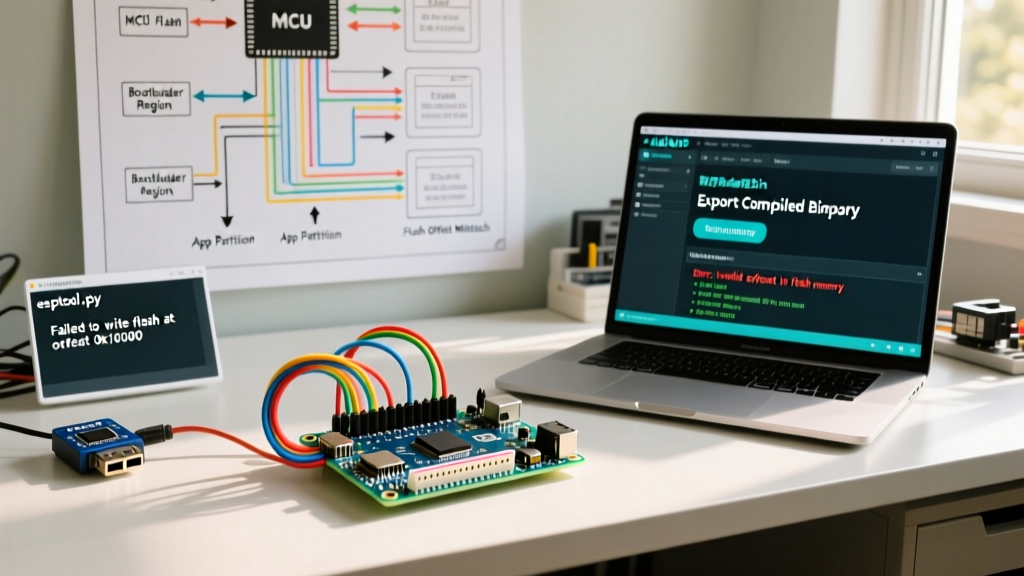
Unlike 8-bit AVR microcontrollers, ESP32 architecture relies on a complex SPI flash memory layout. A raw .bin file cannot simply be written to address 0x0. When makers search for arduino 程序编程bin deployment, the most frequent cause of bootloops is incorrect memory offset mapping.
The ESP32-S3 Flash Offset Matrix
When using Espressif's official esptool.py, you must specify the exact starting address for each binary component. Below is the standard offset matrix for a typical Arduino ESP32-S3 build (Default 8MB Partition Scheme):
| File Component | Standard Offset (Hex) | Purpose | Common Error if Misaligned |
|---|---|---|---|
bootloader.bin |
0x0 |
1st stage hardware boot | Bricked / No serial output |
partitions.bin |
0x8000 |
Flash partition map | Bootloop: 'invalid partition table' |
boot_app0.bin |
0xe000 |
OTA/Boot metadata | OTA updates fail silently |
sketch.bin |
0x10000 |
Main application code | Guru Meditation Error / Panic |
CLI Command for Manual ESP32 Flashing
To flash these binaries manually via a USB-to-UART adapter (like the CP2102, typically $4.50 on electronics markets), use the following precise syntax:
esptool.py --chip esp32s3 --port /dev/ttyUSB0 --baud 921600 write_flash -z \
0x0 bootloader.bin \
0x8000 partitions.bin \
0xe000 boot_app0.bin \
0x10000 sketch.bin
Phase 3: AVR Binary Programming via AVRDUDE
For legacy and 8-bit architectures like the ATmega328P (Arduino Uno) or ATmega4809 (Nano Every), the arduino 程序编程bin workflow utilizes AVRDUDE. While AVR natively uses Intel HEX (.hex) files, raw binary (.bin) files are frequently used when interfacing with custom PC-based flashers or specific bootloaders.
Troubleshooting AVRDUDE Verification Errors
A common error when flashing a raw .bin to an AVR chip is:
avrdude: verification error, first mismatch at byte 0x0000
         0xff != 0x0c
The Fix: This occurs because AVRDUDE defaults to Intel HEX formatting. You must explicitly tell AVRDUDE to treat the file as raw binary by appending :r to the memory operation flag.
avrdude -c usbasp -p m328p -U flash:w:firmware.bin:rFurthermore, if you are flashing a raw binary that does not include the interrupt vector table, ensure you are not accidentally overwriting the bootloader section unless you are using an ICSP programmer (like a $3.00 USBasp clone) and intend to wipe the chip entirely.
Phase 4: Hardware Edge Cases & Strapping Pins
Software commands are only half the battle. Hardware configuration during the binary flashing process causes approximately 40% of all failed arduino 程序编程bin deployments in the field.
ESP32 GPIO Strapping Pin Conflicts
The ESP32 and ESP32-S3 use specific GPIO pins to determine the boot mode during power-on. If your custom PCB or breadboard has external components (like pull-down resistors or LEDs) attached to these pins, the chip will fail to enter the UART download mode required to write the .bin file.
- ESP32-S3 Critical Pins: GPIO0, GPIO3, GPIO45, GPIO46.
- Troubleshooting Step: If
esptool.pytimes out withFatalError: Failed to connect to ESP32S3: Timed out waiting for packet header, physically disconnect all peripherals from GPIO0. Ensure GPIO0 is pulled LOW only during the reset sequence to force ROM serial bootloader mode, then released HIGH for normal execution.
AVR Reset Capacitor Timing
When using serial programmers (like the FT232RL) to flash AVR binaries via the Optiboot bootloader, the DTR line must pulse the RESET pin. If your binary is large (e.g., >28KB on an ATmega328P) and the upload times out, the auto-reset circuit's 0.1µF capacitor may be discharging too quickly. Replacing it with a 1µF capacitor or manually pressing the reset button exactly when the 'esptool/avrdude' terminal outputs 'Connecting...' will resolve the synchronization failure.
Summary Checklist for Binary Deployment
Before pushing your compiled .bin to a production fleet or OTA server, verify the following:
- Architecture Match: Confirm you are using
.binwith correct offsets for ESP32, or.hex(withavr-objcopyconversion) for AVR. - Partition Alignment: Ensure the
partitions.csvused during compilation exactly matches the flash size of the physical module (e.g., 4MB vs 8MB). - Strapping Pins: Verify external hardware is not forcing the MCU into SPI boot mode during the flash write sequence.
- CLI Flags: Double-check that raw binary flags (
:rin AVRDUDE) are explicitly defined to prevent format misinterpretation.
Mastering the raw binary pipeline transforms you from a hobbyist relying on IDE abstractions into an embedded systems engineer capable of scalable, reliable firmware deployment.