
The Arduino DF Player Ecosystem in 2026: Navigating the Clone Maze
The DFPlayer Mini has remained a staple in the maker community for over a decade, offering a low-cost, UART-controlled MP3 solution for everything from interactive art installations to automated Halloween props. However, sourcing an Arduino DF Player module today is vastly different than it was in 2018. Global silicon shortages and supply chain shifts over the last few years have flooded the market with clone boards featuring alternative decoder chips, altered pinouts, and varying tolerances for logic levels.
While a genuine DFRobot module costs around $6.50, generic clones can be found for $1.20 to $2.00 on bulk electronics marketplaces. These clones are not inherently bad, but they introduce severe compatibility hurdles regarding SD card formatting, library initialization, and serial communication. This guide provides a definitive, field-tested compatibility matrix to ensure your audio projects compile, upload, and play without the infamous "startup buzz" or silent failures.
The Silicon Lottery: Identifying Your Decoder Chip
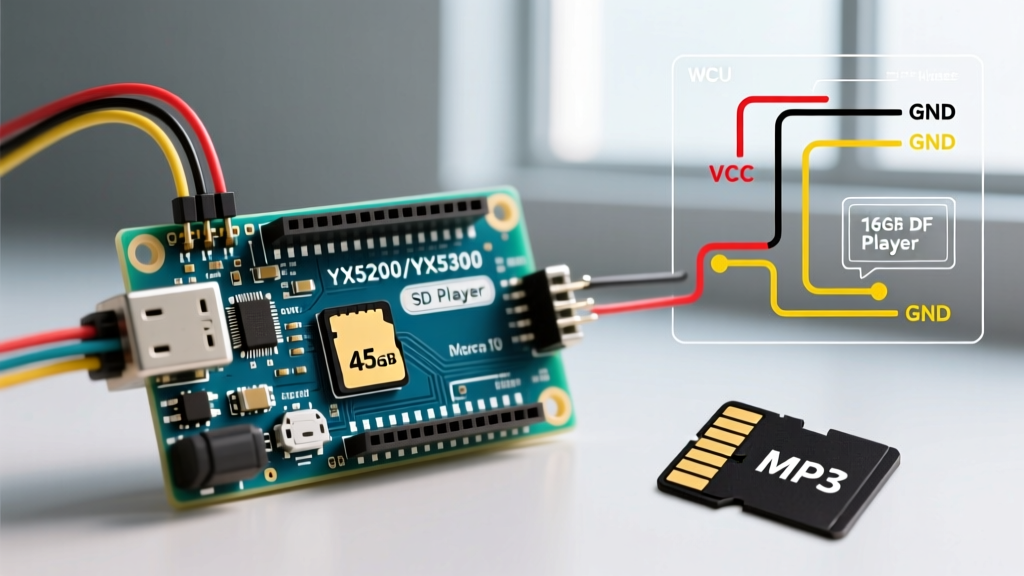
The original DFPlayer Mini was built around the YX5200-24SS chip. Today, manufacturers frequently substitute this with the YX5300, GD3200B, or even Jieli AC6905 chips to cut costs. Your choice of Arduino library must match the silicon on your board.
| Chip Variant | Markings / Identification | Library Compatibility | Known Edge Cases & Quirks |
|---|---|---|---|
| YX5200-24SS | Original / Early Clones | DFRobotDFPlayerMini |
Highly reliable. Flawless FAT32 support up to 32GB. Standard 10ms command delays work perfectly. |
| YX5300 | Catalex / Generic Red Boards | DFRobotDFPlayerMini (with mods) |
Requires longer initialization delays (up to 2000ms on boot). Often fails to read the "Busy" pin correctly. |
| GD3200B | MH-ET LIVE / Blue Boards | Makuna/DFMiniMp3 |
Strict on folder naming conventions. Will ignore files if the root directory contains hidden OS metadata files. |
| Jieli AC6905 | Ultra-cheap 2025/2026 batches | DFRobotDFPlayerMini (Partial) |
Struggles with Variable Bit Rate (VBR) MP3s. Requires strict Constant Bit Rate (CBR) encoding to prevent track skipping. |
Expert Recommendation: If you are designing a product for mass production or a permanent installation, bypass the clone lottery entirely. Purchase the genuine DFRobot DFPlayer Mini (SKU: DFR0299) or upgrade to the newer DFPlayer Pro, which features a dedicated DAC line-out and native I2C/UART switching.
SD Card & File System Compatibility Matrix
The most common reason an Arduino DF Player fails to initialize is improper SD card formatting. The module's firmware strictly requires the FAT32 file system. It does not support exFAT, NTFS, or FAT16.
The 64GB SDXC Trap
Modern operating systems, particularly Windows 11, will automatically format any SD card 64GB or larger as exFAT. The DFPlayer cannot read exFAT. Furthermore, high-endurance "Endurance" or "Industrial" SD cards often use non-standard cluster sizes that the DFPlayer's rudimentary file allocation table parser cannot read.
- Recommended Capacity: 8GB to 32GB (MicroSDHC).
- File System: FAT32.
- Allocation Unit Size (Cluster Size): 32KB or 64KB. (Do not use the default 4KB or 8KB; it causes read latency and audio stuttering).
- Formatting Tool: Do not use the native Windows/Mac formatter. Use the official SD Memory Card Formatter by the SD Association, or
GUIFormatfor forcing FAT32 on 64GB+ cards.
Directory and Naming Structures
The DFPlayer supports two distinct file addressing modes. Mixing them up will result in the module playing the wrong track or returning a "File Not Found" serial error.
- Root Directory Mode: Files must be named with a 4-digit prefix (e.g.,
0001.mp3,0002.mp3). Maximum 9999 files. - Folder Mode: Folders must be named with a 2-digit prefix (e.g.,
01,02), and files inside must have a 3-digit prefix (e.g.,001.mp3). Maximum 15 folders, 255 tracks per folder.
Audio Encoding: Bitrates and Sample Rates
Not all MP3s are created equal. The hardware decoders on clone chips are highly sensitive to encoding anomalies. If your audio stutters, cuts out, or plays at the wrong pitch, the issue is likely your audio file, not your wiring.
- Format: MP3 (MPEG-1 Audio Layer III). AAC, OGG, and FLAC are not supported.
- Bitrate: 128 kbps, 192 kbps, or 320 kbps CBR (Constant Bit Rate). Avoid VBR (Variable Bit Rate) entirely, as the Jieli and GD3200B chips will miscalculate track lengths and skip ahead.
- Sample Rate: 44.1 kHz or 48 kHz. (22.05 kHz is technically supported but often causes DAC whining on clone boards).
- WAV Support: Limited to uncompressed 16-bit PCM WAV. Highly discouraged due to SD card read-speed bottlenecks causing buffer underruns.
Logic Level Translation: The 5V vs 3.3V Trap
The DFPlayer Mini operates at 3.3V logic. Connecting a 5V Arduino Uno or Nano directly to the DFPlayer's RX pin will eventually degrade the module's internal ESD protection diodes, leading to erratic behavior or permanent failure. For a deep dive into voltage thresholds, refer to SparkFun's guide on Logic Levels.
The 1kΩ Resistor Trick (AVR Arduinos)
While a dedicated bi-directional logic level shifter (like the BSS138 MOSFET module) is the "correct" engineering solution, the DFPlayer's RX pin has a high enough impedance that a simple voltage divider works perfectly for 9600-baud UART communication.
Wiring the Voltage Divider:
- Connect a 1kΩ resistor in series between the Arduino TX pin and the DFPlayer RX pin.
- Connect a 2kΩ resistor from the DFPlayer RX pin to GND.
- This drops the 5V logic high down to a safe ~3.3V.
ESP32 and 3.3V Native Microcontrollers
If you are using an ESP32, RP2040, or Arduino Due, your logic levels are already 3.3V. You can connect the TX/RX pins directly. However, never use SoftwareSerial on the ESP32 for the DFPlayer. The ESP32's RTOS interrupt handling frequently drops 9600-baud packets during Wi-Fi/Bluetooth operations. Always use HardwareSerial (e.g., Serial1 on GPIO 16 and 17).
Power Decoupling: Eliminating the Startup Pop and Hiss
The most frequent complaint on maker forums is a loud "pop" from the speaker on startup, followed by a persistent background hiss. This is caused by the DFPlayer's internal Class-D amplifier drawing sudden current spikes from the microcontroller's 5V rail, causing voltage sags and ground bounce.
The Hardware Fix
To achieve clean audio, you must isolate the DFPlayer's power delivery:
- Bulk Capacitor: Solder a 100µF to 470µF electrolytic capacitor directly across the VCC and GND pins on the DFPlayer module. This acts as a local energy reservoir for audio transients.
- Ferrite Bead: Place a 600-ohm ferrite bead on the VCC line before the capacitor to block high-frequency switching noise from traveling back into your Arduino's power rail.
- Dedicated 5V Rail: If you are driving a 3W or 5W speaker, do not power the DFPlayer from the Arduino's onboard 5V regulator (which is usually rated for only 500mA-800mA). Use a dedicated buck converter (like the LM2596) set to 5.0V to power both the speaker amplifier and the DFPlayer, sharing a common ground with the Arduino.
Summary Checklist for 2026 Builds
Before you solder your next interactive audio project, run through this compatibility checklist:
- [ ] SD Card is 32GB or smaller, formatted to FAT32 with a 32KB cluster size.
- [ ] MP3 files are encoded at 128kbps+ CBR, 44.1kHz.
- [ ] A 1kΩ/2kΩ voltage divider is used on the RX line for 5V Arduinos.
- [ ] A 100µF+ decoupling capacitor is soldered directly to the module's power pins.
- [ ] The correct library (
DFRobotvsMakuna) is selected based on the physical chip markings.
By respecting the hardware limitations and quirks of the modern clone ecosystem, the Arduino DF Player remains an unbeatable, cost-effective audio solution for embedded electronics.