
What is an Arduino Commander Setup?
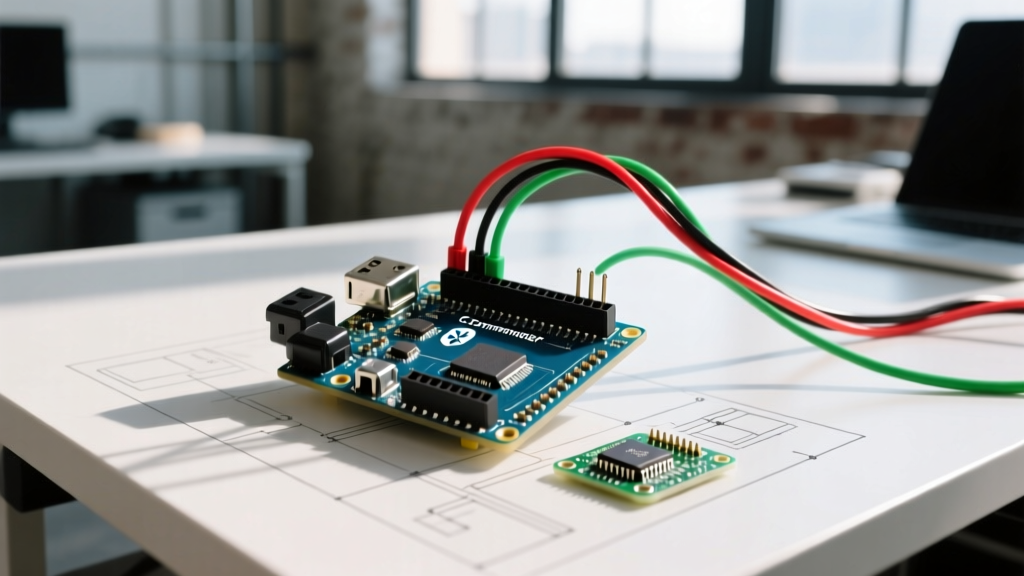
In the robotics and MCU community, an Arduino Commander typically refers to an integrated hardware shield (combining motor drivers, servo headers, and wireless/PS2 receiver sockets) paired with a companion control interface (like a Bluetooth Commander app or PS2 gamepad). Rather than wiring a breadboard with a bare L298N driver and an HC-05 Bluetooth module, a Commander shield consolidates these into a single PCB that stacks directly onto an Uno or Mega.
This quick-reference FAQ addresses the most common hardware, software, and power-delivery questions makers face when deploying Arduino Commander systems in 2026.
Quick-Reference: Standard Commander Shield Specifications
Most legacy and budget-friendly Commander shields utilize the STMicroelectronics L298P SMD dual full-bridge driver. Here is the quick-reference specification matrix you need before designing your robot chassis.
| Parameter | Standard L298P Commander | Modern TB6612FNG Commander |
|---|---|---|
| Operating Voltage (Logic) | 5V DC | 2.7V to 5.5V DC |
| Operating Voltage (Motor) | 5.5V to 12V DC | 4.5V to 24V DC |
| Max Continuous Current (Per Ch) | 1.5A (with heatsink) | 1.2A |
| Peak Current (Per Ch) | 2.5A (for <10ms) | 3.2A |
| Voltage Drop | ~2.0V (High thermal loss) | ~0.5V (Highly efficient) |
| Typical 2026 Market Price | $12 - $18 | $25 - $35 |
Hardware & Wiring FAQs
How do I map the pins on a generic PS2/Bluetooth Commander Shield?
While silkscreen labels vary by manufacturer (e.g., DFRobot, Keyestudio), the underlying SPI and PWM mappings for Uno-compatible Commander shields are heavily standardized:
- Motor A (Direction & PWM): D12 (Dir), D10 (PWM)
- Motor B (Direction & PWM): D13 (Dir), D11 (PWM)
- Servo 1 & 2: D9 and D8 (Direct 5V PWM headers)
- PS2 Receiver (SPI): D10 (CS), D11 (MOSI), D12 (MISO), D13 (SCK)
- Bluetooth (Serial): D0 (RX), D1 (TX) — Note: This conflicts with USB serial on the Uno.
Pro-Tip: If you are using an HC-05 Bluetooth module on an Uno-based Commander shield, use the SoftwareSerial library on pins D2 (RX) and D3 (TX) to avoid bricking your upload process. Leaving hardware Serial (D0/D1) free is critical for IDE debugging.
Why does my Commander shield get dangerously hot?
The L298P uses bipolar junction transistor (BJT) technology, which inherently drops about 2V across the chip. If you are running 12V motors drawing 1A, the shield dissipates 2W of heat (P = V_drop × I). Without active cooling or a massive passive heatsink, the silicon will hit its thermal shutdown threshold (typically 150°C) within minutes. Solution: Upgrade to a TB6612FNG-based Commander shield, which uses MOSFETs and drops only ~0.5V, running cool to the touch even at peak loads.
Software & Serial Parsing FAQs
How do I parse commands from a Bluetooth Commander App?
Most Android/iOS "Arduino Commander" apps send single-character or delimited string payloads over RFCOMM (Serial Port Profile). The most robust way to handle this without blocking your main loop is using a non-blocking serial buffer.
According to the official Arduino Serial Reference, relying on delay() while waiting for serial data causes motor stutter. Use this optimized parsing pattern:
void processCommanderInput() {
  if (Serial1.available() > 0) {
    char cmd = Serial1.read();
    switch (cmd) {
      case 'F': setMotors(255, 255); break; // Forward
      case 'B': setMotors(-255, -255); break; // Backward
      case 'L': setMotors(-128, 128); break; // Pivot Left
      case 'R': setMotors(128, -128); break; // Pivot Right
      case 'S': setMotors(0, 0); break; // Stop
    }
  }
}
Why is my robot lagging when using a PS2 Commander?
The PS2 controller protocol requires a precise SPI-like handshake that takes roughly 2.5 milliseconds to complete. If you are using a blocking library like the legacy PS2X_lib, it halts your PID control loops. Switch to interrupt-driven libraries or hardware SPI implementations to read the gamepad state in the background, freeing up your MCU to calculate motor kinematics.
Wireless Commander Protocols: Bluetooth vs. WiFi in 2026
When building a wireless Arduino Commander setup, choosing between Classic Bluetooth (HC-05/HC-06) and WiFi (ESP8266/ESP32) drastically alters your latency and range.
- Classic Bluetooth (RFCOMM): Offers a stable 10-meter range with latency typically under 30ms. It pairs directly with Android Commander apps without requiring a local router. However, iOS devices do not support classic SPP Bluetooth, limiting your control interface to Android or PC.
- WiFi (UDP/TCP via ESP32): Modern Commander apps utilize UDP over a local WiFi network or ESP-NOW for peer-to-peer communication. UDP provides sub-10ms latency, crucial for high-speed FPV robots. The tradeoff is the need for a local access point or managing the ESP32's SoftAP mode, which adds complexity to the initial network handshake.
For most indoor robotics projects, an ESP32-based Commander shield running a lightweight UDP server is the current 2026 standard, bypassing the baud-rate limitations of the legacy HC-05 modules which cap out at 115,200 bps and suffer from packet loss in noisy RF environments.
Power & Troubleshooting FAQs
Can I power the Arduino and motors from the same battery pack?
Yes, but it is the number one cause of "ghost resets" in Commander builds. When DC motors start, they draw a stall current that can be 5x to 10x their running current. This causes a severe voltage sag on the shared battery rail. If the voltage drops below the Arduino's brownout threshold (typically 4.0V for the ATmega328P), the microcontroller will instantly reboot.
The Fix: Implement a separate BEC (Battery Eliminator Circuit) to feed the Arduino's 5V pin, or use a dedicated 2S LiPo (7.4V) for the Commander shield's motor terminals and a step-down buck converter for the logic rail. As detailed in Pololu's comprehensive guide to motor power delivery, decoupling capacitors (100µF electrolytic across the motor terminals) are mandatory to suppress inductive voltage spikes.
Troubleshooting: Motors twitch but won't spin under load
If your Commander shield clicks or the motors twitch without rotation, check these three edge cases:
- PWM Frequency Mismatch: Standard analogWrite() runs at ~490Hz. Some high-inductance motors require a higher frequency to overcome static friction. Use Timer1 libraries to push PWM to 4kHz.
- Logic Voltage Starvation: The L298P requires a minimum of 4.5V on its VSS (logic) pin to register HIGH signals from the ATmega328P. If your Arduino's 5V regulator is sagging to 4.2V, the shield won't trigger the H-bridge gates.
- Ground Loop Missing: If you are using an external battery for the motors, the battery's negative terminal must share a common ground with the Arduino's GND pin. Without this, the PWM signals have no reference voltage.
2026 Commander Ecosystem: What Should You Buy?
If you are starting a new robotics project in 2026, the legacy L298-based Commander shields are largely considered obsolete for anything beyond basic educational toys. Here is a quick decision matrix for your next purchase:
| Use Case | Recommended Hardware | Why? |
|---|---|---|
| Beginner / Classroom | Keyestudio L298P Commander | Cheap (~$14), massive tutorial base, forgiving wiring. |
| Competitive / Line Follower | DFRobot Romeo ESP32-S3 | Integrates WiFi/BLE, dual TB6612 drivers, native 3.3V logic. |
| Heavy Payload (Tanks/Arms) | Cytron MD30C + Custom Shield | Discrete 30A drivers required; integrated shields will melt. |
By understanding the thermal limits, serial parsing bottlenecks, and power delivery requirements of your Arduino Commander setup, you can bypass the most common pitfalls and focus on tuning your robot's actual behavior.