
Mastering the Liquid Crystal Library Arduino: Error Fix Guide
Integrating an HD44780-based 16x2 or 20x4 character LCD into your microcontroller project is a fundamental rite of passage in embedded systems. However, standard Liquid Crystal library Arduino implementations—both parallel and I2C—are notorious for producing blank screens, garbled text, and frustrating compilation failures. In 2026, with the Arduino IDE 2.3.x ecosystem managing dozens of overlapping community libraries, dependency conflicts and bus timing issues are more common than ever.
This comprehensive error fix guide bypasses generic advice and targets the exact hardware and software failure modes of the LiquidCrystal and LiquidCrystal_I2C libraries. We will cover I2C address mismatches, CGRAM memory overflows, IDE library collisions, and I2C bus capacitance issues.
The 'Row of Black Boxes' Hardware vs. Software Trap
The most frequently reported issue on the Arduino LiquidCrystal Reference forums is the 'Row of Black Boxes'—where the first row displays solid white blocks on a blue/green background, and the second row remains completely blank.
Diagnosing the V0 Contrast Pin
This is rarely a software error. The HD44780 controller uses the V0 pin (Pin 3) to set the LCD bias voltage. If V0 is tied directly to GND, the contrast is maxed out, resulting in black boxes. If it is tied to VCC (5V), the screen appears completely blank.
- The Fix: Connect a 10kΩ potentiometer. Wire the outer legs to 5V and GND, and the middle wiper to V0. Adjust the wiper until the black boxes fade into a readable contrast ratio (typically around 0.4V to 0.8V relative to GND).
- Edge Case: If you are using a 3.3V microcontroller (like an ESP32 or Arduino Due) with a 5V LCD module, the V0 voltage requirements shift. You may need to tie V0 directly to GND or use a 1kΩ resistor to GND to achieve proper contrast without a potentiometer.
I2C Address Mismatches (0x27 vs 0x3F)
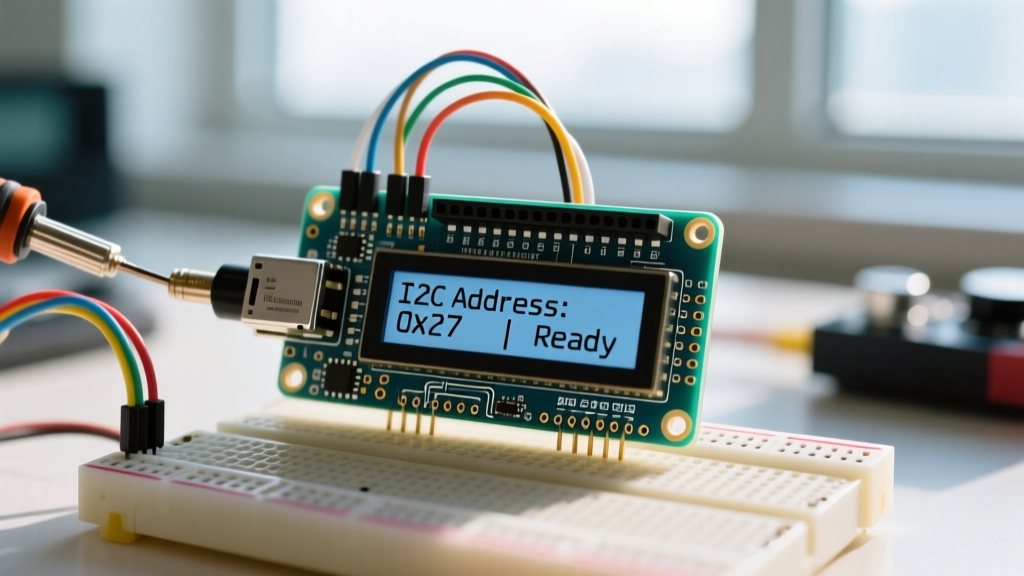
When using an I2C backpack (which reduces wiring from 6 pins down to just SDA, SCL, VCC, and GND), the most common software error is initializing the wrong I2C address. The LiquidCrystal_I2C library defaults to 0x27 in many tutorials, but hardware variations dictate otherwise.
Backpacks are built on I/O expanders. The PCF8574 chip defaults to address 0x27 (with A0, A1, A2 pads unbridged). The PCF8574A chip, however, defaults to 0x3F. If your code calls lcd.init() on the wrong address, the backlight will turn on, but no text will ever render.
The I2C Scanner Diagnostic
Never guess the address. Upload this standardized I2C scanner sketch to your Arduino to poll the bus and report the exact hexadecimal address of your backpack:
#include <Wire.h>
void setup() {
  Wire.begin();
  Serial.begin(115200);
  while (!Serial);
  Serial.println("\nI2C Scanner");
}
void loop() {
  byte error, address;
  int nDevices = 0;
  for(address = 1; address < 127; address++ ) {
    Wire.beginTransmission(address);
    error = Wire.endTransmission();
    if (error == 0) {
      Serial.print("I2C device found at address 0x");
      if (address<16) Serial.print("0");
      Serial.println(address,HEX);
      nDevices++;
    }
  }
  if (nDevices == 0) Serial.println("No I2C devices found\n");
  delay(5000);
}
Compilation Error: 'LiquidCrystal_I2C does not name a type'
If you encounter the fatal compilation error 'LiquidCrystal_I2C' does not name a type or fatal error: LiquidCrystal_I2C.h: No such file or directory in Arduino IDE 2.3.x, you are experiencing a namespace collision or a missing dependency.
Expert Insight: The Arduino Library Manager contains over a dozen forks of 'LiquidCrystal_I2C'. Many are abandoned, lack proper
library.propertiesmetadata, and fail to compile on modern AVR and ARM cores due to outdated I2C timing macros.
The 2026 Standard: Migrate to the hd44780 Library
Instead of wrestling with deprecated forks, industry experts and the hd44780 GitHub Repository maintained by Bill Hooper strongly recommend migrating to the hd44780 library. It auto-detects I2C addresses, auto-detects pin mappings, and handles I2C bus timeouts gracefully.
Migration Steps:
- Open the Library Manager and uninstall all versions of
LiquidCrystal_I2C. - Search for and install
hd44780by Bill Hooper. - Replace your includes with:
#include <Wire.h> #include <hd44780.h> #include <hd44780ioClass/hd44780_I2Cexp.h> hd44780_I2Cexp lcd; // Auto-detects address and pin mapping - Change
lcd.init()tolcd.begin(16, 2).
Garbled Text and the 8-Character CGRAM Limit
If your display suddenly outputs random Japanese characters, shifted pixels, or freezes entirely after running for a few minutes, you have likely overflowed the HD44780's Character Generator RAM (CGRAM).
The HD44780 controller features exactly 64 bytes of CGRAM, which translates to a hard limit of eight (8) custom 5x8 pixel characters (indexed 0 through 7). If your code attempts to define a 9th custom character, the library pointer wraps around and overwrites memory allocated for the standard ASCII character map or crashes the I2C buffer.
- Actionable Fix: Audit your
lcd.createChar()calls. Ensure you are only defining custom characters inside thesetup()function. Defining custom characters inside theloop()function wastes I2C bandwidth, causes screen flickering, and accelerates CGRAM corruption.
Diagnostic Troubleshooting Matrix
Use this matrix to rapidly isolate the root cause of your LCD anomalies based on visual symptoms.
| Symptom | Root Cause | Exact Fix |
|---|---|---|
| Row 1: Black Boxes, Row 2: Blank | Contrast voltage (V0) too high; uninitialized display | Adjust 10kΩ potentiometer wiper; ensure lcd.begin(16, 2) is in setup(). |
| Backlight ON, completely blank screen | I2C address mismatch or missing pull-ups | Run I2C scanner; add 4.7kΩ pull-ups to SDA/SCL if wires exceed 15cm. |
| Garbled text / random characters | CGRAM overflow or incorrect data bus wiring (parallel) | Limit custom characters to 8; verify D4-D7 pins are not swapped. |
| Display shifts one character right per loop | lcd.print() inside loop() without setCursor() | Use lcd.setCursor(0,0) and pad strings with spaces to overwrite old data. |
| Screen freezes after 10-15 minutes | I2C bus lockup due to electrical noise | Enable internal pull-ups or add external 4.7kΩ resistors; use hd44780 library. |
Advanced Hardware: I2C Bus Capacitance and Pull-Ups
When prototyping on a breadboard, wires are short, and the internal pull-up resistors of the ATmega328P (typically 20kΩ to 50kΩ) are sufficient to pull the SDA and SCL lines high. However, as noted in the Adafruit Character LCD Guide, extending I2C wires beyond 15 centimeters introduces parasitic capacitance.
This capacitance slows the rising edge of the I2C square wave, causing the HD44780 backpack to misinterpret bits, resulting in intermittent freezing or missing characters.
The Hardware Solution
If your project requires long wire runs or operates in an electrically noisy environment (e.g., near relays or motors), you must add external pull-up resistors.
- Solder or wire a 4.7kΩ resistor between SDA and VCC (5V).
- Solder or wire a 4.7kΩ resistor between SCL and VCC (5V).
- Disable the internal pull-ups in your code by calling
Wire.begin()followed bydigitalWrite(SDA, LOW); digitalWrite(SCL, LOW);if your specific microcontroller enables them by default.
By combining the robust hd44780 library architecture with proper I2C bus termination and contrast biasing, you will eliminate 99% of all Liquid Crystal library Arduino errors, ensuring your displays remain stable in both prototyping and final production enclosures.