
The Hidden Cost of Beginner Habits in Embedded Systems
When beginners first Arduino learn to code, they are almost universally taught to rely on high-level abstraction functions like digitalWrite(), delay(), and the String class. While these abstractions lower the barrier to entry for blinking an LED, they introduce severe performance bottlenecks that will cripple your projects as you scale into high-speed sensor polling, complex communication protocols, or low-power battery-operated nodes.
In 2026, the microcontroller landscape is diverse. While the legacy 8-bit ATmega328P (the heart of the classic Uno) is still a staple for learning, modern hobbyists frequently transition to 32-bit RISC-V and ARM Cortex-M0+ boards like the ESP32-C3 or the RP2040. The optimization techniques you learn on an 8-bit AVR translate directly to writing efficient, deterministic C++ for these advanced architectures. True embedded performance optimization requires stripping away the Arduino IDE's safety nets and interacting directly with the hardware registers.
Bypassing the digitalWrite() Bottleneck
The digitalWrite(pin, value) function is notoriously slow. On a 16 MHz ATmega328P, a single digitalWrite() call takes approximately 50 to 70 clock cycles (roughly 3.5 to 4.5 microseconds). If you are attempting to bit-bang a high-speed protocol or drive a multiplexed LED matrix requiring sub-microsecond timing, this overhead is unacceptable.
Why is it so slow?
Under the hood, digitalWrite() performs several safety and mapping checks before touching the hardware:
- Pin Mapping: It translates the Arduino pin number (e.g., Pin 13) to the corresponding AVR port and bit using the
digitalPinToPortanddigitalPinToBitMaskmacros stored in flash memory. - PWM Check: It checks if the pin is currently configured for PWM output via
analogWrite()and disables the timer if necessary. - Interrupt Disabling: It briefly disables global interrupts to perform a read-modify-write operation on the PORT register, ensuring atomic execution.
The Solution: Direct Port Manipulation
To achieve maximum I/O speed, you must bypass the Arduino core and write directly to the AVR's PORT registers. According to the official Arduino Port Manipulation Reference, direct port access executes in exactly 2 clock cycles (125 nanoseconds at 16 MHz).
For example, to set Pin 13 (which maps to PB5 on the ATmega328P) HIGH:
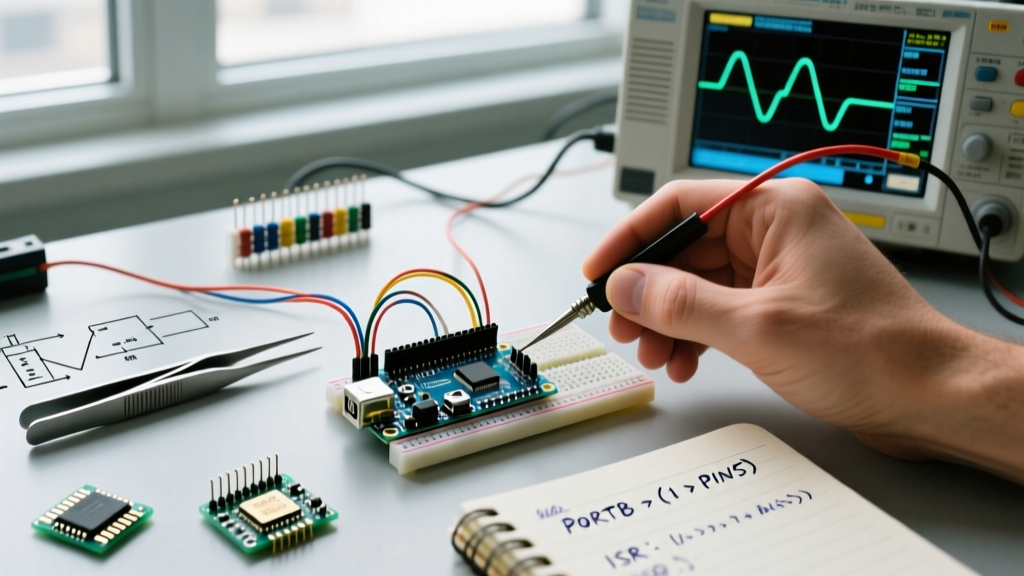
PORTB |= (1 << PB5);
To set it LOW:
PORTB &= ~(1 << PB5);
| Method | Clock Cycles | Execution Time | Use Case |
|---|---|---|---|
digitalWrite(13, HIGH) |
~56 cycles | ~3.50 µs | Basic UI indicators, slow relays |
PORTB |= (1 << PB5) |
2 cycles | 0.125 µs | Bit-banging SPI/I2C, LED matrices, encoders |
Inline Assembly sbi |
2 cycles | 0.125 µs | Critical ISR timing where C++ compiler optimization varies |
Eradicating delay() with Non-Blocking State Machines
The delay() function is a blocking busy-wait loop. When you call delay(1000), the CPU sits idle, doing nothing but incrementing a counter. It cannot read sensors, process incoming serial data, or update displays. As you Arduino learn to code for complex systems, you must transition to non-blocking architectures using millis().
The Golden Rule of Embedded Timing: Never block the main loop(). Treat your main loop like a high-speed polling engine that checks the state of the world thousands of times per second.
Implementing a Millis-Based State Machine
Instead of pausing execution, record the timestamp of an event and check if the required interval has elapsed on subsequent loop iterations. Crucially, you must handle the 50-day millis() rollover by using subtraction rather than addition.
Incorrect (Fails on rollover):
if (millis() > previousMillis + interval) { ... }
Correct (Rollover-safe):
if (millis() - previousMillis >= interval) { ... }
This unsigned integer subtraction mathematically resolves the overflow boundary condition automatically, a fundamental concept in 32-bit and 8-bit embedded C++ programming.
Interrupt Service Routines (ISRs) Without the Deadlocks
Hardware interrupts allow your microcontroller to respond to external events (like a rotary encoder click or a zero-crossing detector) in microseconds. However, poorly written ISRs are the leading cause of system lockups in beginner projects.
Critical ISR Rules for Performance and Stability
- Keep it Short: An ISR should only set a flag or update a buffer. Never perform complex math, floating-point calculations, or call
Serial.print()inside an ISR. Serial transmission relies on its own interrupts; blocking them causes a deadlock. - The Volatile Keyword: Any variable shared between an ISR and the main
loop()must be declared asvolatile. This instructs the GCC compiler not to cache the variable in a CPU register, ensuring the main loop always reads the fresh value from SRAM. - Avoid I2C in ISRs: The Arduino
Wirelibrary uses interrupts to handle I2C bus arbitration. CallingWire.requestFrom()inside an ISR will freeze the microcontroller indefinitely because global interrupts are disabled while an ISR is executing.
Atomic Operations for Multi-Byte Variables
If you are reading a 16-bit or 32-bit variable updated by an ISR on an 8-bit AVR, the read operation takes multiple clock cycles. An interrupt could fire midway through the read, corrupting the data. You must use atomic blocks to temporarily shield the read operation. As detailed in Nick Gammon's authoritative guide on AVR interrupts, you should utilize the util/atomic.h library:
ATOMIC_BLOCK(ATOMIC_RESTORESTATE) {
  localCopy = volatileEncoderCount;
}
This ensures the multi-byte read is uninterrupted, while safely restoring the previous interrupt state afterward.
SRAM Preservation: Killing the String Class
The ATmega328P possesses a mere 2 KB of SRAM. The Arduino String class (capital 'S') relies on dynamic memory allocation on the heap. Continuous concatenation and modification of String objects cause heap fragmentation. Eventually, the microcontroller will fail to allocate a contiguous block of memory, resulting in a silent crash or erratic reboot—a notorious edge case that plagues IoT and data-logging projects.
Use C-Style Char Arrays and PROGMEM
Replace String with fixed-size char arrays and use functions like snprintf() for formatting. Furthermore, literal strings in your code (like Serial.println("System Initialized");) are copied from Flash memory into precious SRAM at boot by default.
To prevent this, force the compiler to leave strings in the 32 KB Flash memory using the F() macro or the PROGMEM attribute. The AVR Libc PROGMEM documentation outlines how to store large lookup tables and static text in flash, reading them byte-by-byte using pgm_read_byte() when needed.
Optimized Serial Output:
Serial.println(F("System Initialized. Awaiting I2C handshake..."));
This single macro saves dozens of bytes of SRAM per log statement, drastically increasing the stability of memory-constrained 8-bit and low-tier 32-bit microcontrollers.
Summary: The Optimization Mindset
Learning to code for Arduino is not just about making hardware work; it is about making it work efficiently within the strict physical limits of silicon. By abandoning blocking delays, replacing heavy abstraction layers with direct register manipulation, securing your ISRs with atomic operations, and managing SRAM rigorously, you transition from a hobbyist tinkering with tutorials to an embedded systems engineer capable of building robust, production-grade firmware in 2026 and beyond.