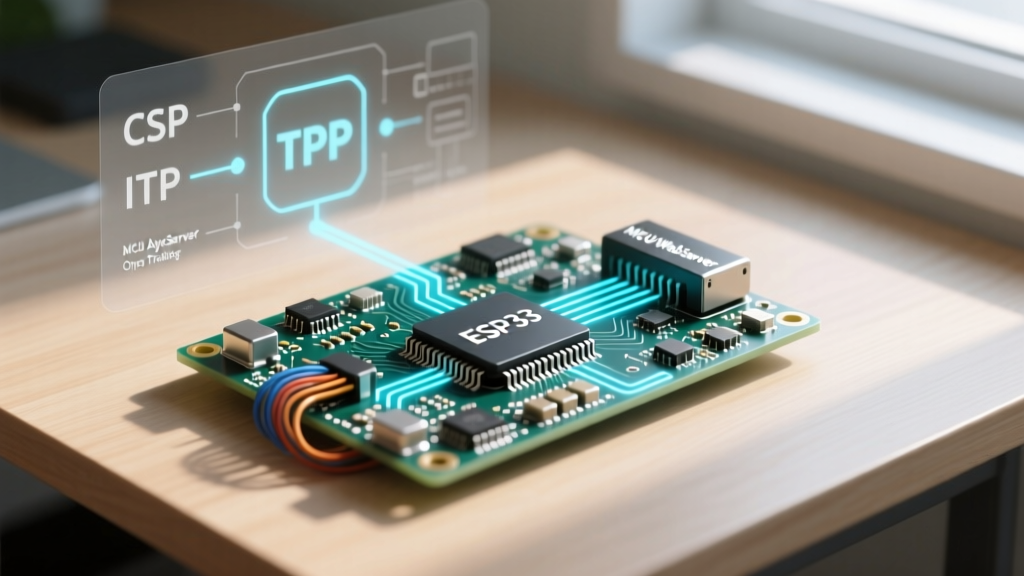

The Architecture: Why 'onClient' Confuses ESP Developers
If you have spent hours searching the ESPAsyncWebServer GitHub repository for an onClient method, you are not alone. However, you will never find it in the AsyncWebServer class. This is a fundamental point of confusion in ESP32 and ESP8266 network programming.
The AsyncWebServer is strictly an HTTP/HTTPS Layer 7 protocol handler. It routes requests, parses headers, and serves files. It does not manage raw, persistent client connections directly. When developers search for 'ESP AsyncWebServer onClient', they are usually trying to achieve one of three things:
- Intercepting raw, unformatted TCP data streams (Layer 4).
- Tracking persistent WebSocket connections (Layer 7).
- Logging IP addresses and session states of standard HTTP visitors.
To build robust IoT dashboards or high-throughput data loggers on an ESP32-WROOM-32 or ESP32-S3, you must understand how to leverage the underlying AsyncTCP library alongside the web server. This guide breaks down the exact communication setup required to master client tracking across all three layers.
Layer 1: Tracking Standard HTTP Clients in AsyncWebServer
For standard stateless HTTP requests, you do not need an onClient event. Instead, you extract client telemetry directly from the AsyncWebServerRequest object passed to your route handlers. This is essential for basic access logging, geo-blocking, or rate-limiting.
server.on('/api/data', HTTP_GET, [](AsyncWebServerRequest *request){
    IPAddress clientIP = request->client()->remoteIP();
    String userAgent = request->getHeader('User-Agent')->value();

    Serial.printf('HTTP Client Connected: %s\n', clientIP.toString().c_str());

    request->send(200, 'application/json', '{"status":"ok"}');
});
Pro-Tip: If you are building a captive portal or an authentication gateway, always check request->client()->localIP() against the client's requested Host header. DNS rebinding attacks on local IoT networks often exploit the failure to validate this handshake.
Layer 2: The Real 'onClient' — Raw TCP via AsyncServer
If your project requires a custom binary protocol, raw socket communication, or integration with legacy industrial equipment (like raw TCP Modbus or custom NMEA streams), you must bypass the HTTP parser entirely. This is where the actual onClient method lives: inside the AsyncServer class provided by AsyncTCP (for ESP32) or ESPAsyncTCP (for ESP8266).
You can run an AsyncServer (Raw TCP) and an AsyncWebServer (HTTP) simultaneously on different ports, sharing the same Wi-Fi stack and FreeRTOS event loop.
Code Implementation: Intercepting Raw TCP Connections
#include <AsyncTCP.h>

AsyncServer tcpServer(8080); // Listen on port 8080

void setupRawTCP() {
    tcpServer.onClient([](void *arg, AsyncClient *client) {
        Serial.printf('New Raw TCP Client from: %s\n', client->remoteIP().toString().c_str());

        // Attach data handler for incoming raw bytes
        client->onData([](void *arg, AsyncClient *c, void *data, size_t len) {
            Serial.printf('Received %u bytes\n', len);
            // Echo data back
            c->write((const char*)data, len);
        }, NULL);

        // Handle disconnects to prevent memory leaks
        client->onDisconnect([](void *arg, AsyncClient *c) {
            Serial.println('Client Disconnected');
            c->free(); // CRITICAL: Free the AsyncClient object
        }, NULL);

    }, NULL);

    tcpServer.begin();
}
Critical Memory Management: Notice the use of c->free() in the disconnect callback. A common failure mode in ESP32 TCP programming is using c->close() and assuming the object is destroyed. close() merely initiates the TCP FIN handshake. If the remote client drops off the network without acknowledging, the AsyncClient object remains in heap memory, eventually causing an Out-Of-Memory (OOM) panic. free() forcefully aborts the connection (sending a TCP RST) and immediately reclaims the heap allocation.
Layer 3: Persistent Client Management (WebSockets & SSE)
If your goal with 'onClient' was to track active browser tabs pushing real-time sensor data, WebSockets are the correct architectural choice. The AsyncWebSocket class uses an onEvent callback that functions exactly how most developers mistakenly expect onClient to work.
AsyncWebSocket ws('/ws');

void setupWebSockets() {
    ws.onEvent([](AsyncWebSocket *server, AsyncWebSocketClient *client, AwsEventType type, void *arg, uint8_t *data, size_t len) {
        if (type == WS_EVT_CONNECT) {
            Serial.printf('ws[%s] client #%u connected from %s\n', server->url(), client->id(), client->remoteIP().toString().c_str());
        } else if (type == WS_EVT_DISCONNECT) {
            Serial.printf('ws[%s] client #%u disconnected\n', server->url(), client->id());
        }
    });
    server.addHandler(&ws);
}
By tracking the client->id(), you can maintain an array of active connections and push targeted telemetry updates (e.g., sending temperature data only to clients subscribed to the 'kitchen' zone).
Comparison Matrix: HTTP vs. Raw TCP vs. WebSocket Client Handling
| Feature | AsyncWebServer (HTTP) | AsyncServer (Raw TCP onClient) | AsyncWebSocket (onEvent) |
|---|---|---|---|
| OSI Layer | Layer 7 (Application) | Layer 4 (Transport) | Layer 7 (Application) |
| Connection State | Stateless (Request/Response) | Stateful (Persistent Stream) | Stateful (Persistent Frame) |
| Callback Method | server.on() |
tcpServer.onClient() |
ws.onEvent() |
| Best Use Case | Dashboards, REST APIs, Config | Custom Binary Protocols, Modbus | Real-time Charts, Telemetry |
| Memory Overhead | Low (per request) | Medium (Buffer dependent) | High (Frame parsing buffers) |
Real-World Troubleshooting: Memory Leaks and WDT Resets
When implementing raw TCP onClient handlers or heavy WebSocket tracking on ESP32 hardware, developers frequently encounter two catastrophic failure modes. Understanding the Espressif Memory Allocation architecture is key to solving them.
1. The Task Watchdog Timer (TWDT) Bite
The AsyncTCP library operates on a dedicated FreeRTOS task (usually pinned to Core 0 on the ESP32, while Arduino loop runs on Core 1). If your onClient or onData callback includes blocking operations—such as synchronous LittleFS file writes, delay(), or heavy cryptographic hashing—you will starve the LWIP (Lightweight IP) stack. The Task Watchdog will trigger, and the ESP32 will reboot with a Guru Meditation Error: Core 0 panic'ed (TaskWDT).
Solution: Never block inside an Async callback. Use xQueueSend() to pass incoming TCP data to a separate consumer task running on Core 1, keeping the LWIP thread completely unblocked.
2. Heap Fragmentation and OOM Panics
Every time a client connects via onClient, the AsyncTCP library allocates contiguous blocks of RAM for the send/receive ring buffers. On the ESP8266 (which lacks an MMU and has very limited contiguous SRAM), rapid connect/disconnect cycles will fragment the heap. Eventually, a 1.5KB contiguous block cannot be found, and the ESP8266 throws an Exception (28) or Exception (29).
Solution: If you must use ESP8266 for raw TCP, implement strict connection limits in your onClient callback. If clientCount > MAX_CLIENTS, immediately call client->abort() and client->free() before attaching any data handlers. For ESP32-S3 or ESP32-WROVER modules, enable PSRAM and configure AsyncTCP to prefer external RAM for buffer allocations where supported.
Summary
The search for 'ESP AsyncWebServer onClient' stems from a misunderstanding of network layers. By separating your architecture into HTTP routing (AsyncWebServer), raw TCP interception (AsyncServer.onClient), and persistent browser tracking (AsyncWebSocket.onEvent), you unlock the full non-blocking potential of the ESP32. Always respect the FreeRTOS boundaries, manage your AsyncClient pointers aggressively with free(), and your IoT communication setups will remain stable for years.