
The Hidden Cost of Blocking MQTT on Microcontrollers
When prototyping IoT devices, most developers start with the classic while(!client.connected()) reconnection loop. While this works on a testbench, it is a catastrophic anti-pattern for production deployments. In 2026, with the ESP32-WROOM-32E serving as the standard workhorse for WiFi IoT (priced around $4.50 per module), blocking the main thread during network drops guarantees a Watchdog Timer (WDT) reset. If your router reboots or your ISP drops the WAN connection, a blocking MQTT reconnect loop will freeze the microcontroller for up to 30 seconds per attempt, triggering the ESP32's Task Watchdog and causing an endless reboot cycle.
To build resilient firmware, we must shift from synchronous, blocking calls to asynchronous, event-driven state machines. This guide details the exact code patterns, memory management strategies, and protocol configurations required to deploy bulletproof Arduino MQTT nodes in the field.
Library Selection: Synchronous vs. Asynchronous
Choosing the right MQTT client library dictates your firmware's architecture. The legacy PubSubClient by Nick O'Leary is ubiquitous but fundamentally synchronous. For modern, non-blocking applications, asynchronous libraries are mandatory.
| Library | Execution Model | Max QoS | RAM Footprint | Best Use Case |
|---|---|---|---|---|
| PubSubClient | Blocking (Synchronous) | QoS 1 | ~4 KB | Simple, single-threaded sensor nodes with no strict timing requirements. |
| AsyncMqttClient | Non-Blocking (Event-Driven) | QoS 2 | ~8-12 KB | Production ESP32 firmware requiring concurrent sensor reading and network TX/RX. |
| ArduinoMqttClient | Non-Blocking (Polling) | QoS 1 | ~6 KB | Arduino Nano 33 IoT and Portenta boards utilizing the official Arduino ecosystem. |
For ESP32 development in the Arduino framework, AsyncMqttClient is the superior choice. It leverages the ESPAsyncTCP stack, firing callbacks only when packets arrive or connect, completely freeing your loop() function to handle local hardware interrupts and sensor polling.
Core Pattern: The Non-Blocking State Machine
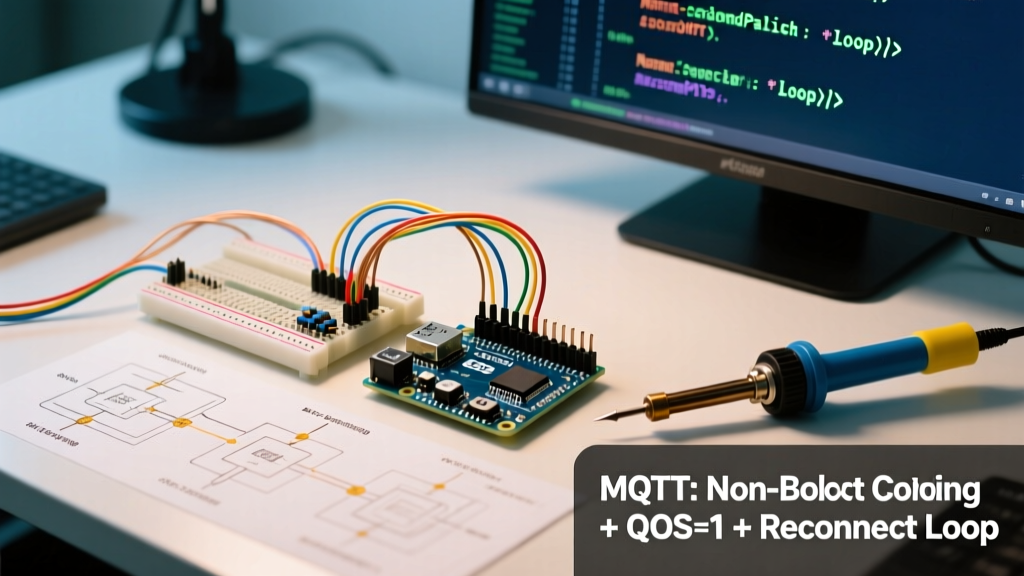
The golden rule of Arduino MQTT programming is that network operations must never halt the CPU. Below is the foundational state machine pattern for handling connections without blocking.
#include <WiFi.h>
#include <AsyncMqttClient.h>

AsyncMqttClient mqttClient;
unsigned long previousMillis = 0;
const long MQTT_RECONNECT_INTERVAL = 5000;
bool mqttConnected = false;

void onMqttConnect(bool sessionPresent) {
  mqttConnected = true;
  mqttClient.subscribe("fleet/device/cmd", 1);
}

void onMqttDisconnect(AsyncMqttClientDisconnectReason reason) {
  mqttConnected = false;
  // State machine handles reconnect in loop()
}

void setup() {
  Serial.begin(115200);
  mqttClient.onConnect(onMqttConnect);
  mqttClient.onDisconnect(onMqttDisconnect);
  mqttClient.setServer("broker.hivemq.com", 1883);
  WiFi.begin("SSID", "PASSWORD");
}

void loop() {
  unsigned long currentMillis = millis();

  if (!mqttConnected && WiFi.status() == WL_CONNECTED) {
    if (currentMillis - previousMillis >= MQTT_RECONNECT_INTERVAL) {
      previousMillis = currentMillis;
      mqttClient.connect(); // Non-blocking call
    }
  }

  // Your sensor reading and local logic runs uninterrupted here
}
Implementing Exponential Backoff
In fleet deployments, a localized power outage can cause hundreds of devices to reconnect simultaneously when power is restored. If every device hammers the broker every 5 seconds, you will trigger a Distributed Denial of Service (DDoS) on your own infrastructure. According to the OASIS MQTT 5.0 Specification, clients should implement jitter and exponential backoff.
Multiply your MQTT_RECONNECT_INTERVAL by a factor of 2 upon each failed attempt, capping at a maximum of 5 minutes (300,000 ms), and add a random jitter of 0-2000 ms using the ESP32's hardware random number generator (esp_random()).
Last Will and Testament (LWT): The Silent Guardian
A common failure mode in DIY IoT is the "ghost device"—a node that loses power abruptly, leaving its status as "Online" on the dashboard forever. The MQTT Last Will and Testament (LWT) feature solves this by instructing the broker to publish a specific payload if the client's TCP connection drops ungracefully.
Expert Tip: Always pair LWT with the Retain flag. If a dashboard loads after the device has died, a retained LWT message ensures the UI immediately reflects the offline state without waiting for a new telemetry update.
Configure your LWT before calling connect():
mqttClient.setWill("fleet/device/01/status", 1, true, "{\"state\":\"offline\"}");When the device boots and connects successfully, your onMqttConnect callback must immediately publish a retained "online" payload to overwrite the LWT.
Memory Fragmentation and Payload Parsing
The ESP32-WROOM-32E features roughly 320KB of usable SRAM. However, as documented in the Espressif Memory Allocation Guide, heap fragmentation can cause malloc() failures even when free RAM appears abundant. This is heavily exacerbated by the Arduino String class when parsing incoming MQTT JSON payloads.
The ArduinoJson v7 Pattern
Never use String to concatenate or parse MQTT payloads. Instead, use ArduinoJson v7 with statically allocated memory pools. This guarantees zero heap fragmentation during the device's uptime.
#include <ArduinoJson.h>

void onMqttMessage(char* topic, char* payload, AsyncMqttClientMessageProperties properties, size_t len, size_t index, size_t total) {
  // Allocate a static JSON document on the stack or as a global static
  JsonDocument doc;
  DeserializationError error = deserializeJson(doc, payload, len);

  if (error) {
    Serial.print(F("deserializeJson() failed: "));
    Serial.println(error.f_str());
    return;
  }

  const char* cmd = doc["cmd"];
  if (strcmp(cmd, "reboot") == 0) {
    ESP.restart();
  }
}
QoS and Payload Optimization Matrix
Understanding Quality of Service (QoS) levels is critical for balancing battery life, bandwidth, and data integrity. The HiveMQ MQTT Essentials guide outlines the mechanics, but field application requires strategic mapping.
| QoS Level | Delivery Guarantee | Overhead | Best Application Scenario |
|---|---|---|---|
| QoS 0 | At most once (Fire and forget) | Minimal (2 bytes header) | High-frequency sensor telemetry (e.g., temperature every 5s). Occasional packet loss is acceptable. |
| QoS 1 | At least once (ACK required) | Moderate (PUBACK packet) | State changes, OTA update triggers, and LWT status updates. Duplicates must be handled by the receiver. |
| QoS 2 | Exactly once (4-step handshake) | High (PUBREC, PUBREL, PUBCOMP) | Financial transactions or critical safety interlocks. Avoid on battery-powered nodes due to latency and TX power costs. |
Debugging Common MQTT Failure Modes
When your Arduino MQTT node fails in the field, check these specific edge cases before rewriting your code:
- NAT Timeout Drops: If your device sits behind a cellular or strict NAT router, the router may silently drop idle TCP connections after 60 seconds. If your MQTT Keep-Alive is set to 120 seconds, the broker will think the client is alive, but the router has already killed the socket. Fix: Set the MQTT Keep-Alive to 45 seconds for cellular deployments.
- MQTTS (TLS) RAM Starvation: Upgrading from port 1883 to port 8883 (TLS) requires the mbedTLS library. A standard TLS handshake on the ESP32 consumes roughly 25KB to 40KB of RAM. If your device is already running a web server or heavy buffers, the TLS handshake will fail silently with a
-0x7F00(out of memory) error. Fix: MonitorESP.getFreeHeap()andESP.getMinFreeHeap()during the connection phase. - Payload Truncation: The default maximum payload size in many lightweight brokers is 256 bytes. If you send a 500-byte JSON array, the broker will sever the connection immediately. Fix: Check your broker's
max_packet_sizeconfiguration and chunk large payloads if necessary.
Conclusion
Transitioning from blocking scripts to non-blocking, event-driven Arduino MQTT patterns is the dividing line between a hobby project and a commercial IoT product. By leveraging asynchronous libraries, implementing exponential backoff, utilizing LWT, and strictly managing heap memory with static JSON parsing, your ESP32 nodes will survive the chaos of real-world network environments. Write your code for the worst-case network scenario, and the hardware will take care of the rest.