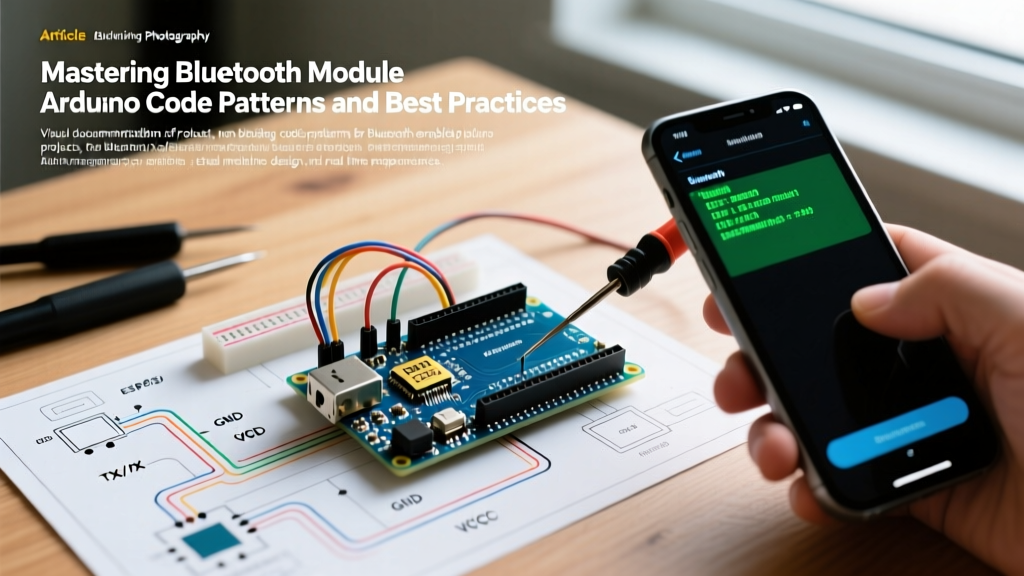

The Evolution of Arduino Bluetooth Hardware in 2026
When integrating a bluetooth module arduino setup, the hardware landscape has shifted dramatically. While the classic HC-05 (Classic Bluetooth 2.0) and HM-10 (BLE 4.0) modules were the undisputed kings of the 2010s, modern embedded design in 2026 heavily favors integrated SoCs like the ESP32-C3 or specialized BLE 5.0 UART bridges. However, the fundamental code patterns required to handle asynchronous serial data remain identical across all these platforms.
The most common point of failure in DIY and prototyping environments is not the hardware itself, but the firmware architecture. Blocking serial reads, unmanaged ring buffers, and naive string parsing lead to dropped packets, sensor lag, and unpredictable system resets. In this guide, we dissect the exact code patterns and best practices required to build bulletproof Bluetooth communication layers.
Module Comparison & Baud Rate Realities
| Module / SoC | Protocol | Default Baud | 2026 Avg. Cost | Best Use Case |
|---|---|---|---|---|
| HC-05 (Zigbee/AT) | Classic 2.0 | 9600 (Data) / 38400 (AT) | $4.50 - $6.00 | Legacy SPP, high-throughput raw data |
| HM-10 (CC2541) | BLE 4.0 | 9600 | $6.00 - $9.00 | iOS-compatible low-power telemetry |
| ESP32-C3 SuperMini | BLE 5.0 / WiFi | 115200 (Native) | $3.00 - $4.50 | Modern IoT, NimBLE stack, native UART |
The Blocking Trap: Why Your Main Loop Stalls
To understand best practices, we must first examine the most pervasive anti-pattern in Arduino Bluetooth programming: the blocking read. Many tutorials demonstrate using Serial.readStringUntil() or while(Serial.available()) paired with delay() to wait for incoming mobile app commands.
The Anti-Pattern
// BAD: Blocking the main loop
void loop() {
  if (Serial.available()) {
    // Blocks execution until newline is received OR 1000ms timeout hits
    String cmd = Serial.readStringUntil('\n');
    processCommand(cmd);
  }
  readCriticalSensors(); // Delayed by serial timeout!
}
Why this fails: If your mobile app sends a command without a trailing newline character, readStringUntil() will hang the entire microcontroller for the default 1000ms timeout. During this time, your PID control loops, motor PWM updates, and sensor sampling are completely paralyzed. Furthermore, the Arduino AVR RX buffer is typically only 64 bytes (or 256 bytes on newer Mega cores). If a burst of BLE data arrives while your MCU is executing a blocking delay() elsewhere, the hardware UART FIFO overflows, and bytes are silently dropped.
Best Practice 1: Non-Blocking Byte-by-State Parsing
The professional approach to handling a bluetooth module arduino serial stream is to implement a non-blocking Finite State Machine (FSM). Instead of waiting for a full string, we read exactly one byte per loop iteration, categorize it, and build the payload in the background. This guarantees your loop() executes thousands of times per second, keeping motor controls and sensor reads perfectly timed.
The State Machine Pattern
Assume our mobile app sends commands formatted as <CMD:VALUE> (e.g., <SPD:255> for motor speed). We define states to track our position in the packet.
enum ParseState { IDLE, READ_CMD, READ_VAL };
ParseState currentState = IDLE;

String cmdBuffer = "";
String valBuffer = "";

void handleBluetooth() {
  while (Serial.available()) {
    char c = Serial.read();

    switch (currentState) {
      case IDLE:
        if (c == '<') {
          currentState = READ_CMD;
          cmdBuffer = "";
          valBuffer = "";
        }
        break;

      case READ_CMD:
        if (c == ':') {
          currentState = READ_VAL;
        } else if (c == '>') {
          currentState = IDLE; // Malformed, reset
        } else {
          cmdBuffer += c;
        }
        break;

      case READ_VAL:
        if (c == '>') {
          executeCommand(cmdBuffer, valBuffer.toInt());
          currentState = IDLE;
        } else {
          valBuffer += c;
        }
        break;
    }
  }
}

void loop() {
  handleBluetooth(); // Takes < 5 microseconds if no data is waiting
  updateMotorPID();  // Runs smoothly without interruption
}
This pattern is heavily inspired by industrial Arduino serial communication standards, ensuring that memory fragmentation is minimized because we only allocate strings when a start delimiter is positively identified.
Best Practice 2: HardwareSerial vs. SoftwareSerial
A critical architectural decision in any bluetooth module arduino project is selecting the correct serial port. The SoftwareSerial library is a staple for beginners using the Arduino Uno or Nano, but it comes with severe hidden costs.
- Interrupt Disabling:
SoftwareSerialrelies on pin-change interrupts and actively disables global interrupts (cli()) while receiving or transmitting a byte. At 9600 baud, this locks out other interrupts for over 1ms per byte. If you are reading rotary encoders or using PWM timing libraries,SoftwareSerialwill corrupt your data. - Baud Rate Limits: While the HC-05 can be configured for 115200 baud,
SoftwareSerialbecomes highly unreliable above 38400 baud due to CPU cycle timing jitter.
Expert Recommendation: If you must use an external Bluetooth module on an 8-bit AVR, upgrade to an Arduino Mega2560 to utilize its spare HardwareSerial ports (Serial1, Serial2, Serial3). Alternatively, migrate to an ESP32-C3, which features native UART peripherals and a dedicated NimBLE Bluetooth stack that operates entirely asynchronously via FreeRTOS tasks.
Edge Case Handling: Module Resets & Buffer Overflows
Real-world RF environments are noisy. Bluetooth modules can drop connections, reset due to voltage brownouts, or experience buffer overflows on the mobile app side. Robust firmware must anticipate these edge cases.
1. Hardware Connection Detection (The STATE Pin)
Polling the module via AT commands to check connection status wastes cycles and requires complex mode-switching. Instead, use the hardware STATE pin found on the HC-05 and HM-10.
- Wiring: Connect the module's
STATE(orPIO) pin to a digital input on the Arduino (e.g., Pin 4). - Logic: The pin outputs
LOWwhen disconnected andHIGHwhen a serial link is established. - Code Pattern: Use an interrupt or a fast digital read to trigger a UI update or halt motor operations the millisecond the Bluetooth link drops.
2. Implementing a Ring Buffer for Burst Data
When dealing with BLE UART services (like the Adafruit Bluefruit LE UART), data often arrives in 20-byte MTU (Maximum Transmission Unit) chunks. If your MCU is busy writing to an SD card, the standard 64-byte RX buffer will overflow.
Solution: Implement a software ring buffer in your serialEvent() or a high-priority timer interrupt. By continuously draining the hardware FIFO into a 512-byte software ring buffer, you decouple the hardware reception speed from your application's processing speed.
Summary Checklist for Production Firmware
Before deploying your bluetooth module arduino project outside the lab, verify your code against this checklist:
- No Blocking Calls: Zero instances of
delay(),readString(), orwaitFor()in the main execution path. - Delimiters Defined: All string parsing relies on explicit start (
<) and end (>) delimiters, not arbitrary timeouts. - Baud Rate Match: The MCU
Serial.begin()exactly matches the module's configured baud rate (verified via AT commands, not assumed). - Failsafe States: If the Bluetooth connection drops (detected via STATE pin or heartbeat timeout), all actuators default to a safe state (e.g., motors stop, relays open).
- Memory Safety: String concatenation is bounded. Buffers have hard limits to prevent SRAM exhaustion and heap fragmentation.
By shifting from naive, blocking tutorials to event-driven state machines, you transform a fragile hobby project into a responsive, industrial-grade wireless control system.


