
The Evolution of Arduino Library Management
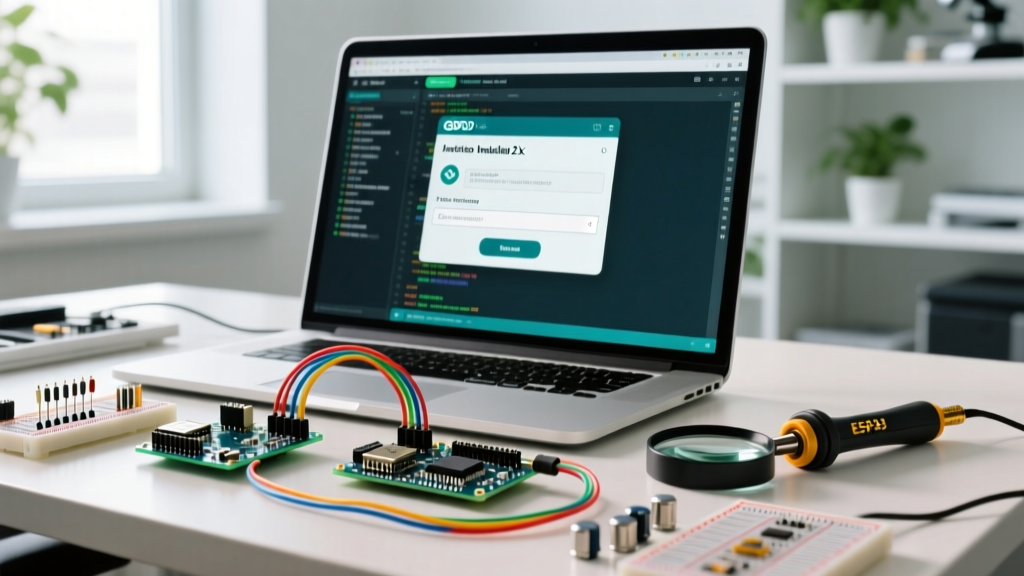
In the modern embedded development landscape of 2026, managing dependencies is no longer just about downloading a single header file. When developers need to Arduino install library packages, they are interacting with a complex ecosystem of version control, architecture-specific compilation flags, and dependency trees. Whether you are using the Arduino IDE 2.3.x, the Arduino CLI, or transitioning to PlatformIO, understanding the underlying mechanics of library installation is critical for avoiding compilation failures and memory bloat.
This deep dive moves beyond basic tutorials. We will dissect the three primary installation methods, analyze the strict anatomy of the library.properties file, and troubleshoot the notorious dependency conflicts that plague complex projects involving ESP32, RP2040, and AVR microcontrollers.
Core Methods to Arduino Install Library Dependencies
Method 1: The Library Manager (The Indexed Route)
The Arduino IDE Library Manager relies on a centralized index hosted by the Arduino team. When you search for a library, the IDE queries a JSON index that maps repository URLs to specific release tags. To use this method effectively, you must understand its limitations: only libraries with a valid library.properties file and a compliant repository structure are indexed.
- Version Locking: In IDE 2.x, you can pin specific versions. This is crucial for libraries like
FastLEDorAdafruit_GFX, where major version bumps often deprecate legacy API calls. - Automatic Dependency Resolution: If a library declares dependencies in its properties file, the manager will prompt you to install them. However, it will only install the latest compatible version, which can sometimes break legacy code.
Method 2: Manual ZIP Import (The Offline/GitHub Route)
When a library is too new, too niche, or a private fork, it won't appear in the Library Manager. The 'Include Library > Add .ZIP Library' function is your fallback. However, the most common failure mode here is the invalid folder structure error.
Expert Insight: The IDE expects the ZIP file to contain a single root folder, which in turn contains thesrc/directory andlibrary.properties. If you download a ZIP directly from a GitHub branch, it often includes the branch name in the root folder (e.g.,my-lib-main/). The IDE will strip the '-main' suffix, but if the internal structure is nested incorrectly, the compiler will fail to index the headers.
Method 3: Direct Git Cloning (The Power User Route)
For professional firmware engineers, manually downloading ZIPs is inefficient. The most robust way to Arduino install library files for active development is cloning directly into the sketchbook libraries folder.
cd ~/Documents/Arduino/libraries
git clone --recursive https://github.com/author/repository.git
Using the --recursive flag is mandatory in 2026, as many advanced libraries (like TFT_eSPI or specialized LoRaWAN stacks) rely on Git submodules for underlying hardware abstraction layers (HAL). Without it, your compilation will fail with missing source file errors.
File System Anatomy: Where Do Libraries Actually Live?
To debug installation issues, you must know where the IDE places files. The default sketchbook library paths have remained consistent, but the IDE 2.x cache system introduces a new layer of complexity.
| Operating System | Default User Library Path | IDE 2.x Cache/State Path |
|---|---|---|
| Windows 10/11 | C:\Users\[User]\Documents\Arduino\libraries | C:\Users\[User]\AppData\Local\Arduino15 |
| macOS (Apple Silicon/Intel) | /Users/[User]/Documents/Arduino/libraries | /Users/[User]/Library/Application Support/arduino-ide |
| Linux (Ubuntu/Debian) | /home/[User]/Arduino/libraries | /home/[User]/.config/arduino-ide |
Edge Case - Stale Cache: If you manually delete a library from the Documents folder but the IDE still attempts to compile it, the IDE 2.x language server (clangd) is holding a stale index. You must delete the packages and staging folders within the AppData/Local cache directory to force a rebuild of the library index.
The Blueprint: Anatomy of library.properties
The compiler does not read your mind; it reads the library.properties file. According to the Arduino CLI Library Specification, this file dictates how the build system integrates the code. Here are the critical fields that dictate compilation success:
- architectures: A comma-separated list (e.g.,
avr,esp32,samd,rp2040). If you attempt to compile an ESP32 sketch using a library whereesp32is missing from this list, the IDE will throw a warning or skip the library entirely, resulting in 'file not found' errors. - depends: Lists required libraries. Note that the Arduino ecosystem does not support semantic versioning (SemVer) ranges in this field natively; it only checks for the presence of the library name.
- includes: Explicitly tells the IDE which header files should be surfaced in the 'Sketch > Include Library' menu. If your main header is named differently than the library folder, this field bridges the gap.
Resolving Dependency Hell: Troubleshooting Matrix
When you Arduino install library packages from multiple sources, conflicts are inevitable. Below is a diagnostic matrix for the most common compilation errors related to library management.
| Compilation Error / Warning | Root Cause Analysis | Engineer's Resolution |
|---|---|---|
Multiple libraries were found for 'SD.h' | The IDE found the core SD library and a user-installed fork. The build system uses a priority scoring algorithm to pick one. | Check the verbose compilation output to see which path was chosen. Delete the duplicate from the sketchbook folder, or use exact casing in your #include statement to force priority. |
fatal error: Wire.h: No such file or directory | A sensor library relies on I2C but fails to include the core Wire library, or you are compiling for an architecture (like ATTiny85) that uses a different I2C implementation (TinyWireM). | Manually add #include <Wire.h> at the very top of your main .ino file, before the sensor library include. For ATTiny, install the TinyWireM library and modify the sensor library's source. |
undefined reference to `operator new(unsigned int)' | Memory allocation failure. The library uses dynamic memory (heap), but the selected AVR board profile lacks the standard C++ allocation hooks. | Switch to a board package that supports standard C++ (like MiniCore or MegaCore), or refactor the library to use static memory allocation (stack/arrays). |
Advanced Management: Arduino IDE vs. PlatformIO
While the Arduino IDE is sufficient for single-board prototyping, professional firmware development in 2026 heavily favors PlatformIO for library management. The PlatformIO Library Registry offers strict semantic versioning, isolated project environments, and automated CI/CD integration.
| Feature | Arduino IDE 2.3.x | PlatformIO (VS Code Extension) |
|---|---|---|
| Library Scope | Global (installed to user sketchbook folder, shared across all projects). | Project-Local (installed to the project's .pio/libdeps folder, ensuring isolation). |
| Version Control | Manual selection via GUI; no lockfile for project portability. | Defined in platformio.ini; supports exact versions, Git URLs, and local paths. |
| Dependency Resolution | Basic (prompts user to install missing dependencies). | Advanced (automatically resolves and downloads nested dependency trees via LDF). |
| Architecture Flags | Handled silently by the IDE based on selected board. | Explicitly defined via lib_compat_mode and lib_ldf_mode in config. |
For teams collaborating on GitHub, relying on the Arduino IDE's global library installation is a recipe for 'it works on my machine' syndrome. PlatformIO's platformio.ini file acts as a manifest, guaranteeing that every developer and CI runner installs the exact same library versions.
Pro-Tips for 2026 Library Hygiene
As the IoT and embedded ecosystem matures, the sheer volume of available libraries has led to significant bloat. To maintain optimal flash and RAM usage, adopt these hygiene practices:
- Audit the Source: Before you Arduino install library files from unknown GitHub users, check the repository's issue tracker. Abandoned libraries often contain memory leaks or unpatched security vulnerabilities in network stacks (like MQTT or HTTP clients).
- Prune Regularly: The Library Manager does not automatically remove unused libraries. Periodically review your
librariesfolder and delete deprecated packages to speed up the IDE's background indexing (clangd) and reduce 'multiple libraries found' warnings. - Read the Official Docs: Always cross-reference installation steps with the Arduino IDE V2 Library Documentation, as the transition from the legacy Java IDE to the modern Electron-based IDE fundamentally changed how background compilation and library caching operate.
Mastering library installation and management is not just about getting code to compile; it is about establishing a reproducible, stable foundation for your embedded systems. By understanding the file anatomy, leveraging Git for version control, and knowing how to resolve architecture conflicts, you elevate your workflow from hobbyist to professional firmware engineer.