
The Reality of Arduino-to-Arduino Bluetooth Links
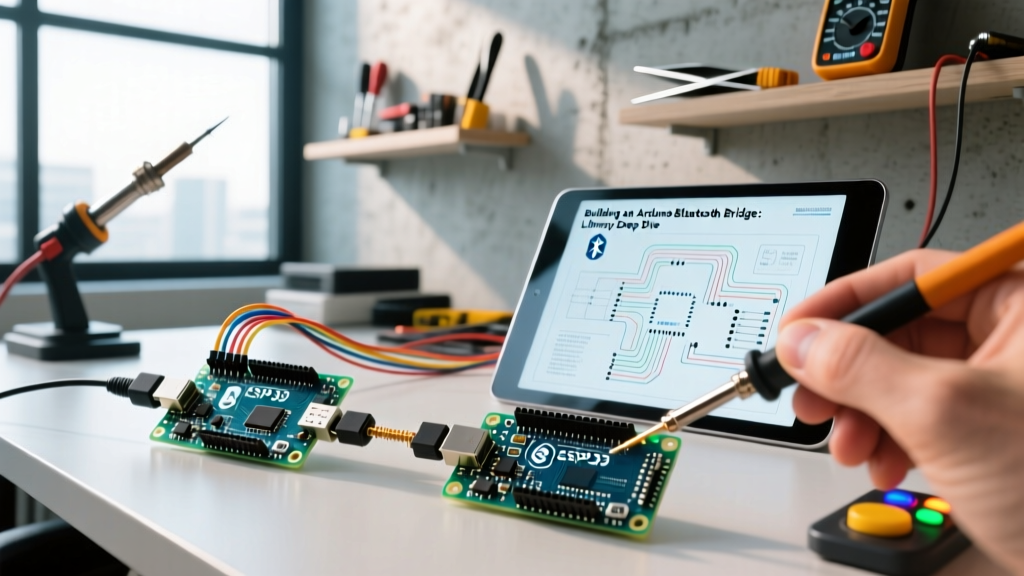
Building a wireless telemetry bridge between two microcontrollers is a staple of DIY robotics, rovers, and distributed sensor networks. When engineering an Arduino Bluetooth Arduino bridge, the physical hardware module (like the HC-05, HM-10, or native BLE chips) usually gets all the attention. However, the serial communication library you choose to drive that hardware dictates whether your link drops critical packets or runs flawlessly under load.
In this 2026 deep dive, we dissect the C++ libraries powering these wireless bridges. We will move beyond basic 'Hello World' tutorials and explore the interrupt overhead, baud rate limitations, and memory footprints of the libraries that actually make or break your wireless bridge.
The Hardware Baseline: Classic vs. BLE
Before selecting a library, we must define the physical layer. The market has largely bifurcated into two camps for DIY Arduino-to-Arduino links:
- Classic Bluetooth 2.0 (HC-05 / HC-06): Still widely available in 2026 for roughly $4.50 to $6.00 per module. It emulates a standard serial cable, making it easy to conceptualize, but it draws significant power (up to 250mA during transmission peaks).
- Bluetooth Low Energy 4.0+ (HM-10 / Native ARM BLE): The HM-10 module costs around $3.00 to $5.00. Modern boards like the Arduino Nano 33 BLE Sense ($25.00) or ESP32 variants have native BLE radios, eliminating the need for external UART modules entirely, but requiring a completely different software paradigm (GATT servers).
Serial Library Comparison Matrix
Because standard 8-bit Arduinos (Uno R3, Nano) only possess one hardware UART (shared with the USB-to-Serial chip), developers must rely on software-emulated UARTs for external Bluetooth modules. Here is how the major libraries compare:
| Library | Max Reliable Baud | Pin Flexibility | Interrupt Overhead | Best Use Case |
|---|---|---|---|---|
| HardwareSerial | 1,000,000+ | Pins 0 & 1 only | None (Hardware) | Mega2560, ESP32 secondary UARTs |
| SoftwareSerial | 57,600 | Any digital pin | High (Blocks ISR) | Low-speed 9600 baud HC-05 telemetry |
| AltSoftSerial | 31,250 | Fixed (Pins 8/9 on Uno) | Zero (Timer-based) | Reliable mid-speed HM-10 links |
| NeoSWSerial | 38,400 | Any digital pin | Low | AltSoftSerial alternative for any pin |
| ArduinoBLE | N/A (Packetized) | Native Radio | Managed by Stack | Nano 33 BLE, ESP32 native links |
Deep Dive: SoftwareSerial (The Flawed Default)
The built-in SoftwareSerial library is the default choice for 90% of beginners. According to the Arduino SoftwareSerial Documentation, it allows serial communication on any digital pins. However, it achieves this by disabling global interrupts while transmitting and receiving bits.
The Failure Mode: High Baud Rate Packet Loss
If you attempt to push an HC-05 module to its maximum AT-command baud rate of 115200 using SoftwareSerial, you will experience catastrophic packet loss. The library simply cannot toggle the pins fast enough while simultaneously handling background tasks like servo timing or sensor polling. At 115200 baud, SoftwareSerial can drop up to 30% of incoming bytes. Actionable Advice: If you must use SoftwareSerial, hard-code your HC-05 data link to 9600 or 38400 baud. Never exceed 57600 baud on an 8-bit AVR using this library.
Deep Dive: AltSoftSerial and NeoSWSerial
For professional-grade reliability on 8-bit boards, PJRC's AltSoftSerial is the gold standard. Instead of blocking interrupts to count microsecond delays, it uses the microcontroller's hardware timers to capture and generate serial waveforms.
The Pin Restriction Catch
The trade-off for zero interrupt blocking is rigid pin assignment. On an Arduino Uno or Nano, AltSoftSerial must use Pin 8 for RX and Pin 9 for TX. You cannot change this. If your shield or PCB routing requires different pins, you must pivot to NeoSWSerial, which supports any pins but is optimized for lower baud rates (capped reliably at 38400 baud) and still utilizes some interrupt overhead, albeit significantly less than the default library.
Modernizing the Bridge: ArduinoBLE and GATT Servers
If your 2026 project uses 32-bit ARM boards (like the Nano 33 BLE) or ESP32s, Classic Bluetooth is effectively dead. You are using BLE, which does not emulate a serial cable. Instead, it uses the Generic Attribute Profile (GATT). The ArduinoBLE library handles this stack.
Structuring the BLE Characteristic
When bridging two Arduinos via BLE, you must define a Service UUID and a Characteristic UUID. A common pitfall is using a BLECharacteristic with the BLERead property when you actually need BLENotify.
Expert Insight: If the Master Arduino needs to know the exact millisecond the Slave Arduino's sensor trips, do not use
readValue()polling. Define the characteristic withBLENotifyon the slave, and usecharacteristic.valueUpdated()on the master. This pushes the data instantly over the BLE stack without wasting bandwidth on polling requests.
Real-World Edge Cases & Hardware Troubleshooting
Software libraries can only do so much if the physical layer is compromised. Here are three specific hardware failure modes that plague Arduino Bluetooth Arduino bridges:
1. The 5V/3.3V Logic Clash
The HC-05 module operates at 3.3V logic. The Arduino Uno outputs 5V on its TX pin. While the HC-05's internal voltage regulator handles the 5V VCC input, feeding 5V directly into the HC-05's RX pin will slowly degrade the module's silicon, leading to corrupted AT commands and eventual thermal failure. The Fix: Always use a voltage divider on the Arduino TX to HC-05 RX line. A 1kΩ resistor in series and a 2kΩ resistor to ground will yield exactly 3.33V ($5V \times \frac{2k}{1k + 2k}$), which is perfectly within the HC-05's logic HIGH threshold.
2. The AT Mode State Machine Trap
When configuring an HC-05 as a Master/Slave pair, you must enter AT command mode. This is done by pulling the KEY/EN pin HIGH before applying power. However, developers often forget that the HC-05 defaults to 38400 baud in AT mode, but drops to 9600 baud in normal data mode. If your library code initializes SoftwareSerial.begin(9600) while the KEY pin is HIGH, your AT commands will return garbage characters. You must dynamically switch baud rates in your setup function based on the state of the configuration jumper.
3. Power Supply Sag and Brownouts
The HC-05 draws roughly 40mA when idle, but current spikes can hit 250mA during active pairing or heavy transmission bursts. If you are powering the HC-05 from the Arduino Uno's onboard 5V pin, and you are simultaneously driving servos or relays, the onboard linear regulator will overheat and drop voltage. This causes the HC-05 to silently reboot, severing the Bluetooth link. The Fix: Use a dedicated 5V buck converter (like an LM2596 module, costing about $1.50) wired directly to your battery pack to power the Bluetooth module independently of the Arduino's logic rail.
Summary: Choosing Your Stack
Building a robust Arduino Bluetooth Arduino bridge requires matching the library to the hardware reality. Use AltSoftSerial for rock-solid 8-bit Classic BT links at mid-baud rates. Reserve SoftwareSerial strictly for low-speed 9600 baud telemetry. For modern low-power IoT meshes, abandon UART emulation entirely and master the GATT notification architecture via the ArduinoBLE library. By respecting the interrupt overhead and logic-level requirements of your chosen stack, your wireless bridge will survive the transition from the workbench to the field.