
Beyond the Blink: Production-Grade MQTT with Arduino
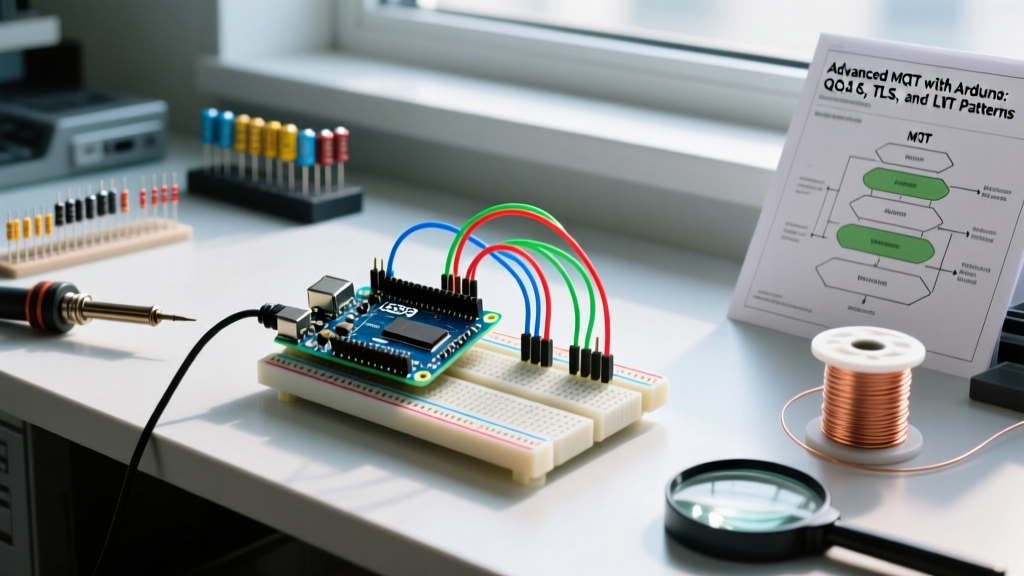
Most introductory tutorials on MQTT with Arduino stop at publishing a basic string payload over an unencrypted port 1883 connection using the ubiquitous PubSubClient library. While sufficient for toggling a relay on a breadboard, this approach fails catastrophically in real-world 2026 IoT deployments. Production environments demand guaranteed delivery, graceful edge-failure handling, and stringent TLS encryption. This guide dissects the advanced architectural patterns required to build resilient, enterprise-grade MQTT nodes using the Arduino ecosystem, specifically focusing on hardware cryptography, asynchronous state management, and zero-allocation memory techniques.
The Hardware Reality: RAM Constraints and Crypto Accelerators
Implementing MQTTS (MQTT over TLS 1.2/1.3) is fundamentally a memory and compute problem. The TLS handshake requires significant RAM for certificate buffering and cryptographic operations. When selecting your microcontroller for advanced MQTT, you must evaluate the onboard Secure Element (SE) and SRAM ceiling.
| Microcontroller Board | Core & SRAM | Secure Element | Approx. Price (2026) | MQTT TLS Suitability |
|---|---|---|---|---|
| Arduino Nano 33 IoT | SAMD21G18 (32KB SRAM) | ATECC608A (ECC) | $22.50 | Excellent (Hardware-accelerated crypto) |
| Arduino Portenta H7 | STM32H747 (1MB SRAM) | Hardware Crypto Accel. | $104.00 | Overkill for edge, great for gateways |
| Generic ESP32-C6 | RISC-V (512KB SRAM) | Flash Encryption / RSA | $4.50 | Good (Software TLS, ample RAM) |
The Arduino Nano 33 IoT is particularly notable for advanced MQTT implementations. Its onboard Microchip ATECC608A secure element allows you to offload Elliptic Curve Cryptography (ECC) operations, preventing the SAMD21 CPU from bottlenecking during the TLS handshake and preserving precious clock cycles for sensor polling.
Escaping the QoS 0 Trap: Library Selection
The standard knolleary/pubsubclient library is the default for many Arduino users, but it harbors a critical limitation: it only supports QoS 0 (At most once). In QoS 0, if a TCP packet is dropped during network congestion, your telemetry is lost forever, and the client has no mechanism to request a retransmission.
To utilize QoS 1 (At least once) and QoS 2 (Exactly once) as defined in the OASIS MQTT 5.0 Specification, you must switch to a more robust library. The 256dpi/arduino-mqtt library is the industry standard for advanced Arduino deployments. It supports non-blocking operations, QoS 1/2, and native Last Will and Testament (LWT) configuration.
Expert Insight: Avoid QoS 2 on battery-operated edge devices. The QoS 2 four-part handshake (PUBLISH, PUBREC, PUBREL, PUBCOMP) quadruples the radio-on time, draining batteries and increasing the likelihood of timeout-induced disconnects on high-latency cellular networks (e.g., LTE-M or NB-IoT). Stick to QoS 1 with application-level deduplication.
Last Will and Testament (LWT): Graceful Edge Failure Handling
When an Arduino loses power or enters a dead-zone, the TCP socket does not immediately close. The broker remains unaware of the disconnect until the TCP Keep-Alive timeout expires. LWT solves this by allowing the broker to publish a predefined 'offline' message the moment the connection drops ungracefully.
Using the arduino-mqtt library, you configure the LWT before initiating the network connection:
client.setWill("factory/line3/node42/status", "OFFLINE_UNGRACEFUL", true, 1);Notice the parameters: the topic, the payload, the retained flag (set to true, so any new dashboard connecting to the broker immediately sees the offline state), and the QoS level (1). To pair this with a graceful shutdown, your code should publish an 'ONLINE' retained message immediately after a successful client.connect(), and call client.unsubscribe() and client.disconnect() before entering deep sleep.
Securing the Pipe: MQTTS and the TLS Memory Tax
Connecting to port 8883 via MQTTS is non-negotiable for modern IoT security. However, initiating a TLS 1.2 handshake on a microcontroller with 32KB of RAM (like the SAMD21) is perilous. The BearSSL library, commonly used under the hood by Arduino's WiFiClientSecure, requires a minimum of 6KB to 12KB of contiguous RAM just to buffer the server's certificate chain.
If your Arduino sketch has already allocated large buffers for sensor arrays or strings, the TLS handshake will trigger a silent memory fault, resulting in a continuous reboot loop. To mitigate this:
- Use the Secure Element: On the Nano 33 IoT, utilize the ArduinoBearSSL and ECCX08 libraries to store the root CA and perform cryptographic math on the ATECC608A chip, bypassing SRAM limitations.
- Reduce TLS Buffer Size: If using an ESP32, you can manually restrict the TLS buffer size via
client.setBufferSizes(4096, 4096)(down from the default 16KB), provided your MQTT broker supports smaller Maximum Fragment Length (MFL) extensions. - Certificate Pinning: Instead of loading a full 2KB Root CA chain, extract the SHA-256 fingerprint of your broker's leaf certificate and verify it in code. This saves significant RAM but requires a firmware OTA update every time your broker's SSL certificate rotates.
Zero-Allocation JSON Streaming
Memory fragmentation is the silent killer of long-running Arduino MQTT nodes. Creating a JSON string in memory, converting it to a character array, and then passing it to the MQTT publish function creates massive heap fragmentation. Over a week of uptime, this guarantees a crash.
The advanced solution is zero-allocation streaming using ArduinoJson v7. Instead of serializing the JSON document into a RAM buffer, you stream it directly into the MQTT client's TCP socket.
// BAD: Allocates RAM, causes fragmentation
char buffer[256];
serializeJson(doc, buffer);
client.publish("telemetry", buffer);

// GOOD: Streams directly to the network socket
client.beginPublish("telemetry", measureJson(doc), false);
serializeJson(doc, client);
client.endPublish();
This technique, detailed in the official MQTT protocol guidelines for constrained devices, ensures that your JSON payload is chunked and sent over the wire without ever residing fully in the microcontroller's SRAM.
Advanced Troubleshooting Matrix
When debugging advanced MQTT implementations, the serial monitor rarely provides actionable context. Use this matrix to diagnose edge-case failures based on broker logs and client return codes.
| Client State / Error | Root Cause | Advanced Resolution |
|---|---|---|
| Handshake Timeout (TLS) | Broker requires TLS 1.3, but Arduino BearSSL only supports TLS 1.2. | Downgrade broker endpoint to TLS 1.2 or upgrade to ESP32-S3 with updated ESP-IDF Arduino core. |
| MQTT_CONNACK_REFUSED (Code 4) | Bad credentials or malformed Client ID. | Ensure Client ID is strictly alphanumeric and unique. AWS IoT Core rejects IDs with special characters. |
| LWT Published Prematurely | Network latency spikes exceeding the Keep-Alive interval. | Increase Keep-Alive from default 15s to 60s. Implement exponential backoff on reconnect attempts. |
| QoS 1 Message Duplication | PUBACK lost in transit; broker re-sends PUBLISH. | Implement an application-level message ID (UUID) in your JSON payload to deduplicate on the backend. |
Mastering MQTT with Arduino requires shifting your perspective from simple function calls to managing network state, memory constraints, and cryptographic overhead. By leveraging hardware secure elements, adopting non-blocking libraries, and streaming payloads directly to the socket, you transform a fragile hobbyist script into a resilient industrial edge node.