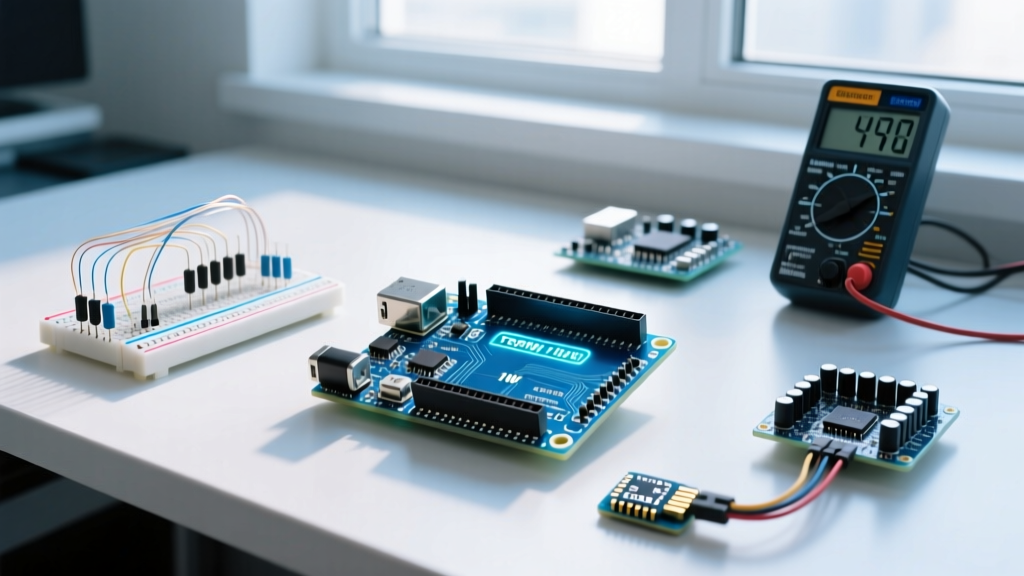

The Core Distinction: Single-Board Computer vs. Microcontroller
When beginners enter the world of embedded electronics, the most common point of confusion is understanding what makes Raspberry Pi different from Arduino microcontroller platforms. While both feature rows of GPIO (General Purpose Input/Output) pins and can blink LEDs or read sensors, their underlying architectures are fundamentally opposed.
The Raspberry Pi is a Single-Board Computer (SBC) built around a microprocessor. It runs a full desktop-class operating system (usually Linux-based Raspberry Pi OS), manages memory via an MMU (Memory Management Unit), and handles complex multitasking. Conversely, an Arduino is a Microcontroller Unit (MCU) development board. It runs 'bare-metal' firmware or a lightweight RTOS (Real-Time Operating System) directly on the silicon, executing a single program loop with deterministic, microsecond-level precision.
Hardware Architecture & Specifications (2026 Baseline)
To understand the practical differences, we must look at the current flagship models: the Raspberry Pi 5 (8GB) and the Arduino Uno R4 Minima. The gap in computational power is staggering, but more power does not always equal a better choice for hardware interfacing.
| Feature | Raspberry Pi 5 (8GB) | Arduino Uno R4 Minima |
|---|---|---|
| Core Processor | Broadcom BCM2712 (Quad-core Arm Cortex-A76 @ 2.4GHz) | Renesas RA4M1 (32-bit Arm Cortex-M4 @ 48MHz) |
| Memory (RAM) | 8GB LPDDR4X-4267 SDRAM | 32KB SRAM |
| Storage | >MicroSD / NVMe (via HAT)256KB Flash (on-chip) | |
| Operating System | Linux (Raspberry Pi OS, Ubuntu) | None (Bare-metal C++ / Arduino Core) |
| GPIO Logic Level | 3.3V (NOT 5V tolerant) | 5V (Native) |
| Typical Price | ~$80.00 USD | ~$20.00 USD |
The Operating System Factor: Multitasking vs. Determinism
The most profound difference lies in how code is executed. Because the Raspberry Pi runs Linux, your Python or C++ script is just one of dozens of processes competing for CPU time. The OS handles context switching, network stacks, and display rendering.
The Boot-Time and Reliability Gap
If you unplug a Raspberry Pi and plug it back in, it takes roughly 15 to 25 seconds to boot the Linux kernel, mount the filesystem, and start your user script. If you do the same to an Arduino Uno R4, it begins executing your setup() function in under 5 milliseconds.
Expert Insight: In safety-critical or automotive applications, a 20-second boot delay is unacceptable. Microcontrollers like the Arduino are preferred for airbags, motor controllers, and emergency stops because they offer instant-on reliability and deterministic timing. Linux introduces jitter; if the Pi's CPU spikes to 100% processing a background update, your hardware PWM signal might stutter.
GPIO Interfacing: The Analog-to-Digital (ADC) Limitation
Beginners often assume that because the Raspberry Pi is vastly more powerful, its hardware interfacing capabilities must be superior. This is a dangerous misconception. According to the official Raspberry Pi hardware documentation, the Pi's BCM SoC lacks a native Analog-to-Digital Converter (ADC).
Reading Analog Sensors
If you want to read a potentiometer, a light-dependent resistor (LDR), or an analog temperature sensor (like the TMP36), an Arduino can do this natively using its built-in 14-bit ADC pins via the analogRead() function. The Raspberry Pi cannot read analog voltages at all. To achieve this on a Pi, you must wire an external I2C or SPI ADC chip, such as the ADS1115 (approx. $5) or MCP3008, adding hardware complexity and software overhead.
The 3.3V vs 5V Logic Trap
Another critical hardware difference is the logic voltage. The Arduino Uno R4 operates at 5V logic, making it highly compatible with legacy sensors, automotive relays, and breadboard components. The Raspberry Pi strictly operates at 3.3V logic. Feeding a 5V signal into a Raspberry Pi GPIO pin will permanently destroy that pin, and potentially fry the entire SoC. Beginners must use logic level shifters or voltage dividers when connecting 5V components to a Pi.
Power Consumption and Sleep Modes
For battery-powered or remote IoT deployments, power draw dictates your platform choice. The Raspberry Pi 5 idles at roughly 2.5W to 3.5W, even with Wi-Fi disabled and no display attached. It is designed for continuous, high-throughput computing.
Conversely, as detailed in the Arduino Uno R4 Minima datasheet, microcontrollers feature deep sleep modes. By utilizing the Renesas RA4M1's software standby mode, an Arduino-based circuit can drop its power consumption to microamps (µA). A coin-cell battery that would keep a Pi alive for three hours could run a sleeping Arduino for several years, waking only via an interrupt to take a sensor reading.
The Exception: Raspberry Pi Pico
It is vital to mention the Raspberry Pi Pico (and Pico W). Despite carrying the 'Raspberry Pi' brand name, the Pico is not a single-board computer. It is a microcontroller board built around the RP2040 chip. It competes directly with the Arduino Nano, runs bare-metal C/C++ or MicroPython, lacks an OS, and costs around $4. When users ask what makes Raspberry Pi different from Arduino, they are usually referring to the main Linux SBC lineup (Pi 4, Pi 5), not the Pico microcontroller family.
Decision Matrix: Which Should You Choose?
Choosing between the two platforms comes down to the specific requirements of your project. Use this framework to make your decision:
Choose the Raspberry Pi if your project requires:
- Heavy Data Processing: Computer vision (OpenCV), machine learning inference, or audio processing.
- High-Level Networking: Hosting a complex web server, running a database, or acting as a NAS.
- Graphical Interfaces: Driving an HDMI display with a desktop UI or complex web-based dashboard.
- Multi-language Support: You prefer writing in Python, Node.js, or Rust with full OS-level library support.
Choose the Arduino if your project requires:
- Real-Time Hardware Control: Driving stepper motors, reading high-speed encoders, or generating precise PWM signals without OS jitter.
- Low Power / Battery Operation: Remote weather stations or agricultural sensors running on solar or batteries.
- Instant-On Reliability: Systems that must react to physical inputs the millisecond power is applied.
- Analog Interfacing: Direct reading of analog sensors without purchasing external ADC hardware.
For advanced 2026 architectures, the most robust solution is often a hybrid approach. Use an Arduino as a 'subordinate' node to handle real-time sensor polling, motor control, and analog reads, and send that clean data over Serial or I2C to a Raspberry Pi, which handles the heavy lifting of cloud connectivity, data logging, and user interfaces. As highlighted by embedded systems educators at SparkFun Electronics, understanding the boundary between microprocessors and microcontrollers is the first true step from hobbyist to embedded engineer.