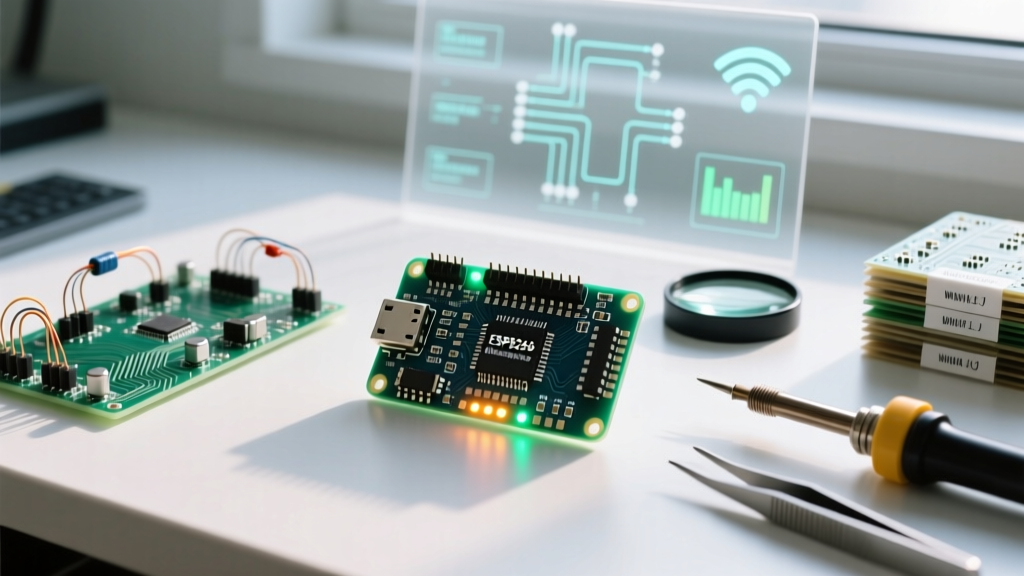

The Enduring Legacy of the ESP8266 in Modern IoT
Even in 2026, with the market saturated by dual-core ESP32 variants and RISC-V architectures, the original ESP8266 remains a cornerstone of cost-sensitive IoT design. Priced between $2.00 and $3.50 for fully assembled development boards, it offers an unbeatable price-to-performance ratio for single-threaded Wi-Fi applications like smart relays, environmental sensors, and basic telemetry nodes. However, integrating this legacy silicon into modern development workflows requires a deep understanding of the ESP8266 Arduino IDE ecosystem. This community-maintained core bridges the gap between Espressif's native RTOS SDK and the accessible, hardware-agnostic Arduino framework. In this ecosystem overview, we dissect the board manager configuration, hardware edge cases, memory constraints, and the essential libraries required to build production-ready firmware.
Configuring the Board Manager: The Gateway to the Ecosystem
Unlike first-party Arduino boards, the ESP8266 requires a third-party hardware package. The ESP8266 Community core is the undisputed standard, providing robust abstraction layers for Wi-Fi, HTTP, and filesystem operations. To configure your environment, navigate to File > Preferences in the Arduino IDE and append the official JSON index URL to the Additional Boards Manager URLs field:
http://arduino.esp8266.com/stable/package_esp8266com_index.jsonAccording to the official Arduino Cores documentation, this index allows the IDE to dynamically fetch compiler toolchains (xtensa-lx106-elf) and core libraries. Once installed via the Boards Manager, you must configure three critical parameters in the Tools menu to prevent silent failures:
- Flash Size: Always select 4MB (FS:2MB OTA:~1019KB) for NodeMCU/Wemos boards. Selecting 'no SPIFFS/LittleFS' will break OTA (Over-The-Air) update capabilities, as the ESP8266 requires a secondary flash partition to stage new firmware binaries.
- CPU Frequency: Default is 80MHz. Overclocking to 160MHz is highly recommended for TLS/SSL handshake operations, reducing cryptographic processing time by nearly 40%.
- Upload Speed: Set to 921600 baud. The CH340 and CP2102 UART bridges handle this speed reliably, cutting flash times from 45 seconds down to 12 seconds.
Hardware Variants and USB-UART Edge Cases
The ESP8266 ecosystem is fragmented across dozens of clone manufacturers. The silicon (usually an ESP-12F or ESP-12E module) is identical, but the USB-to-UART bridge chips dictate your driver requirements and upload reliability. Below is a comparison of the most prevalent development boards in the ecosystem:
| Board Variant | UART Bridge | Driver Requirement (Win/Mac) | Auto-Reset Circuit | Avg. Price (2026) |
|---|---|---|---|---|
| NodeMCU v3 (LoLin) | CH340G / CH340C | WCH Official Signed Driver | Yes (Dual NPN Transistor) | $3.20 |
| NodeMCU v2 (Amica) | CP2102 | Silicon Labs VCP Driver | Yes | $4.50 |
| Wemos D1 Mini | CH340G | WCH Official Signed Driver | Yes | $2.80 |
| Bare ESP-12F | None (Requires FTDI) | FTDI VCP Driver | No (Manual GPIO0 Pull) | $2.10 |
Resolving the 'Timed Out' Upload Error
The most frequent hurdle for developers entering the ESP8266 Arduino IDE ecosystem is the dreaded Failed to connect to ESP8266: Timed out waiting for packet header error. This occurs because the chip is not entering UART download mode. To boot into flash mode, GPIO0 must be pulled LOW during the reset sequence. While NodeMCU and Wemos boards feature auto-reset circuits utilizing the DTR and RTS serial lines, clone boards often suffer from timing mismatches. Pro-Tip: If auto-reset fails, physically press and hold the 'FLASH' button (which bridges GPIO0 to GND), tap the 'RST' button, and release the 'FLASH' button exactly as the Arduino IDE console outputs 'Connecting...'.
Memory Architecture: Navigating the 80KB DRAM Bottleneck
Understanding the ESP8266 memory map is non-negotiable for stable firmware. The chip features 4MB of external SPI Flash, but only 80KB of contiguous DRAM is available for user data and heap allocation. The ESP8266 Community GitHub repository explicitly warns against heavy use of the Arduino String class. Dynamic memory allocation and deallocation within the loop() function rapidly causes heap fragmentation. When the heap fragments, the ESP8266 may have 30KB of free RAM, but no contiguous block large enough to allocate a 4KB Wi-Fi buffer, resulting in an immediate Exception 9 (LoadStoreAlignmentCause) or Exception 28 (LoadProhibited) crash.
To monitor this in real-time, inject the following diagnostic snippet into your main loop:
Serial.printf("Free Heap: %d bytes | Fragmentation: %d%%\n", ESP.getFreeHeap(), ESP.getHeapFragmentation());If fragmentation exceeds 40%, you must refactor your code to use statically allocated char arrays or reserve String memory upfront using myString.reserve(128).
The Filesystem Paradigm: Migrating from SPIFFS to LittleFS
A major shift in the ESP8266 Arduino IDE ecosystem over the last few years is the deprecation of SPIFFS. SPIFFS was fundamentally flawed for wear-leveling on NOR flash, leading to premature sector degradation. The ecosystem has standardized on LittleFS, a power-loss resilient filesystem designed specifically for microcontrollers. When reading or writing configuration files (like JSON payloads for Wi-Fi credentials), always include #include <LittleFS.h> and format the filesystem safely on first boot:
if (!LittleFS.begin()) {
  Serial.println("LittleFS Mount Failed");
  LittleFS.format();
  LittleFS.begin();
}
Ensure your Arduino IDE 2.x environment is updated, as the legacy ESP8266 Sketch Data Upload plugin has been replaced by native filesystem integration tools provided by the core maintainers.
Essential Libraries for Production IoT
The standard Arduino libraries often fall short of the ESP8266's networking capabilities. To build robust IoT nodes, you must leverage ecosystem-specific forks and async libraries:
- ESP8266WiFi & WiFiClientSecure: Native to the core. Always use
WiFiClientSecurefor MQTT and HTTP requests. However, be aware that TLS 1.2 handshakes require approximately 28KB of heap memory. If your heap is below 35KB before initiating a secure connection, the handshake will fail silently. - ESPAsyncWebServer: The standard
ESP8266WebServerblocks the main thread while serving files, causing Wi-Fi stack starvation and disconnects. The asynchronous fork handles TCP sockets via interrupt callbacks, allowing the ESP8266 to serve a 200KB HTML dashboard while simultaneously reading an I2C BME280 sensor without dropping packets. - PubSubClient (MQTT): By default, the MQTT payload buffer is capped at 256 bytes. Modern Home Assistant auto-discovery JSON payloads easily exceed 1KB. You must edit the
PubSubClient.hheader file and redefine#define MQTT_MAX_PACKET_SIZE 1024before compiling, or your broker connections will drop instantly upon publishing.
Ecosystem Limits: When to Pivot to the ESP32
While the ESP8266 Arduino IDE ecosystem is mature and highly documented, hardware limitations dictate its boundaries. According to Espressif's official hardware design guidelines, the ESP8266 lacks native Bluetooth/BLE, hardware cryptographic accelerators, and capacitive touch pins. If your 2026 project requires local BLE mesh provisioning, secure boot v2, or simultaneous multi-protocol handling (Zigbee/Thread via 802.15.4), the ESP8266 is architecturally incapable. In those scenarios, migrating to the ESP32-C3 (which offers a similar single-core RISC-V footprint at roughly $2.50) is the logical evolution. However, for pure, low-cost Wi-Fi telemetry where every cent in the Bill of Materials matters, mastering the ESP8266 Arduino IDE ecosystem remains an indispensable skill for embedded engineers.