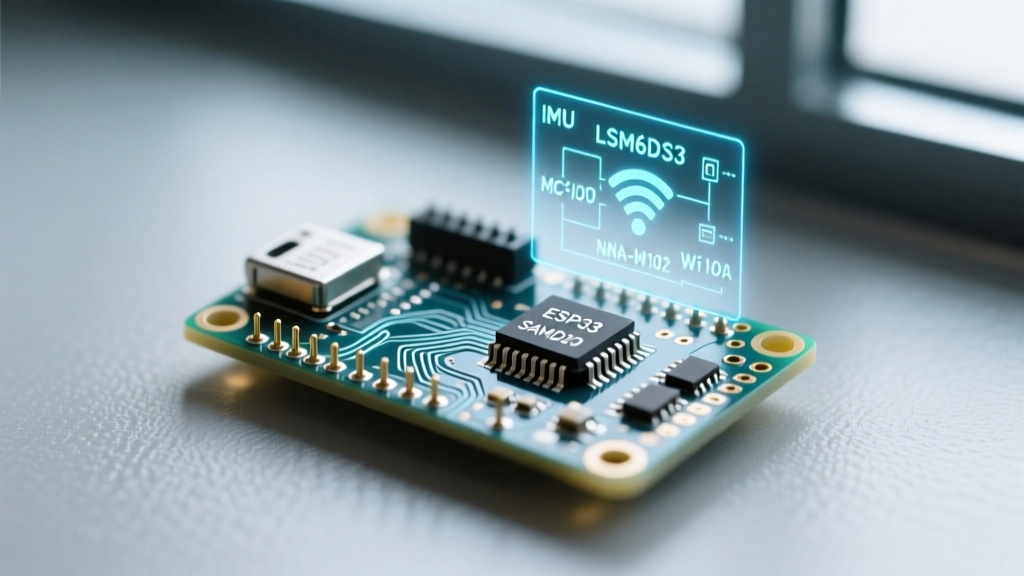

Beyond the Breadboard: Anatomy of the Arduino Nano 33 IoT
When embedded engineers and advanced makers evaluate the Arduino Nano 33 IoT, it is frequently—and incorrectly—dismissed as merely an overpriced ESP32 alternative. This perspective fundamentally misunderstands the board's architecture and its specific use case in the 2026 IoT landscape. The Nano 33 IoT is not a monolithic system-on-chip (SoC); it is a carefully orchestrated multi-chip module designed for secure, low-power edge sensing and seamless cloud provisioning.
Retailing at approximately $21.50 through official channels and authorized distributors like Mouser and DigiKey, the board commands a premium over raw ESP32-S3 dev kits. To justify this cost, we must look past the basic Wi-Fi connectivity and deep dive into the specific silicon that makes this board a powerhouse for industrial prototyping, predictive maintenance, and secure AWS IoT deployments.
The Core Architecture: SAMD21G vs. The ESP32 Monolith
At the heart of the Arduino Nano 33 IoT lies the Microchip SAMD21G18A, a 32-bit ARM Cortex-M0+ microcontroller clocked at 48 MHz. It features 256 KB of Flash memory and 32 KB of SRAM. Why use a Cortex-M0+ when the Wi-Fi module onboard already contains a dual-core ESP32?
Deterministic Real-Time Control
The ESP32 is a Wi-Fi/Bluetooth powerhouse, but its FreeRTOS-based Wi-Fi stack introduces interrupt latency and non-deterministic timing that can disrupt high-speed sensor polling. By offloading the main application logic to the SAMD21G, developers achieve strict, deterministic timing for reading ADC values or triggering actuators. The SAMD21 communicates with the Wi-Fi module via a dedicated SPI bus, effectively treating the network stack as a peripheral rather than the core runtime environment.
Wireless Subsystem: The u-blox NINA-W102 Module
The wireless heavy lifting is handled by the u-blox NINA-W102, a compact module that internally houses an ESP32 chip and a PCB trace antenna. However, unlike a standard NodeMCU or generic ESP32 dev board, the ESP32 inside the NINA module runs u-blox's proprietary AT-command firmware, not the standard Arduino-ESP32 core.
- Protocol Support: 802.11 b/g/n (2.4 GHz) and Bluetooth 4.2 (BLE).
- Security: WPA2-Enterprise and hardware-accelerated TLS/SSL encryption.
- Throughput: Up to 20 Mbps TCP throughput in optimal RF environments.
Engineering Warning: Because the NINA-W102 relies on AT commands over SPI, you cannot flash custom C++ code directly to the ESP32 inside the module without permanently altering the board's functionality. Attempting to overwrite the u-blox firmware via the test pads will break compatibility with the Arduino
WiFiNINAlibrary and void cloud provisioning features.
Predictive Maintenance: The LSM6DS3 6-Axis IMU
For vibration analysis, tilt sensing, and motion tracking, the board integrates the STMicroelectronics LSM6DS3TR-C. This is a high-performance 3D accelerometer and 3D gyroscope. In industrial IoT scenarios, this IMU is frequently used for Fast Fourier Transform (FFT) edge-computing to detect bearing faults in motors before catastrophic failure occurs.
IMU Specifications and I2C Addressing
The LSM6DS3 operates on the same I2C bus as the external pins but utilizes a dedicated hardware I2C multiplexer on the Nano 33 IoT to prevent address collisions. The default I2C address is 0x6A (when SDO/SA0 is pulled high). It supports Output Data Rates (ODR) up to 6.66 kHz, which is critical for capturing high-frequency vibration harmonics in industrial machinery.
Hardware-Grade Security: ATECC608A-TNGTLSS
The most underutilized feature of the Arduino Nano 33 IoT is the Microchip ATECC608A Secure Element. In an era where IoT botnets are a persistent threat, hardcoded Wi-Fi passwords and plain-text MQTT tokens are unacceptable. The ATECC608A is a cryptographic co-processor that securely stores private keys and executes hardware-based elliptic curve cryptography (ECC).
According to the Microchip ATECC608A product brief, this specific Trust&GO (TNGTLSS) variant comes pre-provisioned with a unique X.509 certificate. When you connect the board to the Arduino IoT Cloud or AWS IoT Core, the private key never leaves the silicon boundary of the ATECC608A. TLS handshakes are executed inside the crypto chip, rendering remote firmware extraction attacks virtually useless.
Market Comparison: Nano 33 IoT vs. Modern Alternatives
How does this specialized architecture stack up against other dominant platforms in 2026? The following matrix highlights the engineering trade-offs.
| Feature | Arduino Nano 33 IoT | ESP32-S3-DevKitC | Raspberry Pi Pico W |
|---|---|---|---|
| Main MCU | SAMD21G (Cortex-M0+) | ESP32-S3 (Dual-core Xtensa) | RP2040 (Dual-core M0+) |
| Wi-Fi Module | NINA-W102 (u-blox) | Integrated | Infineon CYW43439 |
| Onboard IMU | Yes (LSM6DS3) | No | No |
| Secure Element | Yes (ATECC608A) | No (Relies on Flash Encryption) | No |
| Native USB | Yes (SAMD21 USB peripheral) | Yes (USB OTG) | Yes (USB 1.1 Controller) |
| Approx. Price (2026) | $21.50 | $8.00 - $12.00 | $6.00 |
For detailed module schematics and RF certification data, engineers should consult the u-blox NINA-W10 series documentation.
Real-World Failure Modes and Troubleshooting
Despite its robust design, the Nano 33 IoT has specific hardware and software edge cases that trip up developers migrating from standard AVR or ESP8266 boards.
1. The VBUS Diode Voltage Drop
When powering the board via the micro-USB port, the 5V VBUS line passes through a protection diode (typically a Schottky diode with a ~0.3V to 0.4V drop) before reaching the onboard MP2322 step-down converter. Consequently, the "5V" pin on the board headers will only output roughly 4.6V to 4.7V. If you are driving external 5V logic relays or strict-tolerance sensors, this voltage drop can cause erratic behavior. Solution: Power the board via the VIN pin with a regulated 5V-9V supply to bypass the USB diode entirely.
2. NINA Firmware Mismatch (The Silent SSL Killer)
The most common reason for failed AWS IoT or Arduino Cloud connections is a mismatch between the WiFiNINA library version and the NINA module's internal firmware. If you update your Arduino IDE but forget to flash the NINA module, TLS handshakes will silently time out without throwing a standard serial error.
- Open the Arduino IDE and navigate to Examples > WiFiNINA > Tools > CheckFirmwareVersion.
- Upload the sketch and open the Serial Monitor at 9600 baud.
- If the output reads "Firmware version mismatch" or reports a version older than 1.5.0, navigate to Tools > WiFi101 / WiFiNINA Firmware Updater.
- Select the correct NINA-W102 binary and flash the module over the SAMD21 passthrough.
3. IMU Drift in High-Temperature Environments
The LSM6DS3 gyroscope is highly sensitive to thermal gradients. If the Nano 33 IoT is placed inside a sealed enclosure near a heat-generating voltage regulator, the localized thermal convection will induce measurable gyroscope drift. For precision dead-reckoning applications, always ensure thermal isolation between the power circuitry and the IMU silicon.
Final Verdict: Who is the Nano 33 IoT For?
The Arduino Nano 33 IoT is not meant for hobbyists blinking LEDs or building simple web servers; an $8 ESP32-S3 handles those tasks more efficiently. As outlined in the official Arduino Nano 33 IoT hardware documentation, this board is engineered for commercial prototyping, secure edge-to-cloud sensor nodes, and predictive maintenance arrays where hardware-backed cryptography and deterministic sensor polling are non-negotiable. By understanding the distinct roles of the SAMD21, the NINA-W102, and the ATECC608A, engineers can leverage this compact platform to build enterprise-grade IoT infrastructure directly from the breadboard.